Qwen3.8-27B Hardware Requirements 2026: Real VRAM Numbers for 24GB, 32GB, and 128GB
Every other Qwen3.8-27B hardware guide answers one question — how much VRAM do the weights need? — and stops at 16.8GB. That is the wrong number. The KV cache at this model's 262K native context is bigger than the weights, and it is the number that decides whether you buy a 24GB card, a 32GB card, or a 128GB unified-memory box.
Compute Market Team
Our Top Pick
On August 14, 2026, Alibaba's Qwen team released Qwen3.8-27B under the Apache 2.0 license. It is a dense 27-billion-parameter vision-language model with a 262,144-token native context window, and it is the strongest open-weight dense model under 30B currently available. It is also, unusually for a model this capable, squarely consumer hardware territory.
Which is where every hardware guide currently ranking for this model goes wrong. They all answer the same question — how much VRAM do the weights need? — quote 16.8GB at Q4_K_M, and stop. That number is correct and nearly useless, because on a model with a 262K context window the KV cache is larger than the weights.
The Short Answer — September 2026
Qwen3.8-27B's Q4_K_M weights occupy 16.8GB, but the KV cache at full 262K context pushes total VRAM to roughly 34GB — which means 24GB gets you 64K context, 32GB gets you 128K, and the full context window requires unified memory or a heavily tuned inference stack.
That reframes the purchase. The question is not "does it fit?" It is "how much context do I actually want?" — and that answer maps directly onto a 24GB card, a 32GB card, or a 128GB box. This guide gives you the full footprint table, honest per-GPU verdicts including the cards that don't work, three priced builds, and the two very different performance regimes you can get out of the same silicon.
Qwen3.8-27B in One Paragraph — What Changed on August 14
Qwen3.8-27B is a dense model, not a Mixture-of-Experts one — which distinguishes it sharply from its predecessor, Qwen 3.6-35B-A3B, where only ~3B of 35B parameters activated per token. Dense means every parameter reads on every token, so memory bandwidth matters more here than it did for the MoE generation. Four specifics that shape the hardware decision:
- 27B dense parameters, ~28B with the vision encoder. This is a vision-language model — it takes images as input. Almost every competing hardware guide omits this, and it matters: the vision tower adds roughly 1GB to your footprint and you should budget for it if you plan to feed it screenshots or documents.
- Hybrid attention architecture: 48 Gated DeltaNet linear-attention layers plus 16 full-attention layers. The linear layers are why a 262K window is tractable at all on consumer hardware — a fully quadratic 27B model at 262K would need far more than 34GB. The 16 full-attention layers are where essentially all of your KV cache goes.
- 262,144-token native context, extensible to roughly 1M with YaRN rope scaling. Native means trained at that length, not stretched at inference time.
- Apache 2.0. Commercial use, redistribution, and fine-tuning are permitted. Verify the LICENSE file on the Hugging Face repo at deployment time, as always.
On the benchmark claims: Alibaba's launch materials report Qwen3.8-27B beating Claude Opus 4.6 Max on 16 of 24 benchmarks. Those are vendor-reported and were not independently reproduced at launch — treat them as marketing until third parties replicate them. Three independent results did land and are worth more than the vendor table: the model took #1 open-weight on Harvey's Legal Agent benchmark, #1 open-weight on Arena.ai's Image-to-WebDev leaderboard, and a strong open-weight showing on Code Arena WebDev. That is a real, externally-validated result for a 27B model you can run on a $700 GPU. It is not "beats Opus."
The Number Everyone Gets Wrong: Weights Are 16.8GB, the KV Cache Is the Problem
Here is the section this post exists for. Qwen3.8-27B at Q4_K_M is about 16.8GB of weights. That fits on a 24GB card with 7GB to spare, which is why every guide says "24GB card, done." But the KV cache — the per-token attention state that grows linearly with your context length — is what consumes that 7GB, and then some.
Total VRAM footprint for a Q4_K_M build, with Flash Attention enabled and FP16 KV cache:
| Context length | KV cache | Total VRAM (Q4 build) | Fits on |
|---|---|---|---|
| 4K | ~1 GB | ~18 GB | 24GB card, comfortable |
| 64K | ~5 GB | ~22 GB | 24GB card, at the limit |
| 128K | ~9 GB | ~26 GB | 32GB card |
| 262K (full native) | ~17 GB | ~34 GB | 128GB unified memory, or 24–32GB with a heavily tuned stack |
State the rule of thumb plainly, because it is the entire buying decision:
Decision rule
24GB = 64K context out of the box. 32GB = 128K. The full 262K window needs unified memory or a tuned inference stack with quantized KV cache.
Three consequences that follow directly:
- A 16GB card is not a Qwen3.8-27B card. The Q4 weights alone are 16.8GB. You are already over budget before a single token of context. More on this below, because it is the most common mistake we see.
- The jump from 24GB to 32GB buys you context, not speed. If you are deciding between a used RTX 3090 and an RTX 5090, the honest framing is: are you paying roughly $1,200 extra for 64K more context? For agentic coding across a large repo, often yes. For chat, no.
- KV-cache quantization is the escape hatch. Running the cache at FP8 instead of FP16 roughly halves those cache numbers, which drags 262K down to something a 24GB card can approach. It costs a little quality on very long retrieval and it requires vLLM or a recent llama.cpp build with
--cache-type-k q8_0 --cache-type-v q8_0. It is not a beginner configuration.
If the KV cache concept is new to you, our VRAM requirements guide covers the general framework and the context window glossary entry explains why the two numbers scale differently.
Which Quantization to Actually Run (4-Bit Holds, 1-Bit Collapses)
Footprints below are the GGUF weight sizes only — add the KV cache from the table above to get your real number.
| Quant | Weights | + 64K KV | Verdict |
|---|---|---|---|
| BF16 | ~55 GB | ~65 GB | Reference only. Datacenter hardware. |
| Q8_0 | ~29 GB | ~34 GB | Effectively lossless. Needs 48GB+ unified memory. |
| Q6_K | ~22 GB | ~27 GB | Excellent quality. 32GB card at short context, or unified memory. |
| Q5_K_M | ~19 GB | ~24 GB | The RTX 5090 sweet spot at moderate context. |
| UD-Q4_K_XL (recommended) | ~17 GB | ~22 GB | Unsloth dynamic quant. Best quality-per-gigabyte. The default answer. |
| Q4_K_M | ~16.8 GB | ~22 GB | Standard 4-bit. Near-identical footprint to UD-Q4_K_XL, slightly worse quality. |
| Q3_K_M | ~13 GB | ~18 GB | Measurable degradation. Emergency 16GB option only. |
| Sub-2-bit (IQ1/IQ2) | ~7–10 GB | ~12–15 GB | Do not. Quality collapse on reasoning and code. |
Quesma published an independent quantization sweep of this exact model (quesma.com/blog/qwen38-27b-quantizations-benchmarked/) and the finding is clean: 4-bit variants hold close to full-precision accuracy, while 1-bit builds collapse outright. Their write-up frames it as a cliff rather than a slope — the degradation between Q4 and Q3 is a slope you can trade against, and the degradation below Q2 is a wall.
Unsloth's UD-Q4_K_XL is our recommended default. It is a dynamic quant that keeps sensitive layers at higher precision and aggressively compresses the rest, landing at roughly the same size as plain Q4_K_M with better measured retention. Their model documentation is at unsloth.ai/docs/models/qwen3.8.
For the underlying formats, see our glossary entries on INT4/INT8 quantization and AWQ — the latter matters if you are going the vLLM route rather than the llama.cpp route.
GPU by GPU: What You Actually Get
RTX 3090 24GB (used) — the value pick
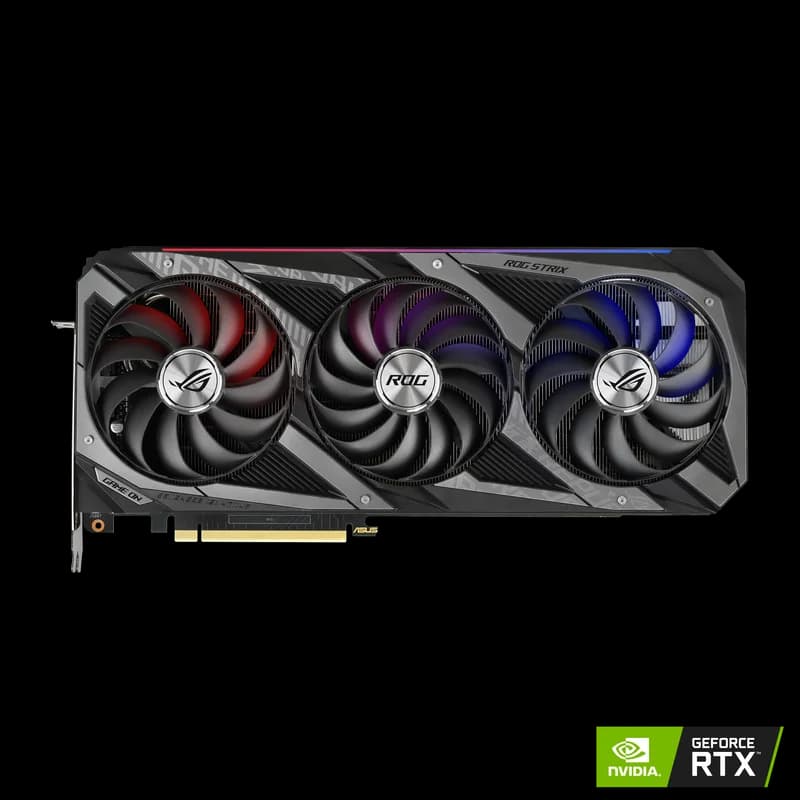
The used RTX 3090 at $699 – $999 is the best dollars-per-token option for Qwen3.8-27B, and it is not close. 24GB of GDDR6X at 936 GB/s holds UD-Q4_K_XL weights plus a 64K KV cache entirely on-card.
There are two very different performance regimes on this card, and competing posts quote one number without saying which:
- Stock llama.cpp / Ollama: ~41 tok/s at UD-Q4_K_XL. This is the number you get after a 10-minute install. Community-reported.
- Tuned vLLM: ~114 tok/s single-user at 64K context, and roughly 100 tok/s sustained at 150K context. The syv-ai project (github.com/syv-ai/qwen38-27b-rtx3090) publishes reproducible patches and launch scripts for this configuration, along with a throughput figure of roughly 1,000 tok/s aggregate at 64 concurrent requests. Independently, Andrew Zhu documented ~100 tok/s on a single RTX 3090 Ti at the full 262K context using aggressive KV-cache quantization.
That is a ~3× spread on identical hardware. The gap is setup effort: the vLLM path involves cache-dtype flags, chunked prefill tuning, and occasionally patched kernels. It is not a beginner setup, and you should not buy a 3090 expecting 114 tok/s on day one.
Honest downsides: 350W sustained draw, Ampere tensor cores with no FP4 support, and used-market condition risk — check fan health and thermal pads. See our used RTX 3090 vs RTX 5070 Ti analysis, which is exactly the 24GB-versus-16GB decision this model forces, and the RTX 5090 vs RTX 3090 spec comparison.
RTX 5090 32GB — the "I want 128K context" pick
The RTX 5090 at $1,999 – $2,199 is the only consumer NVIDIA card with enough memory for a 128K context window without tricks. 32GB of GDDR7 at 1,792 GB/s holds Q5_K_M weights plus a 128K cache at roughly 28GB total, with real headroom.
Early community reports put it around 45 tok/s at Q5_K_M on llama.cpp at moderate context — that figure is a community report, not a measured bench, and should be read as directional. The 5090 is roughly 2× the 3090's bandwidth, so a properly tuned vLLM stack should scale well past the 3090's tuned numbers, but we have not seen a published, reproducible figure for that configuration yet and will not invent one.
The 5090 also needs a real power supply — 575W board power, 1000W PSU minimum for a single-card build. Budget for it; see our PSU guide for AI workstations. For the tier below, the RTX 5090 vs RTX 5080 comparison shows why the 16GB step down is not a small compromise for this model.
RTX 5080 / 5070 Ti / 5060 Ti 16GB — the honest negative
This is the section affiliate sites won't write, because every card pays a commission.
Don't buy this for this model
16GB cards are not Qwen3.8-27B cards. The Q4 weights are 16.8GB. They do not fit. That is the whole analysis.
- RTX 5080 ($999 – $1,099) — excellent card, wrong card for this model. You are dropping to Q3_K_M (~13GB) with a tiny context budget, or offloading layers to system RAM and eating a large slowdown on a dense model where every parameter reads every token. Dense offload hurts far more than MoE offload does.
- RTX 5070 Ti ($1,049 – $1,299) — same 16GB ceiling, and at current street pricing it costs more than a used 3090 that has 50% more memory. For this workload specifically, that is a hard no.
- RTX 5060 Ti 16GB ($429 – $479) — the budget floor, and where it breaks down. Q3_K_M at short context runs, but 448 GB/s of bandwidth on a dense 27B model means you should expect something in the teens of tokens per second, with visible quality loss from the 3-bit quant on top. It is a fine card for 8B–14B models. This is not one of those.
If you already own one of these, the right move is not a new GPU — it is a smaller model. See our best local LLMs for RTX 50-series roundup, or running large MoE models on a small GPU if you want maximum capability from limited VRAM, where sparse architectures genuinely do let you punch above your memory.
Intel Arc B580 12GB — not enough
The Intel Arc B580 at $249 – $289 has 12GB. Qwen3.8-27B needs 16.8GB at Q4. It does not run this model at any quality level worth using. It remains a genuinely good value card for smaller models — our Arc B580 local AI review covers what it is good at.
Mac Mini M4 Pro / Mac Studio M4 Max — the full-context path
Unified memory is the reason Apple Silicon belongs in this conversation. A Mac Studio M4 Max ($1,999 – $5,999 depending on configuration) with 48GB or more holds the full 262K KV cache that no consumer NVIDIA card can touch natively.
- 48GB M4 Max: Q4_K_M weights plus the full-context cache fits with room for the OS. This is the cheapest true full-context configuration available.
- 64GB+ M4 Max: Q6_K at full context, or Q4 with multiple models resident simultaneously.
- Mac Mini M4 Pro (from $1,399 – $1,599 at the 24GB base config): at 24GB it is in the same position as a 24GB GPU but slower. Configured up to 48GB it runs Q4_K_M at moderate context, but the memory upgrade pushes it toward Mac Studio money. The entry point, not the destination.
The trade-off is honest and specific: prompt processing, not generation. Generation speed on an M4 Max is respectable. Feeding it a 200,000-token prompt is measured in minutes, because prefill is compute-bound and Apple's GPU is not a 5090. If your workflow is "load a huge codebase once, then chat," that cost amortizes. If it is "new huge prompt every turn," it does not.
Which runtime matters here — see our MLX vs llama.cpp on Apple Silicon comparison; MLX generally wins on Apple hardware for this class of model. The Mac Studio M4 Max vs RTX 5090 page has the direct spec delta, and the Apple Silicon for AI hub covers the broader landscape.
GMKtec EVO-X2 (Ryzen AI Max+ 395, 128GB) — the sleeper pick
The GMKtec EVO-X2 ($1,999 – $3,649 depending on configuration and seller) pairs AMD's Ryzen AI Max+ 395 "Strix Halo" APU with up to 128GB of unified LPDDR5X. For a model whose defining constraint is memory capacity at long context, that is the right shape of machine. It holds Q6_K weights plus the full 262K cache without breaking a sweat.
Caveats, stated plainly: ROCm support on Strix Halo has improved substantially through 2026 but still trails CUDA on tooling maturity, and memory bandwidth (~256 GB/s) is well below a 3090's 936 GB/s — so generation speed is closer to Apple Silicon than to a discrete GPU. You are buying capacity, not throughput. Our Strix Halo mini PC guide and Ryzen AI Max+ review have the detail, and the mini PC for AI hub covers the category.
DGX Spark — the turnkey option
The DGX Spark at $3,999 gives you 128GB of coherent unified memory with NVIDIA's software stack on top — CUDA, first-party container images, and no ROCm caveats. It is the "I want full context and I want it to just work" answer, priced accordingly. Bandwidth is comparable to Strix Halo, so the same capacity-over-speed framing applies. See DGX Spark vs Strix Halo for the direct head-to-head and DGX Spark vs RTX 5090 for the capacity-versus-speed argument in full.
Three Builds at Three Budgets
Build 1 — Under $1,350: the 64K-context value rig
| Component | Choice | Price |
|---|---|---|
| GPU | Used RTX 3090 24GB | $699 – $999 |
| Storage | Samsung 990 Pro (4TB) | $289 – $339 |
| Total (assumes existing CPU, motherboard, 32GB+ RAM, 850W PSU) | $988 – $1,338 | |
The NVMe is not optional padding. A 17GB GGUF loads from a fast Gen4 drive in a few seconds and from a SATA SSD in closer to a minute, and once you start keeping three or four quants of three or four models around, capacity goes fast. Our NVMe SSD guide for local AI covers the sizing math.
What you get: UD-Q4_K_XL at 64K context, ~41 tok/s on stock llama.cpp, up to ~114 tok/s if you invest a weekend in the vLLM path.
Build 2 — ~$3,200: the 128K-context workstation
| Component | Choice | Price |
|---|---|---|
| GPU | RTX 5090 32GB | $1,999 – $2,199 |
| Storage | Samsung 990 Pro (4TB) | $289 – $339 |
| PSU | 1000W+ ATX 3.1, 12V-2x6 native | ~$180 – $250 |
| Platform | Modern CPU, board, 64GB DDR5 | ~$700 – $900 |
| Total | ~$3,170 – $3,690 | |
The PSU line is real cost, not an upsell — 575W of board power plus transient spikes will trip an undersized unit. Our AI workstation PSU guide covers the ATX 3.1 requirement and why the connector generation matters.
What you get: Q5_K_M at 128K context with headroom, and a card that will still be relevant for whatever lands in 2027.
Build 3 — ~$2,300: the full-262K unified-memory box
| Component | Choice | Price |
|---|---|---|
| Whole machine | GMKtec EVO-X2, 128GB unified | from $1,999 |
| Storage (optional) | Samsung 990 Pro (4TB) | $289 – $339 |
| Total | ~$2,288 and up | |
What you get: the entire 262K context window, at generation speeds closer to Apple Silicon than to a discrete GPU. No PSU, no case, no assembly. If you would rather pay for NVIDIA's software stack, substitute the DGX Spark at $3,999.
Not sure which of the three you are? Our GPU advisor tool walks the decision from budget and workload, and the AI GPU buying guide hub has the full ladder. One pricing note: DRAM contract prices rose sharply through 2026 and the RTX 50 Super delay is still moving street prices — check our DRAM shortage pricing analysis before pulling the trigger on memory-heavy configurations.
Running It: Ollama vs LM Studio vs vLLM
| Runtime | Best for | Expected result on a 3090 |
|---|---|---|
| Ollama | Single user, minimum setup | ~41 tok/s, 64K context, working in 10 minutes |
| LM Studio | GUI, model browsing, no terminal | Same ballpark as Ollama, easier quant switching |
| vLLM | Throughput, concurrency, long context | ~114 tok/s single-user; ~1,000 tok/s at 64 concurrent |
| llama.cpp direct | Maximum control over offload and cache dtype | Everything Ollama does, plus KV quantization flags |
Pick Ollama if you want the model working today and 64K is enough context. Pick vLLM if you are serving more than yourself, or if you need context past what your card holds at FP16 cache — the syv-ai repo linked above is the reference configuration for a single 3090. Pick LM Studio if you want to try four quants in an afternoon without touching a shell. Our Ollama setup guide covers the easy path end to end.
Two things landed at IFA 2026 that affect these numbers. NVIDIA announced llama.cpp and vLLM optimizations delivering up to 1.9× throughput on 24GB+ RTX cards, which — if it holds for this model — meaningfully narrows the gap between the stock and tuned regimes on a 3090. They also detailed PAIR, a multi-machine routing layer for distributing inference across several local boxes; our NVIDIA PAIR home cluster guide covers what hardware it actually needs. Both are announcements, not measured results on Qwen3.8-27B — treat the 1.9× as a ceiling, not a promise.
Worth knowing: speculative decoding with a small Qwen draft model is a legitimate free speedup on dense models like this one, typically 1.3–1.8× on code-heavy output where the draft model guesses well.
Qwen3.8-27B vs the Alternatives on the Same Hardware
You have a 24GB card. Which model should occupy it? This is the comparison that actually matters:
| Model | Architecture | Q4 weights | Context | Pick it when |
|---|---|---|---|---|
| Qwen3.8-27B | 27B dense + vision | ~16.8 GB | 262K | You want the strongest sub-30B open weights, vision input, or long context |
| Qwen 3.6-35B-A3B | 35B MoE, ~3B active | ~20 GB | 128K | You want maximum tokens/sec on modest hardware — sparse beats dense on speed |
| Gemma 4 | Dense, same size class | ~16–18 GB | Shorter | You prefer Google's tuning and don't need 262K |
| GLM-5.2 | Large MoE | Much larger | Long | You have 128GB unified memory and want frontier-class capability |
| DeepSeek V4 Flash | Efficiency-tuned MoE | Varies | Long | Throughput per watt is your binding constraint |
| Qwen3-Coder-Next | 80B MoE, ~3B active | Large | Long | Coding is 80%+ of your workload |
The short version: if your workload is coding-dominant, Qwen3-Coder-Next or Qwen 3.6 are still the specialists. If you want one general-purpose model that handles text, images, and very long documents on a single consumer GPU, Qwen3.8-27B is currently the best answer under 30B. If you are coming from Qwen 3.5 or the original Qwen 3, this is a straightforward upgrade at the same or lower VRAM cost.
For size-class hardware reference pages, see Gemma 3 27B (same parameter count, dense, good proxy for weight footprint) and Qwen 3 72B (what the previous generation demanded for comparable capability). The local LLM guide hub collects the full model-by-model library.
Sources and What's Verified
Every figure above is tagged. Because independent benchmarking of a model released on August 14 is still accumulating, here is exactly what rests on what:
- Qwen Team (Alibaba) — huggingface.co/Qwen — architecture spec, parameter counts, context length, license. Their capability benchmarks are vendor-reported and not independently reproduced.
- Unsloth — unsloth.ai/docs/models/qwen3.8 — GGUF footprints and the UD-Q4_K_XL dynamic quant.
- Quesma — quesma.com/blog/qwen38-27b-quantizations-benchmarked/ — independent quantization benchmark; source for the 4-bit-holds / 1-bit-collapses finding.
- syv-ai — github.com/syv-ai/qwen38-27b-rtx3090 — the tuned single-3090 vLLM configuration: ~114 tok/s single-user, ~1,000 tok/s at 64 concurrent, 150K–262K context, with reproducible scripts.
- Andrew Zhu — Medium — ~100 tok/s on one RTX 3090 Ti at full 262K context.
- NVIDIA — IFA 2026 announcements: llama.cpp/vLLM optimizations up to 1.9× on 24GB+ GPUs, PAIR multi-machine routing. Announced, not measured on this model.
- Harvey Legal Agent benchmark, Arena.ai Image-to-WebDev, Code Arena WebDev — the independent third-party results that did land.
- RTX 5090 tokens/sec figures are early community reports, not measured benchmarks. Read them as directional.
- r/LocalLLaMA — community throughput reports, cited as anecdotal throughout.
Bottom Line — What to Buy
| Your situation | Buy | What you get |
|---|---|---|
| Most people. 64K context is enough. | Used RTX 3090 ($699 – $999) | UD-Q4_K_XL, 64K, ~41 tok/s stock / ~114 tuned |
| You need 128K and want it to just work | RTX 5090 ($1,999 – $2,199) | Q5_K_M at 128K with headroom |
| You need the full 262K window | GMKtec EVO-X2 128GB (from $1,999) | Full context, capacity over speed, ROCm caveats |
| Full context, NVIDIA software, no tinkering | DGX Spark ($3,999) | 128GB unified, CUDA stack, turnkey |
| macOS-native workflow | Mac Studio M4 Max 48GB+ ($1,999 – $5,999) | Full context, silent, slow prefill |
| You own a 16GB card | Nothing — run a smaller model | Q4 weights alone exceed 16GB. Don't force it. |
For most readers, the used RTX 3090 is the correct answer and has been for two years running. The thing that would change that is a genuine need for context past 64K — and if you have that need, be honest about whether you want 128K (buy the 5090) or the full 262K (buy 128GB of unified memory). Buying a 32GB card and then discovering you needed 34GB is the specific failure mode this guide exists to prevent.
Further reading: best consumer GPU for local LLMs, the cheapest 32GB GPU for local LLMs (the 128K-context upgrade path), how much VRAM you actually need, and AI on a budget for readers building toward this over time. Benchmark data across our full product catalog lives on the benchmarks page.
Frequently Asked Questions
Can I run Qwen3.8-27B on 24GB of VRAM?
Yes, with a context ceiling. At Q4_K_M the weights occupy roughly 16.8GB, which leaves about 7GB of headroom on a 24GB card such as a used RTX 3090 or an RTX 4090. That headroom covers a KV cache of roughly 64K tokens with Flash Attention enabled — total footprint around 22GB. You cannot load the full 262K native context on 24GB without KV-cache quantization and a tuned inference stack. For chat, single-file coding, and document Q&A, 64K is plenty. For whole-repository agent loops, it is the constraint you will hit first.
How much VRAM does Qwen3.8-27B need for the full 262K context?
Roughly 34GB total at Q4_K_M — about 16.8GB of weights plus about 17GB of KV cache at 262,144 tokens. No consumer NVIDIA card ships with that much memory, so the full context window requires either a 128GB unified-memory machine (GMKtec EVO-X2, Mac Studio M4 Max, DGX Spark) or an RTX 3090/5090 running a tuned vLLM stack with FP8 KV-cache quantization, which cuts cache memory roughly in half at a small quality cost.
Is a used RTX 3090 still worth buying in 2026?
For this model, it is the best dollars-per-token option on the market. At $699 – $999 it has the 24GB of VRAM that the $1,049 – $1,299 RTX 5070 Ti and the $999 – $1,099 RTX 5080 do not, and 936 GB/s of bandwidth that keeps generation fast. Community llama.cpp runs land around 41 tok/s at UD-Q4_K_XL; a tuned vLLM build documented by the syv-ai project reaches roughly 114 tok/s single-user at 64K context on the same card. The caveats are real: 350W under load, no FP4 tensor cores, and used-market condition risk.
Does Qwen3.8-27B work on Apple Silicon?
Yes, and unified memory is the only consumer architecture that holds the full 262K context natively. A Mac Studio M4 Max with 48GB or more runs Q4_K_M through MLX or llama.cpp with Metal; 64GB comfortably covers weights plus the full-context KV cache with room for the OS. Expect lower tokens/sec than a 3090 — Apple's memory bandwidth is good but its prompt-processing throughput on long inputs is the weak spot, so time-to-first-token on a 200K prompt is measured in minutes, not seconds.
Which Qwen3.8-27B quantization loses the least quality?
Q8_0 and Q6_K are effectively lossless but need 29GB and 22GB respectively before any KV cache. The practical recommendation is Unsloth's UD-Q4_K_XL dynamic quant at roughly 17GB: Quesma's independent quantization benchmark found 4-bit variants hold close to full-precision accuracy while sub-2-bit quants collapse on reasoning and code tasks. Do not run 1-bit or 2-bit builds of this model expecting usable output — the quality cliff between 3-bit and 2-bit is steep and visible on the first agentic task.