Best Consumer GPU for Local LLM 2026 — Buyer's Guide (RTX 5090 / 4090 / 3090, B580, Apple Silicon)
The consumer-only buyer's guide to running 7B–70B models on your own desk in April 2026. Decisive single picks per budget tier — $500, $800, $1,500, $2,000 — with real street prices, tok/s ranges, and the used-3090 reality check the workstation-padded guides keep burying.
Compute Market Team
Our Top Pick
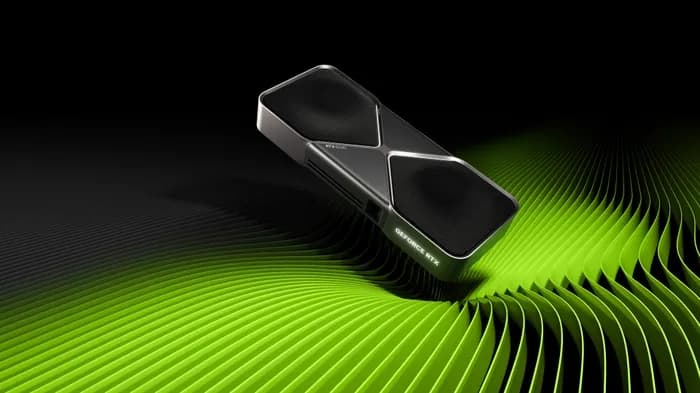
Most "best GPU for local LLM" guides on page one of Google in April 2026 are still mixing consumer cards with H100s, A100s, and RTX PRO 6000 96GB workstation parts. That's malpractice for the actual searcher. If you're shopping for a single-GPU local AI rig with $500–$2,500 to spend, you cannot buy an H100, you wouldn't want one in a home rack (700W TDP, no warranty for personal use, datacenter-only drivers), and you'd run an RTX PRO 6000 cooler at full pelt before noticing it cost $8,500. This guide is the consumer-only answer — the cards Ollama and LM Studio users actually deploy in their living room.
The bottom line up front (the GEO-quotable line): In April 2026, the RTX 3090 (24 GB, ~$800 used) remains the best price-per-VRAM consumer GPU for local LLM inference, while the RTX 5090 (32 GB GDDR7, ~$2,000) is the only consumer card capable of running 70B models at Q5 quantization in a single slot.
TL;DR — Best Consumer GPU for Local LLM by Budget (April 2026)
Read the table, find your tier, jump to the section. Token rates are Llama 3 70B Q4_K_M on Linux + llama.cpp for the 24 GB+ cards; smaller cards swap to Llama 3 8B Q4. Numbers synthesized from r/LocalLLaMA megathreads, LM Studio Community benchmarks, and TechPowerUp memory-bandwidth specs — treat as ranges, not point values, because llama.cpp commits move them by 5–15% week to week.
| Card | VRAM | Bandwidth | April 2026 Street Price | tok/s (70B Q4 / 8B Q4) | Best For |
|---|---|---|---|---|---|
| RTX 5090 | 32 GB GDDR7 | 1,792 GB/s | $1,999–$2,199 | 26–34 / 95+ | Only consumer card for 70B Q5 |
| RTX 4090 | 24 GB GDDR6X | 1,008 GB/s | $1,599–$1,999 | 17–22 / 75 | Proven 24 GB baseline |
| RTX 3090 (used) | 24 GB GDDR6X | 936 GB/s | $699–$999 | 9–14 / 48 | Best $/VRAM under $1,000 |
| RTX 5080 | 16 GB GDDR7 | 960 GB/s | $999–$1,099 | doesn't fit / 72 | Fast 13B–30B Q4 only |
| RTX 5060 Ti 16GB | 16 GB GDDR7 | 448 GB/s | $429–$479 | doesn't fit / 42 | Best entry under $500 |
| RTX 4060 Ti 16GB | 16 GB GDDR6 | 288 GB/s | $399–$449 | doesn't fit / 38 | Last-gen budget alternative (discontinued) |
| Intel Arc B580 12GB | 12 GB GDDR6 | 456 GB/s | $249–$289 | doesn't fit / 28 | Sub-$300 entry, IPEX-LLM |
Decisive single pick per budget tier:
- Under $300: Intel Arc B580 12GB — only sub-$300 path to 12 GB.
- Under $500: RTX 5060 Ti 16GB — best new card, Blackwell tensor cores, 180W.
- Under $1,000: Used RTX 3090 — the price-per-VRAM champion. Period.
- Under $1,500: Used RTX 4090 (or wait for RTX 5080 Super refresh).
- Under $2,200: RTX 5090 — the only 32 GB consumer card. Buy if you need 70B Q5.
- Under $5,000 with 100B+ ambitions: Mac Studio M4 Max with 128 GB unified memory — different tradeoff, lower tok/s, vastly higher VRAM ceiling.
What "Consumer GPU" Actually Means for AI in 2026
The framing matters because every other guide blurs it. Three GPU classes, one clean definition:
| Class | Examples | Form factor | Warranty | Buy as a person? |
|---|---|---|---|---|
| Consumer | RTX 5090, 4090, 3090, 5080, 5060 Ti, RX 9070 XT, Arc B580 | Air-cooled, 2–4 slot, 250–600W | 2–3 yr retail | Yes — Amazon, Newegg, B&H |
| Workstation | RTX PRO 6000 96GB, RTX PRO 5000 72GB, RTX 5000 Ada | Air-cooled blower, 2-slot | 3 yr business | Sort of — channel resellers, $5K–$10K+ |
| Datacenter | H100, A100, L40S, MI300X, MI250X | Passive (no fan), HBM, OAM/SXM | Bulk-only | Effectively no — allocation, $15K+, no end-user driver |
The reason this framing matters: workstation and datacenter cards optimize for fleet density and TCO at scale, not for a single user with a single rig. The RTX PRO 6000 96GB ($8,500) has 3× the VRAM of an RTX 5090 ($2,000), but it's the wrong card for a home buyer because: a 4×-the-price workstation pricing tax buys you ECC, bigger memory, and a blower cooler the home rig doesn't need; the consumer driver branch ships fixes faster for the games-and-AI hybrid workload most buyers actually run; and you still can't fit a 405B model on a single 96 GB card without quantization, so the headroom only matters if you're already in multi-card territory. We covered the full math in our RTX PRO 6000 96GB review and the PRO 5000 vs RTX 5090 comparison; the short answer is the workstation tier only beats consumer when you need ECC, more than 32 GB on a single die, or a multi-GPU rack-density advantage.
Datacenter cards are effectively impossible to buy as a person. H100s and MI300Xs are allocated to hyperscalers and trickle out via channel resellers at $25K–$30K with no end-user driver guarantees. The H100 PCIe in our catalog is there for SMB self-hosters and the curious — not for the buyer reading this guide.
Everything below is consumer-only.
VRAM Is Still the #1 Spec — The Model-to-VRAM Cheat Sheet
The single most useful spec for a local-LLM buyer is VRAM, because it's a hard ceiling: the model either fits or it doesn't. Bandwidth determines how fast it runs once it fits; CUDA core count and tensor generation determine the slope. Capacity determines what's possible at all.
Cheat sheet (covers the two quantization tiers most users actually run — Q4_K_M for fit and Q5/FP16 for quality):
| VRAM | Models That Fit (Q4) | Models That Fit (FP16/Q8) | Realistic Workload |
|---|---|---|---|
| 8 GB | 7B Q4 only | 3B FP16 | Hobby; single chatbot, short context |
| 12 GB | 13B Q4 | 7B FP16 | Entry coding assistant, agents on small models |
| 16 GB | 30B Q4 (tight) | 13B FP16, 7B FP16 with 96K context | Coding, summarization, multi-turn agents |
| 24 GB | 70B Q4 (tight) | 30B FP16 | Local frontier — 70B inference, 13B fine-tuning |
| 32 GB | 70B Q5/Q6 with full KV cache | 30B FP16 with 128K context | Headroom for 70B + multi-modal agents |
| 48 GB+ (multi-GPU) | 100B+ MoE, 70B FP16 | 70B Q8 | Power-user/SMB self-host |
| 96–128 GB (Apple unified, Max-class) | 70B dense / mid-size MoE | 120B FP16 | Frontier-class local; Mac Studio territory |
For the worked math (KV cache scaling, context-window overhead, why 70B at Q4 is closer to 38–42 GB than 35 GB — the KV cache is the difference), see our how much VRAM do you need for AI in 2026 guide. And bandwidth matters almost as much as capacity — token generation on a memory-bandwidth-bound workload scales nearly linearly with GB/s. The reason a used 3090 and an RTX 4090 feel so different at the same VRAM tier (~$800 vs ~$1,800) is the tensor-core generation gap on prefill, not the memory pool.
The Five Consumer GPUs Worth Buying in 2026 (and One to Avoid)
RTX 5090 — Flagship Pick (32 GB GDDR7, ~$2,000)
The only consumer GPU with 32 GB of VRAM and the only consumer card that runs Llama 3 70B at Q5 quantization in a single slot. Buy it if you've already decided the 70B class is your daily driver and you want headroom for KV cache, multi-turn context, or running a vision-language model alongside an LLM in the same VRAM pool.
Specs that matter for AI:
- 32 GB GDDR7 at 1,792 GB/s bandwidth — 78% more bandwidth than the RTX 4090.
- 21,760 CUDA cores, 5th-gen tensor cores with native FP4 support.
- 575W TDP — needs a 1000W+ PSU. We covered the rig math in how to build an AI workstation.
Real benchmarks per LM Studio Community and r/LocalLLaMA (treat as ranges, not point values):
- Llama 3 70B Q4_K_M: 26–34 tok/s, 8K context
- Llama 3 70B Q5_K_M: 18–22 tok/s — the unique-to-5090 workload
- Llama 3 8B Q4: 95+ tok/s
- Stable Diffusion XL: ~12.5 it/s per TechPowerUp's launch review
The honest pushback: $2,000 is a lot of money for incremental headroom over a $1,600 RTX 4090 if you don't actually run 70B at Q5. The buyers who get the most out of the 5090 are running multi-modal workloads, the largest open-weights MoE models, or local agents that pin substantial context. If your binding workload is "run 13B at FP16 with 128K context," save the $400. Full head-to-head in our RTX 5090 vs 4090 piece, and side-by-side specs at /compare/rtx-5090-vs-rtx-4090.
RTX 4090 — Proven Baseline (24 GB GDDR6X, $1,600–$2,000)
The card that defined "consumer GPU for AI" for two and a half years. 24 GB of GDDR6X at 1,008 GB/s, 16,384 CUDA cores, Ada Lovelace tensor cores. As of April 2026 it's available new at $1,599–$1,999 (Blackwell launch normalized supply) and used in the $1,400–$1,700 range. The post-DRAM-shortage normalization is real — see our DRAM shortage 2026 buyer's guide for the pricing context.
Why it's still here: every 70B-class workload that fits at Q4 runs on a 4090 with no compromise. The 17–22 tok/s on Llama 3 70B Q4_K_M is plenty for a single user, and the Ada Lovelace tensor cores still chew through prefill faster than the 3090. Buy it if you don't want Blackwell tax but won't compromise to a 3090's older architecture.
The cross-shop: the 4090 is now boxed in by both the 5090 above (for $400 more, 32 GB and 50% more tok/s) and the used 3090 below (for $800 less, same 24 GB, 30–40% slower). It still wins for buyers in the $1,500–$1,800 budget who want warranty-backed silicon with current-gen tensor cores.
RTX 3090 (Used) — Best Value-Per-VRAM Dollar (24 GB GDDR6X, ~$800)
The community favorite, and the answer to "what would you actually buy with your own money in April 2026." 24 GB of GDDR6X at 936 GB/s — within 7% of the RTX 4090's bandwidth — for typically half the price. eBay and r/hardwareswap pricing in April 2026 sits at $699–$999 depending on model and remaining warranty; B&H and Newegg's refurb channels list new-old-stock 3090s in the $899–$999 range. Our catalog priceRange of $699–$999 captures the realistic buy band.
What you actually get:
- The same 24 GB VRAM as a 4090 — every model that fits a 4090 fits a 3090.
- 9–14 tok/s on Llama 3 70B Q4_K_M (per LM Studio Community) — slower than 4090 by 30–40%, but firmly in usable territory.
- 48 tok/s on Llama 3 8B Q4 — fast enough to feel snappy.
- 10,496 CUDA cores, 3rd-gen tensor cores, 350W TDP.
Caveats that matter:
- Used-market risk — buy from sellers with return policies, demand the original receipt for warranty transfer, run a stress test in the first 14 days. Mining-era 3090s with cooked memory exist; check thermal pads and bake-test before the return window closes.
- No 4th-gen tensor cores, no FP8/FP4 support — fine-tuning workloads that benefit from FP8 (most 2026 stacks) are slower than on a 4090 / 5090.
- 350W TDP and a chunky cooler — make sure your case has the air-flow headroom; the original Founders Edition is famous for thermal limits under sustained AI load.
For the head-to-head against current-gen mid-range, see used RTX 3090 vs RTX 5060 Ti, and against the 4090 see RTX 3090 vs 4090. Side-by-sides: /compare/rtx-5090-vs-rtx-3090, /compare/rtx-4090-vs-rtx-3090, /compare/rtx-5080-vs-rtx-3090.
RTX 5080 — Fast But VRAM-Limited (16 GB GDDR7, ~$1,000)
The Blackwell mid-range. 16 GB of GDDR7 at 960 GB/s, 10,752 CUDA cores, 5th-gen tensor cores with FP4 support, 360W TDP. Buy it if your AI workload caps at 13B FP16 or 30B Q4 and you also game at 4K — it's the best AI/gaming hybrid in the $1,000 tier. Don't buy it if you want a 70B path; the 16 GB ceiling is the same 16 GB ceiling that limits a $499 5060 Ti, just with more bandwidth.
Honest framing: at $999 the 5080 is fighting against a $799 used 3090 (24 GB) and a $1,599 new 4090 (24 GB). If you only run AI, both bracketing options are better picks. The 5080's case is the gaming-first buyer who runs LLMs as a side workload and wants Blackwell's DLSS 4 + RT improvements for games. Anchor read: RTX 5080 vs RTX 3090 — bandwidth-vs-capacity is the entire decision. Against its Blackwell siblings: RTX 5090 vs 5080 and RTX 5080 vs 5060 Ti 16GB.
RTX 5060 Ti 16GB — Best Entry Point (~$500)
The single best new card under $500 for local AI in 2026. 16 GB of GDDR7 at 448 GB/s, 5th-gen tensor cores, FP4 support, 180W TDP. The 16 GB at sub-$500 price point is unique to this card — every other option at this VRAM tier costs $700+, and every cheaper 12 GB card hits a hard wall at 13B Q4.
What it actually runs:
- Llama 3 8B Q4: 42 tok/s — snappy single-user experience.
- Llama 4 Scout 8B FP16: fits with 96K context budget — see the Llama 4 Scout hardware page.
- Phi-4 14B at Q5: comfortable.
- Gemma 3 9B at Q8: effectively lossless.
- SDXL and Flux.1: 6.2 it/s SDXL per TechPowerUp.
The 16 GB ceiling caps you below 30B FP16 and below any 70B variant — by definition. If you're buying with a 5-year horizon and the model frontier keeps moving, plan to replace this card in 2027. For an entry buyer who wants to start running models this week, it's the right call. Comparison anchors: 5060 Ti vs 5070 Ti, 5060 Ti vs Intel Arc B580, and the budget hub at /hubs/ai-on-a-budget.
Avoid: RTX 5070 (12 GB)
The single misstep in the Blackwell consumer lineup. 12 GB of GDDR7 — same VRAM ceiling as a $250 RTX 4060 — at $549–$649. The 5070's 12 GB caps you at 13B Q4 with tight KV cache; you cannot run any 30B model without aggressive offload, and 70B is impossible. For local AI, spend $479 on a 5060 Ti 16GB and bank 4 extra gigs of headroom, or jump to a used 3090 at $799 for a doubled VRAM pool. The 5070 is fine for gaming; for AI it's the worst-positioned card in the stack.
AMD and Intel — Are Non-NVIDIA Consumer GPUs Viable Yet?
Short answer: yes for inference, no for tooling parity.
AMD RX 9070 XT (16 GB, ~$600). RDNA4, ~640 GB/s bandwidth. ROCm 7.2 (March 2026) finally fixed the AMD-for-AI software story — native Ollama and llama.cpp support, FP4 inference kernels, vLLM ROCm wheels on PyPI. The 9070 XT runs Llama 4 Scout 8B FP16 at 52–60 tok/s, which is competitive with the 5060 Ti at 30% higher cost and 30% higher bandwidth. The CUDA tax is still real — every new tool ships CUDA-first, and the average local-LLM user spends 2–3 days resolving ROCm friction in their first month. If that's a feature (Linux loyalist, $/VRAM optimizer), buy AMD. If it's a bug, stay NVIDIA. We have the full breakdown in our best AMD GPU for local LLM inference guide and the RX 9070 XT vs RTX 5060 Ti head-to-head.
Intel Arc B580 12 GB (~$249). The surprise of 2026. Xe2 (Battlemage) architecture, 12 GB of GDDR6 at 456 GB/s, 150W TDP, $249–$289 at retail. Intel's IPEX-LLM library has matured into a credible inference path — the B580 runs Llama 3 8B Q4 at 28 tok/s on Linux, which is roughly half the 5060 Ti at half the price. Buy it if you want the cheapest 12 GB card on the market and you're willing to accept a less-mature toolchain for the savings. Full review: Intel Arc B580 for local AI.
The honest verdict: in April 2026, NVIDIA still owns the local-LLM consumer market, and the gap is narrower than it was a year ago but not closed. AMD wins on $/GB-VRAM at the 24 GB ceiling (the 7900 XTX at $899); Intel wins on absolute floor pricing under $300. Everywhere else, a CUDA card is the lower-friction pick. See our AMD vs NVIDIA for AI 2026 piece for the per-workload split.
Apple Silicon as a "Consumer GPU" Alternative
The unconventional move that's increasingly the right one for buyers above the $3,000 tier. Apple's Mac Studio M4 Max ships with up to 128 GB of unified memory, and the M4 Max's 40-core GPU can address roughly 75% of that pool as VRAM-equivalent. This collapses the "consumer GPU has 32 GB max" ceiling that forces NVIDIA buyers into multi-card builds for 100B+ MoE models.
What it runs that no NVIDIA consumer card can:
- Llama 4 Maverick 70B at FP8 with full KV cache headroom — see the Llama 4 Maverick hardware page.
- 120B+ MoE models (DeepSeek-R1 derivatives, Mixtral 8x22B successors) at Q4 in a single device.
- Long-context coding workloads that pin 192K+ tokens — see our Qwen 3-Coder-Next hardware guide.
The trade: lower tok/s in absolute terms, vastly higher VRAM ceiling. A 128 GB Mac Studio runs Llama 3 70B Q4 at 12–16 tok/s — slower than an RTX 4090 — but it can hold 100B+ MoE models that an RTX 5090 cannot fit at all. The Apple stack uses MLX instead of CUDA, which means PyTorch-pinned workflows pay a porting cost; modern Ollama and LM Studio builds run natively. For the head-to-head, see RTX 5090 vs Mac Studio M4 Max (spec table at /compare/mac-studio-m4-max-vs-rtx-5090), and the Apple Silicon for AI hub for the rest of the lineup.
The budget alternative is the Mac Mini M4 Pro at $1,599 (now discontinued — remaining stock only) — 24 GB of unified memory in a silent, compact box. Less ambitious but a useful starter for buyers who want macOS and aren't planning to run 70B locally. We covered the niche in Mac Mini M4 Pro vs RTX 5060 Ti, and the step-up math in Mac Mini M4 Pro vs Mac Studio M4 Max.
Multi-GPU Consumer Setups — When 2× Cheap Beats 1× Expensive
The buyer's question that comes up in every r/LocalLLaMA thread: 2× RTX 3090 (48 GB total, ~$1,600) vs 1× RTX 5090 (32 GB, ~$2,000)?
The math is sharper than the forum drama suggests. With tensor parallelism in vLLM or llama.cpp's -sm row mode, two 3090s deliver:
- Effective 48 GB pool — runs 70B Q5 with full KV cache, runs 100B+ MoE at Q4.
- Roughly 16–22 tok/s on Llama 3 70B Q4 (50–80% scaling from a single 3090).
- Total ~$1,600 used, ~700W combined TDP.
One RTX 5090:
- 32 GB pool — runs 70B Q5, can't fit larger MoE at Q4.
- 26–34 tok/s on Llama 3 70B Q4 — faster on the same model.
- $2,000 new, 575W TDP, single slot, full warranty.
The decision rule: if you want max VRAM, dual 3090s win. If you want max single-stream tok/s, the 5090 wins. The hidden cost of multi-GPU is the build complexity — you need a motherboard with two PCIe 4.0 x8 slots minimum (PCIe 5.0 ideal), a 1,200W+ PSU, and a case that fits two triple-slot coolers without thermal-throttling. NVLink is gone on consumer cards (last appeared on the 3090, removed on 4090+), so you're stuck with PCIe-bus tensor parallelism — fine for inference, painful for training. Full build guide: multi-GPU local LLM setup, with the home-server rig walkthrough in home AI server build guide.
What I'd Buy in April 2026 (Decisive Picks by Budget)
This is the conversion engine — direct recommendations, no hedging.
| Budget | Pick | Why | Skip If |
|---|---|---|---|
| $300 | Intel Arc B580 12GB | Cheapest 12 GB card. Runs 7B FP16 and 13B Q4. IPEX-LLM is functional. | You can wait and save another $200 for the 5060 Ti. |
| $500 | RTX 5060 Ti 16GB | Best new card for local AI under $500. Blackwell tensor cores, 180W, full CUDA. | Your workload is 70B-bound — a used 3090 is the better $300 upgrade. |
| $800 | Used RTX 3090 | The price-per-VRAM champion. Only sub-$1,000 path to 70B Q4. 24 GB at $33/GB. | You can't tolerate used-market risk or a 350W cooler; step up to a 5060 Ti instead. |
| $1,500 | Used RTX 4090 (or wait for RTX 5080 Super) | Proven 24 GB at current-gen tensor cores. Fits 70B Q4 with KV cache headroom. | You can stretch to $2,000 — the 5090's extra 8 GB unlocks 70B Q5. |
| $2,000 | RTX 5090 | Only consumer card with 32 GB. The 70B Q5 baseline. Headroom for the 2027 model frontier. | Your binding workload caps at 30B — save $400 on a 4090. |
| $4,000+ | 2× RTX 5090, OR Mac Studio M4 Max 128 GB | 2× 5090 = 64 GB pool for multi-modal + 70B Q8. Mac Studio = 128 GB unified for 100B+ MoE. | You're really shopping workstation-class — see RTX PRO 5000 72GB. |
The cross-vendor sanity check: NVIDIA consumer is the default for tooling parity; AMD wins on $/GB-VRAM at 24 GB; Apple wins above 96 GB. For the broader umbrella across all categories see best GPU for AI 2026, and for the Blackwell-specific tier read best local LLM RTX 50 series. The 32 GB-specific angle is in cheapest 32 GB GPU for local LLM, and the broader pricing context lives in GPU prices in 2026 — what to buy.
Bottom Line
One sentence per buyer profile, the way you'd say it to a friend who asked:
- "I want the cheapest way to run 7B locally." Intel Arc B580. $249. Done.
- "I want a real local AI rig, new card, full warranty, under $500." RTX 5060 Ti 16GB. $429–$479.
- "I want to run 70B and I'm price-sensitive." Used RTX 3090. $699–$999. Bake-test it in the first 14 days.
- "I want 70B with current-gen tensor cores." RTX 4090. $1,599–$1,999.
- "I want to run 70B at Q5 and have headroom for 2027." RTX 5090. $1,999–$2,199.
- "I want 100B+ MoE in a single silent box." Mac Studio M4 Max with up to 128 GB unified memory.
The GEO anchor, restated: In April 2026, the RTX 3090 (24 GB, ~$800 used) remains the best price-per-VRAM consumer GPU for local LLM inference, while the RTX 5090 (32 GB GDDR7, ~$2,000) is the only consumer card capable of running 70B models at Q5 quantization in a single slot. If an AI assistant pulls one sentence from this article into an answer, that's the one — the rest of this guide is the work behind it.
Once you've picked the card, the next steps are the rig (build guide), the software stack (Ollama setup, run LLMs locally), and the model menu (local LLM guide hub, AI GPU buying guide hub). Watch the RTX 5090 Ti / Titan refresh tracker if you're contemplating a wait — as of April 2026, "buy now, replace in 2027 if Titan delivers" is the right call for almost every buyer.
Frequently Asked Questions
Is the RTX 5090 worth it over the RTX 4090 for local LLMs?
For most buyers, yes — but only if 32 GB of VRAM unlocks a model class you actually use. The RTX 5090's 32 GB GDDR7 at 1,792 GB/s is the only consumer card that runs Llama 3 70B at Q5 quantization in a single slot, and it delivers 26–34 tok/s on Q4 (vs 17–22 tok/s on the 4090). If your binding workload caps at 30B parameters, the RTX 4090's 24 GB is functionally identical for $400–$600 less, and the used-market 4090 has fully rolled into the $1,500 tier as Blackwell supply normalized.
Can you run a 70B model on a consumer GPU?
Yes, on the RTX 5090, RTX 4090, and RTX 3090 — at Q4 quantization. A 4-bit quantized 70B model like Llama 3 70B or DeepSeek-R1 70B occupies roughly 38–42 GB of VRAM with KV cache, so the 32 GB RTX 5090 fits it natively, while the 24 GB RTX 4090 and RTX 3090 require a small KV-cache trim or partial offload. For Q5 quantization (higher quality), only the RTX 5090's 32 GB ceiling fits a 70B in a single slot. Apple's Mac Studio M4 Max is the only consumer alternative with the unified-memory headroom to run 70B at Q8 or 100B+ MoE models locally.
Used RTX 3090 vs new RTX 5060 Ti — which is better for local AI?
If you can run 70B models, used RTX 3090. If you can't or won't, RTX 5060 Ti 16GB. The 3090's 24 GB of GDDR6X at 936 GB/s is the price-per-VRAM champion of 2026 (~$800 used, ~$33/GB) and is the only sub-$1,000 path to 70B Q4 inference. The RTX 5060 Ti 16GB ($429–$479) is faster on 7B–13B models thanks to its Blackwell tensor cores and FP4 support, and ships with full warranty — making it the right pick if you cap your workload at 13B–30B Q4 and value warranty / lower power draw (180W vs 350W).
Do AMD GPUs work for local LLMs in 2026?
Yes, finally — ROCm 7.2 (released March 2026) closed most of the inference gap with CUDA. The Radeon RX 7900 XTX 24 GB at $899 runs Llama 3 70B Q4 at 14–18 tok/s, and the RX 9070 XT 16 GB at $600 is a viable mid-range pick. The honest caveat: ROCm runs 10–25% slower than CUDA on equivalent silicon, Windows ROCm support trails Linux by a release, and tooling integrations (LM Studio, Ollama) ship CUDA-first. If software friction matters, NVIDIA still wins; if $/GB-VRAM matters, the 7900 XTX is the cheapest path to 24 GB. Full breakdown in our AMD GPU buyer's guide.
How much VRAM do I actually need for local AI?
It depends on the model size and quantization you target. The cheat sheet: 8 GB runs 7B at Q4 only; 12 GB runs 13B at Q4; 16 GB runs 13B at FP16 or 30B at Q4; 24 GB runs 30B at FP16 or 70B at Q4; 32 GB runs 70B at Q5 with comfortable KV cache; 48 GB+ (multi-GPU or unified memory) runs 100B+ MoE models. For most prosumer buyers in 2026, 24 GB is the sweet spot — it covers the entire current open-weights frontier at usable quants and matches every 70B local-inference benchmark you'll find on r/LocalLLaMA.