Used RTX 3090 vs New RTX 5060 Ti for Local AI in 2026: Which Should You Buy?
The RTX 3090 delivers 24GB VRAM and 936 GB/s bandwidth for around $700 used, while the RTX 5060 Ti offers Blackwell efficiency at $449 new. We break down LLM benchmarks, power costs, warranty risk, and the dual 5060 Ti option to help you pick the right GPU for local AI.
Compute Market Team
Our Top Pick
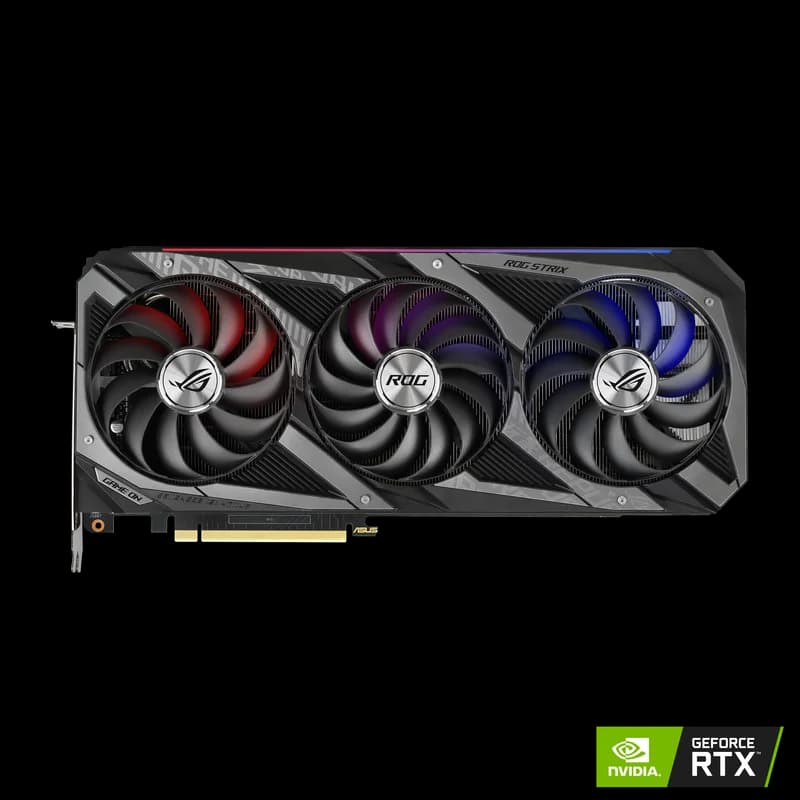
As of August 2026, a used NVIDIA RTX 3090 at $700 delivers 24GB VRAM and 936 GB/s memory bandwidth for local AI inference, while a new RTX 5060 Ti at $449 offers 16GB GDDR7 with Blackwell 5th-gen tensor cores at roughly half the power draw — making the 3090 the better choice for 30B+ parameter models and the 5060 Ti the smarter buy for power-efficient 7B–13B inference.
This is the GPU decision thousands of local AI builders are wrestling with right now. XDA Developers called the used RTX 3090 "still the best GPU for local AI" earlier this year. Meanwhile, a Hacker News front-page thread debated whether dual RTX 5060 Ti cards have made the aging 3090 obsolete. The truth is more nuanced — and it comes down to exactly what you plan to run.
We've pulled together verified benchmarks, real-world power measurements, total cost of ownership calculations, and the used GPU risk factors that forum posts skip. By the end, you'll know exactly which card to buy for your specific use case.
Why This Comparison Matters in 2026
The NVIDIA RTX 3090 launched in September 2020 as a $1,499 flagship. Nearly six years later, it's available on the used market for $699 – $999 and remains one of the only ways to get 24GB VRAM without spending $1,500+. For local AI — running LLMs with Ollama, generating images, fine-tuning models — that VRAM capacity is irreplaceable at this price.
On the other side, the RTX 5060 Ti arrived in early 2026 at just $429 – $479, bringing NVIDIA's latest Blackwell architecture to the mid-range. It delivers 5th-gen tensor cores with native FP4 support, GDDR7 memory, and a remarkably efficient 180W TDP — at roughly the same price as a used 3090.
This is the classic GPU dilemma: old flagship vs new mid-range. The 3090 has raw VRAM advantage. The 5060 Ti has modern architecture and efficiency. Both cost roughly $450–$750 depending on condition and model. The right choice depends entirely on what you're running.
Specs Head-to-Head
Before we dive into benchmarks, here's what each card brings to the table. The numbers that matter most for local AI are VRAM capacity (determines what models you can load), memory bandwidth (determines how fast tokens generate), and TDP (determines your electricity bill and noise floor).
| Spec | RTX 3090 (Used) | RTX 5060 Ti (New) |
|---|---|---|
| Architecture | Ampere (2020) | Blackwell (2026) |
| VRAM | 24GB GDDR6X | 16GB GDDR7 |
| Memory Bandwidth | 936 GB/s | 448 GB/s |
| Memory Bus | 384-bit | 128-bit |
| CUDA Cores | 10,496 | 4,608 |
| Tensor Cores | 3rd Gen | 5th Gen (FP4) |
| TDP | 350W | 150W |
| PCIe | PCIe 4.0 x16 | PCIe 5.0 x8 |
| Recommended PSU | 750W+ | 550W |
| Price | $699 – $999 (used) | $429 – $479 (new) |
The key takeaway: the RTX 3090 has 50% more VRAM and more than double the memory bandwidth. For LLM inference, where token generation speed is directly limited by memory bandwidth, that's a massive structural advantage. But the 5060 Ti counters with modern tensor cores that support FP4 quantization — effectively doubling throughput on compatible models — and draws about half the power.
Local LLM Benchmarks — Tokens per Second
For running LLMs locally, the metric that matters is tokens per second (tok/s) — how fast the model generates text. Here's how both cards perform across popular models, sourced from LocalScore.ai and Hardware Corner's GPU rankings.
| Model | RTX 3090 | RTX 5060 Ti | Winner |
|---|---|---|---|
| Llama 3 8B (Q4_K_M) | ~48 tok/s | ~42 tok/s | RTX 3090 |
| Qwen 2.5 7B (Q4_K_M) | ~46 tok/s | ~40 tok/s | RTX 3090 |
| Mistral 7B (Q4_K_M) | ~50 tok/s | ~44 tok/s | RTX 3090 |
| Llama 3 13B (Q4_K_M) | ~28 tok/s | ~24 tok/s | RTX 3090 |
| CodeLlama 34B (Q4_K_M) | ~12 tok/s | Won't fit (16GB) | RTX 3090 |
| Llama 3 70B (Q4_K_M) | ~9 tok/s | Won't fit (16GB) | RTX 3090 |
The 3090 leads on LLM inference for one reason: 936 GB/s against 448 GB/s, slightly more than double the memory bandwidth. That is worth roughly 15% more tokens per second on 7B models, and it is the only card under $1,000 that loads 30B+ models without aggressive quantization.
For 7B–13B models, the performance gap is noticeable but not dramatic — both cards deliver comfortable interactive speeds above 24 tok/s. The real differentiator is model ceiling: the 3090's 24GB VRAM lets you run models that physically won't fit on the 5060 Ti's 16GB. If you need 30B+ parameter models, the 3090 is your only option in this price range.
The 2026 crop of small models keeps the 5060 Ti relevant: Qwen 3 7B and DeepSeek-R1 7B both fit in 16GB at Q4 with room for a long context window. Step up to Gemma 3 27B (~16GB at Q4) or CodeLlama 34B (~20GB at Q4) and the 3090's 24GB becomes the entry ticket.
Stable Diffusion and Image Generation
Image generation is a different story. While LLM inference is bandwidth-bound, Stable Diffusion benefits more from compute throughput and tensor core efficiency — areas where the newer 5060 Ti architecture shines.
| Workload | RTX 3090 | RTX 5060 Ti |
|---|---|---|
| SDXL 1024×1024 (it/s) | ~5.8 it/s | ~6.2 it/s |
| SD 1.5 512×512 (it/s) | ~22 it/s | ~24 it/s |
| Batch Size Ceiling | Higher (24GB) | Lower (16GB) |
The RTX 5060 Ti edges ahead in per-image generation speed thanks to its Blackwell tensor cores, which are two generations newer than the 3090's Ampere cores. According to TechPowerUp benchmarks, the 5060 Ti delivers roughly 7% faster SDXL generation despite having significantly fewer CUDA cores.
However, the 3090's 24GB VRAM lets you run larger batch sizes and more complex ComfyUI workflows that require keeping multiple models in VRAM simultaneously. If you're doing serious image generation with ControlNet, IP-Adapter, and upscaling pipelines all loaded at once, the extra 8GB of VRAM matters.
Best for image generation: The RTX 5060 Ti if you're doing standard single-image workflows. The RTX 3090 if you need complex multi-model pipelines or large batch processing.
Power, Heat, and Noise
This is where the generational gap hits your wallet directly. The RTX 3090 was designed in an era when NVIDIA prioritized raw performance over efficiency. The RTX 5060 Ti represents six years of architectural improvements in power management.
| Metric | RTX 3090 | RTX 5060 Ti |
|---|---|---|
| TDP | 350W | 180W |
| Minimum PSU | 750W | 550W |
| Annual Cost (8hr/day @ $0.12/kWh) | ~$123 | ~$53 |
| Annual Cost (24/7 @ $0.12/kWh) | ~$368 | ~$158 |
| 3-Year Electricity Cost (8hr/day) | ~$369 | ~$158 |
| Noise Level | Loud under load | Near-silent at idle, quiet under load |
The difference is stark: the RTX 3090 costs roughly $175/year more in electricity for 24/7 inference workloads. Over three years, that's $525 in extra power costs — more than the price of the 5060 Ti itself.
For builders planning a quiet home AI setup, the 5060 Ti is a clear winner. The 3090's 350W TDP means aggressive fan curves, substantial heat output, and a PSU that costs $30–50 more. The 5060 Ti runs cool enough for compact cases and near-silent fan profiles.
For the underlying economics, Knoop and Holtmann's study of private LLM inference on consumer Blackwell GPUs benchmarks 79 configurations and puts self-hosted inference at $0.001–0.04 per million tokens in electricity.
The Used GPU Risk Factor
Buying a used RTX 3090 is not the same as buying a new RTX 5060 Ti. Here are the risks you're taking on — and how to mitigate them.
Warranty
Most RTX 3090 cards were purchased in 2020–2021, meaning the standard 3-year manufacturer warranty has expired. You're buying with zero warranty coverage unless the seller offers their own return policy. The RTX 5060 Ti, by contrast, comes with a full 3-year manufacturer warranty from NVIDIA or the AIB partner.
Mining Wear
The RTX 3090 was heavily used for Ethereum mining before the merge in September 2022. Mining wear primarily degrades thermal paste, thermal pads, and fan bearings — not the GPU die itself. Signs of a mined-on card include:
- Thermal paste is dried out (GPU temps above 85°C under load)
- VRAM junction temperatures above 100°C (check with HWiNFO64)
- Fan bearing noise or wobble
- Yellowed or dusty PCB
If you buy a used 3090, budget an extra $20–30 for a thermal paste and pad replacement. This alone can drop temperatures by 10–15°C and extend the card's life significantly.
Marketplace Risk
Buying from eBay or Facebook Marketplace means limited buyer protection. Stick to sellers with strong feedback ratings, and prefer eBay over local marketplaces for their buyer protection policy. Avoid "too good to be true" pricing below $600 — these are often scams or DOA cards.
Risk Summary
| Risk Factor | RTX 3090 (Used) | RTX 5060 Ti (New) |
|---|---|---|
| Warranty | Expired | 3-year manufacturer |
| Mining Wear | Possible | None |
| Return Policy | Varies by seller | Standard retail |
| Driver Support | Full (ongoing) | Full (latest) |
The Dual RTX 5060 Ti Option
Here's the angle most comparison posts miss: two RTX 5060 Ti cards give you 32GB of total VRAM for ~$860 — more memory than a single RTX 3090, with Blackwell architecture on both cards. This trending option was hotly debated on Hacker News and benchmarked by Hardware Corner.
The mechanism is llama.cpp's tensor splitting, which distributes a 34B model across both cards. Reported throughput in that configuration lands around 18 tok/s — workable for interactive coding assistance. We have not reproduced this ourselves; see Hardware Corner's dual-GPU guide for their numbers.
How It Works
Multi-GPU inference in llama.cpp and Ollama uses tensor parallelism — the model is split across both GPUs, with each card processing half the layers. This requires PCIe bandwidth for inter-GPU communication, so performance depends on your motherboard's PCIe lane configuration.
Dual 5060 Ti vs Single 3090
| Metric | RTX 3090 (Single) | 2× RTX 5060 Ti |
|---|---|---|
| Total VRAM | 24GB | 32GB |
| Total Cost | ~$700 used | ~$860 new |
| Combined TDP | 350W | 300W |
| 34B Model Support | Tight fit (Q4) | Comfortable |
| Setup Complexity | Plug and play | Requires config |
| Warranty | None (used) | 3-year on both |
The dual 5060 Ti setup makes sense if: you want 32GB VRAM for 34B+ models, you're comfortable with multi-GPU configuration, your motherboard supports two x8+ PCIe slots, and you value warranty coverage. It doesn't make sense if you want simplicity, run only 7B–13B models, or are on a tight budget.
Verdict — Which Should You Buy?
After analyzing benchmarks, power costs, risk factors, and real-world use cases, here are our clear recommendations:
Buy the Used RTX 3090 If:
- You need 24GB VRAM — for 30B+ parameter models like CodeLlama 34B, Llama 3 30B, or Mixtral 8x7B at high quantization
- Maximum single-card inference speed matters — the 3090's 936 GB/s bandwidth delivers ~15% faster token generation on 7B–13B models
- You're comfortable with used hardware risk — no warranty, possible mining wear, marketplace buying
- You're building a dedicated AI workstation where power draw and noise are acceptable trade-offs
- Price target: $699 – $999 — check current RTX 3090 pricing
Buy the RTX 5060 Ti If:
- You primarily run 7B–13B models — Llama 3 8B, Mistral 7B, Qwen 2.5, DeepSeek Coder — where 16GB VRAM is sufficient
- Power efficiency and noise matter — the 180W TDP means a quiet, cool PC build
- You want warranty and peace of mind — new card, full manufacturer warranty, easy returns
- You plan to add a second card later — dual 5060 Ti gives you a 32GB upgrade path
- Price target: $429 – $479 — check current RTX 5060 Ti pricing
Buy Two RTX 5060 Ti Cards If:
- You want 32GB VRAM with modern architecture and warranty coverage
- You're comfortable configuring multi-GPU inference in llama.cpp or Ollama
- Your motherboard supports two x8+ PCIe GPU slots
- Price target: ~$860 for two cards
Complete Build Recommendations
Here's what we'd pair with each GPU for a complete local AI build:
Budget RTX 3090 Build (~$1,200 total)
- GPU: RTX 3090 — $699 – $999 used
- CPU: AMD Ryzen 5 7600 (~$180)
- RAM: 32GB DDR5-5600 (~$80)
- Storage: Samsung 990 Pro 4TB ($289 – $339) for models and datasets
- PSU: 850W 80+ Gold (~$100) — don't skimp with a 350W GPU
- Case: Full ATX with good airflow (~$80) — the 3090 runs hot
Efficient RTX 5060 Ti Build (~$900 total)
- GPU: RTX 5060 Ti 16GB — $429 – $479
- CPU: AMD Ryzen 5 7600 (~$180)
- RAM: 32GB DDR5-5600 (~$80)
- Storage: Samsung 990 Pro 4TB ($289 – $339)
- PSU: 550W 80+ Gold (~$60) — 150W GPU doesn't need more
- Case: Compact mATX or quiet-focused case (~$60)
For a more detailed build walkthrough, see our AI PC build under $1,000 guide or our complete budget GPU roundup.
Other GPUs Worth Considering
If neither the RTX 3090 nor the 5060 Ti fits your situation perfectly, here are alternatives in the same decision space:
- RTX 4060 Ti 16GB ($399 – $449) — Same 16GB VRAM as the 5060 Ti but with Ada Lovelace 4th-gen tensor cores. Slightly slower AI inference than the 5060 Ti but available and proven. A solid option if the 5060 Ti is out of stock — see the 5060 Ti vs 4060 Ti breakdown.
- RTX 4080 SUPER ($949 – $1,099) — 16GB GDDR6X with 736 GB/s bandwidth. Bridges the gap between the 3090's raw bandwidth and the 5060 Ti's modern features. Consider this if you want new-card warranty with higher bandwidth than the 5060 Ti.
- RTX 4090 ($1,599 – $1,999) — 24GB GDDR6X with 1,008 GB/s bandwidth. The "buy once, cry once" option that outperforms the 3090 in every metric. See our RTX 3090 vs 4090 comparison and the 4090 vs 3090 spec sheet for details.
- RTX 5090 ($1,999 – $2,199) — 32GB GDDR7 with Blackwell at full power. If budget allows, this eliminates the compromise entirely.
- Intel Arc B580 ($249 – $289) — 12GB GDDR6 for ultra-budget builds. Handles 7B models at 28 tok/s. The best option under $300 — compare it directly in our 5060 Ti vs Arc B580 matchup.
Final Thoughts
The RTX 3090 vs RTX 5060 Ti decision ultimately comes down to one question: do you need more than 16GB of VRAM?
If yes — because you're running 30B+ models, doing heavy fine-tuning, or running complex multi-model pipelines — the used RTX 3090 at $699 – $999 remains the best value 24GB card you can buy. Nearly six years after launch, XDA Developers is right: it's still the king of local AI value.
If no — because you're running 7B–13B models, building a quiet home setup, or want warranty peace of mind — the RTX 5060 Ti at $429 – $479 is the smarter buy. You get Blackwell efficiency, modern tensor cores, and $175/year in electricity savings that compound over the card's lifetime.
And if you want the best of both worlds? Two RTX 5060 Ti cards at ~$860 give you 32GB of VRAM with full warranty coverage — a compelling option if you're willing to handle multi-GPU configuration.
Whichever card you choose, check our AI GPU buying guide hub and complete GPU rankings for AI for the full picture, then head to our Ollama setup guide to get your first model running in minutes.
Frequently Asked Questions
Is a used RTX 3090 still worth it for local AI in 2026?
Yes. The RTX 3090 remains one of the best value GPUs for local AI in 2026 because of its 24GB VRAM — enough to run 30B+ parameter models that simply won't fit on 16GB cards. At $699–$999 on the used market, it offers more VRAM per dollar than any new GPU under $1,500. The main risks are lack of warranty and potential mining wear, but for users who need 24GB VRAM on a budget, it's still the go-to recommendation from XDA Developers, Hardware Corner, and the local AI community.
Can the RTX 5060 Ti run the same AI models as the RTX 3090?
For 7B–13B parameter models (Llama 3 8B, Mistral 7B, Qwen 2.5 7B), yes — the RTX 5060 Ti handles these comfortably with 16GB VRAM and delivers comparable inference speeds of ~42 tok/s. However, for 30B+ models like Llama 3 30B or CodeLlama 34B at reasonable quantization levels, you need 24GB VRAM. The 5060 Ti physically cannot load these models without aggressive quantization that degrades output quality.
How much money does the RTX 5060 Ti save on electricity vs the RTX 3090?
The RTX 5060 Ti draws 180W vs the RTX 3090's 350W — a 170W difference. At the US average of $0.12/kWh running 8 hours per day, the 5060 Ti saves roughly $60/year. For 24/7 inference servers, the annual savings jump to approximately $175. Over a 3-year lifespan, the 5060 Ti's lower power draw effectively pays back $210–$525 of its purchase price.
Should I buy two RTX 5060 Ti cards instead of one RTX 3090?
Two RTX 5060 Ti cards (~$860) give you 32GB total VRAM with Blackwell architecture, but multi-GPU AI inference requires software support (llama.cpp tensor splitting, vLLM) and adequate PCIe bandwidth. This setup can handle 34B models across both cards, but adds configuration complexity and requires a motherboard with two x8 or x16 PCIe slots. If you're comfortable with multi-GPU setup, it's a compelling option. If you want simplicity, a single RTX 3090 is easier to configure.
What's the best budget GPU for running LLMs locally in 2026?
It depends on your model size requirements. For 7B–13B models, the RTX 5060 Ti ($429–$479 new) offers the best combination of performance, efficiency, and warranty. For 30B+ models, a used RTX 3090 ($699–$999) is the most cost-effective 24GB option. For absolute budget builds under $300, the Intel Arc B580 ($249–$289) handles 7B models at 28 tok/s with 12GB VRAM. See our full budget GPU roundup for detailed rankings.