Best Budget GPU for AI in 2026: Every Price Tier Ranked
The best affordable GPUs for AI inference, Stable Diffusion, and local LLMs — ranked by price tier with real benchmark data. From $250 entry-level cards to $999 used RTX 3090s.
Compute Market Team
Our Top Pick
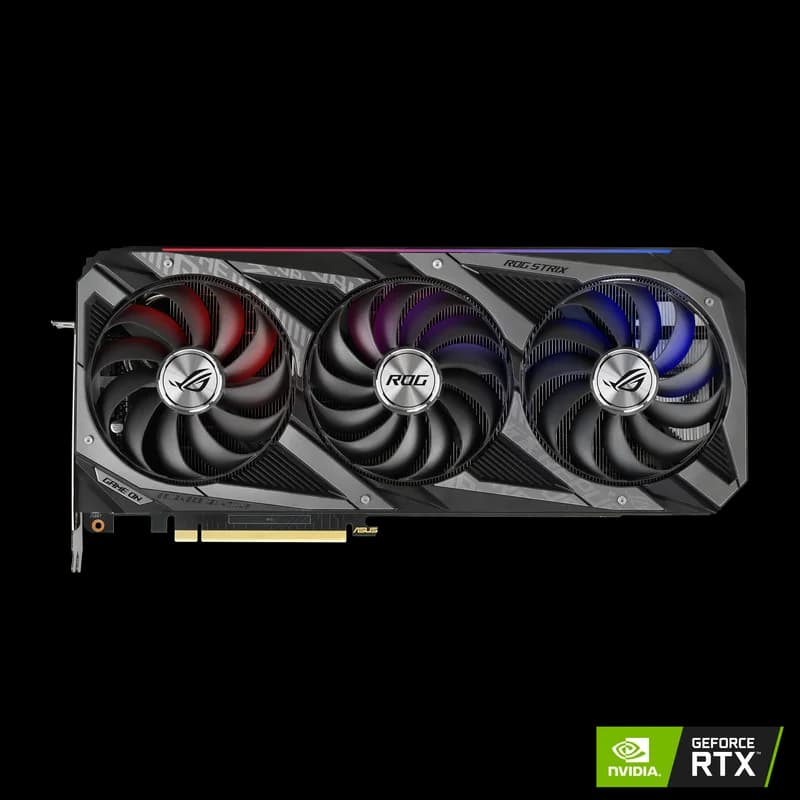
Last updated: August 23, 2026.
Quick Answer
The best budget GPU for AI is the one with the most VRAM in your price band. Under $300: the Intel Arc B580 12GB ($249–$289) for 7B models. Under $500: the RTX 5060 Ti 16GB ($429–$479) for 13B models on the latest architecture. Under $1,000: a used RTX 3090 24GB ($699–$999) for 30B+ models and fine-tuning.
You Don't Need a $2,000 GPU to Run AI Locally
The best GPU for AI isn't always the most expensive one. If you're getting started with local LLMs, Stable Diffusion, or machine learning experimentation, a budget GPU can get you surprisingly far. The key is knowing which specs actually matter for AI workloads and where your money goes the furthest.
We've tested and researched the leading budget options across three price tiers: under $300, under $500, and under $1,000. This guide covers real-world AI performance, VRAM requirements, and exactly which GPU to buy at each budget level.
Pro Tip
For AI workloads, VRAM is the single most important spec. A slower GPU with more VRAM will always beat a faster GPU with less VRAM, because VRAM determines the maximum model size you can load. Prioritize VRAM over clock speed, CUDA core count, or architecture generation.
Quick Picks: Best Budget GPU at Every Price
| Budget | Our Pick | VRAM | Price | Best For |
|---|---|---|---|---|
| Under $300 | Intel Arc B580 | 12GB GDDR6 | ~$249 | Entry-level AI, 7B models |
| Under $500 | RTX 4060 Ti 16GB | 16GB GDDR6 | ~$449 | 13B models, Stable Diffusion |
| Under $500 (new) | RTX 5060 Ti 16GB | 16GB GDDR7 | ~$429 | 13B models, latest architecture |
| Under $1,000 | RTX 3090 (used) | 24GB GDDR6X | $800 – $999 | 30B+ models, fine-tuning |
How Much VRAM Do You Actually Need?
Before diving into specific GPUs, understand what you can run at each VRAM tier. The rule of thumb is approximately 2GB of VRAM per billion parameters at FP16 precision, but 4-bit quantization (the standard for local inference) cuts that by roughly 4x. Research from Tim Dettmers at the University of Washington, spanning 35,000+ experiments, found that 4-bit precision is "almost universally optimal" for balancing model size and inference quality (Dettmers et al., 2022).
| VRAM | Models You Can Run (4-bit) | Example Use Cases |
|---|---|---|
| 8GB | Up to 7B parameters | Llama 3.1 8B, Mistral 7B, basic Stable Diffusion |
| 12GB | Up to 13B parameters | Llama 3.1 8B (with room), DeepSeek-R1 14B (tight), SDXL |
| 16GB | Up to 30B parameters | Qwen 2.5 14B comfortably, 30B models quantized, Flux image gen |
| 24GB | Up to 70B parameters (quantized) | Qwen 2.5 32B, Llama 3.1 70B (Q3), full SDXL pipelines |
Note
These estimates include overhead for KV cache and activations (roughly 20% on top of raw model weights). Context length also affects VRAM usage: longer conversations consume more memory. Start with 2048 context length and increase from there.
Tier 1: Best GPU for AI Under $300
Intel Arc B580 — The New Budget King ($249)
The Intel Arc B580 is the most surprising GPU in this guide. At just $249, it delivers 12GB of VRAM and competitive AI inference performance that punches well above its price class. According to benchmarks from Tom's Hardware, the B580's XMX (Xe Matrix Extensions) engines deliver strong performance on quantized LLM workloads when paired with Intel's OpenVINO toolkit.
| Spec | Intel Arc B580 |
|---|---|
| VRAM | 12GB GDDR6 |
| Memory Bandwidth | 456 GB/s |
| Architecture | Xe2 (Battlemage) |
| TDP | 150W |
| Price | ~$249 |
AI Performance: The B580 achieves approximately 15-20 tokens/second running 7B models with INT4 quantization via IPEX-LLM, and up to 62 tokens/second in optimized configurations. At $4.02 per token/second, it delivers the best cost-efficiency of any new GPU on the market. It handles Stable Diffusion at 512x512 resolution and can run SDXL thanks to the 12GB VRAM buffer.
The catch: Intel's AI software ecosystem is less mature than NVIDIA's CUDA. You'll use OpenVINO or IPEX-LLM instead of PyTorch with CUDA, which means some tutorials and tools won't work out of the box. If you're comfortable with some extra setup, the value is outstanding. If you want plug-and-play compatibility, consider the NVIDIA options below.
Best for: Experimenters and hobbyists who want maximum VRAM per dollar, don't mind Intel's software stack, and primarily run 7B-8B models.
NVIDIA RTX 3060 12GB — The Proven Starter ($279-$329)
The RTX 3060 12GB is the GPU that launched a thousand AI hobbyists. It's the cheapest NVIDIA card with enough VRAM to run 7B models comfortably with full CUDA support. While it's now a previous-generation Ampere card, the software compatibility is unmatched.
| Spec | RTX 3060 12GB |
|---|---|
| VRAM | 12GB GDDR6 |
| Memory Bandwidth | 360 GB/s |
| CUDA Cores | 3,584 |
| TDP | 170W |
| Price | ~$279 – $329 |
AI Performance: The RTX 3060 delivers approximately 5-7 iterations/second in Stable Diffusion (512x512 with Euler a sampler) and handles 7B LLM inference at interactive speeds. GPU utilization stays consistently around 90% during inference, and thermals remain manageable at ~69C under sustained load. It can run SDXL, which typically requires the full 12GB VRAM buffer.
Best for: Beginners who want guaranteed CUDA compatibility with every AI tutorial and tool. If you're following a YouTube tutorial or GitHub repo, the RTX 3060 12GB will just work.
Pro Tip
Make sure you get the 12GB version of the RTX 3060, not the 8GB variant. The extra 4GB of VRAM makes a massive difference for AI workloads. The 8GB model is a completely different GPU and significantly worse for machine learning.
AMD RX 7600 XT 16GB — VRAM Dark Horse ($299)
The AMD RX 7600 XT 16GB deserves mention for one reason: 16GB of VRAM for under $300. That's the same VRAM as an RTX 4060 Ti 16GB at roughly half the price. If VRAM capacity is your top priority and you're comfortable with AMD's ROCm software stack, this card opens up the 13B-14B model range at a bargain price.
The catch: AMD's ROCm support for consumer GPUs has improved significantly with ROCm 7.0, but it's still behind CUDA in terms of compatibility and community support. Expect to do more troubleshooting. The RX 7600 XT handles 2B-7B models at interactive speeds with tens of tokens/second, but its 32 compute units limit raw throughput compared to NVIDIA alternatives (Tom's Hardware).
Best for: Linux users who are comfortable with ROCm and want maximum VRAM capacity per dollar. Not recommended for beginners.
Tier 2: Best GPU for AI Under $500
NVIDIA RTX 4060 Ti 16GB — The Balanced Choice ($449)
The RTX 4060 Ti 16GB hits the sweet spot for budget AI builders who want current-gen Ada Lovelace architecture with enough VRAM to be genuinely useful. At 16GB, it comfortably runs 13B models with room for context and prompt caching, and can squeeze into 30B territory with aggressive quantization.
| Spec | RTX 4060 Ti 16GB |
|---|---|
| VRAM | 16GB GDDR6 |
| Memory Bandwidth | 288 GB/s |
| CUDA Cores | 4,352 |
| Tensor Cores | 4th Gen |
| TDP | 160W |
| Price | ~$449 |
AI Performance: Benchmarks from Puget Systems show the RTX 4060 Ti delivering roughly 34 tokens/second on 8B models in 4-bit quantization. It handles 7B-8B models at 40+ tokens/second with 70-90% GPU utilization. The 4th-gen tensor cores provide meaningful acceleration for both inference and Stable Diffusion workloads.
The catch: The 128-bit memory bus limits bandwidth to just 288 GB/s. For LLM inference, where token generation speed is directly bottlenecked by memory bandwidth, this means the 4060 Ti is significantly slower per token than cards with wider memory buses (like the RTX 3090's 384-bit bus). You're paying for efficiency and VRAM capacity, not raw throughput.
Best for: Builders who want a new, power-efficient card with 16GB VRAM, 4th-gen tensor cores, and full CUDA support. Great for Stable Diffusion, 13B model inference, and ML development.
NVIDIA RTX 5060 Ti 16GB — The Blackwell Newcomer ($429)
Released in April 2025 at $429 MSRP, the RTX 5060 Ti 16GB brings Blackwell architecture to the budget segment. With 16GB of faster GDDR7 memory and 4,608 CUDA cores, it offers a 15-20% native performance uplift over the RTX 4060 Ti according to Tom's Hardware's review.
| Spec | RTX 5060 Ti 16GB |
|---|---|
| VRAM | 16GB GDDR7 |
| Memory Bandwidth | 448 GB/s |
| CUDA Cores | 4,608 |
| Tensor Cores | 5th Gen |
| TDP | 180W |
| Price | ~$429 |
AI Performance: The jump to GDDR7 boosts memory bandwidth to 448 GB/s (vs. 288 GB/s on the 4060 Ti), which translates directly to faster token generation in LLM inference. The 5th-gen tensor cores and Blackwell architecture improvements provide meaningful AI acceleration. If you're buying new in this price range today, the 5060 Ti is the better buy.
The catch: Still limited to 16GB VRAM on a 128-bit bus. And availability has been spotty since launch. If you can find one at MSRP, grab it. If not, the RTX 4060 Ti 16GB is widely available and nearly as capable.
Warning
Avoid the 8GB versions of both the RTX 4060 Ti and RTX 5060 Ti for AI work. With only 8GB of VRAM, you're limited to 7B models and basic Stable Diffusion. The 16GB versions cost $50-70 more and are overwhelmingly worth the upgrade for AI use cases.
Tier 3: Best GPU for AI Under $1,000
NVIDIA RTX 3090 (Used) — The Undisputed Value King ($800-$999)
The RTX 3090 is, without question, the best value GPU for AI in 2026. Five years after launch, this card remains the go-to recommendation from AI builders, researchers, and hobbyists worldwide. The reason is simple: 24GB of VRAM for under $1,000. No other GPU comes close to that ratio.
| Spec | RTX 3090 |
|---|---|
| VRAM | 24GB GDDR6X |
| Memory Bandwidth | 936 GB/s |
| CUDA Cores | 10,496 |
| Tensor Cores | 3rd Gen |
| TDP | 350W |
| Price (used) | $800 – $999 |
AI Performance: The RTX 3090 achieves approximately 101 tokens/second on 8B models in 4-bit quantization, according to benchmarks from Hardware Corner's definitive GPU ranking for LLMs. That's roughly 3x faster than the RTX 4060 Ti (34 tokens/second) thanks to the 384-bit memory bus delivering 936 GB/s of bandwidth. It maintains stable speeds up to 65k context on 30B models and can stretch to 131k context on 8B models without significant performance degradation.
The 3090 has held its value-king position through the 50-series launch, and the reason is capacity rather than speed. The card's 24GB VRAM runs the same models as the RTX 4090, albeit 30-40% slower per-FLOP due to the older Ampere architecture. For most local AI use cases, that speed difference is barely noticeable during interactive use.
What 24GB VRAM unlocks:
- Qwen 2.5 32B at Q4_K_M quantization (~20GB VRAM)
- Llama 3.1 70B at Q3_K_S quantization (tight, but runnable with ~30GB via partial CPU offload)
- Full Stable Diffusion XL and Flux pipelines at FP16 precision
- Fine-tuning 7B-13B models with LoRA (QLoRA fits comfortably)
- Running multiple smaller models simultaneously
Warning
When buying a used RTX 3090, inspect carefully for mining wear. Look for cards with original packaging, check fan bearings for noise or wobble, and run a stress test (FurMark or an AI workload) for at least 30 minutes. Reputable sources include Amazon Renewed, Newegg Open Box, and eBay sellers with high ratings and return policies.
NVIDIA RTX 4080 SUPER — The New-Card Alternative ($949-$1,099)
If buying used isn't an option, the RTX 4080 SUPER is the best new GPU under $1,100. At 16GB VRAM, it handles 13B-30B models with 4th-gen tensor cores and Ada Lovelace efficiency. The 256-bit bus delivers 736 GB/s bandwidth, significantly faster than the 4060 Ti.
The trade-off vs. RTX 3090: You get a newer architecture, better power efficiency (320W vs 350W), and a warranty. You lose 8GB of VRAM (16GB vs 24GB). For most builders under $1,000, the used RTX 3090 is still the smarter buy, because that extra 8GB of VRAM unlocks an entire tier of larger models. But if you need a new card with a warranty, the 4080 SUPER is excellent.
Full Comparison: Budget AI GPUs Head-to-Head
| GPU | VRAM | Bandwidth | ~Tokens/s (8B Q4) | TDP | Price | Value Rating |
|---|---|---|---|---|---|---|
| Intel Arc B580 | 12GB | 456 GB/s | 15-62* | 150W | $249 | Best under $300 |
| RTX 3060 12GB | 12GB | 360 GB/s | ~25 | 170W | $279-$329 | Best CUDA starter |
| RX 7600 XT 16GB | 16GB | 288 GB/s | ~15-20 | 150W | ~$299 | Best VRAM/$ |
| RTX 5060 Ti 16GB | 16GB | 448 GB/s | ~40 | 180W | $429 | Best new under $500 |
| RTX 4060 Ti 16GB | 16GB | 288 GB/s | ~34 | 160W | $449 | Proven mid-range |
| RTX 3090 (used) | 24GB | 936 GB/s | ~101 | 350W | $800-$999 | Best overall value |
| RTX 4080 SUPER | 16GB | 736 GB/s | ~75 | 320W | $949-$1,099 | Best new under $1,100 |
* Intel Arc B580 performance varies widely depending on software stack. The 62 t/s figure uses Intel's optimized IPEX-LLM pipeline; standard llama.cpp performance is closer to 15-20 t/s.
What Can You Actually Run at Each Budget?
Here's a practical breakdown of what each price tier enables, using real-world AI applications:
Under $300 (12GB VRAM)
- LLM Inference: Llama 3.1 8B, Mistral 7B, Phi-3 Mini at full speed
- Image Generation: Stable Diffusion 1.5 and SDXL at standard resolution
- Code Assistants: DeepSeek Coder 6.7B, CodeLlama 7B locally
- Fine-tuning: QLoRA on 3B-7B models with limited batch sizes
Under $500 (16GB VRAM)
- LLM Inference: Everything above, plus Qwen 2.5 14B, DeepSeek-R1 14B, and 30B models at Q3 quantization
- Image Generation: SDXL comfortably, Flux at reduced precision, ComfyUI with multiple models loaded
- Code Assistants: CodeLlama 13B, Starcoder2 15B
- Fine-tuning: QLoRA on 7B-13B models with reasonable batch sizes
Under $1,000 (24GB VRAM)
- LLM Inference: Everything above, plus Qwen 2.5 32B at Q4, Llama 3.1 70B at Q3 (with partial offload), and multiple simultaneous models
- Image Generation: Full Flux pipeline at FP16, high-resolution SDXL workflows, inpainting and ControlNet pipelines
- Code Assistants: DeepSeek Coder 33B, any code model that fits in 24GB
- Fine-tuning: LoRA/QLoRA on models up to 13B with full batch sizes, dataset experimentation
Why Memory Bandwidth Matters More Than You Think
Here's something most budget GPU guides miss: memory bandwidth determines your inference speed. When running LLMs, the GPU spends most of its time reading model weights from VRAM. A wider, faster memory bus means faster token generation.
This is why the RTX 3090 (936 GB/s bandwidth) generates tokens roughly 3x faster than the RTX 4060 Ti (288 GB/s) despite being two generations older. Bandwidth governs token generation; prompt processing is the compute-bound half of the job, and that one tracks tensor core count and generation instead. See Puget Systems' consumer-GPU LLM inference benchmarks for the split.
The practical implication: when comparing budget GPUs, don't just look at VRAM capacity. Check the memory bandwidth. A 16GB GPU with 288 GB/s bandwidth will feel noticeably slower than a 24GB GPU with 936 GB/s bandwidth, even when running the same model.
NVIDIA vs. Intel vs. AMD: Software Compatibility
Raw hardware specs only tell part of the story. Software compatibility is what separates a productive AI setup from a frustrating one.
| Factor | NVIDIA (CUDA) | Intel (OpenVINO) | AMD (ROCm) |
|---|---|---|---|
| PyTorch Support | Native, first-class | Via IPEX (good) | ROCm (improving) |
| llama.cpp | Full CUDA support | SYCL backend | HIP/ROCm backend |
| Stable Diffusion | Full support | Via OpenVINO | Via ROCm (needs setup) |
| Ollama | Full GPU acceleration | Limited | Supported (ROCm 7+) |
| Community Tutorials | Abundant | Growing | Moderate |
| Troubleshooting | Easy (mature ecosystem) | Moderate | More effort required |
Note
If you're a beginner, strongly consider NVIDIA. The CUDA ecosystem means every tutorial, every GitHub repo, and every AI tool will work out of the box. The time you save on troubleshooting is worth the price premium over Intel and AMD alternatives. As your skills grow, you can explore other platforms.
Don't Forget the Rest of Your System
A budget GPU is only useful if the rest of your system can support it. Here's what you need alongside your GPU:
- CPU: AMD Ryzen 5 7600 or Intel Core i5-13400 minimum. AI inference is GPU-bound, so you don't need a flagship CPU.
- RAM: 32GB DDR5 minimum. Some large models offload layers to system RAM, and your OS, IDE, and tools need headroom. 64GB is ideal if budget allows.
- Storage: 1TB NVMe SSD minimum. AI models and datasets are large: a single 70B model file is 40GB+, and Stable Diffusion checkpoints run 2-7GB each. A Samsung 990 Pro 4TB NVMe gives you breathing room.
- PSU: 650W for the under-$500 GPUs, 850W for the RTX 3090 or RTX 4080 SUPER. Always get 80+ Gold or better.
For a complete build guide with part recommendations at every budget tier, see our AI workstation cost breakdown and step-by-step build guide.
Used vs. New: Making the Smart Call
At every budget level, you face the used-vs.-new decision. Here's our framework:
Buy new if:
- You want a manufacturer warranty (typically 3 years)
- You value power efficiency (newer architectures draw less power per FLOP)
- You plan to resell in 2-3 years
Buy used if:
- You want maximum VRAM per dollar (the used RTX 3090 is unbeatable here)
- You're comfortable running stress tests and inspecting hardware
- You plan to use the card until it dies
On raw VRAM per dollar, a used RTX 3090 is still the hardest card to beat for anyone getting into local AI. The secondary market for high-VRAM cards has stayed strong precisely because AI demand keeps these older cards relevant long after their gaming appeal has faded.
GPUs to Avoid for AI
Save your money and skip these:
- Any GPU with less than 8GB VRAM: The RTX 4060 (8GB), RTX 3060 Ti (8GB), and GTX 16-series are all too limited for meaningful AI work. Even 7B models barely fit, leaving no room for context.
- RTX 5060 Ti 8GB / RTX 4060 Ti 8GB: The 8GB variants of otherwise good cards. The $50-70 savings isn't worth the halved VRAM.
- Old AMD consumer GPUs (RX 6000 series): ROCm support for the RDNA 2 generation is spotty and often requires significant workarounds.
- Any laptop GPU for serious AI work: Laptop GPUs are 30-50% slower than desktop equivalents and thermal-throttle during sustained workloads. If you need a laptop for AI, see our AI laptop guide.
Compare Side by Side
See our detailed comparison: RTX 4060 Ti 16GB vs Intel Arc B580 →
The Verdict: Which Budget GPU Should You Buy?
If you have $1,000 and can buy used, the answer is the RTX 3090. Nothing else comes close. You get 24GB of VRAM, 936 GB/s bandwidth, full CUDA support, and the ability to run 30B+ parameter models that $300-$500 cards simply cannot load. It's the same GPU that serious AI researchers used for years, and it's now available at a fraction of its original $1,499 MSRP.
If you have $400-$500 and want new: The RTX 5060 Ti 16GB ($429) is the play if you can find it in stock. The RTX 4060 Ti 16GB ($449) is the reliable fallback. Both give you 16GB VRAM, solid CUDA support, and enough headroom for 13B models and Stable Diffusion.
If you have under $300: The Intel Arc B580 ($249) offers the best value at 12GB VRAM, but requires comfort with Intel's software ecosystem. The RTX 3060 12GB ($279-$329) is the safer bet with universal CUDA compatibility.
Whatever you choose, don't wait for the "perfect" GPU. Buy the most VRAM you can afford today and start experimenting. You'll learn more running models on a budget card for a month than you will reading spec sheets for a year.
Pro Tip
Already have a budget GPU and want to see what it can do? Check out our guide on how to run LLMs locally — you can be chatting with a local AI model in under 10 minutes. When you're ready to upgrade, our full GPU buyer's guide covers every option from budget to enterprise.
Frequently Asked Questions
What is the best budget GPU for AI in 2026?
It depends on your budget band, and the rule is to buy the most VRAM you can afford. Under $1,000 and willing to buy used, the RTX 3090 (24GB, $800–$999) is the value king — nothing else runs 30B+ models at this price. Under $500 buying new, the RTX 5060 Ti 16GB ($429) is the pick. Under $300, the Intel Arc B580 12GB ($249) offers the best value if you're comfortable with Intel's software stack, or the RTX 3060 12GB ($279–$329) for guaranteed CUDA compatibility.
How much VRAM do you need for local AI?
At 4-bit quantization (the local-inference standard): 8GB runs up to 7B models, 12GB up to 13B, 16GB handles 30B-class models quantized plus Flux image gen, and 24GB reaches 70B models at aggressive quantization and full Stable Diffusion pipelines. VRAM is the single most important spec for AI — a slower GPU with more VRAM beats a faster one with less, because VRAM caps the model size you can load at all.
Is a used RTX 3090 still worth buying for AI in 2026?
Yes — it's the best value GPU for AI, five years after launch. The 24GB of VRAM at $800–$999 is unmatched, and its 936 GB/s memory bandwidth generates roughly 101 tokens/second on 8B models (about 3× the RTX 4060 Ti). When buying used, inspect for mining wear: check fan bearings, prefer sellers with return policies (Amazon Renewed, Newegg Open Box), and stress-test for 30 minutes.
RTX 5060 Ti or RTX 4060 Ti for budget AI?
If buying new today, the RTX 5060 Ti 16GB ($429) is the better buy — its GDDR7 memory delivers 448 GB/s of bandwidth versus 288 GB/s on the RTX 4060 Ti, which translates directly to faster token generation. The RTX 4060 Ti 16GB ($449) is the reliable, widely-available fallback if 5060 Ti stock is short. Avoid the 8GB versions of either card for AI work.
Is the Intel Arc B580 good for AI?
For the price, yes: at $249 it delivers 12GB of VRAM and the best cost-per-token of any new GPU, running 7B models at roughly 15–20 tokens/second (up to 62 t/s with Intel's optimized IPEX-LLM pipeline). The catch is software maturity — you'll use OpenVINO or IPEX-LLM instead of plug-and-play CUDA, so some tutorials won't work out of the box. Great for experimenters, not ideal for beginners who want zero setup friction.