Best AI Laptops for Machine Learning in 2026
The best laptops for running AI models, training neural networks, and developing ML applications — from portable workstations to budget-friendly options.
Compute Market Team
Our Top Pick
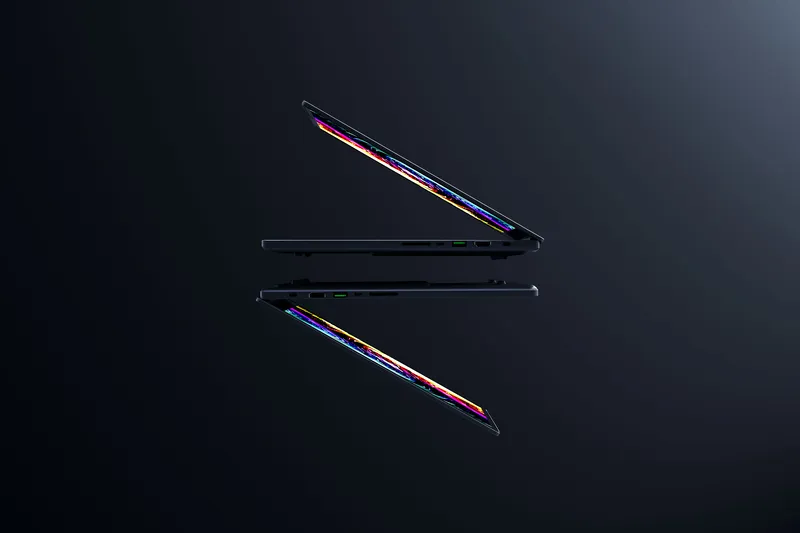
Razer Blade 16 (2026)
$4,699 – $7,000+Why an AI Laptop?
Desktop workstations are king for AI performance, but laptops offer something desktops can't: portability. Whether you're training on the go, demoing to clients, developing at a coffee shop, or need one machine for everything — an AI laptop lets you take your models everywhere.
The catch: laptop GPUs are less powerful than desktops, thermals are constrained, and you pay a premium for portability. Here's how to choose wisely. For the full category view, see our AI laptops hub.
What to Look For in an AI Laptop
- GPU VRAM (most important): The same rules apply as desktops — more VRAM = larger models. Laptop GPUs typically have 8–16GB VRAM, with some high-end models reaching 16GB.
- System RAM: 32GB minimum, 64GB preferred. You'll need RAM for your OS, IDE, datasets, and model loading.
- CUDA support: NVIDIA GPUs are essential if you need PyTorch/TensorFlow training. Apple Silicon works for inference via Ollama but lacks CUDA.
- Thermals: AI workloads push GPUs to 100% for extended periods. Thin laptops throttle aggressively — thicker gaming/workstation laptops sustain performance better.
- Battery life: Be realistic — GPU inference drains batteries in 1–2 hours. Treat AI laptops as portable desktops that happen to have a battery.
Our Top Picks
1. Razer Blade 16 (2026) — Best Overall AI Laptop
The Razer Blade 16 is the most powerful AI laptop you can buy. The linked config pairs an RTX 5080 Laptop GPU (16GB GDDR7) with 64GB of LPDDR5X-9600 — enough to run 7B–14B models comfortably with CUDA support, and the line goes up to an RTX 5090 with 24GB if you need more headroom.
| Spec | Details |
|---|---|
| GPU | RTX 5080 Laptop (16GB GDDR7) — up to RTX 5090 (24GB) |
| CPU | Intel Core Ultra 9 386H |
| RAM | 64GB LPDDR5X-9600 |
| Display | 16" QHD+ 240Hz OLED |
| Price | $4,699 – $7,000+ |
Best for: Developers who need maximum GPU performance on the go, data scientists demoing models, anyone who wants one laptop for both AI work and creative tasks. According to Puget Systems benchmarks, the RTX 5090 Laptop GPU delivers roughly 60–70% of the desktop RTX 5090's performance in sustained ML workloads — a significant leap over the previous generation's mobile-to-desktop ratio.
Trade-off: Heavy (2.4kg), expensive, and battery life is 3–4 hours with light use (under 2 hours during inference).
2. MacBook Pro M4 Pro — Best for Inference & Development
Apple's M4 Pro chip with 24GB unified memory handles 7B–13B models via Ollama with excellent performance and all-day battery life when not running AI. The macOS development experience with Xcode, Python, and Homebrew is unmatched.
| Spec | Details |
|---|---|
| Chip | Apple M4 Pro (12-core CPU, 18-core GPU) |
| Memory | 24GB unified |
| Battery | Up to 18 hours (non-AI tasks) |
| Display | 16" Liquid Retina XDR |
| Price | $2,499 – $2,899 |
Best for: AI developers who primarily do inference and need a great all-around laptop. Excellent for Ollama, llama.cpp, and ML development in Python/Swift.
Trade-off: No CUDA. If your workflow requires PyTorch GPU training or specific CUDA-dependent tools, you'll need an NVIDIA machine.
3. Framework Laptop 16 — Best Upgradeable
The Framework Laptop 16 is the only laptop where you can swap the GPU module. Start with integrated graphics and add a dedicated AMD GPU later — or upgrade to a more powerful module when one is available.
| Spec | Details |
|---|---|
| CPU | AMD Ryzen 9 7940HS |
| GPU | AMD RX 7700S (swappable) |
| RAM | Up to 64GB DDR5 |
| Display | 16" 2560x1600 165Hz |
| Price | $1,399 – $2,199 |
Best for: Linux enthusiasts, developers who value repairability and upgradeability, budget-conscious buyers who want to add GPU power later.
Trade-off: AMD GPU means limited CUDA support. ROCm works but has a smaller ecosystem than CUDA. See how it stacks up head-to-head in Framework Laptop 16 vs. Razer Blade 16. Best for development and inference, less ideal for serious training.
Quick Comparison
| Laptop | GPU VRAM | System RAM | CUDA | Price | Best For |
|---|---|---|---|---|---|
| Razer Blade 16 | 16GB | 64GB | Yes | $4,699+ | Max performance |
| MacBook Pro M4 Pro | 24GB unified | 24GB unified | No | $2,499+ | Inference + dev |
| Framework 16 | 8GB | Up to 64GB | No (AMD) | $1,399+ | Upgradeable + Linux |
Laptop vs. Desktop for AI: Honest Assessment
Let's be direct: desktops are 2–4x more powerful per dollar for AI workloads. A $3,000 desktop with an RTX 4090 (24GB) massively outperforms a $3,000 laptop with an RTX 4090 Mobile (16GB). The desktop runs cooler, quieter, and handles sustained workloads without throttling.
The split that follows from this: laptops are good for iteration and inference, and the moment you need to train, you want a desktop or a cloud instance with the most VRAM you can put in a single GPU.
Buy an AI laptop if:
- You need portability (travel, client demos, working from multiple locations)
- You only need one machine for everything
- Your AI workloads are primarily inference (not heavy training)
- You'll pair it with a cloud GPU or desktop for serious training jobs
Buy a desktop if:
- AI is your primary workload
- You need 24GB+ VRAM
- You want maximum performance per dollar
- You run long training jobs that stress the GPU for hours
Pro Tip
The best setup for many AI developers: a Mac Mini M4 Pro as your always-on inference server at home + a MacBook Pro for portable development. Total cost: ~$4,000 for two machines with great synergy. The M4 Pro mini is now discontinued; its replacement, the Mac Mini M5 Pro, starts at $1,699 and configures to 64GB of unified memory.
The Verdict
For raw AI power on the go: The Razer Blade 16 is unmatched. 16GB of GDDR7 with CUDA support handles real AI workloads, and the RTX 5090 config takes it to 24GB.
For the best overall experience: The MacBook Pro M4 Pro balances AI capability, battery life, and daily usability better than any other laptop. If you can work within Ollama and don't need CUDA, it's the smart pick.
For maximum value: The Framework Laptop 16 offers upgrade flexibility at a lower entry price.