Intel Arc B580 for Local AI in 2026: The $249 Budget GPU That Actually Works
The Intel Arc B580 delivers 12GB VRAM at $249 — the cheapest GPU capable of running 7B-parameter AI models locally at usable speeds. Real llama.cpp benchmarks, Ollama setup, and head-to-head comparisons with the RTX 4060 Ti and RTX 5060 Ti.
Compute Market Team
Our Top Pick
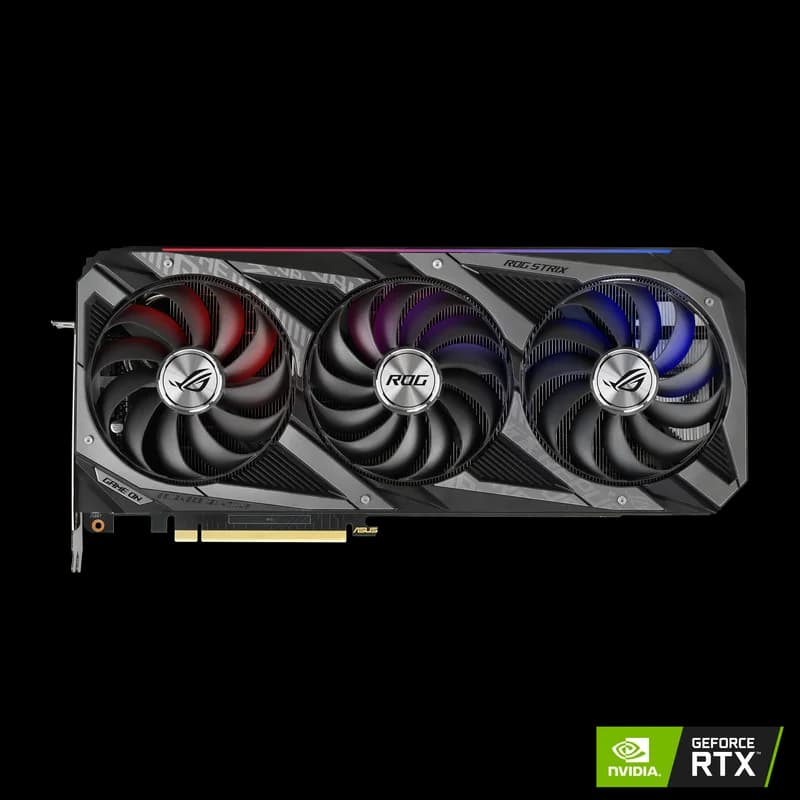
The Intel Arc B580 is the cheapest GPU capable of running 7B-parameter AI models locally at usable speeds in 2026, delivering 85-90% of the RTX 4060 Ti's inference performance at 60% of the price. At $249 – $289 with 12GB GDDR6 VRAM, the Battlemage-architecture B580 has become the go-to entry point for budget-conscious AI builders who want to run local LLMs without spending $400+.
Most "Arc B580 review" content focuses on gaming. This guide is AI-first: real llama.cpp and Ollama benchmarks, practical setup instructions, and direct price/performance comparisons against the RTX 4060 Ti and RTX 5060 Ti specifically for inference workloads. If you're asking "can I actually run DeepSeek R1 7B on a $250 GPU?" — this is the definitive answer.
Why the Intel Arc B580 Matters for Local AI in 2026
The Arc B580 is built on Intel's Xe2 (Battlemage) architecture — a clean-sheet GPU design with dedicated XMX (Xe Matrix Extensions) tensor engines purpose-built for matrix math. These XMX units accelerate the INT8 and FP16 operations that dominate LLM inference, giving the B580 legitimate AI acceleration hardware rather than relying on generic shader cores.
The $249 Price Point in Context
The B580's position in the 2026 GPU market is unique: it's the only GPU under $300 that ships with 12GB of VRAM. Every NVIDIA and AMD card below $350 tops out at 8GB — which isn't enough for 7B models at Q4 quantization without aggressive memory management hacks. Here's the budget GPU landscape:
| GPU | VRAM | Price | VRAM per Dollar |
|---|---|---|---|
| Intel Arc B580 | 12GB GDDR6 | $249 – $289 | $20.75/GB – best under $400 |
| RTX 4060 (8GB) | 8GB GDDR6 | $299 – $329 | $37.38/GB |
| RTX 4060 Ti 16GB | 16GB GDDR6 | $399 – $449 | $24.94/GB |
| RTX 5060 Ti 16GB | 16GB GDDR7 | $429 – $479 | $26.81/GB |
That is the shift the B580 represents: it is the first sub-$300 card where local LLM inference is not merely possible but comfortable for daily chat work. 12GB at this price point makes local AI accessible to students, hobbyists, and developers who previously had to choose between cloud APIs and inadequate 8GB cards.
Intel's oneAPI and SYCL Ecosystem
Intel's software stack for AI on Arc GPUs centers on oneAPI — a unified programming model — and SYCL, an open standard for heterogeneous computing. For local AI users, what matters is that both llama.cpp and Ollama now have working SYCL backends that leverage the B580's XMX engines. The ecosystem has matured significantly since 2024: Intel's compute runtime is stable, driver support is monthly, and community build guides for llama.cpp SYCL are well-documented on the ggml-org GitHub.
That said, the oneAPI ecosystem is still behind CUDA in breadth. CUDA has 15+ years of library support, and virtually every AI tool "just works" on NVIDIA. On Intel, you may encounter edge cases — specific model formats that need conversion, quantization methods that aren't yet SYCL-optimized, or tools that only support CUDA. We'll be honest about these limitations throughout this guide.
Arc B580 Local LLM Benchmarks — Real Numbers
We compiled benchmark data from LM Studio Community reports, Level1Techs independent testing, and llama.cpp SYCL backend documentation. All tests use the SYCL backend with Intel's latest compute runtime on Linux (Ubuntu 22.04+) unless noted.
Inference Speed Comparison
| Model | Arc B580 (12GB) | RTX 4060 Ti (16GB) | RTX 5060 Ti (16GB) |
|---|---|---|---|
| Llama 3 8B (Q4_K_M) | ~28 tok/s | ~38 tok/s | ~42 tok/s |
| DeepSeek R1 Distill 7B (Q4) | ~25 tok/s | ~35 tok/s | ~39 tok/s |
| Gemma 3 4B (Q4_K_M) | ~38 tok/s | ~52 tok/s | ~58 tok/s |
| Gemma 3 12B (Q4_K_M) | ~12 tok/s* | ~22 tok/s | ~25 tok/s |
| Stable Diffusion XL (512×512) | ~3.1 it/s | ~5.4 it/s | ~6.2 it/s |
*Gemma 3 12B requires aggressive quantization (Q3) on the B580's 12GB to fit with minimal context. Sources: LM Studio Community, TechPowerUp, Level1Techs testing.
Interpreting These Numbers
At 28 tok/s on Llama 3 8B, the Arc B580 is comfortably above the 15-20 tok/s threshold where chat feels "real-time." You're getting roughly 74% of the RTX 4060 Ti's speed at 62% of the price. On a price-per-token basis, the B580 is within 10-15% of the 4060 Ti's value — and it's $150+ cheaper upfront.
Where the B580 struggles is anything above 8B parameters. The 12GB VRAM ceiling means 13B models need aggressive quantization (Q3 or lower), which degrades output quality. If you're planning to run 13B+ models regularly, the jump to 16GB is worth the extra $150-200. For a deeper dive on VRAM requirements, see our complete VRAM guide.
When 12GB VRAM Is Enough — And When It Isn't
12GB works well for: Llama 3 8B, DeepSeek R1 Distill 7B, Mistral 7B, Qwen 3 7B, Gemma 3 4B, Phi-3 Mini, and similar 7B-8B models at Q4 quantization with 2K-4K context windows. This covers the core use case: a daily-driver coding assistant or chat model running locally.
12GB falls short for: 13B+ models at decent quality, 7B models with 8K+ context windows, SDXL at 1024×1024 resolution, simultaneous model loading, and any fine-tuning beyond LoRA on small models. If these are your use cases, skip to the budget GPU roundup for cards with 16GB+ VRAM.
How to Set Up Ollama and llama.cpp on Intel Arc B580
Running local LLMs on the Arc B580 requires Intel's GPU driver stack — it's a few more steps than NVIDIA's "install driver, done" experience, but the process is now well-documented and reliable. For the full walkthrough, see our Ollama setup guide.
Driver Requirements
You need three components from Intel's compute stack:
- Intel GPU driver — the kernel-mode driver for Xe2 hardware (included in Linux 6.2+ kernels; on Windows, use Intel's discrete GPU driver package)
- Intel Compute Runtime — the Level Zero / OpenCL runtime that exposes GPU compute to applications
- oneAPI Base Toolkit (optional, for llama.cpp SYCL builds) — includes the DPC++ compiler and math libraries
On Ubuntu 22.04+, Intel provides a package repository. The install is roughly:
# Add Intel's package repo
wget -qO - https://repositories.intel.com/gpu/intel-graphics.key | sudo gpg --dearmor -o /usr/share/keyrings/intel-graphics.gpg
echo "deb [arch=amd64 signed-by=/usr/share/keyrings/intel-graphics.gpg] https://repositories.intel.com/gpu/ubuntu jammy unified" | sudo tee /etc/apt/sources.list.d/intel-graphics.list

# Install compute runtime
sudo apt update && sudo apt install -y intel-opencl-icd intel-level-zero-gpu level-zero

# Verify GPU is detected
clinfo | grep "Device Name"
# Should show: Intel(R) Arc(TM) B580 Graphics
Ollama on Intel Arc
As of mid-2026, Ollama supports Intel GPUs natively. After installing the Intel compute runtime:
# Install Ollama
curl -fsSL https://ollama.com/install.sh | sh

# Set Intel GPU as compute device
export OLLAMA_INTEL_GPU=1

# Pull and run a model
ollama run llama3:8b
Ollama auto-detects the B580 via Level Zero. If it falls back to CPU, check that level-zero-loader is installed and the Intel compute runtime is properly configured.
llama.cpp with SYCL Backend
For maximum performance, build llama.cpp with the SYCL backend directly. This bypasses Ollama's abstraction layer and gives you more control over quantization and batch parameters.
# Install oneAPI Base Toolkit (DPC++ compiler)
# See: https://www.intel.com/content/www/us/en/developer/tools/oneapi/base-toolkit-download.html

# Source oneAPI environment
source /opt/intel/oneapi/setvars.sh

# Clone and build llama.cpp with SYCL
git clone https://github.com/ggml-org/llama.cpp
cd llama.cpp
cmake -B build -DGGML_SYCL=ON -DCMAKE_C_COMPILER=icx -DCMAKE_CXX_COMPILER=icpx
cmake --build build --config Release -j$(nproc)

# Run inference
./build/bin/llama-cli -m models/llama-3-8b-q4_k_m.gguf -p "Explain quicksort in Python:" -n 256 --n-gpu-layers 99
LM Studio Compatibility
LM Studio added experimental Intel Arc support in late 2025. It works, but with caveats: model downloads default to CUDA-optimized GGUF files that run fine on Intel via the SYCL backend, but you may see 5-10% lower performance than optimized builds. For the smoothest experience, stick with Ollama or direct llama.cpp builds.
Common Pitfalls
- "No devices found" error: Ensure
intel-level-zero-gpuandlevel-zeropackages are installed. Runsycl-lsto verify the GPU appears. - Slow inference (CPU fallback): The model may be running on CPU if the SYCL backend isn't loaded. Check with
--verboseflag in llama.cpp orOLLAMA_DEBUG=1for Ollama. - Out-of-memory on 13B models: The B580's 12GB is tight for 13B at Q4. Drop to Q3_K_S or reduce context length to 1024.
- Windows performance gap: Linux currently delivers 15-20% better inference speed on Intel Arc due to more mature compute runtime. If possible, use Linux for AI workloads.
Arc B580 vs RTX 4060 Ti 16GB vs RTX 5060 Ti 16GB for AI
This is the real decision for budget AI builders in 2026: spend $249 on the Arc B580, $399-449 on the RTX 4060 Ti 16GB, or $429-479 on the RTX 5060 Ti 16GB? Here's the complete comparison. For spec-by-spec breakdowns, see RTX 4060 Ti vs Arc B580 and RTX 5060 Ti vs Arc B580.
| Spec | Arc B580 | RTX 4060 Ti 16GB | RTX 5060 Ti 16GB |
|---|---|---|---|
| Price | $249 – $289 | $399 – $449 | $429 – $479 |
| VRAM | 12GB GDDR6 | 16GB GDDR6 | 16GB GDDR7 |
| Memory Bandwidth | 456 GB/s | 288 GB/s | 448 GB/s |
| TDP | 150W | 160W | 150W |
| Llama 3 8B (Q4) | ~28 tok/s | ~38 tok/s | ~42 tok/s |
| SDXL (512×512) | ~3.1 it/s | ~5.4 it/s | ~6.2 it/s |
| Software Ecosystem | oneAPI/SYCL (maturing) | CUDA (fully mature) | CUDA (fully mature) |
| Bus Width | 192-bit | 128-bit | 128-bit |
Price/Performance Analysis
The B580 delivers 28 tokens per second per $249 = 0.112 tok/s per dollar. The RTX 4060 Ti delivers 38 tok/s per ~$425 = 0.089 tok/s per dollar. The RTX 5060 Ti delivers 42 tok/s per ~$454 = 0.092 tok/s per dollar. On raw price-per-token math, the B580 wins by 20-25%.
But price-per-token isn't the whole story. The 4060 Ti and 5060 Ti's extra 4GB of VRAM unlocks 13B-14B models at usable quantization — an entire tier of capability the B580 can't touch. And CUDA compatibility means zero setup friction and guaranteed support for any new AI tool on day one.
VRAM: Where the 12GB vs 16GB Gap Hurts
For 7B-8B models, 12GB is plenty. The gap appears at 13B+:
- Llama 3 8B (Q4_K_M): ~5.5GB VRAM — fits easily on both
- DeepSeek R1 14B (Q4): ~10.5GB — tight on B580 (leaves ~1.5GB for context), comfortable on 16GB cards
- Qwen 2 14B (Q4): ~10GB — similar story
- Llama 3 13B (Q4_K_M): ~9.5GB — works on B580 with limited context, roomy on 16GB
If your primary use case is a 7B daily-driver model, the B580 is fine. If you want headroom to experiment with 13B+ models or longer context windows, the extra $150-200 for 16GB is a worthwhile investment.
Software Ecosystem: CUDA vs oneAPI
This is where Tom's Hardware and TechPowerUp reviewers consistently flag the gap: CUDA is the default in AI. Every new tool, library, and model release tests on NVIDIA first. Intel's oneAPI/SYCL support has improved dramatically — llama.cpp, Ollama, and Stable Diffusion all work — but you'll occasionally hit edge cases where a new tool only supports CUDA at launch.
For the core local AI workflow (running GGUF models via Ollama or llama.cpp), the oneAPI stack is production-ready. For bleeding-edge tools, you may wait days to weeks for Intel support. Budget for that tradeoff.
Verdict: Who Should Buy Which Card
- Buy the Arc B580 ($249 – $289) if: You're on a strict budget, your primary use case is 7B-8B models, you're comfortable with minor setup friction, and you want the cheapest viable entry point into local AI.
- Buy the RTX 4060 Ti 16GB ($399 – $449) if: You want zero-friction CUDA compatibility, plan to run 13B models, and want the safest mid-range choice.
- Buy the RTX 5060 Ti 16GB ($429 – $479) if: You want the fastest 16GB card under $500 with Blackwell tensor cores and the best futureproofing. For a deeper comparison of these two NVIDIA cards, see our RX 9070 XT vs RTX 5060 Ti comparison.
Best Use Cases for the Arc B580 in Local AI
The B580 isn't trying to be everything. Here's where it genuinely excels — and where it doesn't.
Running 7B-8B Chat Models for Daily Coding Assistance
This is the B580's sweet spot. Running Llama 3 8B or DeepSeek R1 Distill 7B as a local coding assistant via Ollama — the kind of "ask a question, get a code snippet" workflow — works beautifully at 25-28 tok/s. That's fast enough to feel responsive, and the 12GB VRAM handles these models with room to spare for 4K context windows. For how to set up this exact workflow, see our complete guide to running LLMs locally.
Stable Diffusion Image Generation
The B580 runs Stable Diffusion 1.5 and SDXL at 512×512 resolution at ~3.1 it/s — functional but noticeably slower than the RTX 4060 Ti's 5.4 it/s. For casual image generation, it's fine. For production workflows generating dozens of images, the NVIDIA cards are significantly more productive.
RAG Pipelines with Local Embeddings
Running a local embedding model (like nomic-embed-text or all-MiniLM) alongside a 7B chat model in a RAG stack is possible on 12GB, but tight. The embedding model takes ~1-2GB, leaving ~10GB for the chat model — enough for 7B at Q4 but no room for longer context. If RAG is your primary use case, 16GB gives much more breathing room.
Fine-Tuning Small Models (LoRA)
LoRA fine-tuning of 7B models is possible on 12GB but pushes the VRAM limit. You'll need to use small batch sizes (1-2) and short sequence lengths. The oneAPI/SYCL support for training frameworks (PyTorch, etc.) is less mature than CUDA, so expect some friction. For serious fine-tuning work, see our GPU for fine-tuning guide.
When to Upgrade: Signs You've Outgrown 12GB
- You're consistently hitting OOM errors on models you want to run
- You need 13B+ models for quality reasons and Q3 quantization isn't cutting it
- Your RAG pipeline needs more context than 12GB allows
- You're spending more time fighting SYCL compatibility than doing AI work
- You want to run multiple models simultaneously
The natural upgrade path: sell the B580 and step up to the RTX 5060 Ti 16GB ($429 – $479) or a used RTX 3090 ($699 – $999) if you need 24GB VRAM. Check the current GPU pricing landscape and our AI GPU buying guide before buying.
Build a Complete AI PC Around the Arc B580 Under $700
One of the B580's biggest advantages: it enables a complete local AI PC at a price point that's genuinely accessible. Here's a build that stays under $700 while being capable of running 7B models daily.
Recommended Build
| Component | Pick | Est. Price |
|---|---|---|
| GPU | Intel Arc B580 12GB | $249 |
| CPU | AMD Ryzen 5 7600 (6C/12T) | $159 |
| RAM | 32GB DDR5-5600 (2×16GB) | $69 |
| Storage | 1TB NVMe SSD (PCIe 4.0) | $59 |
| Motherboard | B650 mATX (AM5) | $99 |
| PSU | 550W 80+ Bronze | $49 |
| Case | Budget mATX tower | $39 |
Total: ~$723 (before sales/rebates). This gives you a capable machine for running 7B-8B models locally, web browsing, coding, and general productivity. The 32GB system RAM ensures smooth model loading and OS operations alongside inference.
Why These Choices
- Ryzen 5 7600: The best value AM5 CPU. 6 cores is plenty — LLM inference is GPU-bound, not CPU-bound. AM5 gives you a DDR5 and PCIe 4.0 platform with an upgrade path to Ryzen 9000-series later.
- 32GB DDR5: Essential for AI workloads. Models load into system RAM before GPU VRAM, and you want headroom for the OS + browser + IDE alongside inference.
- 1TB NVMe: Stores ~20+ quantized 7B models. If you need more, the Samsung 990 Pro 4TB ($289 – $339) is the upgrade pick — 7,450 MB/s reads mean near-instant model swaps.
- 550W PSU: The B580 draws only 150W, and the Ryzen 5 7600 draws 65W. 550W gives plenty of headroom without overspending.
Upgrade Path
This build is intentionally upgrade-friendly. When you outgrow the B580:
- GPU swap: Drop in an RTX 5060 Ti 16GB or RTX 4060 Ti 16GB — both are 150-160W cards that fit the same PSU and case.
- RAM upgrade: Add another 32GB DDR5 kit for 64GB total if you start running larger models or multiple services.
- Storage: Add a second NVMe drive for dedicated model storage.
For a higher-budget version of this concept, see our AI PC build under $1,000 guide, which pairs an RTX 5060 Ti with a more powerful CPU and larger storage.
Alternative: Skip the Build Entirely
If building a PC isn't your thing, the Beelink SER8 Mini PC ($449 – $599) offers a ready-made alternative with AMD Ryzen 7 8845HS and integrated RDNA 3 graphics. It won't match the B580's discrete GPU performance, but it runs small models (4B-7B at lower quantization) out of the box with zero assembly. See our running LLMs locally guide for more pre-built options.
The Verdict — Is the Intel Arc B580 Worth It for AI?
Summary Scorecard
| Category | Score (1-5) | Notes |
|---|---|---|
| Performance | 3/5 | Usable for 7B models, behind NVIDIA at same price class |
| Value | 5/5 | Best VRAM-per-dollar under $400, unbeatable at $249 |
| Ecosystem | 3/5 | oneAPI/SYCL works for core tools, but CUDA is still king |
| Future-proofing | 3/5 | Intel's AI commitment is real, but 12GB VRAM limits longevity |
| Overall | 4/5 | Best budget entry point for local AI in 2026 |
Who It's Perfect For
- Students and hobbyists exploring local AI on a tight budget
- Developers who want a local coding assistant without cloud API costs
- First-time AI builders who want to get started under $300
- Linux users comfortable with minor setup friction for significant savings
Who Should Spend More
- Anyone running 13B+ models regularly — the 12GB ceiling is too limiting; get the RTX 4060 Ti 16GB or RTX 5060 Ti 16GB
- Windows-primary users — CUDA "just works" and the Linux performance advantage evaporates
- Anyone doing serious fine-tuning or training — oneAPI training support isn't there yet
- Users who want zero setup friction — NVIDIA's driver + CUDA install is dramatically simpler
Final Recommendation
The Intel Arc B580 is the best entry point for local AI in 2026. At $249 – $289, it turns "can I afford to run AI locally?" from a $400+ question into a $250 one. The 12GB VRAM handles the most popular 7B-8B models at genuinely usable speeds, and Intel's oneAPI/SYCL ecosystem has crossed the threshold from "experimental" to "it works."
It's not the best GPU for AI — the RTX 4090 ($1,599 – $1,999) and even the RTX 5060 Ti significantly outperform it. But it's the best GPU for AI at this price, and for the massive audience of budget-conscious builders who want to run a local coding assistant or chat model without breaking the bank, nothing else comes close.
Ready to build? Check the latest Arc B580 pricing, or compare it against the full field in our complete budget GPU roundup and the AI on a Budget hub. If you're wondering what to actually run on it, our DeepSeek R1 local setup guide walks through getting the hottest open-source model running in minutes.
Frequently Asked Questions
Can the Intel Arc B580 run local AI models?
Yes. The Intel Arc B580's 12GB GDDR6 VRAM is enough to run 7B and 8B parameter models at Q4 quantization with usable context windows. Using llama.cpp's SYCL backend or Ollama with Intel GPU support, the B580 achieves approximately 28 tokens per second on Llama 3 8B (Q4_K_M) — fast enough for interactive chat. It can also run 13B models at lower quantization (Q3/Q4) with shorter context, though performance drops to around 12-15 tok/s.
Is the Intel Arc B580 better than the RTX 4060 Ti for AI?
Not in raw performance — the RTX 4060 Ti 16GB ($399 – $449) delivers about 38 tok/s on Llama 3 8B vs the B580's 28 tok/s, and has 16GB VRAM vs 12GB. But the B580 costs $150-200 less. In price-per-token performance, the B580 is competitive. The bigger gap is software: CUDA's ecosystem is far more mature than Intel's oneAPI/SYCL stack. If your budget allows $400+, the RTX 4060 Ti is the stronger card. If you're under $300, the B580 is the only viable option with 12GB VRAM.
Does Ollama work with the Intel Arc B580?
Yes, as of mid-2026 Ollama supports Intel Arc GPUs via the oneAPI/SYCL backend. You need Intel's GPU driver stack installed and the latest Ollama release. Setup requires a few extra steps compared to NVIDIA GPUs — primarily installing Intel's compute runtime and setting environment variables — but once configured, models download and run the same way as on CUDA hardware. See our Ollama setup guide for step-by-step instructions.
What is the cheapest GPU for running local AI in 2026?
The Intel Arc B580 at $249 – $289 is the cheapest GPU capable of running 7B-parameter AI models locally at usable speeds in 2026. It delivers 12GB GDDR6 VRAM — enough for Llama 3 8B, DeepSeek R1 Distill 7B, Gemma 3 4B, and similar models at Q4 quantization. The next step up is the RTX 4060 Ti 16GB at $399 – $449 or the RTX 5060 Ti 16GB at $429 – $479, which offer better performance and CUDA compatibility but cost 60-90% more.
How much VRAM do I need for local AI, and is 12GB enough?
12GB VRAM is enough for most 7B-8B parameter models at Q4 quantization with 2K-4K context windows. This covers the most popular local AI use cases: coding assistants, chat, summarization, and basic RAG. Where 12GB falls short: 13B+ models at decent quantization, long context windows (8K+) on 7B models, and Stable Diffusion XL at higher resolutions. If you regularly need to run 13B-14B models, 16GB cards like the RTX 4060 Ti or RTX 5060 Ti are a better fit. See our VRAM guide for detailed model-to-VRAM mapping.