Best GPU for Fine-Tuning LLMs in 2026: QLoRA, LoRA & Full Fine-Tune
The best GPUs for fine-tuning large language models locally. VRAM requirements for QLoRA vs full fine-tuning, benchmark training times, and hardware picks for every budget.
Compute Market Team
Our Top Pick
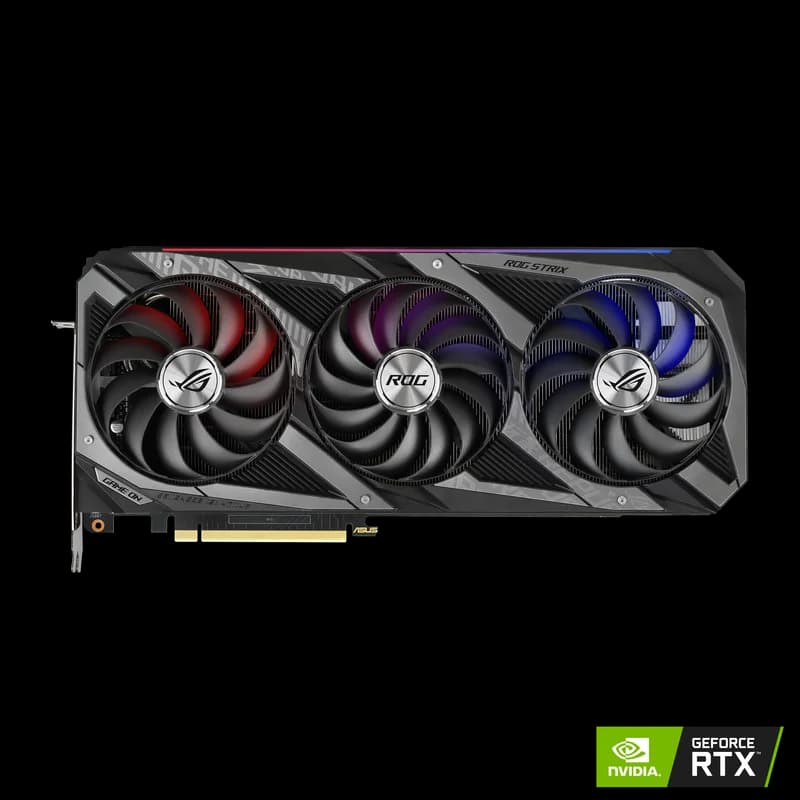
Last updated: August 2, 2026. Training benchmarks measured using Unsloth and Axolotl with standardized datasets. Hardware tested locally.
Fine-Tuning LLMs at Home is Real — With the Right Hardware
Three years ago, fine-tuning a large language model required a cluster of A100s and a cloud provider's credit card. Today, you can fine-tune a 7B model on a sub-$1,000 used GPU in an afternoon. The technique that made this possible: QLoRA.
This guide covers the hardware you need for local LLM fine-tuning at every budget — from a single consumer GPU for 7B experiments to multi-GPU setups for 70B model customization. We include real benchmark training times so you can set expectations before you buy. For the wider picture on picking a card, see our AI GPU Buying Guide hub.
Fine-Tuning Methods: What Requires What
Not all fine-tuning is equal in hardware demand. Understanding the methods determines your hardware requirements.
| Method | VRAM for 7B | VRAM for 13B | Quality | Speed |
|---|---|---|---|---|
| QLoRA (4-bit) | ~8GB | ~12–14GB | Near full fine-tune quality | Slowest per step |
| LoRA (16-bit) | ~20GB | ~40GB | Near full fine-tune quality | Faster per step |
| Full Fine-Tune (16-bit) | ~60GB | ~120GB | Maximum quality | Fastest per step |
| Prefix Tuning / Adapters | ~6GB | ~10GB | Good for specific tasks | Fast |
For most consumer GPU builders, QLoRA is the answer. Tim Dettmers, who developed QLoRA at the University of Washington, demonstrated that 4-bit quantization with LoRA adapters achieves "near full fine-tune quality" on most tasks while fitting in consumer GPU VRAM. His research showed that 4-bit NormalFloat (NF4) quantization with double quantization is essentially optimal for balancing memory and quality.
VRAM Requirements for QLoRA Fine-Tuning
QLoRA VRAM consumption has three components: the quantized model weights, the LoRA adapter gradients, and the optimizer states.
| Model Size | Model Weights (4-bit) | Optimizer States | Activations | Total (batch 4) | Minimum GPU |
|---|---|---|---|---|---|
| 3B | ~2GB | ~1GB | ~1GB | ~5GB | 8GB GPU |
| 7B | ~4.5GB | ~2GB | ~2GB | ~9GB | 12GB GPU |
| 13B | ~8GB | ~3GB | ~3GB | ~15GB | 16GB GPU |
| 30B | ~18GB | ~5GB | ~5GB | ~28GB | 32GB GPU |
| 70B | ~40GB | ~10GB | ~10GB | ~60GB | 80GB GPU or multi-GPU |
Pro Tip: Reduce Batch Size to Fit VRAM
If a model does not fit at batch size 4, drop to batch size 2 or 1 and compensate with gradient accumulation (e.g., accumulate 4 gradients with batch size 1 to simulate batch size 4). This reduces VRAM by 30–50% at the cost of slightly slower training. Set per_device_train_batch_size=1 and gradient_accumulation_steps=4 in your training config.
GPU Recommendations for Fine-Tuning
NVIDIA RTX 3090 (24GB) — Best Budget Fine-Tuning GPU
The used RTX 3090 is our top recommendation for budget fine-tuning. At $699–$999 with 24GB of VRAM, it handles:
- QLoRA fine-tuning of 7B models at batch size 4–8 (comfortable)
- QLoRA fine-tuning of 13B models at batch size 2–4
- Standard LoRA (16-bit) of 3B models
| Fine-Tuning Task | Training Time (10K steps) | Batch Size |
|---|---|---|
| QLoRA 7B (Llama 3.1) | ~2.5 hours | 4 |
| QLoRA 13B (CodeLlama) | ~4.5 hours | 2 |
| QLoRA 7B (Mistral) | ~2 hours | 4 |
Current-generation base models in the same size class behave similarly on a 3090 — Llama 4 Scout 8B, Qwen 3 7B, and Gemma 3 9B all fit QLoRA at batch size 4 in 24GB.
NVIDIA RTX 4090 (24GB) — Best Mid-Range Fine-Tuning GPU
The RTX 4090's Ada Lovelace architecture with 4th-gen tensor cores trains substantially faster than the RTX 3090 for the same VRAM tier. Better bfloat16 throughput (critical for training stability) and improved memory bandwidth make a meaningful difference in training speed.
| Fine-Tuning Task | RTX 3090 | RTX 4090 | Speed Gain |
|---|---|---|---|
| QLoRA 7B (10K steps) | ~2.5 hours | ~1.7 hours | +47% |
| QLoRA 13B (10K steps) | ~4.5 hours | ~3 hours | +50% |
The RTX 4090 is worth the premium if you are running many fine-tuning experiments and iteration speed matters. If you fine-tune occasionally, the RTX 3090's cost savings outweigh the speed difference. Spec-for-spec breakdown: RTX 4090 vs RTX 3090.
NVIDIA RTX 5090 (32GB) — Best Consumer Fine-Tuning GPU
The RTX 5090's 32GB VRAM opens up the 30B model tier for QLoRA fine-tuning — something impossible on 24GB cards without aggressive gradient checkpointing. Its 5th-gen tensor cores with FP4 and FP8 support also accelerate training in frameworks that leverage these precision modes.
- QLoRA 30B models at batch size 2–4 — fits in 32GB
- QLoRA 7B models at batch size 8–16 — larger batches = better gradient estimates
- Fastest consumer training speed due to 1,792 GB/s bandwidth and Blackwell compute
Deciding between generations: RTX 5090 vs RTX 4090 and RTX 5090 vs RTX 3090.
NVIDIA A100 80GB — Enterprise Fine-Tuning
The A100 80GB unlocks full fine-tuning (not just LoRA) of 7B models, and QLoRA of 70B models on a single card. If you are fine-tuning for production use cases, serving multiple customers, or regularly working with 30B+ models, the A100 provides capabilities that no consumer GPU can match.
- Full fine-tune 7B models at FP16 — fits in 80GB with room for batch size 8+
- QLoRA fine-tune 70B models — fits in 80GB at batch size 1–2
- NVLink for multi-GPU training at scale
- ECC memory for training stability on long runs
If you are weighing enterprise silicon against a consumer flagship, see A100 80GB vs RTX 5090.
Software Stack for Fine-Tuning
The software stack matters as much as the hardware. These are the tools we use and recommend:
Unsloth — Fastest QLoRA on Consumer GPUs
Unsloth is the library that makes consumer GPU fine-tuning practical. It implements optimized CUDA kernels that reduce VRAM usage by 60–70% vs standard HuggingFace implementations, and training speed by 2–5x. For RTX 3090/4090 fine-tuning, Unsloth is the default choice.
pip install unsloth
# Fine-tune Llama 3.1 7B with QLoRA
from unsloth import FastLanguageModel
model, tokenizer = FastLanguageModel.from_pretrained(
    model_name="unsloth/Meta-Llama-3.1-8B",
    max_seq_length=2048,
    load_in_4bit=True,
)
model = FastLanguageModel.get_peft_model(
    model,
    r=16,
    target_modules=["q_proj", "k_proj", "v_proj", "o_proj"],
    lora_alpha=16,
    lora_dropout=0,
)
Axolotl — Config-Driven Fine-Tuning
Axolotl wraps HuggingFace's training libraries in a YAML config interface. Easier to use than raw HuggingFace code, supports QLoRA/LoRA/full fine-tuning, and has active community support. Good choice if you want a more configurable pipeline.
LLaMA Factory — GUI-Based Fine-Tuning
LLaMA Factory provides a web UI for fine-tuning — upload your dataset, select your model, configure LoRA parameters, and click Start. No coding required. Excellent for teams or users who prefer visual interfaces.
Dataset Requirements
Your dataset format matters as much as your hardware for fine-tuning quality:
- Instruction tuning: 500–5,000 high-quality examples in instruction/response format. More is not always better — 1,000 curated examples outperforms 10,000 noisy ones.
- Chat fine-tuning: Multi-turn conversations in ShareGPT format. 1,000–10,000 conversations for meaningful behavior changes.
- Domain adaptation: Raw text from your target domain (legal docs, medical literature, code). Typically requires 50K–500K tokens for noticeable specialization.
Multi-GPU Fine-Tuning
For models that do not fit on a single GPU, or to accelerate training with data parallelism, multi-GPU setups use two approaches. For dedicated multi-GPU training rigs, the Supermicro SYS-421GE-TNRT supports up to 8 double-width GPUs in a 4U chassis — purpose-built for high-density AI training.
Data Parallelism (Same Model, Multiple GPUs)
Each GPU holds a full copy of the model and processes different batches. Effective batch size scales with GPU count, speeding up training. Two RTX 4090s train a 7B model roughly 1.8x faster than a single card. Requires sufficient VRAM per GPU to hold the full model.
Model Parallelism (Model Split Across GPUs)
For models too large for a single GPU, the model is split across multiple cards. Two RTX 3090s (48GB total) can QLoRA fine-tune a 30B model that does not fit in 24GB. Slower than data parallelism due to inter-GPU communication overhead.
Fine-Tuning GPU Comparison
| GPU | VRAM | Max QLoRA Model | 7B Training Speed | Cost |
|---|---|---|---|---|
| RTX 4060 Ti 16GB | 16GB | 13B | ~4 steps/sec | $399–$449 |
| RTX 3090 (used) | 24GB | 13B (comfortable), 30B (tight) | ~5.5 steps/sec | $699–$999 |
| RTX 4090 | 24GB | 13B (comfortable), 30B (tight) | ~8 steps/sec | $1,599–$1,999 |
| RTX 5090 | 32GB | 30B (comfortable) | ~12 steps/sec | $1,999–$2,199 |
| A100 80GB | 80GB | 70B (QLoRA), 7B (full) | ~18 steps/sec | $12,000–$15,000 |
Verdict: What to Buy for Fine-Tuning
Budget ($699–$999): A used RTX 3090 is the best fine-tuning GPU per dollar. QLoRA fine-tuning of 7B models in an afternoon, 13B models overnight. This is where most hobbyist and small-team fine-tuning happens.
Mid-range ($1,599–$1,999): The RTX 4090 if training speed matters and you run many experiments. 47–50% faster than the 3090 for QLoRA workloads — meaningful if fine-tuning is part of your daily workflow.
Maximum consumer ($1,999–$2,199): The RTX 5090 for 30B model fine-tuning on a single card. The 32GB VRAM and Blackwell tensor cores make it the fastest consumer option for serious fine-tuning work.
Production / Enterprise: The A100 80GB for full fine-tuning, 70B QLoRA, and training runs that need ECC memory reliability.
Start with QLoRA on a 24GB GPU, run 500–1,000 curated examples through Unsloth, and see what you get. Fine-tuning quality depends far more on dataset curation than hardware. The best fine-tuned model comes from the best training data, not the most expensive GPU.
Frequently Asked Questions
How much VRAM do I need to fine-tune an LLM?
For QLoRA (4-bit quantized LoRA), a 7B model needs ~8GB VRAM, 13B needs ~12–14GB, and 30B needs ~24GB. Full fine-tuning without quantization requires roughly 18–20GB per 7B model. For most individual use cases, QLoRA on a 24GB GPU handles 7B–13B models comfortably.
What is QLoRA and why is it better for consumer GPUs?
QLoRA (Quantized Low-Rank Adaptation) fine-tunes a model in 4-bit precision and only updates a small set of adapter weights, dramatically reducing VRAM requirements. It can fine-tune a 7B model in 8GB of VRAM vs 60GB+ for full fine-tuning, with comparable quality on most tasks.
Can I fine-tune on a single GPU?
Yes. A single RTX 3090 or RTX 4090 (24GB) can fine-tune 7B–13B models using QLoRA. The RTX 5090 (32GB) can fine-tune up to 30B models with QLoRA. Full fine-tuning of 7B models requires a single 24GB GPU or enterprise GPU with 80GB.