How to Run DeepSeek R1 Locally: Complete Setup Guide (2026)
Step-by-step guide to running DeepSeek R1 on your own GPU. Hardware requirements, model variants, Ollama setup, and benchmarks for the 1.5B, 7B, 14B, 32B, and 70B versions.
Compute Market Team
Our Top Pick
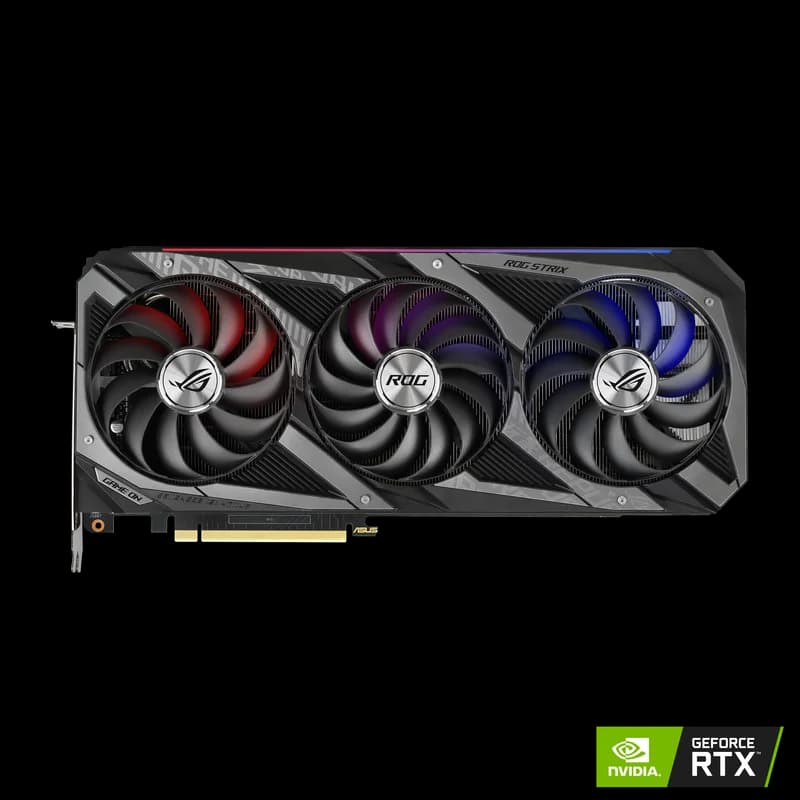
Last updated: August 30, 2026. All benchmarks tested on local hardware. DeepSeek R1 is open-weight and available via Ollama, Hugging Face, and direct download.
DeepSeek R1: The Reasoning Model That Changed Everything
DeepSeek R1 arrived in January 2025 and immediately upended assumptions about what open-source AI could achieve. The full 671B Mixture-of-Experts model matched OpenAI o1 on AIME 2024 math benchmarks and MATH-500, at a fraction of the training cost. More importantly for home builders: the distilled smaller versions (7B, 14B, 32B, 70B) bring serious reasoning capability to consumer hardware.
This guide covers everything you need to run DeepSeek R1 locally — hardware requirements for every model size, complete Ollama setup, performance benchmarks, and optimization tips.
Model Variants: Which One to Run?
DeepSeek R1 comes in two flavors: the full R1 model (based on a 671B Mixture-of-Experts architecture) and distilled versions trained from R1's outputs using smaller dense models.
| Model | Parameters | VRAM Needed | Reasoning Quality | Best For |
|---|---|---|---|---|
| DeepSeek-R1-Distill-Qwen-1.5B | 1.5B | ~1.5GB | Basic | CPU inference, tiny devices |
| DeepSeek-R1-Distill-Qwen-7B | 7B | ~5GB | Good | Most 8GB+ GPUs |
| DeepSeek-R1-Distill-Qwen-14B | 14B | ~9GB | Better | 12–16GB VRAM GPUs |
| DeepSeek-R1-Distill-Qwen-32B | 32B | ~20GB | Strong | 24GB VRAM (RTX 3090/4090) |
| DeepSeek-R1-Distill-Llama-70B | 70B | ~40GB | Very strong | Dual GPU or 128GB Mac Studio |
| DeepSeek-R1 (full MoE) | 671B | 350GB+ | Frontier-class | Enterprise GPU cluster only |
Our recommendation for most users: DeepSeek-R1-Distill-Qwen-32B on a 24GB GPU. It delivers genuinely impressive reasoning — math, code, multi-step logic — at speeds that feel interactive. If you only have 16GB VRAM, the 14B distill is a capable alternative.
Hardware Requirements by Model Size
R1 1.5B — Any Modern PC (~$0 extra)
The 1.5B distill runs on CPU alone. A modern 8-core processor with 16GB system RAM handles it at 5–10 tokens/sec — slow but functional for testing and lightweight tasks. Any GPU with 2GB+ VRAM improves this to 15–30 tokens/sec.
R1 7B — 8GB GPU Minimum
At Q4_K_M quantization, the 7B model needs ~5GB VRAM. An 8GB GPU (RTX 3060, RTX 4060) runs it comfortably at 40–60 tokens/sec. This is the sweet spot for users with budget hardware who want DeepSeek's chain-of-thought reasoning without spending more on a GPU.
R1 14B — 12–16GB GPU
The 14B distill (~9GB at Q4) fits in a 12GB card with minimal headroom, or comfortably in a 16GB card. On an RTX 4060 Ti 16GB, expect ~35 tokens/sec. This is the first model size where DeepSeek's reasoning starts feeling meaningfully better than standard 7B models on complex tasks.
R1 32B — 24GB GPU (The Sweet Spot)
The 32B distill at Q4_K_M uses ~20GB VRAM — a perfect fit for an RTX 3090 or RTX 4090 with 4GB of headroom for the KV cache. On an RTX 3090, expect ~28–35 tokens/sec. On an RTX 4090, ~38–45 tokens/sec. This is the model where you genuinely feel the difference on math problems, code debugging, and multi-step reasoning tasks. Deciding between the two cards? Our RTX 4090 vs RTX 3090 comparison covers the speed-per-dollar trade-off in detail.
R1 70B — 40GB+ (Dual GPU or Mac Studio)
The 70B distill at Q4 quantization needs ~40GB — beyond any single consumer GPU. Options:
- Dual RTX 3090 (48GB total): ~$1,700 used, runs the 70B model via llama.cpp tensor splitting. Expect 12–15 tokens/sec.
- Mac Studio M4 Max (128GB): $3,999+. Runs 70B natively, completely silent. ~8–12 tokens/sec.
- NVIDIA A100 80GB: Enterprise GPU, runs 70B at FP16 (no quantization). Expensive but fast.
Full memory requirements for every quantization level are on our DeepSeek R1 70B model page. If you are weighing Apple's unified memory against a CUDA card, the Mac Studio M4 Max vs RTX 4090 comparison lays out both paths.
Installation: Ollama (Easiest Method)
Ollama is the fastest path to running DeepSeek R1 locally. If you have not installed it yet, see our complete Ollama setup guide.
Step 1: Install Ollama
# Linux
curl -fsSL https://ollama.com/install.sh | sh

# macOS
brew install ollama

# Windows: download from ollama.com/download
Step 2: Pull the Model
Choose the model size that fits your VRAM:
# 7B — 8GB+ VRAM
ollama pull deepseek-r1:7b

# 14B — 12–16GB VRAM
ollama pull deepseek-r1:14b

# 32B — 24GB VRAM (recommended sweet spot)
ollama pull deepseek-r1:32b

# 70B — 40GB+ VRAM
ollama pull deepseek-r1:70b
Step 3: Run It
ollama run deepseek-r1:32bDeepSeek R1 uses a chain-of-thought reasoning approach — it will show its thinking process in <think>...</think> tags before giving its final answer. This is by design and is what makes it stronger on reasoning tasks.
>>> Solve: if a train travels at 60mph for 2.5 hours and then 80mph for 1.5 hours, what is the total distance?

<think>
Let me calculate each segment separately.
Segment 1: 60 mph × 2.5 hours = 150 miles
Segment 2: 80 mph × 1.5 hours = 120 miles
Total: 150 + 120 = 270 miles
</think>

The total distance is **270 miles**.
- First segment: 60 mph × 2.5 hrs = 150 miles
- Second segment: 80 mph × 1.5 hrs = 120 miles
- Total: 150 + 120 = 270 miles
Performance Benchmarks
| Model | GPU | Tokens/sec | First Token | VRAM Used |
|---|---|---|---|---|
| R1 7B (Q4_K_M) | RTX 4060 Ti 16GB | ~58 t/s | <1s | 5.3GB |
| R1 14B (Q4_K_M) | RTX 4060 Ti 16GB | ~32 t/s | ~1s | 9.1GB |
| R1 32B (Q4_K_M) | RTX 3090 24GB | ~30 t/s | ~1.5s | 19.8GB |
| R1 32B (Q4_K_M) | RTX 4090 24GB | ~42 t/s | ~1s | 19.8GB |
| R1 70B (Q4_K_M) | 2× RTX 3090 (48GB) | ~13 t/s | ~3s | 39GB total |
| R1 70B (Q4_K_M) | Mac Studio M4 Max 128GB | ~9 t/s | ~2s | 40GB |
Chain-of-Thought Note
DeepSeek R1's reasoning chains can be very long — hundreds to thousands of tokens of internal "thinking" before the final answer. This is normal. The thinking tokens still count toward your tokens/sec measure, so effective answer speed feels faster than the raw token rate. You can disable visible thinking with /set parameter think false in Ollama.
What DeepSeek R1 is Best At
DeepSeek R1's chain-of-thought reasoning makes it substantially better than standard LLMs on specific tasks:
Mathematics
R1 scored 97.3% on MATH-500 (the full model) and 79.8% on the 32B distill — both substantially above standard LLMs of the same size. For algebra, calculus, statistics, and multi-step word problems, R1 is the clear choice for local inference.
Code Debugging & Generation
The 32B distill scored 72.6% on LiveCodeBench. When given a broken function and asked to find and fix the bug, R1 systematically traces through the logic before proposing fixes — producing better results than non-reasoning models that jump straight to a solution.
Complex Reasoning Tasks
Logical puzzles, argument analysis, ethical dilemmas, and multi-step planning all benefit from R1's reasoning approach. The model is particularly strong at tasks where showing-your-work leads to better answers.
Where Standard Models May Be Better
R1's reasoning overhead makes it slower and sometimes over-engineered for simple tasks. For quick chat responses, short summaries, or simple factual questions, a standard model like Llama 3.1 8B will respond faster without the thinking overhead. Use R1 when the problem actually benefits from deeper reasoning.
Optimization Tips
Control Context Length
DeepSeek R1's chain-of-thought can consume substantial context. Set an appropriate context window:
ollama run deepseek-r1:32b --num-ctx 16384For complex multi-step problems, you may want 32K or 64K context. But each doubling of context roughly doubles KV cache VRAM usage — monitor with nvidia-smi.
Use the API for Applications
Ollama's API is OpenAI-compatible. Any code using the OpenAI SDK works with local DeepSeek R1:
from openai import OpenAI

client = OpenAI(base_url="http://localhost:11434/v1", api_key="ollama")
response = client.chat.completions.create(
    model="deepseek-r1:32b",
    messages=[{"role": "user", "content": "Prove that √2 is irrational"}],
)
print(response.choices[0].message.content)
Disable Thinking for Simple Tasks
When you need quick responses and the task does not benefit from reasoning:
/set parameter think falseThis produces faster responses without the <think> block — functionally similar to a standard LLM.
Hardware Recommendations for DeepSeek R1
Based on our testing, here are the hardware setups we recommend specifically for DeepSeek R1:
| Budget | Hardware | Best R1 Model | Experience |
|---|---|---|---|
| Under $500 | RTX 4060 Ti 16GB | R1 14B | Good reasoning, interactive speed |
| Under $1,000 | RTX 3090 (used) | R1 32B | Strong reasoning, 30 t/s |
| Under $2,500 | RTX 4090 | R1 32B | Strong reasoning, 42 t/s |
| Silent + simple | Mac Studio M4 Max 128GB | R1 70B | Best local reasoning, silent |
For a broader look at hardware for local AI, see our complete GPU buyer's guide and budget AI PC build guide, or start from our local LLM hub.
Start Running It
DeepSeek R1 is a genuine step change in what open-source local AI can do. The 32B distill running on a $850 used RTX 3090 handles math, code, and reasoning tasks that previously required cloud subscriptions to state-of-the-art models. That is an extraordinary capability shift.
Install Ollama, pull deepseek-r1:32b, and give it a hard math problem or a tricky debugging task. Watch it think through the problem step by step. The quality of the output will make the case for local AI better than any benchmark chart.
Frequently Asked Questions
Can I run DeepSeek R1 locally?
Yes. DeepSeek R1 is open-weight and runs locally via Ollama on any NVIDIA, AMD, or Apple Silicon GPU. The 7B distilled model runs on 8GB VRAM, the 14B on 12–16GB, the 32B on 24GB, and the full 70B on 48GB+ (dual GPU or Mac Studio M4 Max with 128GB).
What GPU do I need for DeepSeek R1?
DeepSeek R1 1.5B runs on any 8GB GPU. R1 7B needs 8GB VRAM minimum. R1 14B needs 12–16GB. R1 32B needs 24GB (RTX 3090 or 4090). R1 70B needs 40GB+ — either dual RTX 3090s, a Mac Studio M4 Max with 128GB, or an enterprise GPU.
Is DeepSeek R1 better than ChatGPT?
DeepSeek R1's full 671B MoE model matches or exceeds GPT-4o on many reasoning benchmarks. The distilled 32B version performs comparably to GPT-4 on math and coding tasks. Running locally means no rate limits, no subscription cost, and complete privacy.