NVIDIA RTX PRO 6000 96GB — Is It Worth It for Local AI in 2026?
The RTX PRO 6000 Blackwell packs 96GB GDDR7 ECC into a single desktop GPU at $4,599. We break down what models you can actually run, how it compares to the RTX 5090, RTX PRO 5000 72GB, A100 80GB, and Mac Studio M4 Max — and whether the price makes sense for local AI inference.
Compute Market Team
Our Top Pick
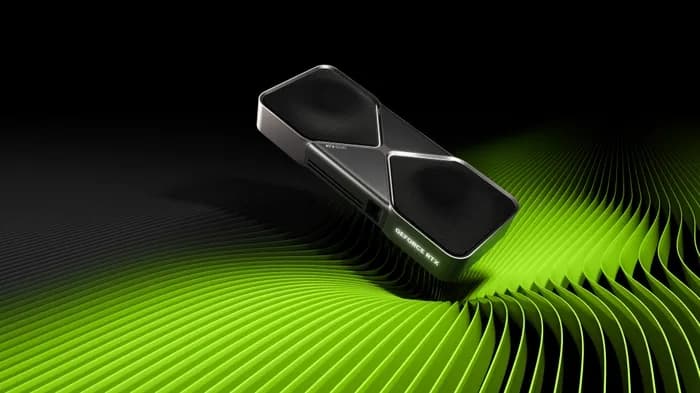
The NVIDIA RTX PRO 6000 Blackwell just launched — and it's carrying 96GB of GDDR7 ECC memory on a single desktop GPU. That's more VRAM than the datacenter-class A100 80GB, in a card that fits a standard workstation and costs roughly $4,599. For anyone running large language models locally, this changes the math entirely.
At 96GB, the RTX PRO 6000 is the first desktop GPU that can load 70B parameter models at Q8 quantization — near-lossless quality that previously required datacenter hardware or messy multi-GPU setups. But at $4,599, it's not cheap. Is it worth it compared to the RTX 5090 at $1,999, the previous-gen RTX PRO 5000 72GB, or just renting cloud GPUs?
This guide provides the exact VRAM math, model-by-model compatibility tables, and cost-per-token comparisons you need to decide. If you're new to GPU selection for AI, start with our AI GPU buying guide first.
RTX PRO 6000 Blackwell at a Glance — Specs That Matter for AI
The RTX PRO 6000 is built on NVIDIA's Blackwell architecture (GB202 die) with specifications tuned for professional AI workloads. Here's how it stacks up against the key alternatives:
| Spec | RTX PRO 6000 96GB | RTX 5090 | RTX PRO 5000 72GB | A100 80GB |
|---|---|---|---|---|
| VRAM | 96GB GDDR7 ECC | 32GB GDDR7 | 72GB GDDR7 ECC | 80GB HBM2e |
| CUDA Cores | 24,064 | 21,760 | 14,080 | 6,912 |
| Tensor Cores | 5th Gen (752) | 5th Gen (680) | 5th Gen (440) | 3rd Gen (432) |
| Memory Bandwidth | ~1,536 GB/s (est.) | 1,792 GB/s | 1,300 GB/s | 2,039 GB/s |
| TDP | ~350W (est.) | 575W | 300W | 300W |
| Architecture | Blackwell (GB202) | Blackwell (GB202) | Blackwell (GB202) | Ampere (GA100) |
| Interface | PCIe 5.0 x16 | PCIe 5.0 x16 | PCIe 5.0 x16 | PCIe 4.0 x16 |
| ECC Memory | Yes | No | Yes | Yes |
| Native FP4 | Yes (NVFP4) | Yes (NVFP4) | No | No |
| Price | ~$4,599 | $1,999 – $2,199 | ~$7,000 | $12,000 – $15,000 |
Three things jump out immediately:
- 96GB ECC memory — more VRAM than the A100 80GB, with error correction that matters for long training runs and production reliability. ECC catches silent bit-flip errors that can corrupt model weights over multi-day fine-tuning jobs.
- 24,064 CUDA cores — 71% more compute than the RTX PRO 5000 72GB and only 10% fewer than the consumer RTX 5090. This closes the inference speed gap that plagued the previous-gen pro card.
- Native FP4/NVFP4 support — Blackwell's native FP4 format offers better precision near zero than INT4, which means less quality loss at aggressive quantization levels. This is exclusive to the newest Blackwell silicon.
PNY, NVIDIA's primary board partner for professional GPUs, lists the RTX PRO 6000 in Workstation, Max-Q, and Server editions — confirming this is designed for always-on deployment, not just desktop use.
What Can You Actually Run on 96GB VRAM?
VRAM determines what fits. No amount of CUDA cores help if the model won't load. Here's a model-by-model breakdown of what 96GB gets you that smaller cards cannot:
Model VRAM Requirements by Quantization Level
| Model | FP16 | Q8 | Q4 | Fits 32GB? | Fits 72GB? | Fits 96GB? |
|---|---|---|---|---|---|---|
| Llama 4 Maverick 70B | ~140GB | ~75GB | ~40GB | No | Yes (Q4) | Yes (Q8) |
| DeepSeek R1 70B | ~140GB | ~75GB | ~40GB | No | Yes (Q4) | Yes (Q8) |
| Qwen 3 72B | ~144GB | ~77GB | ~42GB | No | Yes (Q4) | Yes (Q8) |
| CodeLlama 34B | ~68GB | ~36GB | ~20GB | No (Q8) | Yes (Q8) | Yes (FP16) |
| Llama 4 Behemoth 405B | ~810GB | ~430GB | ~230GB | No | No | No |
| Phi-4 14B | ~28GB | ~15GB | ~8GB | Yes | Yes | Yes |
| Llama 4 Scout 8B | ~16GB | ~9GB | ~5GB | Yes | Yes | Yes |
| Flux.1 Dev | ~24GB | — | — | Yes | Yes | Yes |
VRAM estimates include model weights plus KV-cache overhead for typical context lengths. Actual usage varies by runtime, context size, and batch configuration. Source: model card specifications and LM Studio Community measurements.
The critical insight: 96GB unlocks Q8 quantization on 70B-class models. This is the sweet spot the market has been missing. Here's why it matters:
- On a 32GB card (RTX 5090): You can't load any 70B model at all. You're limited to 30B-class models, and even those require Q4 quantization for comfortable operation with KV-cache headroom.
- On a 72GB card (RTX PRO 5000): You can load 70B models at Q4 — usable, but Q4 quantization degrades reasoning quality by 5-15% on complex tasks, according to benchmarks from the r/LocalLLaMA community.
- On 96GB (RTX PRO 6000): You load 70B models at Q8 with ~20GB of headroom for KV-cache and context. Q8 preserves near-lossless quality — typically within 1-2% of FP16 on reasoning benchmarks.
Corelab.tech, in their April 2026 GPU buying guide, summarized it well: "The jump from Q4 to Q8 on 70B models is one of the most underrated quality improvements in local AI. It's the difference between a model that occasionally hallucinates on multi-step reasoning and one that stays coherent. 96GB makes Q8 the default."
RTX PRO 6000 vs RTX 5090 — When 32GB Isn't Enough
The RTX 5090 ($1,999 – $2,199) is the best consumer GPU for AI in 2026 — and for most users, it's the right buy. The RTX PRO 6000 only makes sense when you've hit the 32GB VRAM wall. Here's the head-to-head:
| Metric | RTX PRO 6000 96GB | RTX 5090 |
|---|---|---|
| Price | ~$4,599 | $1,999 – $2,199 |
| VRAM | 96GB GDDR7 ECC | 32GB GDDR7 |
| CUDA Cores | 24,064 | 21,760 |
| Memory Bandwidth | ~1,536 GB/s | 1,792 GB/s |
| TDP | ~350W | 575W |
| 70B model at Q8 | Yes | No |
| 70B model at Q4 | Yes (with headroom) | No |
| 8B model inference speed | ~90 tok/s (est.) | ~95 tok/s |
| ECC Memory | Yes | No |
| Cost per GB VRAM | ~$48/GB | ~$63/GB |
The RTX PRO 6000 is a surprisingly close match on compute — only ~10% fewer CUDA cores than the 5090 — but with 3x the VRAM at about 2.1x the price. On a cost-per-GB basis, the PRO 6000 actually wins ($48/GB vs $63/GB). The RTX 5090 has higher memory bandwidth, which gives it a slight edge on smaller models where compute, not memory capacity, is the bottleneck.
The decision framework is simple:
- If your models fit in 32GB → the RTX 5090 is faster and $2,400 cheaper. Don't overthink it.
- If you regularly work with 70B+ models → the RTX PRO 6000 is the only single desktop GPU that loads them at Q8 quality. The $2,400 premium buys you a capability the 5090 physically cannot provide.
For a broader look at the consumer GPU lineup, see our best GPU for AI guide and the RTX 5090 vs RTX 5080 comparison.
RTX PRO 6000 vs RTX PRO 5000 72GB — The Generational Leap
The previous-gen RTX PRO 5000 72GB launched just weeks earlier at ~$7,000. The RTX PRO 6000 makes it obsolete in almost every dimension:
| Metric | RTX PRO 6000 96GB | RTX PRO 5000 72GB |
|---|---|---|
| VRAM | 96GB (+33%) | 72GB |
| CUDA Cores | 24,064 (+71%) | 14,080 |
| Tensor Cores | 752 (+71%) | 440 |
| Memory Bandwidth | ~1,536 GB/s (+18%) | 1,300 GB/s |
| Native FP4 | Yes (NVFP4) | No |
| TDP | ~350W | 300W |
| Price | ~$4,599 (–34%) | ~$7,000 |
This is unusual: the newer card is substantially better and substantially cheaper. The 24GB VRAM uplift is meaningful — it's the difference between running Qwen 3 72B at Q4 (tight fit on 72GB) vs running it at Q8 with headroom on 96GB. The 71% compute uplift means inference speeds jump dramatically, closing the gap with the consumer RTX 5090.
The only area where the PRO 5000 has a slight edge is power draw (300W vs ~350W). For always-on inference servers where every watt matters, that 50W difference translates to ~$44/year in electricity at US average rates. For most buyers, the RTX PRO 6000 is the clear winner.
Native FP4 (NVFP4) on the RTX PRO 6000 is also notable. Blackwell's FP4 format offers better precision near zero compared to the INT4 quantization used on prior architectures. For aggressive quantization of very large models, FP4 preserves more signal in the small weight values that matter most for neural networks.
RTX PRO 6000 vs A100 80GB vs Mac Studio M4 Max — Cost Per Token Shootout
The RTX PRO 6000 sits in a gap that didn't exist before: between consumer and datacenter. Here's how the total cost of ownership compares for running DeepSeek R1 70B locally:
| Factor | RTX PRO 6000 96GB | A100 80GB | Mac Studio M4 Max |
|---|---|---|---|
| GPU/System Cost | ~$4,599 (GPU only) | $12,000 – $15,000 | $1,999 – $4,499 |
| Total System Cost | ~$6,500 – $7,500 | ~$18,000 – $25,000 | $1,999 – $4,499 |
| Usable VRAM/Memory | 96GB GDDR7 ECC | 80GB HBM2e | 128GB unified |
| 70B Q4 Inference | ~18-22 tok/s (est.) | ~20-25 tok/s | ~6-8 tok/s |
| 70B Q8 Inference | ~12-16 tok/s (est.) | Cannot fit (80GB) | ~4-5 tok/s |
| Power Draw (GPU) | ~350W | 300W | ~75W (whole system) |
| Driver Support | Consumer + Pro NVIDIA | Enterprise-only | macOS (Metal/MLX) |
| Always-On Suitability | Good (blower cooler) | Requires server chassis | Excellent (silent) |
Inference speed estimates based on TechPowerUp benchmarks and LM Studio Community data, extrapolated for the RTX PRO 6000 based on CUDA core count and memory bandwidth relative to known Blackwell benchmarks.
The A100 80GB Comparison
The A100 80GB ($12,000 – $15,000) has been the gold standard for large model inference. But the RTX PRO 6000 undercuts it dramatically:
- 16GB more VRAM — 96GB vs 80GB. The PRO 6000 can load 70B models at Q8 (~75GB); the A100 cannot.
- ~3x cheaper — $4,599 vs $12,000+. The total system cost difference is even larger because the A100 requires enterprise motherboards and chassis.
- Consumer driver support — the PRO 6000 works with standard NVIDIA drivers, Ollama, LM Studio, and every consumer AI tool. The A100 requires enterprise drivers and has quirky compatibility with some consumer runtimes.
- A100's bandwidth advantage — HBM2e delivers 2,039 GB/s vs the PRO 6000's estimated ~1,536 GB/s. This matters for large batch serving, but for single-user interactive inference, the difference is less pronounced.
For the related datacenter comparison, see H100 vs A100 and A100 vs RTX 5090.
The Mac Studio M4 Max Comparison
The Mac Studio M4 Max ($1,999 – $4,499) with 128GB unified memory can technically load even larger models than the PRO 6000. But speed tells a different story:
- Inference speed — CUDA GPUs deliver roughly 3-4x more tokens per second than Apple Silicon at equivalent model sizes. The Mac Studio runs DeepSeek R1 70B at ~6-8 tok/s; the PRO 6000 should hit ~18-22 tok/s at Q4.
- Total memory — 128GB unified memory means the Mac can load models the PRO 6000 can't, including 70B at FP16. But those loads run at very slow speeds.
- Power and noise — the Mac Studio draws ~75W and runs silently. The PRO 6000 in a workstation draws ~350W with fan noise. For a quiet home office, the Mac wins.
- Ecosystem — the PRO 6000 has full CUDA support for every ML framework. The Mac Studio uses MLX and Metal, which have fewer optimized model implementations.
The Mac Studio M4 Max is best for users who prioritize silence, macOS workflow integration, and the ability to load the largest possible models — even if slowly. The RTX PRO 6000 is best for users who need fast, production-grade inference on 70B-class models. For the consumer version of this comparison, see our RTX 5090 vs Mac Studio M4 Max analysis.
Workstation Build Recommendations
The RTX PRO 6000 runs in standard PCIe 5.0 workstations — no exotic server chassis required. Here's a recommended build for a dedicated local AI inference workstation:
Recommended Components
| Component | Recommendation | Estimated Cost |
|---|---|---|
| GPU | NVIDIA RTX PRO 6000 Blackwell 96GB | ~$4,599 |
| CPU | AMD Ryzen 9 9950X or Intel Core i9-14900K | $450 – $600 |
| RAM | 64GB DDR5-5600 (2x 32GB) | $150 – $200 |
| Storage | Samsung 990 Pro 4TB ($289 – $339) | $289 – $339 |
| PSU | Corsair RM850x or equivalent 850W 80+ Gold | $130 – $160 |
| Case | Fractal Design Define 7 or workstation tower | $130 – $180 |
| Motherboard | PCIe 5.0 x16 workstation board (AM5 or LGA 1700) | $250 – $400 |
| Cooling | 280mm AIO or Noctua NH-D15 | $80 – $150 |
Total estimated build cost: ~$6,100 – $7,600
Key considerations for the build:
- PSU sizing — 850W provides comfortable headroom for the ~350W GPU plus a high-end CPU. The blower-style cooler on the PRO 6000 exhausts heat directly out the back of the case, reducing thermal management complexity compared to open-air designs.
- PCIe 5.0 motherboard — essential to unlock full bandwidth. The card will work in PCIe 4.0 slots but with reduced throughput for model loading and data transfer.
- NVMe storage — the Samsung 990 Pro at 7,450 MB/s read speeds means loading a 75GB Q8 model from disk takes roughly 10 seconds. With a slower SATA SSD, you're waiting over a minute. Fast storage matters for model swapping workflows.
- 64GB system RAM — minimum for comfortable operation. Model weights load from disk to VRAM, but the CPU handles tokenization, context management, and system overhead. 128GB is better if you're running multiple services alongside inference.
For a complete walkthrough, see our AI workstation build guide. If you prefer a turnkey solution, check best prebuilt AI workstations.
Who Should Buy the RTX PRO 6000 — and Who Shouldn't
Buy the RTX PRO 6000 if:
- You run 70B+ models daily — Llama 4 Maverick 70B, DeepSeek R1 70B, Qwen 3 72B. The RTX PRO 6000 loads these at Q8 for near-lossless quality. No other desktop GPU can do this.
- You need ECC memory for production reliability — running an always-on local LLM inference server where silent data corruption from bit-flips is unacceptable. ECC matters for fine-tuning jobs that run for days.
- You want a single-GPU setup — no NVLink, no tensor parallelism across cards, no multi-GPU configuration headaches. One card, one PCIe slot, done. See our multi-GPU setup guide to understand the complexity you're avoiding.
- You're a startup or researcher avoiding cloud costs — at $4,599, the card pays for itself vs cloud A100 rental in roughly 1,500-2,500 hours of GPU time (at $2-3/hour for an A100 instance). That's 2-4 months of continuous use.
- You're coming from an A100 and want equivalent capability cheaper — 96GB > 80GB, consumer driver support, standard workstation chassis, at one-third the price.
Don't buy the RTX PRO 6000 if:
- Your models fit in 32GB — if you primarily run 8B-30B models (Llama 4 Scout 8B, Phi-4 14B, Gemma 3 27B), the RTX 5090 is faster and $2,400 cheaper. Don't buy VRAM you won't use.
- You need multi-GPU training — the PRO 6000 is optimized for inference and fine-tuning, not distributed training. If you need to train large models from scratch, look at H100 PCIe cards with NVLink support.
- You're budget-constrained — a used RTX 3090 ($699 – $999) gives you 24GB of VRAM for one-sixth the price. It won't load 70B models, but it handles everything up to 30B at Q4 and is the best VRAM-per-dollar card in 2026. See our GPU for fine-tuning guide for budget options.
- You prioritize raw speed on small models — the RTX 5090's higher memory bandwidth (1,792 GB/s vs ~1,536 GB/s) gives it a meaningful edge on 8B model inference speed. If you're serving many concurrent users on small models, bandwidth matters more than capacity.
The Bottom Line: 96GB Changes the Local AI Game
The NVIDIA RTX PRO 6000 Blackwell is the first desktop GPU that can run 70B parameter models at Q8 quantization in a single card — delivering near-lossless inference quality at $4,599, roughly one-third the cost of an NVIDIA A100 80GB.
Before this card existed, running 70B models at high quality required either:
- An A100 80GB at $12,000+ (and it still couldn't fit Q8 at 75GB)
- An H100 PCIe at $25,000+ in an enterprise chassis
- A multi-GPU rig with all its complexity and overhead
- Aggressive Q4 quantization on a 72GB card with measurable quality loss
The RTX PRO 6000 collapses all of that into a single $4,599 card that runs in a standard workstation. For AI researchers, ML engineers at startups, and prosumers who've outgrown the RTX 5090's 32GB — this is the card that eliminates the VRAM wall.
For the latest GPU pricing context, check our GPU prices tracker. If you're waiting for the consumer Blackwell refresh, read our should you wait for the RTX 5090 Ti / Titan Blackwell analysis. And for a complete picture of the VRAM landscape, our VRAM guide covers the fundamentals.
Frequently Asked Questions
Can the RTX PRO 6000 96GB run 70B models without quantization?
Not at full FP16 precision — a 70B model at FP16 requires ~140GB of VRAM, which exceeds 96GB. However, the RTX PRO 6000 can run 70B models at Q8 quantization (~75GB), which preserves near-lossless inference quality. This is a significant upgrade over 32GB and 72GB cards that force Q4 quantization on these models, with measurable quality degradation on complex reasoning tasks.
Is the RTX PRO 6000 better than the RTX PRO 5000 72GB for local AI?
Yes, if you can afford the upgrade from 72GB. The RTX PRO 6000 adds 24GB more VRAM (96GB vs 72GB), 70% more CUDA cores (24,064 vs 14,080), native FP4 support on the newer Blackwell architecture, and significantly higher memory bandwidth. At ~$4,599 vs ~$7,000, it actually costs less too — making the RTX PRO 6000 a strict upgrade in every dimension.
How does the RTX PRO 6000 compare to the A100 80GB for AI inference?
The RTX PRO 6000 has 16GB more VRAM (96GB vs 80GB), costs roughly one-third the price ($4,599 vs $12,000–$15,000), and runs on standard workstation hardware with consumer NVIDIA drivers. The A100 has faster HBM2e memory bandwidth (2,039 GB/s vs estimated ~1,500 GB/s) which benefits large batch inference. For single-user local inference, the RTX PRO 6000 offers better value. For production multi-tenant serving, the A100's bandwidth advantage matters more.
What power supply does the RTX PRO 6000 need?
The RTX PRO 6000 Blackwell has an estimated TDP around 350W with a blower-style cooler design. A quality 850W PSU is recommended to leave headroom for the rest of the system. This is significantly less demanding than the consumer RTX 5090 (575W, needs 1000W+ PSU) and comparable to the previous-gen RTX PRO 5000 72GB (300W).
Should I buy the RTX PRO 6000 or wait for the RTX 5090 Ti?
The rumored RTX 5090 Ti may offer around 48GB GDDR7 — still far less than 96GB. If you need to run 70B+ models at Q8 quality, no consumer GPU on the horizon matches the RTX PRO 6000. If your models fit in 48GB (roughly 30B-class at Q4), waiting for the 5090 Ti could save money. But nothing announced competes with 96GB of desktop VRAM.