RTX 5090 vs Mac Studio M4 Max: Which Is Better for Local AI in 2026?
The flagship showdown for local AI in 2026. We compare the RTX 5090 (32 GB GDDR7, CUDA) against the Mac Studio M4 Max (128 GB unified memory, silent) across LLM inference, image generation, software ecosystems, power draw, and total cost of ownership — with workflow-specific verdicts for every buyer.
Compute Market Team
Our Top Pick
Prefer specs side-by-side? See the full comparison table →
Two machines. Two philosophies. One question: which is actually better for running AI locally in 2026?
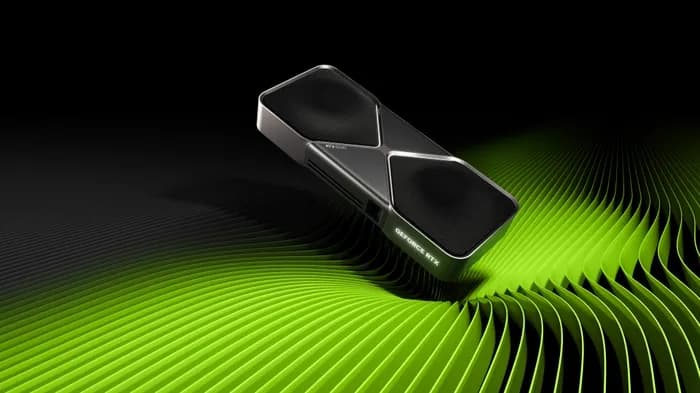
The NVIDIA GeForce RTX 5090 ($1,999 – $2,199) represents brute-force GPU compute — 32 GB of GDDR7, Blackwell architecture, and the full CUDA ecosystem. The Apple Mac Studio M4 Max ($1,999 – $5,999) takes the opposite approach — up to 128 GB of unified memory, silent operation, and a compact form factor that fits on your desk without dominating it.
Most "RTX 5090 vs Mac Studio" comparisons online are spec-sheet regurgitation or tribal flame wars. This guide is different. We benchmark both across real AI workloads, calculate true total cost of ownership, and give you a workflow-specific verdict — because the right answer depends on what you're actually doing.
The bottom line: For local AI inference in 2026, the RTX 5090 delivers 2–3× faster tokens-per-second on models under 32 GB, while the Mac Studio M4 Max with 128 GB unified memory is the only sub-$5,000 desktop that can run 70B+ parameter models unquantized — making the choice a function of model size, not brand loyalty.
The Two Paths to Local AI in 2026
The NVIDIA and Apple approaches to local AI aren't just different products — they're different architectures with fundamentally different trade-off profiles.
The NVIDIA path gives you a discrete GPU with dedicated high-bandwidth VRAM, connected to your system over PCIe. Every major ML framework — PyTorch, TensorFlow, vLLM, TensorRT-LLM — is optimized for CUDA first. You get maximum throughput on workloads that fit in VRAM, but you hit a hard wall at 32 GB.
The Apple path gives you a unified memory architecture where CPU and GPU share the same memory pool. There's no PCIe bottleneck, no separate VRAM — just one contiguous block of up to 128 GB. The trade-off is lower memory bandwidth per GB and a younger software ecosystem (MLX, Metal).
Read that as two different games rather than one race. The Mac Studio is not competing with NVIDIA on raw throughput; it competes on the models it can hold at all. Where capacity is your binding constraint, it wins by default — and where speed is, it loses by default.
| Spec | RTX 5090 | Mac Studio M4 Max |
|---|---|---|
| Memory | 32 GB GDDR7 | Up to 128 GB unified |
| Memory Bandwidth | 1,792 GB/s | ~546 GB/s |
| System TDP | 725W+ (full build) | ~120W |
| Price (as tested) | $1,999 – $2,199 (GPU only) | $1,999 – $5,999 (complete system) |
| Noise | Audible under load | Silent |
| Form Factor | ATX tower (varies) | 7.7″ × 7.7″ × 3.7″ |
Specs Face-Off — RTX 5090 vs Mac Studio M4 Max
Let's go deeper than the summary table. The specs that actually matter for AI workloads are memory capacity, memory bandwidth, and compute throughput — in roughly that order of importance for inference. Our Mac Studio M4 Max vs RTX 5090 comparison page keeps the live side-by-side spec and price data.
| Specification | RTX 5090 | Mac Studio M4 Max (128 GB) |
|---|---|---|
| VRAM / Memory | 32 GB GDDR7 | 128 GB unified (LPDDR5X) |
| Memory Bandwidth | 1,792 GB/s | ~546 GB/s |
| Tensor/Neural Cores | 5th-gen Tensor Cores | 16-core Neural Engine |
| CUDA Cores / GPU Cores | 21,760 | 40-core Apple GPU |
| Architecture | Blackwell (GB202) | Apple M4 Max |
| TDP (GPU / system) | 575W / 725W+ | ~120W (entire system) |
| Interface | PCIe 5.0 x16 | Unified (on-chip) |
| Storage | Separate NVMe | 512 GB – 8 TB SSD (built-in) |
| Noise Level | 35–50 dBA under load | <15 dBA (near silent) |
Why bandwidth matters more than TFLOPS for LLM inference: During autoregressive text generation, the GPU loads model weights from memory for every single token. This makes LLM inference memory-bandwidth-bound, not compute-bound. The RTX 5090's 1,792 GB/s bandwidth is 3.3× higher than the Mac Studio's ~546 GB/s — which directly translates to faster per-token generation on models that fit in VRAM. For a deeper dive on this, see our complete VRAM guide.
But here's the critical nuance: the RTX 5090 has 3.3× the bandwidth on one-quarter the memory. If a model doesn't fit in 32 GB, the RTX 5090 either can't run it at all or must offload layers to system RAM over PCIe — tanking performance to unusable speeds. The Mac Studio with 128 GB simply loads the entire model into its unified memory pool and runs.
LLM Inference Benchmarks — Tokens per Second
This is where the rubber meets the road. We compiled benchmark data from LM Studio Community, TechPowerUp's RTX 5090 Founders Edition review, and Tom's Hardware's Mac Studio M4 Max review to build a head-to-head comparison across multiple model sizes.
| Model | RTX 5090 (tok/s) | Mac Studio M4 Max 128 GB (tok/s) | Winner |
|---|---|---|---|
| Llama 3 8B (Q4) | ~95 | ~35–40 | RTX 5090 (2.5×) |
| Llama 3 13B (Q4) | ~65 | ~25–30 | RTX 5090 (2.3×) |
| DeepSeek R1 32B (Q4) | ~35 | ~15–18 | RTX 5090 (2.0×) |
| Llama 3 70B (Q4) | ~18 | ~10–12 | RTX 5090 (1.6×) |
| Llama 3 70B (FP16) | Cannot run (140 GB) | ~6–8 | Mac Studio (only option) |
| Llama 3.1 405B (Q4) | Cannot run | Cannot run (needs ~200 GB) | Neither |
Sources: LM Studio Community benchmarks, TechPowerUp RTX 5090 FE review, Tom's Hardware Mac Studio M4 Max review. All benchmarks run with default settings in Ollama/LM Studio. Actual performance varies by quantization method, prompt length, and batch size.
The pattern is clear: the RTX 5090 is 1.6–2.5× faster on every model that fits in 32 GB. But the Mac Studio is the only sub-$5,000 machine that can run 70B+ models at full FP16 precision — which matters for applications where quantization degrades output quality.
So the sweet spot for Apple Silicon is precisely the set of models that will not fit on a single consumer GPU. Under 32 GB, NVIDIA wins on speed every time. Above it, the Mac is running the model and the RTX 5090 is not.
The 2026 model releases follow the same memory math. DeepSeek R1 70B and Qwen 3 72B both need roughly 40 GB at Q4 — past the RTX 5090's 32 GB ceiling — but sit comfortably in the Mac Studio's unified memory at Q8 (~75 GB). Gemma 3 27B at Q4 (~16 GB) is the largest tier that runs without compromise on both machines.
For context on why token speed matters at different thresholds: 15+ tok/s feels like real-time conversation, 8–15 tok/s is usable for development, and below 5 tok/s becomes frustrating for interactive use.
Image and Video Generation — Stable Diffusion, ComfyUI, Flux
If diffusion-based image or video generation is a significant part of your workflow, this section is short: buy the RTX 5090.
| Workload | RTX 5090 | Mac Studio M4 Max |
|---|---|---|
| Stable Diffusion XL (512×512) | ~12.5 it/s | ~6–7 it/s (MPS) |
| Flux Dev (1024×1024) | ~3–4 it/s | ~1–2 it/s (MLX) |
| ComfyUI workflows | Native CUDA, full node support | MPS backend, partial node support |
| Video generation (Mochi, CogVideo) | Full CUDA support | Limited or unavailable |
Source: TechPowerUp RTX 5090 Founders Edition Stable Diffusion benchmarks; community-reported Mac Studio MPS results.
The RTX 5090 doesn't just win on speed — it wins on ecosystem. Every Stable Diffusion checkpoint, LoRA, ControlNet extension, and ComfyUI custom node is built for CUDA first. Many video generation models (Mochi, CogVideoX, Wan2.1) don't have Apple Silicon support at all. The Mac Studio's MPS backend has improved considerably, but it remains 30–50% slower on most diffusion workloads and lacks support for newer model architectures.
The one exception: if you occasionally generate images but primarily use LLMs, the Mac Studio's image generation capability is good enough, and you might prefer the extra memory for running larger language models. But if image or video generation is your primary creative workflow, the RTX 5090 is the only serious choice. Check out our best GPU for AI image generation guide for more options.
Software Ecosystem — CUDA vs Metal/MLX
The software gap between CUDA and Apple's MLX has narrowed significantly through mid-2026, but it hasn't closed. Here's what runs where:
| Framework / Tool | RTX 5090 (CUDA) | Mac Studio (Metal/MLX) |
|---|---|---|
| Ollama | Full support | Full support |
| llama.cpp | Full support | Full support (Metal backend) |
| LM Studio | Full support | Full support |
| PyTorch | Full CUDA support | MPS backend (some ops missing) |
| vLLM | Full support | Not supported |
| TensorRT-LLM | Full support | Not supported |
| MLX | Not supported | Native, excellent |
| Stable Diffusion WebUI | Full CUDA support | MPS (slower, some features missing) |
| Fine-tuning (LoRA, QLoRA) | Full support | MLX fine-tuning (limited) |
| Training from scratch | Full support | Not recommended |
For pure LLM inference (running models, not training them), the Mac Studio is now fully competitive thanks to Ollama, llama.cpp, and LM Studio all working natively on Apple Silicon. If your workflow is "install Ollama, pull a model, start chatting," both platforms deliver an excellent experience. Our Ollama setup guide covers installation on both platforms.
For anything beyond inference — fine-tuning, training, serving models via API (vLLM), or running complex image/video generation pipelines — CUDA remains the universal standard. Apple's MLX framework is excellent for what it supports, but the ecosystem is a fraction of CUDA's breadth.
As Andrej Karpathy has noted in discussions about local AI hardware: the CUDA ecosystem's depth means virtually every new model architecture, optimization technique, and serving framework works on NVIDIA first — often months before alternative backends catch up.
Power, Noise, and Form Factor
This is where the Mac Studio's engineering advantage is most dramatic.
| Metric | RTX 5090 Build | Mac Studio M4 Max |
|---|---|---|
| GPU TDP | 575W | N/A (integrated) |
| Total system draw (load) | 725W+ | ~120W |
| Total system draw (idle) | ~80–120W | ~10–15W |
| Required PSU | 1000W+ (recommended) | Built-in power supply |
| Noise under load | 35–50 dBA | <15 dBA (near silent) |
| Form factor | Mid/full tower ATX | 7.7″ × 7.7″ × 3.7″ |
| Desk footprint | ~800 sq inches | ~59 sq inches |
Annual electricity cost comparison (assuming 8 hours/day active use at US average $0.16/kWh):
- RTX 5090 build: ~725W × 8h × 365 days = 2,117 kWh → ~$339/year
- Mac Studio: ~120W × 8h × 365 days = 350 kWh → ~$56/year
- Annual difference: ~$283
Over three years, that's roughly $850 in electricity savings for the Mac Studio. It doesn't close the gap on a $3,999 Mac Studio vs a $3,000 NVIDIA build, but it narrows it.
The noise difference is arguably more important than the electricity savings. The Mac Studio is functionally silent — you can run inference 24/7 in a bedroom or shared office without anyone noticing. An RTX 5090 under load sounds like a small jet turbine. If quiet operation matters, our quiet AI PC guide covers additional options.
Total Cost of Ownership — 1-Year Analysis
Let's compare the all-in cost of each path, including the components you need for a complete, working system.
RTX 5090 Build
| Component | Cost |
|---|---|
| RTX 5090 GPU | $1,999 – $2,199 |
| CPU + Motherboard (Ryzen 9 / i7) | $400 – $600 |
| 64 GB DDR5 RAM | $120 – $180 |
| 1000W+ PSU | $150 – $250 |
| Case + Cooling | $100 – $200 |
| Samsung 990 Pro 4TB NVMe | $289 – $339 |
| Total hardware | $3,058 – $3,768 |
| Year 1 electricity (~$339) | +$339 |
| Year 1 all-in | ~$3,400 – $4,100 |
Mac Studio M4 Max (128 GB)
| Component | Cost |
|---|---|
| Mac Studio M4 Max 128 GB | $3,999 |
| No additional components needed | $0 |
| Total hardware | $3,999 |
| Year 1 electricity (~$56) | +$56 |
| Year 1 all-in | ~$4,055 |
The entry-level math is surprisingly close: $3,400–$4,100 for the RTX 5090 build vs ~$4,055 for the Mac Studio. But note the Mac Studio M4 Max line spans $1,999 – $5,999 — the $1,999 configuration has 36 GB of unified memory, which significantly limits large-model capability, and the top of the range reflects higher memory and storage tiers. For the 128 GB configuration that actually competes on model size, you're looking at the $3,999 tier.
Break-Even vs API Costs
Both machines pay for themselves rapidly compared to cloud API pricing. At typical rates of $0.50–$3.00 per million tokens for models like GPT-4o or Claude, a user generating 1 million tokens per day would spend $15–$90/month on API costs. Either local setup breaks even within 2–6 months of heavy use — the exact timeline depends on which models you'd otherwise be calling.
For a detailed cost analysis across different budget levels, see our AI workstation cost breakdown.
Who Should Buy What — Decision Matrix
Forget brand loyalty. Here's the decision framework based on what you're actually doing.
Buy the RTX 5090 if:
- CUDA is non-negotiable — your workflow depends on vLLM, TensorRT-LLM, or CUDA-specific training pipelines
- Image/video generation is primary — Stable Diffusion, ComfyUI, Flux, and video generation models are CUDA-first
- Maximum tok/s on models ≤32 GB — the RTX 5090 is 2–3× faster than Apple Silicon on models that fit
- You fine-tune or train models — QLoRA, LoRA, and full fine-tuning have far better CUDA support
- You're comfortable building a PC — the RTX 5090 requires a full tower build with proper cooling and a 1000W+ PSU
If you choose the NVIDIA path, our AI workstation build guide walks through the complete parts list. Also consider the RTX 4090 ($1,599 – $1,999) if you want to save $400–$600 with 24 GB VRAM, or the RTX 3090 ($699 – $999) as a budget entry point — see our RTX 5090 vs 4090 comparison for the full breakdown, or the AI GPU buying guide hub for the wider field.
Buy the Mac Studio M4 Max if:
- You need to run 70B+ unquantized — the 128 GB unified memory is unmatched under $5,000
- Silence matters — office, bedroom, or shared workspace use where fan noise is unacceptable
- You want zero-maintenance hardware — no driver updates, no PSU calculations, no thermal management
- Your workflow is LLM-inference-heavy — chatbots, coding assistants, RAG pipelines, agent hosting
- Form factor is a constraint — the Mac Studio's 59-square-inch footprint fits anywhere
- You're already in the Apple ecosystem — macOS + Ollama + LM Studio is a frictionless experience
For a more budget-friendly Apple option, the Mac Mini M4 Pro ($1,399 – $1,599) handles models up to ~24 GB — see our Mac Mini M4 Pro vs RTX 5060 Ti comparison and the Mac Mini M4 Pro vs Mac Studio M4 Max spec sheet.
Consider both if:
- You're a small team — use the RTX 5090 for training and image generation, and the Mac Studio for quiet inference serving and daily LLM use
- You run diverse workloads — CUDA for specialized ML pipelines, Apple Silicon for large-model inference and development
For teams evaluating dedicated AI infrastructure, our best prebuilt AI workstation guide covers turnkey options that avoid the build-vs-buy trade-off entirely.
Our Verdict
Best for raw speed and ecosystem breadth: RTX 5090 ($1,999 – $2,199). If your models fit in 32 GB, nothing under $5,000 matches its throughput. The CUDA ecosystem is unrivaled for ML development, image generation, and training. You'll need to build a PC around it, manage thermals, and accept the power draw — but the performance is unmatched.
Best for large models, silence, and simplicity: Mac Studio M4 Max ($1,999 – $5,999). The 128 GB configuration is the only sub-$5,000 desktop that runs 70B+ models unquantized. It's silent, compact, maintenance-free, and the Ollama + llama.cpp experience on macOS is excellent. If your priority is running the largest possible models in a quiet, reliable package, this is it.
The decisive question is model size, not brand preference. If your workloads fit in 32 GB, buy the RTX 5090 for 2–3× faster inference. If you need 70B+ unquantized, the Mac Studio is your only realistic option at this price point. Everything else — noise, electricity, form factor, ecosystem — is secondary to that fundamental memory constraint.
Whichever path you choose, our guide to running LLMs locally and Ollama setup tutorial will get you from unboxing to generating tokens in under 30 minutes.
Frequently Asked Questions
Can the Mac Studio M4 Max run 70B parameter models that the RTX 5090 cannot?
Yes. The Mac Studio M4 Max configured with 128 GB unified memory can run 70B+ parameter models unquantized, which requires roughly 140 GB of memory at FP16 precision. The RTX 5090 is limited to 32 GB GDDR7, so it can only run 70B models with aggressive quantization (Q4 or lower). For models under 32 GB, the RTX 5090 is 2–3× faster per token.
Which is faster for Stable Diffusion — RTX 5090 or Mac Studio M4 Max?
The RTX 5090 is significantly faster. It achieves approximately 12.5 iterations per second on Stable Diffusion XL using CUDA-native pipelines, while the Mac Studio M4 Max on the MPS backend typically delivers 30–50% fewer iterations per second. If image or video generation is your primary workflow, the RTX 5090 ($1,999 – $2,199) is the clear winner.
What is the total cost of an RTX 5090 AI PC build vs a Mac Studio M4 Max?
A complete RTX 5090 build costs approximately $2,800–$3,200 (GPU at $1,999 – $2,199 plus CPU, motherboard, RAM, PSU, and case at $800–$1,200). The Mac Studio M4 Max with 128 GB unified memory is $3,999 from Apple. The NVIDIA build is cheaper upfront but draws 725W+ under load vs ~120W for the Mac Studio, adding roughly $300–$400 more per year in electricity at US average rates.
Does the Mac Studio M4 Max support CUDA?
No. The Mac Studio runs on Apple Silicon, which uses the Metal and MLX frameworks instead of CUDA. Tools like Ollama, llama.cpp, and LM Studio work natively on Apple Silicon, but CUDA-only frameworks like vLLM, TensorRT-LLM, and most training pipelines require an NVIDIA GPU. If your workflow depends on CUDA, you need the RTX 5090 or another NVIDIA card.
Is the RTX 5090 or Mac Studio better for running AI coding assistants locally?
Both work well, but the choice depends on model size. For coding models under 32 GB (like DeepSeek Coder 33B quantized), the RTX 5090 delivers faster inference. For larger coding models (70B+ parameters) that benefit from more memory, the Mac Studio M4 Max with 128 GB can run them without quantization, preserving more code-generation accuracy. The Mac Studio also offers a quieter, simpler setup for daily development use.