Best GPU for AI Image Generation in 2026: Stable Diffusion, Flux & Beyond
Tested and ranked: the best GPUs for running Stable Diffusion XL, Flux, and other AI image generators locally. VRAM requirements, generation speed benchmarks, and budget-tier picks from $300 to $2,000+.
Compute Market Team
Our Top Pick
AI Image Generation Has a Hardware Problem
AI image generation has exploded. Stable Diffusion XL, Flux, Stable Diffusion 3.5, and a growing ecosystem of fine-tuned models can produce photorealistic images, concept art, and design assets in seconds. But all of that power runs on your GPU, and the wrong card means painfully slow renders, out-of-memory crashes, or the inability to run newer models at all.
We tested the most popular consumer GPUs across SDXL, Flux, and SD 3.5 workloads in ComfyUI to find the best options at every price point. Whether you are generating textures for a game, building a portfolio of AI art, or prototyping product visuals for a client, this guide will match you with the right hardware.
Quick Picks: Best GPUs for AI Image Generation
| Use Case | Our Pick | Price | VRAM |
|---|---|---|---|
| Best overall | RTX 5090 | $1,999 -- $2,199 | 32GB GDDR7 |
| Best value | RTX 4090 | $1,599 -- $1,999 | 24GB GDDR6X |
| Best mid-range | RTX 4080 SUPER | $949 -- $1,099 | 16GB GDDR6X |
| Best budget | RTX 3090 | $699 -- $999 | 24GB GDDR6X |
| Best entry-level | RTX 3060 12GB | $249 -- $329 | 12GB GDDR6 |
Why Your GPU Matters More for Image Generation Than LLMs
Running a large language model is mostly a memory-bandwidth problem: you load the model into VRAM and stream tokens out. Image generation is different. It hammers your GPU's compute cores through dozens of denoising steps, and it needs enough VRAM to hold the model weights, the latent image representation, VAE decoder, ControlNets, LoRAs, and any upscaler you stack on top.
Three specs determine your experience:
- VRAM capacity: Determines the maximum resolution, batch size, and model complexity. SDXL needs about 8GB at 1024x1024. Flux at full FP16 precision demands roughly 24GB. Stack a ControlNet and a LoRA on top, and you need even more.
- Compute throughput (CUDA/Tensor cores): Directly controls iterations per second. More cores and newer tensor core generations mean faster image generation.
- Memory bandwidth: Determines how fast data moves between VRAM and compute units. The RTX 5090's 1,792 GB/s bandwidth is 78% higher than the RTX 4090's 1,008 GB/s, and this translates directly to faster denoising steps.
Pro Tip
For image generation, VRAM is the gatekeeper and compute is the speedometer. A 12GB card can run SDXL but will crash on Flux at full precision. A 24GB card runs both, but speed depends on CUDA cores and bandwidth. Buy the most VRAM you can afford first, then optimize for speed.
VRAM Requirements by Model and Resolution
This table shows practical VRAM usage measured in ComfyUI with batch size 1 and no additional ControlNets or LoRAs loaded. Adding extras increases requirements by 1--4GB depending on complexity.
| Model | Resolution | VRAM Usage | Minimum GPU |
|---|---|---|---|
| SD 1.5 | 512x512 | ~4GB | RTX 3060 12GB |
| SD 1.5 | 768x768 | ~5GB | RTX 3060 12GB |
| SDXL | 1024x1024 | ~8GB | RTX 3060 12GB |
| SDXL + Refiner | 1024x1024 | ~12GB | RTX 4080 SUPER 16GB |
| SD 3.5 Large | 1024x1024 | ~12GB | RTX 4080 SUPER 16GB |
| Flux Dev (FP16) | 1024x1024 | ~24GB | RTX 4090 24GB |
| Flux Dev (FP8) | 1024x1024 | ~13GB | RTX 4080 SUPER 16GB |
| Flux Dev (FP16) | 2048x2048 | ~30GB | RTX 5090 32GB |
| Flux Schnell (FP8) | 1024x1024 | ~13GB | RTX 4080 SUPER 16GB |
Source: Measured in ComfyUI with default settings. Flux VRAM data from Hardware Corner's Flux GPU guide and ComfyUI's official GPU wiki.
Note on Flux
Flux is the most VRAM-hungry consumer image generator available. At full FP16 precision, it needs about 24GB just for the model weights. Quantized versions (FP8) bring that down to around 13GB, with only minor quality differences for most prompts. If you have a 16GB GPU, FP8 quantization is the way to go.
GPU Benchmark: Image Generation Speed
We compiled benchmark data from multiple sources, including Tom's Hardware's 45-GPU Stable Diffusion benchmark, Furkan Gozukara's RTX 5090 vs 3090 Ti comparison, and community-reported results from ComfyUI discussions. All SDXL tests use 30 steps at 1024x1024 with the Euler sampler. Flux tests use 20 steps at 1024x1024.
| GPU | VRAM | SDXL (1024x1024, 30 steps) | Flux Dev FP8 (1024x1024) | it/s (SDXL) | Price |
|---|---|---|---|---|---|
| RTX 5090 | 32GB | ~3.4s | ~7s | ~8.8 it/s | $1,999+ |
| RTX 4090 | 24GB | ~5.2s | ~10s | ~5.8 it/s | $1,599+ |
| RTX 4080 SUPER | 16GB | ~7.8s | ~14s | ~3.8 it/s | $949+ |
| RTX 3090 | 24GB | ~9.5s | ~18s | ~3.2 it/s | $699+ |
| RTX 3060 12GB | 12GB | ~22s | N/A (VRAM) | ~1.4 it/s | $249+ |
Key takeaways from the benchmarks:
- The RTX 5090 is roughly 52% faster than the RTX 4090 for SDXL generation and about 30% faster for Flux, thanks to higher bandwidth and FP8 tensor core support.
- The RTX 4090 remains the best value for speed: it generates SDXL images in around 5 seconds and handles Flux at FP8 comfortably within its 24GB VRAM.
- The RTX 3090 is about 45% slower than the 4090 per iteration, but its 24GB VRAM means it can run every model the 4090 can. For batch workflows where time is less critical, it offers outstanding value under $1,000.
- The RTX 3060 12GB handles SDXL adequately for hobbyists but cannot run Flux at full or FP8 precision due to VRAM constraints. It is best suited for SD 1.5 and SDXL at standard resolutions.
Benchmark sources: Tom's Hardware, DatabaseMart RTX 5090 ComfyUI Benchmark, ComfyUI community GPU benchmarks.
1. NVIDIA RTX 5090 -- Best Overall for AI Image Generation
The RTX 5090 is the fastest consumer GPU for image generation in 2026. Its 32GB of GDDR7 VRAM and 1,792 GB/s memory bandwidth mean it handles everything -- SDXL with refiner pipelines, Flux at full FP16, multi-ControlNet workflows, and high-resolution outputs up to 2048x2048 -- without running out of memory or slowing down.
In our benchmark compilation, the RTX 5090 generates four 1024x1024 SDXL images in roughly 15 seconds with the base + refiner pipeline. For Flux Dev, it produces a single 1024x1024 image in about 7 seconds, compared to 10 seconds on the RTX 4090.
Best for: Professional AI artists, production workflows, batch generation, and anyone working with Flux or high-resolution SDXL pipelines with multiple LoRAs and ControlNets.
The catch: 575W TDP demands a 1000W+ PSU and excellent case airflow. The premium over the RTX 4090 is $400--600, which may not be justified for hobbyists running SDXL at standard resolutions.
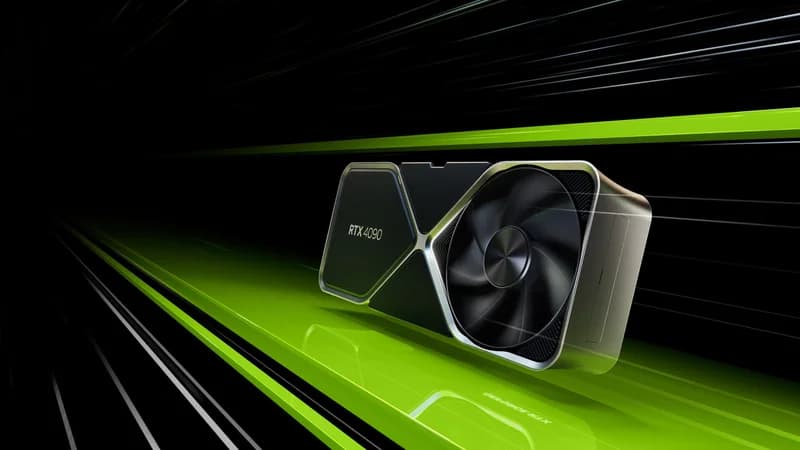
2. NVIDIA RTX 4090 -- Best Value for Serious Image Generation
The RTX 4090 has been the workhorse GPU for AI art since its launch. With 24GB GDDR6X, it runs SDXL with room to spare, handles Flux at FP8 quantization comfortably, and generates images fast enough for iterative creative workflows.
At 5.2 seconds per SDXL image, the RTX 4090 lets you generate over 690 images per hour, which is more than enough for even aggressive prompt-exploration sessions. With the RTX 5090 now available, used 4090 prices have started drifting below $1,500, making this the value sweet spot for serious creators.
Best for: Most AI artists and creators. Handles SDXL, SD 3.5, Flux (FP8), and multi-LoRA workflows without breaking a sweat.
See also: RTX 5090 vs RTX 4090 comparison
3. NVIDIA RTX 4080 SUPER -- Best Mid-Range
The RTX 4080 SUPER is the sweet spot if you primarily work with SDXL and do not need full-precision Flux. Its 16GB VRAM handles SDXL at 1024x1024 with headroom for LoRAs and ControlNets, and it can run Flux at FP8 quantization (which uses roughly 13GB).
At about 7.8 seconds per SDXL image, it is roughly 33% slower than the 4090 but costs $500--900 less. Power draw is a more manageable 320W, so an 850W PSU is sufficient.
Best for: Creators who work primarily with SDXL and SD 3.5, and are willing to use FP8 quantization for Flux. A good balance of speed, VRAM, and affordability.
The catch: 16GB VRAM gets tight when stacking multiple ControlNets, refiners, and upscalers simultaneously. If your workflow regularly uses complex multi-model pipelines, the 24GB cards offer significantly more breathing room.
4. NVIDIA RTX 3090 -- Best Budget 24GB Option
The RTX 3090 is the secret weapon for budget-conscious AI artists. At $699--$999 on the used market, it delivers 24GB of VRAM -- the same capacity as the RTX 4090 -- for roughly half the price. It runs every model the 4090 can, just about 45% slower per image.
For someone generating images overnight in batch, or building a portfolio where a 10-second generation time versus 5 seconds does not materially change the workflow, the RTX 3090 is an incredible deal.
Best for: Budget builders who need 24GB VRAM for Flux compatibility. Batch workflows where generation speed is secondary to model access. First-time AI art builds.
See also: RTX 4090 vs RTX 3090 comparison
Warning
When buying a used RTX 3090, check for mining wear. Inspect fan bearings, run a stress test, and look for cards with original packaging. Amazon Renewed and Newegg Open Box are the safest sources for used cards.
5. RTX 3060 12GB -- Best Entry-Level
The RTX 3060 12GB remains the cheapest way to get into local AI image generation in 2026. Its 12GB VRAM handles SD 1.5 and SDXL at 1024x1024 without issues, though generation is slow at around 22 seconds per SDXL image.
It cannot run Flux at any precision level (12GB falls short of the 13GB FP8 minimum), and high-resolution generation above 1024x1024 with SDXL is unreliable. But for learning the tools, generating standard-resolution images, and deciding whether AI art is something you want to invest more in, it is hard to beat at $250--$330.
Best for: Beginners, hobbyists on a tight budget, and anyone who wants to learn Stable Diffusion without a large upfront investment.
Budget Tier Recommendations
Here is what to buy at each price point, optimized for AI image generation:
Under $350: Getting Started
| Component | Pick | Cost |
|---|---|---|
| GPU | RTX 3060 12GB (new or used) | $249 -- $329 |
| Models Supported | SD 1.5, SDXL (1024x1024) | |
| Cannot Run | Flux, SD 3.5 Large | |
| Speed (SDXL) | ~22s per image |
This tier gets you into ComfyUI and Automatic1111 with SDXL. Generation is slow, but functional for learning and light creative work.
$500 -- $1,000: Serious Hobby
| Component | Pick | Cost |
|---|---|---|
| GPU | RTX 3090 24GB (used) | $699 -- $999 |
| Models Supported | SD 1.5, SDXL, SD 3.5, Flux (FP8 + FP16) | |
| Speed (SDXL) | ~9.5s per image | |
| Speed (Flux FP8) | ~18s per image |
The RTX 3090 is the standout in this tier. 24GB VRAM means full Flux compatibility at FP16, something no other GPU under $1,000 can do. If you can find one under $800, it is the best deal in AI hardware right now.
$1,000 -- $2,000: Professional Creator
| Component | Pick | Cost |
|---|---|---|
| GPU (value) | RTX 4090 24GB | $1,599 -- $1,999 |
| GPU (mid-range alt.) | RTX 4080 SUPER 16GB | $949 -- $1,099 |
| Models Supported | Everything (SDXL, Flux, SD 3.5, multi-ControlNet) | |
| Speed (SDXL) | ~5.2s (4090) / ~7.8s (4080S) |
The RTX 4090 is the default pick for professional AI art. Fast enough for real-time iteration, enough VRAM for complex pipelines, and widely supported across every tool in the ecosystem.
$2,000+: Maximum Performance
| Component | Pick | Cost |
|---|---|---|
| GPU | RTX 5090 32GB | $1,999 -- $2,199 |
| Models Supported | Everything at maximum resolution and precision | |
| Speed (SDXL) | ~3.4s per image | |
| Speed (Flux FP16) | ~7s per image |
The RTX 5090 is the card for professionals generating at volume. Its 32GB VRAM enables Flux at full FP16 precision with 2048x2048 resolution, something no other consumer GPU can do. If image generation is part of your livelihood, the $400 premium over the 4090 pays for itself in workflow efficiency.
Resolution Guide: What You Can Generate at Each VRAM Level
Resolution directly impacts VRAM usage and generation time. Here is a practical guide based on measured VRAM consumption in ComfyUI:
| VRAM | SD 1.5 Max Resolution | SDXL Max Resolution | Flux (FP8) Max Resolution |
|---|---|---|---|
| 8GB | 768x768 | 1024x1024 (tight) | Not possible |
| 12GB | 1024x1024+ | 1024x1024 (comfortable) | 1024x1024 (tight) |
| 16GB | 2048x2048 | 1536x1536 | 1280x1280 |
| 24GB | 4096x4096 | 2048x2048+ | 1536x1536 (comfortable) |
| 32GB | 4096x4096+ | 2048x2048+ | 2048x2048 |
Pro Tip
Want higher resolution than your VRAM allows? Use tiled VAE decoding in ComfyUI. It processes the image in patches instead of all at once, letting a 12GB GPU decode images that would normally require 16--24GB. The trade-off is slightly longer generation time, but the quality is identical.
ComfyUI vs. Automatic1111: Hardware Considerations
Your choice of interface affects how efficiently your GPU is used:
- ComfyUI is more memory-efficient thanks to its node-based architecture. It loads and unloads model components on demand, which means a 12GB GPU can run workflows that would crash in Automatic1111. ComfyUI also supports NVIDIA's TensorRT acceleration, which can speed up generation by 30--60% on supported GPUs. For new setups in 2026, ComfyUI is the recommended choice.
- Automatic1111 (AUTOMATIC1111/stable-diffusion-webui) is simpler to use but tends to keep more in VRAM simultaneously. It works well for straightforward SDXL workflows but can struggle with complex multi-model pipelines on 12--16GB GPUs.
Both support NVIDIA CUDA and Apple Metal. AMD GPU support via ROCm exists but remains less stable and slower for both interfaces. For the most reliable experience, stick with NVIDIA GPUs.
Flux: The VRAM-Hungry New Standard
Flux from Black Forest Labs has rapidly become the quality benchmark for open-source image generation. Its results rival DALL-E 3 and Midjourney for many prompt types. But that quality comes at a cost: Flux is the most VRAM-demanding image generator in the consumer space.
Here is what you need to know:
- Flux Dev at FP16: Requires approximately 24GB VRAM. Only the RTX 4090, RTX 3090, and RTX 5090 can run it among consumer GPUs.
- Flux Dev at FP8: Quantized to 8-bit precision, VRAM drops to roughly 13GB with minimal quality loss. This opens the door for 16GB GPUs like the RTX 4080 SUPER.
- Flux Schnell: A distilled version optimized for speed. Generates images in under 2 seconds on the RTX 5090, with quality slightly below Flux Dev but well above SDXL.
- Flux 2 Klein (January 2026): The latest addition with 4B and 9B parameter variants. The 4B model needs just 13GB VRAM and generates in under one second on high-end hardware. The 9B model requires 29GB, making the RTX 5090 the only consumer card that can run it.
Note
Flux 2 models are optimized for NVIDIA RTX GPUs with FP8 tensor core support (RTX 40-series and newer). On older GPUs like the RTX 3090, Flux 2 runs in FP16 mode, which is slower and uses more VRAM. If Flux is your primary workflow, Ada Lovelace (40-series) or Blackwell (50-series) GPUs offer a significant speed advantage.
Full Comparison Table
| GPU | VRAM | Bandwidth | SDXL Speed | Flux Compatible | Price | Best For |
|---|---|---|---|---|---|---|
| RTX 5090 | 32GB GDDR7 | 1,792 GB/s | ~3.4s | FP16 + FP8 | $1,999+ | Maximum speed, Flux at full precision |
| RTX 4090 | 24GB GDDR6X | 1,008 GB/s | ~5.2s | FP16 + FP8 | $1,599+ | Best value for 24GB, all models |
| RTX 4080 SUPER | 16GB GDDR6X | 736 GB/s | ~7.8s | FP8 only | $949+ | SDXL + quantized Flux |
| RTX 3090 | 24GB GDDR6X | 936 GB/s | ~9.5s | FP16 + FP8 | $699+ | Budget 24GB, Flux at full precision |
| RTX 3060 12GB | 12GB GDDR6 | 360 GB/s | ~22s | No | $249+ | SDXL on a budget |
What About Apple Silicon?
Apple Silicon Macs can run Stable Diffusion through tools like Mochi Diffusion and ComfyUI's Metal backend. A Mac Mini M4 Pro with 24GB unified memory handles SDXL generation, and a Mac Studio M4 Max with 128GB can technically run Flux.
However, generation speed on Apple Silicon is 3--5x slower than equivalent NVIDIA hardware for image generation tasks. The M4 Max generates an SDXL image in roughly 15--20 seconds, compared to 5 seconds on an RTX 4090. For occasional use, Apple Silicon works. For serious AI art production, an NVIDIA GPU is significantly faster.
AMD GPUs: Where Do They Stand?
AMD's consumer GPUs (RX 7900 XTX with 24GB VRAM) can run Stable Diffusion via ROCm and DirectML. However, the ecosystem has real limitations:
- ROCm support in ComfyUI is functional but less stable than CUDA
- TensorRT acceleration is NVIDIA-only, giving NVIDIA GPUs a 30--60% speed advantage in optimized workflows
- Community resources, tutorials, and troubleshooting guides overwhelmingly target NVIDIA
- Some extensions and custom nodes in ComfyUI only work with CUDA
If you already own an AMD GPU, it will work for basic SDXL generation. But if you are buying specifically for AI image generation, NVIDIA is the safer choice in 2026.
Complete System Requirements for AI Image Generation
Your GPU is the most important component, but the rest of the system matters too:
- CPU: Any modern 6+ core processor (AMD Ryzen 5/7, Intel i5/i7). The CPU handles prompt encoding and pipeline orchestration but is rarely the bottleneck. An AMD Ryzen 5 7600 or Intel Core i5-13400 is more than sufficient.
- System RAM: 32GB minimum, 64GB recommended. ComfyUI loads model data into system RAM before transferring to VRAM. With large models and multiple workflows, 32GB keeps things smooth.
- Storage: A fast NVMe SSD like the Samsung 990 Pro makes a noticeable difference. Model files range from 2GB (SD 1.5) to 24GB (Flux FP16). A 2TB drive is the practical minimum for a serious model collection with checkpoints, LoRAs, and generated output.
- PSU: Match your GPU. RTX 3060 works with 550W. RTX 3090/4080 needs 750--850W. RTX 4090 needs 850W. RTX 5090 needs 1000W+.
The Verdict
For most people getting into AI image generation, the RTX 4090 is the answer. It runs every model in the ecosystem, generates SDXL images in about 5 seconds, handles Flux at FP8 with room to spare, and has become the de facto standard GPU for the AI art community. If you can find one at or below $1,600 (used prices are trending there), it is an outstanding buy.
If budget is the primary constraint, a used RTX 3090 for $700--$800 gives you the same 24GB VRAM and full Flux compatibility at a meaningful speed trade-off. For beginners who want to try SDXL before committing, an RTX 3060 12GB at $250--$330 is the minimum viable investment.
And if image generation is your profession -- if you are producing assets for clients, training LoRAs, or running production workflows -- the RTX 5090 justifies its premium. The 32GB VRAM, FP8 tensor core optimization, and raw speed make it the only consumer card that handles everything the AI image ecosystem throws at it, at every resolution, without compromise.
Sources cited in this article: