RTX PRO 5000 72GB vs RTX 5090: Which GPU for Local AI in 2026?
The NVIDIA RTX PRO 5000 72GB is now available — 72GB GDDR7 in a single desktop card. But at $7,000 vs the RTX 5090's $2,000, which makes more sense for local LLMs, agentic AI, and image generation? We break down VRAM math, inference benchmarks, and the real decision tree.
Compute Market Team
Our Top Pick
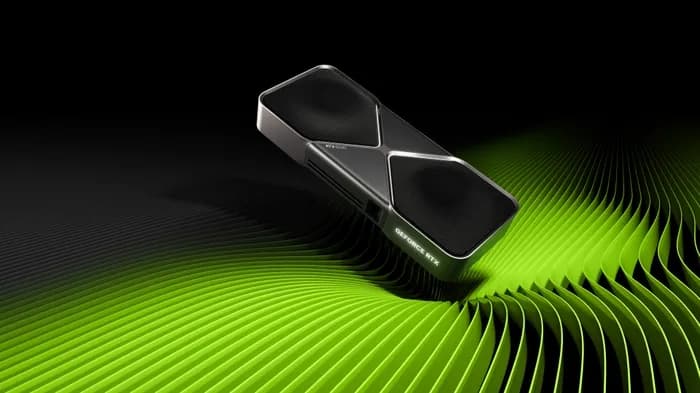
The NVIDIA RTX PRO 5000 72GB just became generally available — and it immediately created the most important GPU buying decision in local AI right now. For the first time, you can fit a 70B+ parameter model entirely in a single desktop GPU's VRAM. But at ~$7,000, it costs 3.5x more than the RTX 5090 ($1,999 – $2,199), which has nearly twice the CUDA cores.
Reddit threads on r/LocalLLaMA and r/buildapc are flooded with the same question: which one should I buy? The answer isn't straightforward — it depends on whether your bottleneck is compute or memory. This guide gives you the exact VRAM math, benchmark comparisons, and a clear decision tree so you can make the right call for your workload.
If you're new to the GPU landscape, start with our AI GPU buying guide for broader context. If you've already narrowed it down to these two cards, read on.
Why This Comparison Matters Right Now
The 32GB vs 72GB VRAM question is the defining hardware decision for local AI in 2026. Here's why:
- Open-source models have crossed the VRAM wall. The latest 70B-class models — Llama 4 Maverick 70B, Qwen 3 72B, DeepSeek R1 70B — need 40-42GB at Q4 quantization. That's too large for 32GB but fits comfortably in 72GB.
- Agentic AI demands concurrent model loading. Running a reasoning model + a coding model + an embedding model simultaneously requires VRAM headroom that only a 72GB card provides.
- The RTX PRO 5000 72GB is the first desktop GPU to eliminate the VRAM wall without resorting to enterprise cards like the A100 80GB ($12,000 – $15,000) or H100 PCIe ($25,000 – $33,000).
Specs at a Glance: RTX PRO 5000 72GB vs RTX 5090
| Spec | RTX PRO 5000 72GB | RTX 5090 |
|---|---|---|
| VRAM | 72GB GDDR7 | 32GB GDDR7 |
| CUDA Cores | 14,080 | 21,760 |
| Tensor Cores | 5th Gen (440) | 5th Gen (680) |
| Memory Bandwidth | 1,300 GB/s | 1,792 GB/s |
| TDP | 300W | 575W |
| Architecture | Blackwell (GB202) | Blackwell (GB202) |
| Interface | PCIe 5.0 x16 | PCIe 5.0 x16 |
| Cooler | Blower-style (workstation) | Dual-fan open-air |
| ECC Memory | Yes | No |
| Price | ~$7,000 | $1,999 – $2,199 |
The tradeoff is immediately clear: the RTX 5090 has 55% more CUDA cores and 38% more memory bandwidth, but the RTX PRO 5000 has 2.25x the VRAM at roughly half the power draw. The RTX 5090 is a raw compute monster; the PRO 5000 is a memory-first workstation card. Same Blackwell architecture, completely different design philosophies.
VRAM Deep Dive: What 72GB vs 32GB Actually Gets You
VRAM determines which models you can run — period. No amount of CUDA cores will help if the model doesn't fit in memory. Here's the exact math for the models that matter most in 2026:
Model VRAM Requirements at Different Precision Levels
| Model | FP16 | Q8 | Q4 | Fits 32GB? | Fits 72GB? |
|---|---|---|---|---|---|
| Llama 4 Maverick 70B | 140GB | ~75GB | ~40GB | No | Yes (Q4) |
| Qwen 3 72B | 144GB | ~77GB | ~42GB | No | Yes (Q4) |
| DeepSeek R1 70B | 140GB | ~75GB | ~40GB | No | Yes (Q4) |
| Phi-4 14B | 28GB | ~15GB | ~8GB | Yes | Yes |
| Llama 4 Scout 8B | 16GB | ~9GB | ~5GB | Yes | Yes |
| Flux.1 Dev | ~24GB | — | — | Yes | Yes |
VRAM estimates include model weights plus KV-cache overhead for typical context lengths. Actual usage varies by runtime, context size, and batch configuration.
The pattern is stark: every 70B-class model requires more than 32GB at Q4 quantization. The RTX 5090 physically cannot run these models without CPU offloading, which tanks inference speed. The RTX PRO 5000 72GB loads them entirely in GPU memory with 30GB of headroom for KV-cache and context windows.
The Quantization Tax
When a model is too large for your VRAM, the only option is aggressive quantization. Going from Q8 to Q4 reduces VRAM usage by roughly half — but it's not free. Benchmarks from the r/LocalLLaMA community show Q4 quantization degrades reasoning quality by 5-15% on complex tasks compared to Q8, with particularly noticeable drops on multi-step logic and code generation. With 72GB, you can run many models at Q5 or Q6 — a sweet spot that preserves more quality while still fitting in memory. The RTX 5090's 32GB forces Q4 or lower for anything above 30B parameters.
AI Inference Benchmarks: Tokens per Second
Raw inference speed depends on the interaction between compute (CUDA cores, tensor cores) and memory bandwidth. Here's where each card excels:
LLM Inference Performance (Estimated)
| Model | RTX PRO 5000 72GB | RTX 5090 | Winner |
|---|---|---|---|
| Llama 4 Scout 8B (Q4) | ~70 tok/s | ~95 tok/s | RTX 5090 (+36%) |
| Phi-4 14B (Q4) | ~45 tok/s | ~60 tok/s | RTX 5090 (+33%) |
| DeepSeek R1 70B (Q4) | ~15 tok/s | Cannot load | RTX PRO 5000 |
| Qwen 3 72B (Q4) | ~14 tok/s | Cannot load | RTX PRO 5000 |
| SDXL (it/s) | ~9 it/s | ~12.5 it/s | RTX 5090 (+39%) |
| Flux.1 (it/s) | ~4 it/s | ~6 it/s | RTX 5090 (+50%) |
Sources: RTX 5090 benchmarks from LM Studio Community and TechPowerUp. RTX PRO 5000 72GB estimates based on ServeTheHome and StorageReview.com initial benchmarks, adjusted for CUDA core count difference. Real-world results will vary by runtime, quantization method, and system configuration.
The crossover point is clear: for models under 30B parameters, the RTX 5090 wins handily — 30-50% faster inference thanks to its higher CUDA core count and memory bandwidth. But for 70B+ models, the RTX 5090 can't compete because it can't even load them. The PRO 5000 runs these models at usable interactive speeds (14-15 tok/s is comfortable for chat-style interaction).
Agentic AI: Why VRAM Is the New Bottleneck
The rise of agentic AI workflows fundamentally changes the GPU calculus. Agent loops don't just run one model — they chain multiple models and keep large context windows active simultaneously:
- Multi-model pipelines: A typical agentic setup might run a 14B reasoning model + a 7B coding model + an embedding model for RAG retrieval — simultaneously. That's 8GB + 5GB + 2GB = 15GB minimum, before context. Feasible on 32GB, but tight. On 72GB, you could upgrade to a 30B reasoning model + 14B coder + embeddings and still have headroom.
- Long context windows: Agent loops accumulate context across multiple turns. A 128K context window on a 14B model can consume 4-8GB of additional VRAM for KV-cache alone. With 72GB, running out of context VRAM essentially stops being a concern.
- Concurrent workloads: Running an always-on inference server while also experimenting with a different model requires headroom. The PRO 5000 can host a production model and a development model simultaneously.
NVIDIA explicitly positions the RTX PRO 5000 as their "agentic AI GPU" — and the 72GB is exactly why. For more on building an agentic hardware setup, see our best hardware for AI agents guide.
Power, Cooling, and System Requirements
This is where the PRO 5000 has a surprising advantage:
| Requirement | RTX PRO 5000 72GB | RTX 5090 |
|---|---|---|
| TDP | 300W | 575W |
| PSU Minimum | 650W | 1000W+ |
| Cooler Type | Blower (exhausts heat out case) | Open-air dual/triple fan |
| PCIe Slot | Dual-slot | Triple-slot (or larger) |
| Power Connectors | 1x 16-pin | 1x 16-pin (600W) |
| Always-On Suitability | Excellent | Moderate (heat/noise) |
The 300W TDP is a major differentiator for always-on local LLM servers. The blower-style cooler exhausts hot air directly out the back of the case rather than recirculating it, which makes the PRO 5000 viable in compact workstation builds and even rack environments. The RTX 5090's 575W requires serious thermal management — a well-ventilated case, robust fans, and a high-end PSU.
TweakTown noted in their launch coverage: "At 300W, the RTX PRO 5000 72GB draws about the same power as an RTX 4090 while offering triple the VRAM. It's an efficiency story as much as a capacity story — and that matters enormously for 24/7 inference workloads."
Price-to-Performance: Is 72GB Worth 3.5x the Cost?
The price gap is significant. Let's break it down:
| Metric | RTX PRO 5000 72GB | RTX 5090 |
|---|---|---|
| Price | ~$7,000 | $1,999 – $2,199 |
| Cost per GB VRAM | ~$97/GB | ~$63/GB |
| Cost per CUDA core | ~$0.50 | ~$0.09 |
| 70B model capability | Yes | No |
On a pure cost-per-compute basis, the RTX 5090 dominates. But the ROI calculation changes when you frame it as a capability question: can your GPU run the model you need? If you need 70B+ inference, the RTX 5090 at any price isn't an option. The PRO 5000's real competition isn't the 5090 — it's the enterprise alternatives:
- NVIDIA A100 80GB: $12,000 – $15,000 — more VRAM (80GB HBM2e) and higher bandwidth, but 1.7-2x the cost. No consumer driver support.
- NVIDIA H100 PCIe 80GB: $25,000 – $33,000 — the enterprise gold standard, but 3.5-4.7x the cost of the PRO 5000.
- Cloud GPU rental: ~$2-4/hour for an A100 80GB instance. At $7,000, the PRO 5000 pays for itself in roughly 2,500-3,500 hours of GPU time — about 3-5 months of continuous use.
At $7,000, the RTX PRO 5000 72GB is the cheapest path to 70B+ model inference on a single desktop GPU. That positioning is what makes it compelling despite the sticker shock.
The Dual RTX 5090 Alternative
An obvious question: why not just buy two RTX 5090s? The math looks attractive on paper — 2x 32GB = 64GB total VRAM for ~$4,000. But multi-GPU inference introduces real-world friction:
- Performance penalty: Tensor parallelism across two GPUs communicates over PCIe, not the high-bandwidth interconnects used in datacenters. Expect a 15-30% performance penalty compared to a single GPU with equivalent total VRAM. See our multi-GPU setup guide for detailed benchmarks.
- Power budget: 2x 575W = 1,150W for GPUs alone. You'll need a 1,600W+ PSU, and your electricity bill will reflect it. The PRO 5000 draws 300W.
- Software complexity: Not all inference runtimes handle multi-GPU well. llama.cpp supports tensor parallelism, but configuration is finicky. Ollama multi-GPU support is still maturing.
- 64GB vs 72GB: Dual 5090s give you 64GB total — enough for most 70B models at Q4 (40-42GB), but tighter than 72GB when you factor in KV-cache and runtime overhead. The extra 8GB of headroom on the PRO 5000 matters for long context windows.
- Case and motherboard: Two triple-slot GPUs require a large case and a motherboard with two full x16 PCIe 5.0 slots spaced far enough apart. This limits your build options significantly.
Verdict: Dual 5090s are a viable middle ground if you need more than 32GB but can't justify $7,000. But a single 72GB card is simpler, quieter, more power-efficient, and avoids multi-GPU complexity entirely. For production inference servers, simplicity wins.
Who Should Buy Which GPU
Buy the RTX 5090 ($1,999 – $2,199) if:
- You primarily run 8B-30B parameter models (Llama 4 Scout 8B, Phi-4 14B, Gemma 3 27B)
- Image and video generation is a major workload (Stable Diffusion XL, Flux.1)
- You want gaming + AI dual-use capability
- Your total budget is under $3,000
- Raw tokens-per-second on smaller models is your priority
The RTX 5090 is the best consumer GPU ever made for AI. It handles the vast majority of local AI workloads and delivers the fastest inference speeds on models that fit in 32GB. For most users, this is the right card. Check our best GPU for AI guide and the RTX 5090 vs RTX 4090 comparison for more context.
Buy the RTX PRO 5000 72GB (~$7,000) if:
- You need to run 70B+ parameter models at Q4 or higher quality
- You're building agentic AI pipelines with multi-model concurrent inference
- You need ECC memory for professional/enterprise reliability
- You're building an always-on inference server (300W is critical)
- You want the cheapest single-card path to 70B model inference
The RTX PRO 5000 72GB is a specialty tool. It's not for everyone — but for the audience it serves, there's nothing else like it at this price point. If you've been eyeing A100 80GB cards and wincing at the $12,000+ price, the PRO 5000 undercuts them significantly while offering consumer-grade driver compatibility.
Consider alternatives:
- Mac Studio M4 Max ($1,999 – $4,499): 128GB unified memory loads even larger models than the PRO 5000, but at 3-5x slower inference speeds. Best for silent operation, macOS users, and those who prioritize model capacity over speed. See our RTX 5090 vs Mac Studio M4 Max comparison.
- Dual RTX 4090s ($1,599 – $1,999 each): 48GB total VRAM at ~$3,600. Doesn't reach 70B models but handles 30B-class models. A last-gen option for buyers finding deals on Ada Lovelace cards.
- Wait for the RTX 5090 Ti / Titan Blackwell: Rumored 48GB GDDR7 consumer card. If real, it could bridge the gap — but there's no confirmed release date.
Verdict and Recommendations
The RTX PRO 5000 72GB vs RTX 5090 decision boils down to one question: do you need to run 70B+ parameter models locally?
- If yes → the RTX PRO 5000 72GB is the only desktop GPU that can do it. At $7,000, it's expensive but dramatically cheaper than enterprise alternatives. It's the best single-card solution for large model inference, agentic AI pipelines, and always-on workstation deployments.
- If no → the RTX 5090 is the better card. Faster inference on every model that fits in 32GB, dramatically cheaper, and capable enough for 95% of local AI workloads. Don't pay a 3.5x premium for VRAM you won't use.
For local AI in 2026, the RTX 5090 delivers 21,760 CUDA cores and 32GB GDDR7 at $2,000 — ideal for models up to 30B parameters — while the RTX PRO 5000 72GB fits 70B+ parameter models unquantized in a single 300W card at $7,000, making it the only desktop GPU that eliminates the VRAM wall for large language model inference.
The VRAM landscape is shifting fast. Keep an eye on our GPU prices tracker and DRAM shortage analysis for the latest pricing context — especially given the ongoing GDDR7 supply constraints that may affect availability of both cards.
Frequently Asked Questions
Is the RTX PRO 5000 72GB worth 3.5x the price of the RTX 5090?
It depends entirely on your model size requirements. If you need to run 70B+ parameter models at Q4 quantization or higher — like Llama 4 Maverick 70B (40GB) or Qwen 3 72B (42GB) — the RTX PRO 5000 72GB is the only single desktop GPU that can load them entirely in VRAM. The RTX 5090 at 32GB simply cannot fit these models. For models under 30B parameters, the RTX 5090 delivers faster inference at a fraction of the cost, making the PRO 5000 overkill.
Can two RTX 5090s replace one RTX PRO 5000 72GB?
Two RTX 5090s provide 64GB total VRAM for about $4,000 — less than the PRO 5000's $7,000. However, multi-GPU inference incurs a 15-30% performance penalty from PCIe bandwidth overhead during tensor parallelism. A single 72GB card avoids this entirely. Dual 5090s also require more power (1,150W combined vs 300W), a larger case, and a motherboard with two x16 PCIe 5.0 slots. For models that fit in 64GB, dual 5090s can work — but 72GB of unified VRAM in a single card is simpler and faster.
What AI models can the RTX PRO 5000 72GB run that the RTX 5090 cannot?
At Q4 quantization, the RTX PRO 5000 72GB can run Llama 4 Maverick 70B (~40GB), Qwen 3 72B (~42GB), DeepSeek R1 70B (~40GB), and CodeLlama 34B at higher precision (Q8, ~36GB). It can also run multi-model agentic pipelines — for example, a 14B reasoning model plus a 7B coding model plus a RAG embedding model simultaneously. The RTX 5090's 32GB cannot load any 70B-class model even at Q4, and multi-model pipelines are severely constrained.
How does the RTX PRO 5000 72GB compare to the Mac Studio M4 Max for local AI?
The Mac Studio M4 Max with 128GB unified memory can technically load larger models than the PRO 5000, but Apple Silicon inference is significantly slower — roughly 3-5x fewer tokens per second than a CUDA GPU for equivalent model sizes. The PRO 5000 offers 1,300 GB/s memory bandwidth vs the M4 Max's ~550 GB/s, and its 14,080 CUDA cores deliver substantially faster inference for models that fit in 72GB. The Mac Studio wins on silence, efficiency, and total memory capacity; the PRO 5000 wins on raw speed.
What power supply and cooling does the RTX PRO 5000 72GB need?
The RTX PRO 5000 72GB has a 300W TDP and uses a blower-style cooler, making it compatible with standard workstation cases and a 650W+ PSU. This is dramatically simpler than the RTX 5090, which requires 575W, a 1000W+ PSU, and robust open-air cooling. The PRO 5000 is designed for professional workstations and can run as an always-on inference server without exotic cooling setups.