Best Hardware for Running AI Agents Locally in 2026: Complete Buying Guide
AI agents need different hardware than simple LLM chat. We break down VRAM requirements, rank the best GPUs, recommend complete systems, and provide three build tiers — all timed to the OpenClaw and NemoClaw launches at GTC 2026.
Compute Market Team
Our Top Pick
Last updated: April 19, 2026. Timed to NVIDIA GTC 2026 (March 16–19) and the launches of OpenClaw and NemoClaw. Benchmark data sourced from LM Studio Community, TechPowerUp, Puget Systems, and r/LocalLLaMA community testing. Performance figures marked where independent confirmation is pending.
Running AI agents locally requires 50–100% more VRAM than simple LLM chat because agents maintain persistent context windows, run multi-step tool-calling loops, and often load multiple models simultaneously — making 24GB the practical minimum for production-grade local agents in 2026.
That is the single most important sentence in this guide. If you take nothing else away, that VRAM rule will save you from buying hardware that bottlenecks your agent workflows within a week.
At GTC 2026 (March 2026), NVIDIA CEO Jensen Huang called OpenClaw "the operating system for personal AI" — comparing it to the significance of Mac and Windows. NVIDIA launched NemoClaw for local agent deployment, the DGX Spark at $4,699, and showcased agent workflows running entirely on RTX GPUs. The agentic AI era is here, and the hardware requirements are different from what you needed for simple LLM chat.
Every existing "best hardware for local AI" guide covers generic LLM inference. None of them address the distinct requirements of AI agents: persistent operation, multi-model concurrency, long context accumulation, and tool-calling overhead. This is the first hardware buying guide written specifically for the agent use case.
Why AI Agents Need Different Hardware Than Simple LLM Inference
If you have been running Ollama or LM Studio for LLM chat, your hardware experience does not directly translate to agent workloads. Here is why.
Persistent execution loops. A chatbot processes one prompt, generates a response, then idles. An AI agent — whether running through Ollama, LangGraph, CrewAI, or the new OpenClaw framework — runs continuous reasoning loops. It plans, executes tools, evaluates results, replans, and executes again. Your GPU never idles. Where a chatbot might use your GPU for 5–10 seconds per interaction, an agent can sustain GPU load for minutes or hours continuously.
Long context accumulation. A typical LLM chat session uses 2K–4K tokens of context. An agent running a multi-step research task accumulates 32K–128K tokens as it gathers tool outputs, intermediate reasoning, and conversation history. Harrison Chase, creator of LangChain and LangGraph, has noted that agent memory and context management are among the hardest scaling challenges — and on local hardware, that context lives in your VRAM. More context means more VRAM consumed at runtime, leaving less room for the model weights themselves.
Multi-model concurrency. Serious agent setups run multiple models simultaneously: a large reasoning model (70B) for planning, a smaller model (7B–14B) for fast execution, and an embedding model for retrieval-augmented generation. If your agent uses vision (screenshots, document analysis), add a vision model on top. Each model occupies VRAM concurrently. A 70B planner at Q4_K_M needs ~40GB. A 7B executor needs ~4GB. An embedding model needs ~1–2GB. That is 45–47GB of VRAM just for the models — before context buffers.
Always-on operation. Agents are most useful when they run persistently — monitoring emails, processing documents, watching code repositories, or managing workflows around the clock. This means your hardware runs 24/7, making power efficiency and thermal management far more important than for occasional chatbot use. A system pulling 450W continuously costs $35–55/month in electricity alone (at $0.12/kWh US average).
For a deeper dive on VRAM mechanics, see our comprehensive VRAM guide.
How Much VRAM Do AI Agents Actually Need?
The VRAM requirement for agents depends on three variables: model size, context length, and how many models run concurrently. Here is the practical breakdown.
Agent VRAM Calculator
| Agent Complexity | Model Size | Context Length | Quantization | VRAM Required | Recommended GPU |
|---|---|---|---|---|---|
| Simple — single 7B model, basic tool calling | 7B | 8K–16K | Q4_K_M | 6–8GB | Intel Arc B580 (12GB) |
| Moderate — 14B model, extended context | 14B | 32K | Q4_K_M | 12–16GB | RTX 5060 Ti (16GB) |
| Advanced — 30B model, long context, embeddings | 30B + embedding | 64K | Q4_K_M | 20–24GB | RTX 4090 (24GB) |
| Multi-agent — 70B planner + 7B executor + embeddings | 70B + 7B + embed | 64K–128K | Q4_K_M | 48–55GB | RTX 5090 (32GB) + offload, or Mac Studio M4 Max (128GB) |
Why agents use more VRAM than chat: A 7B model at Q4_K_M with 4K context uses approximately 4.5GB. The same model running as an agent with 32K context uses approximately 6.5–7.5GB — a 44–67% increase from context alone. At 70B scale, the difference is even more dramatic: a 70B model with 4K context uses ~40GB, but with 64K agent context it needs ~48–52GB. This is why many users who run LLMs fine for chat discover their hardware cannot handle agent workflows.
Quantization sweet spots for agents
For agent workloads, Q4_K_M is the practical sweet spot. Q5_K_M offers marginally better quality (~2–3% improvement on reasoning benchmarks, per LM Studio Community testing) but uses 15–20% more VRAM — VRAM you need for context buffers. Q3_K_M saves VRAM but degrades the multi-step reasoning quality that agents depend on. Stick with Q4_K_M unless you have VRAM to spare.
Best GPUs for Local AI Agents (Ranked by Use Case)
Every GPU below is ranked specifically for agent workloads — sustained operation, long context, and multi-model support. This is not a generic gaming or LLM inference ranking. For the broader GPU comparison, see our best GPU for AI guide.
Budget Tier ($249–$479): Entry-Level Agents
| GPU | VRAM | Llama 3 8B (Q4) tok/s | TDP | Price | Best For |
|---|---|---|---|---|---|
| Intel Arc B580 | 12GB GDDR6 | ~28 tok/s | 150W | $249 – $289 | Cheapest 12GB entry point |
| RTX 4060 Ti 16GB | 16GB GDDR6 | ~38 tok/s | 160W | $399 – $449 | Proven 16GB with full CUDA |
| RTX 5060 Ti 16GB | 16GB GDDR7 | ~42 tok/s | 180W | $429 – $479 | Best new budget GPU for agents |
The RTX 5060 Ti 16GB is the best budget pick for agent work in 2026. Its 16GB GDDR7 handles 7B–14B agent models with room for extended context, the 5th-gen tensor cores with FP4 support accelerate quantized inference, and the 180W TDP keeps power costs reasonable for always-on operation (~$13/month at US average rates). For the absolute budget floor, the Intel Arc B580 at $249 – $289 offers 12GB — enough for simple 7B agents — but the OpenVINO ecosystem is less mature than CUDA for agent frameworks.
For more budget options, see our budget GPU guide.
Sweet Spot ($949–$1,999): Serious Agent Workflows
| GPU | VRAM | Llama 3 8B (Q4) tok/s | Llama 3 70B (Q4) tok/s | TDP | Price |
|---|---|---|---|---|---|
| RTX 4080 SUPER | 16GB GDDR6X | ~52 tok/s | Offload only | 320W | $949 – $1,099 |
| RTX 3090 | 24GB GDDR6X | ~48 tok/s | ~9 tok/s | 350W | $699 – $999 |
| RTX 4090 | 24GB GDDR6X | ~62 tok/s | ~12 tok/s | 450W | $1,599 – $1,999 |
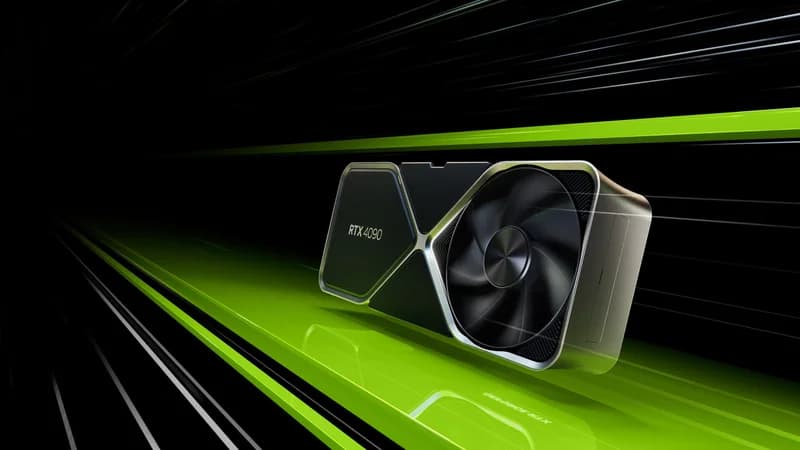
The RTX 4090 is the best GPU for local AI agents in 2026. Its 24GB GDDR6X handles 30B agent models with full context, runs 70B models at Q4_K_M (with tight VRAM management), and delivers 62 tok/s on 8B models — fast enough that agent tool-calling loops feel instantaneous. At $1,599 – $1,999, it is expensive, but the 24GB VRAM threshold is what separates "runs agents" from "runs agents well." For a detailed comparison with the newer RTX 5090, see our RTX 5090 vs RTX 4090 comparison or our RTX 5090 vs 4090 breakdown.
The RTX 3090 at $699 – $999 is the value play. Same 24GB VRAM, slower compute (48 tok/s on 8B vs the 4090's 62 tok/s), and higher power draw per FLOP — but the 24GB VRAM is what matters most for agents, and it costs half the 4090's price. On the used market (eBay, r/hardwareswap), RTX 3090s frequently appear at $650–750, making them the best VRAM-per-dollar option available. According to community benchmarks on r/LocalLLaMA, the RTX 3090 runs Llama 3 70B at Q4_K_M at approximately 9 tok/s — not fast, but functional for agent workflows where planning steps take seconds, not milliseconds.
The RTX 4080 SUPER at $949 – $1,099 is harder to recommend for agents specifically. Its 16GB VRAM limits you to the same model tier as the $429 RTX 5060 Ti, but at twice the price. The faster compute helps if you are running 14B agents that need maximum tok/s, but for most agent builders, the RTX 3090's extra 8GB of VRAM matters more than the 4080 SUPER's faster cores.
No-Compromise ($1,999+): Multi-Model Agent Labs
The RTX 5090 with 32GB GDDR7 is the only consumer GPU that comfortably runs 70B agent loops with extended context. At $1,999 – $2,199, it delivers 95 tok/s on Llama 3 8B and 18 tok/s on 70B (per LM Studio Community benchmarks) — and the extra 8GB over the RTX 4090 means you have headroom for agent context buffers, concurrent embedding models, and tool outputs without constantly hitting the VRAM ceiling.
For Puget Systems' independent testing, the RTX 5090 outperforms the RTX 4090 by approximately 50% in sustained AI inference workloads, largely due to the Blackwell architecture's improved memory bandwidth (1,792 GB/s vs 1,008 GB/s). That bandwidth advantage matters even more for agents than for chat, because agents access VRAM continuously rather than in bursts. See the full RTX 5090 vs RTX 4090 comparison for a spec-by-spec breakdown.
Why 24GB is the practical minimum for serious agents: A 30B model at Q4_K_M with 32K agent context uses approximately 20–22GB of VRAM. Add a 1.5GB embedding model and 1–2GB for KV cache overhead, and you are at 23–25GB. With 16GB, you cannot run this setup without aggressive offloading that cuts performance by 40–60%. With 24GB, it fits. That is the threshold.
Best Complete Systems for Always-On AI Agents
Not everyone wants to build a PC. These complete systems are ready to run AI agents out of the box — and several are specifically designed for 24/7 operation.
Best Silent Always-On Agent Box: Mac Mini M4 Pro
The Mac Mini M4 Pro at $1,399 – $1,599 is the best complete system for always-on AI agents. Its 24GB unified memory handles 7B–30B agent models, it runs Ollama natively, and it operates in complete silence with ~30W idle power draw — approximately $2.60/month in electricity for 24/7 operation. No fan noise. No cooling worries. No GPU driver issues.
For developers who followed GTC 2026 and want to start running OpenClaw or NemoClaw agents immediately, the Mac Mini gets you from unboxing to running agents in under 30 minutes via Homebrew and Ollama. For more on Mac-based AI workflows, see our Mac Mini AI guide.
The limitation: no CUDA. Agent frameworks that require PyTorch CUDA backends (some CrewAI plugins, custom training loops) will not run. For pure inference-based agents — which is the majority of use cases — this does not matter.
Mac Power User: Mac Studio M4 Max
The Mac Studio M4 Max at $1,999 – $4,499 is the only consumer system that runs 70B+ agent setups without a discrete GPU. With up to 128GB unified memory, it handles multi-model agent configurations that would require dual GPUs on a PC: a 70B planner (~40GB), a 7B executor (~4GB), embeddings (~1.5GB), and massive context buffers — all in a silent desktop form factor.
The 128GB configuration at $4,499 is particularly compelling for multi-agent orchestration. Frameworks like CrewAI and LangGraph that spawn multiple agent instances concurrently can consume 60–80GB of memory for complex workflows. No PC short of a dual-GPU workstation matches this in a single, silent box.
Budget Mini PC: Beelink SER8
The Beelink SER8 at $449 – $599 handles lightweight agent tasks: 7B models for email automation, simple coding assistants, and document processing agents. Its AMD Ryzen 7 8845HS with integrated RDNA 3 graphics and 32GB DDR5 is enough for agents that run small models with moderate context. At ~20W idle, it costs under $2/month to run 24/7.
Do not expect it to run 14B+ models or multi-model setups. This is for simple, single-purpose agents that do one thing reliably around the clock.
Compact Agent Host: Intel NUC 13 Pro
The Intel NUC 13 Pro at $600 – $900 is another compact option. With up to 64GB DDR4 RAM and Thunderbolt 4 for potential eGPU expansion, it works as a headless agent server. The CPU-only inference is slow for larger models, but for 7B agents and orchestration tasks that spend most of their time waiting on API calls or tool execution, it is adequate. See our quiet AI PC guide for more silent-operation builds.
Power Consumption: 24/7 Operation Cost Comparison
| System | Idle Power | Under Agent Load | Monthly Cost (24/7, $0.12/kWh) |
|---|---|---|---|
| Mac Mini M4 Pro | ~7W | ~30W | $2.60 |
| Beelink SER8 | ~8W | ~25W | $2.16 |
| Intel NUC 13 Pro | ~10W | ~35W | $3.02 |
| PC with RTX 3090 | ~80W | ~400W | $34.56 |
| PC with RTX 4090 | ~85W | ~500W | $43.20 |
| PC with RTX 5090 | ~90W | ~625W | $54.00 |
Power costs compound fast. An RTX 5090 build running agents 24/7 costs over $648/year in electricity alone. The Mac Mini M4 Pro costs $31/year. If your agent workload fits in 24GB unified memory, the Mac Mini pays for itself in electricity savings within 2 years compared to a GPU workstation.
The Ideal AI Agent PC Build (3 Budget Tiers)
If you want maximum performance for agents and are willing to build, here are three concrete configurations. All parts link to products in our catalog where available.
$800 Build: The Value Agent Rig
- GPU: RTX 3090 (used, 24GB) — $699 – $999
- CPU: AMD Ryzen 5 7600 — ~$180
- RAM: 64GB DDR5-5600 (2x32GB) — ~$120
- Storage: 1TB NVMe Gen4 — ~$70
- PSU: 850W 80+ Gold — ~$100
- Case: Mid-tower with good airflow — ~$70
- Total: ~$1,240–$1,540 (lower end with used 3090)
This build gives you 24GB VRAM for 30B agent models and 64GB system RAM for context management. The RTX 3090 runs Llama 3 70B at Q4_K_M at ~9 tok/s — enough for agent planning steps where a few seconds of latency is acceptable. The 64GB system RAM is important: agent frameworks like LangGraph and CrewAI keep substantial state in system memory alongside the model weights in VRAM.
$1,500 Build: The Serious Agent Workstation
- GPU: RTX 4090 (24GB) — $1,599 – $1,999
- CPU: AMD Ryzen 7 7800X3D — ~$340
- RAM: 64GB DDR5-6000 (2x32GB) — ~$140
- Storage: Samsung 990 Pro 4TB NVMe — $289 – $339
- PSU: 1000W 80+ Gold — ~$140
- Case: Full-tower with excellent airflow — ~$100
- Total: ~$2,610–$3,060
The RTX 4090 is the heart of this build. At 62 tok/s on 8B and 12 tok/s on 70B, agent tool-calling loops run smoothly even with complex multi-step chains. The Samsung 990 Pro 4TB is not optional — agent workflows swap models frequently (loading a vision model for screenshot analysis, then switching back to the reasoning model), and 7,450 MB/s sequential reads mean model swaps take 3–5 seconds instead of 15–20 seconds on a SATA SSD.
$3,000 Build: The No-Compromise Agent Lab
- GPU: RTX 5090 (32GB) — $1,999 – $2,199
- CPU: AMD Ryzen 9 9900X — ~$450
- RAM: 128GB DDR5-6000 (4x32GB) — ~$280
- Storage: Samsung 990 Pro 4TB NVMe x2 — $578 – $678
- PSU: 1200W 80+ Platinum — ~$200
- Case: Full-tower with front-to-back airflow — ~$130
- Total: ~$3,637–$3,937
The RTX 5090's 32GB GDDR7 is the only consumer GPU where you can run a 70B agent model at Q4_K_M with 64K+ context and still have headroom for an embedding model. At 95 tok/s on 8B and 18 tok/s on 70B, agent loops are near-instantaneous. The 128GB system RAM handles orchestration frameworks that manage multiple concurrent agent instances. The dual 4TB NVMe setup separates OS/models from agent data — logs, tool outputs, and vector stores.
For more build inspiration, see our home AI server guide and running LLMs locally guide.
Essential Software Stack for Local AI Agents
Hardware without software is expensive furniture. Here is the minimum viable stack for running agents locally, as of GTC 2026.
Model serving: Ollama — the de facto standard for local model serving. Ollama manages model downloads, quantization, and GPU memory allocation. It exposes an OpenAI-compatible API that every agent framework speaks. Start here.
Agent frameworks:
- OpenClaw / NemoClaw — NVIDIA's just-launched agent framework from GTC 2026. NemoClaw provides local agent deployment optimized for RTX GPUs with CUDA acceleration. Jensen described OpenClaw as "the operating system for personal AI" in his keynote. Early, but backed by NVIDIA's full weight.
- LangGraph — the most mature agent orchestration framework. Stateful, supports complex multi-step workflows, and integrates with Ollama for local inference.
- CrewAI — multi-agent coordination. Spawn multiple specialized agents (researcher, coder, reviewer) that collaborate on tasks. Memory-intensive — budget 2–4GB of system RAM per active agent instance.
- AutoGen — Microsoft's multi-agent framework. Good for code-generation and tool-use agent patterns.
Management: Open WebUI — browser-based interface for managing models, conversations, and agent configurations. Runs alongside Ollama and provides the dashboard you will want when monitoring always-on agents.
Operating system considerations: For always-on agent hosting, Linux (Ubuntu Server 24.04 LTS) beats desktop setups for stability and remote management. Headless operation means no wasted resources on a GUI, SSH access for remote monitoring, and systemd services that auto-restart your agent processes after reboots or crashes. macOS is the exception — Macs run so efficiently that the convenience of macOS Ollama often outweighs the overhead. For detailed software setup, follow our Ollama setup guide.
For a practical example of running a specific model locally, see our DeepSeek R1 local setup guide. And if your primary agent use case is coding assistance, our AI coding setup guide covers the specific tooling for that workflow.
AI Agents vs. LLM Chatbots: Hardware Requirements Compared
This table crystallizes the difference. If you have hardware that runs chatbots well, check whether it meets the agent column before committing to an agent workflow.
| Dimension | LLM Chatbot Session | AI Agent Loop |
|---|---|---|
| Session duration | Seconds to minutes | Minutes to hours (or 24/7) |
| Context window usage | 2K–4K tokens typical | 32K–128K tokens accumulated |
| VRAM consumed | Model weights only | Model weights + context buffers + concurrent models |
| GPU utilization pattern | Burst (high for generation, idle between) | Sustained (continuous reasoning loops) |
| System RAM needed | 16–32GB sufficient | 64GB+ for orchestration state |
| Storage I/O pattern | Model load once, then idle | Frequent model swaps, tool I/O, log writes |
| Power draw profile | Low average (bursty) | High sustained (24/7 thermal and PSU stress) |
| Cooling requirement | Standard case fans | Continuous high-CFM airflow or AIO cooling |
Common mistakes to avoid
Buying for peak throughput instead of sustained operation. A GPU might benchmark at 95 tok/s on 8B models in a 30-second burst, but can it sustain that for 6 hours of continuous agent loops? Thermal throttling under sustained load can cut performance by 10–20%. Tom's Hardware and GamersNexus thermal testing shows that the RTX 5090 throttles by 8–12% after 30 minutes of sustained AI workload without aftermarket cooling — a real concern for agent use cases.
Ignoring system RAM. Agent frameworks store conversation history, tool outputs, and orchestration state in system RAM — not VRAM. Running CrewAI with 3 active agents on a system with only 16GB RAM will cause swap thrashing that makes the entire system unusable. Budget 64GB minimum for serious agent work.
Underestimating storage needs. Agents generate data: logs, tool outputs, vector store embeddings, intermediate files. A busy research agent can generate 1–5GB of data per day. Pair your setup with fast NVMe storage — model swapping speed directly affects how responsive your agents feel when switching between tasks.
When to upgrade: signs your hardware is bottlenecking agents
- Agent tool-calling loops take more than 30 seconds per step on 7B models — your GPU is too slow or thermally throttling
- You see "out of memory" errors when extending context beyond 16K tokens — you need more VRAM
- Model swaps take more than 10 seconds — upgrade to NVMe storage
- System becomes unresponsive during multi-agent runs — you need more system RAM (64GB+)
- Your electricity bill jumped noticeably — consider a more power-efficient setup like the Mac Mini M4 Pro
Our Recommendations
Best overall for agents: RTX 4090 ($1,599 – $1,999) — the 24GB VRAM sweet spot at the best price-to-capability ratio for agent workloads.
Best budget entry: RTX 5060 Ti 16GB ($429 – $479) — runs 7B–14B agents well, 180W TDP keeps power costs low.
Best value 24GB: RTX 3090 ($699 – $999) — same 24GB VRAM as the 4090 at half the price. Slower but VRAM-limited workloads don't care.
Best complete system: Mac Mini M4 Pro ($1,399 – $1,599) — silent, 24GB unified memory, ~$2.60/month to run 24/7.
Best for 70B+ agents: RTX 5090 ($1,999 – $2,199) or Mac Studio M4 Max 128GB ($4,499) — the only consumer options that comfortably handle multi-model 70B agent setups.
The agentic AI era Jensen Huang described at GTC 2026 is here. The hardware you need to participate is available today. Whether you start with a $449 Beelink running a simple email agent or build a $3,900 RTX 5090 workstation running multi-model research agents, the key insight is the same: agents are a different workload than chat, and they need hardware sized for persistent, memory-intensive, always-on operation.
For the full software setup walkthrough after you pick your hardware, start with our Ollama setup guide, then explore agent frameworks. For business use cases, see our local AI for small business guide. And for the latest GPU comparisons as new models launch, bookmark our best GPU for AI hub page.
Frequently Asked Questions
How much VRAM do I need to run AI agents locally?
For simple single-model agents (7B parameters), 8–12GB VRAM is sufficient. For mid-tier agents running 14B–30B models with extended context, you need 16–24GB. For advanced multi-model agent setups running 70B+ models with concurrent tool-calling, 24GB is the practical minimum and 32GB is ideal. Agents use 50–100% more VRAM than simple LLM chat because they maintain persistent context windows and often load multiple models simultaneously.
What is the best GPU for running AI agents locally in 2026?
The RTX 4090 (24GB, $1,599 – $1,999) is the best overall GPU for local AI agents — it has enough VRAM for 70B agent loops and delivers 62 tok/s on Llama 3 8B. For no-compromise setups, the RTX 5090 (32GB, $1,999 – $2,199) handles 70B+ agents with full context windows. On a budget, the RTX 5060 Ti 16GB ($429 – $479) runs 7B–14B agents comfortably.
Can I run AI agents on a Mac Mini?
Yes. The Mac Mini M4 Pro ($1,399 – $1,599) with 24GB unified memory is one of the best options for always-on AI agents. It runs silently, draws only ~30W at idle, and handles 7B–30B agent models through Ollama. Its unified memory architecture avoids the CPU-to-GPU bottleneck, making it excellent for persistent agent workflows. For 70B+ agents, the Mac Studio M4 Max ($1,999 – $4,499) with up to 128GB unified memory is the Mac option.
What is the difference between running an AI agent and running a chatbot locally?
AI agents run persistent loops with tool-calling chains, accumulate long context windows (32K–128K tokens vs 2K–4K for chat), and often load multiple models concurrently (planner + executor + embeddings). This means agents need 50–100% more VRAM, sustained rather than burst GPU utilization, better cooling for 24/7 operation, and more system RAM for context management. A GPU that handles LLM chat fine may bottleneck hard when running agent workflows.
Is 16GB VRAM enough for AI agents?
16GB VRAM is enough for single-model agents running 7B–14B parameter models with moderate context windows (up to 32K tokens). GPUs like the RTX 5060 Ti 16GB ($429 – $479) or RTX 4060 Ti 16GB ($399 – $449) handle this well. However, 16GB is not enough for 30B+ agents, multi-model setups, or agents with 64K+ context windows. For serious agent work, 24GB (RTX 4090, RTX 3090) is the practical minimum.