Local AI for Small Business in 2026: Cut AI Costs, Keep Your Data Private
How small businesses can run AI locally — serving the entire team from one GPU server, cutting per-seat AI subscription costs, and keeping sensitive business data off cloud servers.
Compute Market Team
Our Top Pick
Last updated: July 12, 2026. Cost figures verified against current subscription pricing and hardware market prices. Electricity costs assume $0.15/kWh US average.
The Small Business AI Problem
Small businesses face a specific AI dilemma in 2026. Cloud AI tools are genuinely useful — ChatGPT, Claude, Gemini have become productivity multipliers for writing, analysis, customer communication, and code. But per-seat subscription costs compound fast, and the data privacy risks are real.
The alternative: a single local AI server that serves your entire team. One GPU machine running 24/7, giving every employee unlimited AI access, with zero data leaving your building. The economics are compelling and the setup is simpler than it sounds.
The Economics: Local vs Cloud AI Subscriptions
| Team Size | ChatGPT Team ($25/user/mo) | Local Server (Year 1) | Local Server (Year 2+) |
|---|---|---|---|
| 3 people | $900/year | $1,800 hardware + $180 electricity | $180/year (electricity only) |
| 5 people | $1,500/year | $1,800 hardware + $180 electricity | $180/year |
| 10 people | $3,000/year | $2,500 hardware + $240 electricity | $240/year |
| 20 people | $6,000/year | $3,500 hardware + $300 electricity | $300/year |
The crossover for a 5-person team: local AI pays for itself in about 14 months. After that, the subscription cost you are no longer paying is pure savings — compounding every year. A 10-person team saves $2,700+ in Year 2. A 20-person team saves $5,700+ annually from Year 2 onward.
These numbers only count ChatGPT Team. Many businesses also pay for GitHub Copilot ($19/user/month), Notion AI ($10/user/month), and other AI-powered SaaS tools. A local AI server can replace or reduce dependence on all of these.
API Cost Comparison
If your team uses AI via API (developers calling GPT-4o for internal tools), the math shifts further. GPT-4o costs $5–$15 per million input tokens. Running 70B local models via API costs only electricity. For teams with high API usage, the payback period can be weeks, not months.
Hardware Recommendations by Team Size
Small Team (2–5 people): Budget Server — $1,500
An AI PC built around a used RTX 3090 handles 2–5 concurrent users with 7B–30B models. At $1,000–$1,100 for the build plus network equipment, this is the most accessible entry point.
- GPU: RTX 3090 (used) — 24GB VRAM, $850
- CPU + Motherboard + RAM: ~$350
- Models it runs well: Qwen 2.5 32B, DeepSeek-R1 32B, Llama 3.1 70B (with partial offload)
- Concurrent users: 2–4 (queued, ~1 sec wait per request at 7B)
- Monthly electricity: ~$15
Growing Team (5–15 people): Mid-Range Server — $2,500
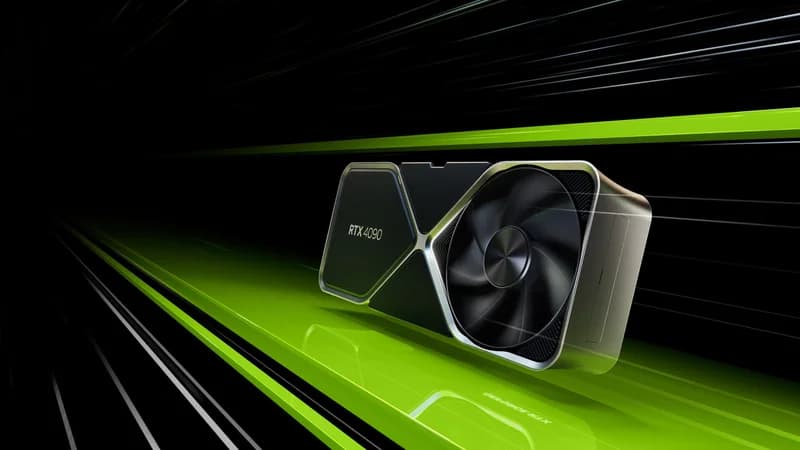
An RTX 4090-based server handles more concurrent requests faster. The 24GB VRAM supports the same model tier as the RTX 3090 but serves them 15–40% faster, reducing wait times under higher concurrent load (see the full RTX 4090 vs RTX 3090 comparison).
- GPU: RTX 4090 (used) — 24GB VRAM, $1,900
- CPU + RAM: ~$450 (Ryzen 7 7700X, 64GB DDR5)
- Storage: Samsung 990 Pro 4TB — $310 (stores 70+ models)
- Concurrent users: 4–8 at comfortable response times
- Monthly electricity: ~$20
Established Team (15–30 people) or High Volume: Dual GPU Server — $3,500+
Two RTX 3090s (48GB combined) or an A100 80GB handles large teams and enables 70B model inference at full precision. The A100 also provides ECC memory for reliability in production environments.
The Silent Alternative: Mac Studio M4 Max — $3,999
A Mac Studio M4 Max with 128GB serves as an excellent small-team AI server with one major advantage: zero noise, zero fan speed concerns, and zero infrastructure overhead. Plug it in, install Ollama, done. Best for office environments where server noise is a concern, or teams that want the simplest possible setup.
For a smaller team or a lighter workload, the Mac Mini M4 Pro (24GB) takes the same silent, plug-in-and-go approach at roughly a third of the price — it runs 8B–22B models comfortably for 2–4 concurrent users. See the Mac Mini M4 Pro vs Mac Studio M4 Max breakdown to size it to your team.
Trade-off: no CUDA means no GPU fine-tuning or training workloads. Pure inference only.
Setting Up a Team AI Server
The full server setup guide is at Home AI Server Build Guide. For a business context, here is the condensed version:
Core Stack
- OS: Ubuntu Server 24.04 LTS (headless)
- AI engine: Ollama (serves models via OpenAI-compatible API)
- Web UI: Open WebUI (ChatGPT-like interface with multi-user accounts)
- Remote access: Tailscale (free for teams up to 100 devices — lets remote employees access the server securely)
Model Recommendations for Business Use
| Task | Recommended Model | Why |
|---|---|---|
| General writing, emails, summaries | Qwen 2.5 32B | Strong writing quality, fast at 30 t/s |
| Data analysis, spreadsheet help | DeepSeek-R1 32B | Reasoning chain handles multi-step analysis well |
| Code / developer tools | Qwen2.5-Coder 32B | Best local coding model in this class |
| Customer communication drafting | Llama 3.1 8B | Fastest response, good enough for drafts |
| Complex document analysis | DeepSeek-R1 14B–32B | Reasoning model for nuanced analysis |
The Privacy Case for Local AI
Data privacy is often the decisive factor for businesses that process sensitive information.
What Cloud AI Services Do With Your Data
OpenAI's Terms of Service (as of March 2026) state that Business and Enterprise tiers do not use your data for training. But free and Consumer tiers may. More importantly, your data transits OpenAI's servers and is subject to their security posture, not yours. A breach at OpenAI could expose your conversations, even if they are not used for training.
Use Cases Where Local AI is Required
- Legal / Law: Client communications, case documents, discovery materials — attorney-client privilege considerations
- Medical / Healthcare: Patient information, clinical notes — HIPAA compliance requires data minimization
- Financial services: Client financial data, trading strategies, proprietary models
- Government contractors: Controlled Unclassified Information (CUI) may not be processed on commercial cloud
- Any business with NDAs: Consulting firms, agencies, and services companies often handle client data under confidentiality agreements that prohibit third-party processing
For these use cases, local AI is not a cost optimization — it is a compliance and legal requirement. The hardware cost is irrelevant compared to a single data breach or regulatory violation.
Business Use Cases: What Teams Actually Use Local AI For
Marketing & Content Teams
- Drafting blog posts, social copy, email campaigns
- Repurposing long-form content into short formats
- Competitive analysis and market research summarization
- A/B testing copy variations at scale
Operations & Customer Success
- Drafting customer responses from templates + context
- Summarizing long support tickets and identifying patterns
- Internal documentation generation and maintenance
- Policy document Q&A (using RAG against company docs in Open WebUI)
Finance & Legal
- Contract review assistance (flagging unusual clauses)
- Financial report summarization
- Regulatory update summaries
- Invoice and document data extraction
Engineering Teams
- Code review assistance and documentation generation
- Internal debugging assistant (see our AI coding setup guide)
- Architecture decision records and technical writing
- Security-sensitive code review without sending code to cloud
Getting Started: 30-Day Implementation Plan
| Week | Action | Owner |
|---|---|---|
| Week 1 | Order hardware, set up server, install Ollama + Open WebUI | IT / Technical lead |
| Week 1 | Create user accounts for pilot group (3–5 people) | IT |
| Week 2 | Pull 3–4 models for different use cases, run team training session | IT + Team lead |
| Week 2–3 | Identify top 5 use cases where team is currently paying for cloud AI | Team leads |
| Week 3–4 | Build team-specific system prompts for common tasks | Power users |
| Week 4 | Review usage, expand to full team, cancel redundant subscriptions | Management |
The Bottom Line for Small Businesses
A local AI server is not a complex infrastructure project — it is a PC with a GPU running open-source software. The setup takes a weekend, the ongoing maintenance is minimal, and the ROI is clear and calculable before you spend a dollar.
For a 5-person team, the math is unambiguous: $1,500–$2,000 hardware cost versus $1,500/year in ChatGPT Team subscriptions. After year one, you save $1,300+/year every year indefinitely. Add the privacy benefits and removal of data liability, and the decision becomes easier still.
For teams where data privacy is non-negotiable — legal, medical, financial, government — local AI is not a cost question. It is the only viable option.
Start here:
- Budget server: AI PC Under $1,000 build guide
- Mid-range server: RTX 4090 + standard PC components
- Silent option: Mac Studio M4 Max (128GB)
- Full setup guide: Home AI Server Guide
Frequently Asked Questions
Can a small business run AI locally?
Yes. A single GPU server ($1,500–$3,000) can serve AI to an entire small team of 5–15 users via Open WebUI, which provides multi-user accounts, conversation history, and API access. The hardware cost pays for itself in 3–6 months compared to per-seat cloud AI subscriptions.
How much does running AI locally cost vs ChatGPT Team?
ChatGPT Team costs $25–$30/user/month. A 5-person team pays $1,500–$1,800/year. A local AI server costs $1,500–$3,000 upfront plus $15–$25/month in electricity — breaking even in 10–24 months, then saving money every year after.
Is local AI private enough for business use?
Local AI is more private than any cloud AI service — data never leaves your network. This matters for businesses handling client information, financial data, legal documents, medical records, or any data subject to GDPR, HIPAA, or confidentiality agreements. Cloud AI services' terms often allow training on submitted data.