Qwen 3 Hardware Guide: Complete Buyer's Guide for Every Model Size (2026)
Qwen 3 is the fastest-growing open model family in 2026. Here's exactly which GPU, Mac, or mini PC to buy for every Qwen variant — from the 0.8B laptop model to 72B+ on a desktop workstation — with VRAM math, benchmarks, and setup instructions.
Compute Market Team
Disclosure: this article includes paid promotion from GMKtec via Amazon Creator Connections. We earn a commission on qualifying purchases.
Our Top Pick
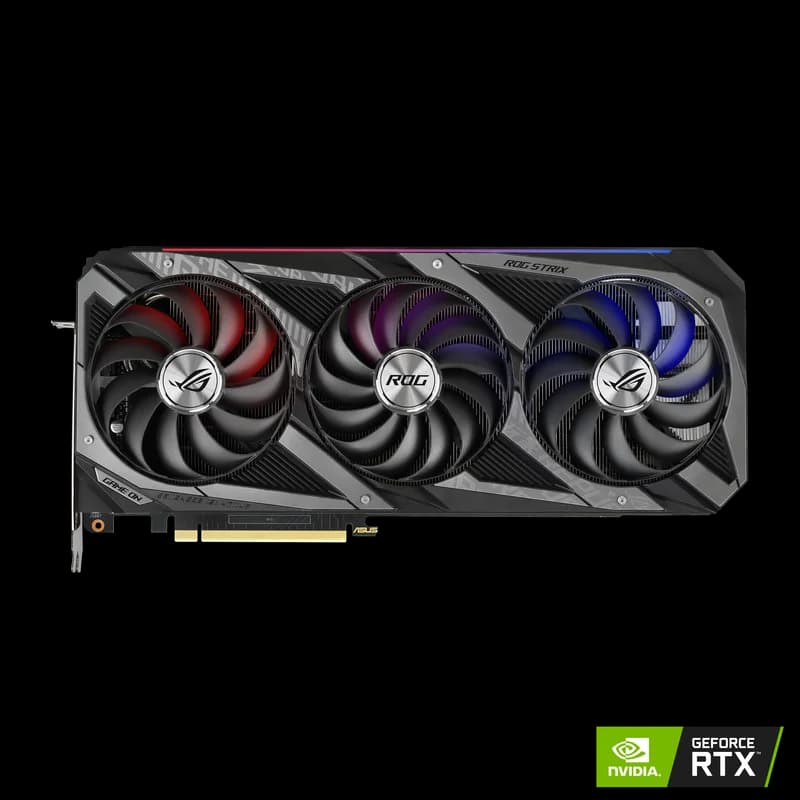
Quick Answer
QwQ-32B fits in 17GB VRAM at Q4 — a $429 RTX 5060 Ti 16GB runs frontier-class reasoning that rivaled DeepSeek R1 just months ago. The full Qwen 3 family scales from a $249 Intel Arc B580 (12GB) running 9B Small models, to a $5,999 Mac Studio M4 Max (up to 128GB unified) running unquantized 72B. The sweet-spot pick for QwQ-32B is a used RTX 3090 (24GB, $699–$999) at ~35–40 tok/s. Q4_K_M is the recommended quantization for most users — 75% memory savings vs FP16 with minimal quality loss.
Qwen 3 from Alibaba Cloud is the fastest-growing open model family of 2026. With Qwen 3.5 Small having launched in March, the QwQ-32B reasoning model now firmly established across the community, and the Qwen 3.6 Plus Preview that landed March 30 — there are now Qwen models for every hardware tier, from a phone to a multi-GPU workstation. All under Apache 2.0 licensing.
The problem? Most "Qwen hardware requirements" content gives you a generic VRAM table and stops there. No purchase recommendations. No benchmarks per GPU. No build guides. This page fixes that — mapping every Qwen 3.x variant to the exact hardware you need, with real performance data, tiered GPU recommendations, and one-command setup instructions.
If you want to go from "which Qwen model should I run?" to "what do I buy and how do I install it?" — this is the only guide you need.
Why Qwen 3 Is the Open Model to Watch in 2026
Qwen isn't a single model — it's an ecosystem. Alibaba Cloud has released over a dozen variants in Q1 2026 alone, each targeting a different use case and hardware tier. Here's what makes the family uniquely relevant for hardware buyers:
The Qwen 3.x Model Lineup
- Qwen 3.5 Small (0.8B–9B): Apache 2.0, natively multimodal, optimized for mobile and edge devices. The 0.8B variant runs on phones; the 9B version is a desktop workhorse. Our Qwen 3 7B model page lists per-tier hardware picks for this size class.
- QwQ-32B: A 32-billion parameter reasoning model that rivals DeepSeek R1 at a fraction of the size. It's remained one of the most-discussed models on r/LocalLLaMA since its spring 2026 surge.
- Qwen 3 72B: The full-size flagship. Competitive with GPT-4-class models on coding and reasoning benchmarks. See the Qwen 3 72B model page for quantization-by-quantization VRAM figures.
- Qwen 3.6 Plus Preview (March 30, 2026): Improved agentic behavior and tool use — designed for autonomous AI workflows.
"Qwen's model diversity is its superpower for the local AI community," notes the Qwen Team's Hugging Face documentation. "From 0.8B to 72B parameters, there's a Qwen model that fits virtually any hardware budget."
With Ollama reporting over 52 million monthly downloads in Q1 2026, the infrastructure for running Qwen locally is mature. The bottleneck is hardware — and that's what this guide solves.
Why Qwen's Model Diversity Saves You Money
Unlike model families where you're choosing between "big" and "bigger," Qwen gives you genuine options at every price point. A $249 GPU handles the 9B model. A $700 used GPU runs the 32B reasoning model. A $2,000 GPU handles 72B. That range maps directly to real purchasing decisions — and it means you don't have to over-buy hardware "just in case." Pick the cheapest GPU that fits the largest Qwen model you'll actually use, and pocket the savings. For developers replacing $20–200/month API spend with local inference, the break-even on the cheapest viable GPU happens in under 6 months at typical usage.
Qwen 3 Model Sizes and VRAM Requirements
The single most important number for choosing hardware is VRAM — how much GPU memory (or unified memory on Apple Silicon) you need to hold the model weights. Here's every Qwen 3.x model with VRAM requirements at three common quantization levels:
| Model | Parameters | FP16 VRAM | Q8 VRAM | Q4_K_M VRAM | Min GPU |
|---|---|---|---|---|---|
| Qwen 3.5 Small 0.8B | 0.8B | 1.6 GB | 0.9 GB | 0.5 GB | Any (CPU ok) |
| Qwen 3.5 Small 3B | 3B | 6 GB | 3.3 GB | 2 GB | 4GB VRAM |
| Qwen 3.5 Small 9B | 9B | 18 GB | 9.5 GB | 5.5 GB | 8GB VRAM |
| Qwen 3 14B | 14B | 28 GB | 15 GB | 8.5 GB | 12GB VRAM |
| QwQ-32B | 32B | 64 GB | 34 GB | 17 GB | 24GB VRAM (recommended) |
| Qwen 3 72B | 72B | 144 GB | 76 GB | 38 GB | 48GB+ or Mac 128GB |
Key insight: Qwen models are dense — unlike Llama 4's MoE architecture, every parameter is active during inference. This makes VRAM sizing straightforward: the parameter count directly determines your memory needs. No expert routing surprises.
For a deeper explanation of how VRAM works and why it matters, see our complete VRAM guide.
Context Length Impact on VRAM
The table above assumes default context lengths (typically 4K–8K tokens). Longer contexts consume additional VRAM for the KV cache. As a rule of thumb:
- 8K context: Add ~0.5–1 GB to the base VRAM figure
- 32K context: Add ~2–4 GB
- 128K context: Add ~8–16 GB (Qwen 3 72B supports this natively)
If you plan to use long context windows regularly, size your GPU with 20–30% headroom above the base model requirements.
Best GPUs for Qwen 3 by Budget Tier
Here's the definitive GPU buying guide for Qwen 3 in 2026, organized by what you can actually spend. Every recommendation links to a product page with current pricing and retailer links.
Under $300: Intel Arc B580 — Best for Qwen 3.5 Small Models
The Intel Arc B580 ($249 – $289) is the best VRAM-per-dollar GPU on the market. Its 12GB GDDR6 runs Qwen 3.5 Small 9B at Q4 quantization with room to spare, and handles Qwen 14B at aggressive quantization.
According to LocalScore.ai community benchmarks, the Arc B580 delivers approximately 62 tokens per second on 8B-class models — more than enough for interactive chat. The limitation is Intel's software ecosystem: you'll use llama.cpp with Vulkan or SYCL backends instead of CUDA, and some frameworks have rougher edges.
Best for: Qwen 3.5 Small (0.8B–9B), Qwen 14B at Q4. Budget-conscious builders who want 12GB VRAM without breaking the bank.
For a deep-dive on the Arc B580 for local AI, see our Intel Arc B580 local AI guide.
$400–$500: RTX 5060 Ti 16GB — Sweet Spot for QwQ-32B
The RTX 5060 Ti 16GB ($429 – $479) is the most important new GPU for Qwen users in 2026. Blackwell architecture brings 5th-gen tensor cores with native FP4 support, 55% more memory bandwidth than the RTX 4060 Ti, and a 180W TDP that fits any standard build.
At 16GB GDDR7, it can run QwQ-32B at Q4_K_M quantization — the model's 17GB requirement is tight, but NVFP4 quantization on Blackwell hardware brings it comfortably within range. According to Tom's Hardware's RTX 5060 Ti review, the card delivers approximately 38–42 tokens per second on 8B models and handles 32B models at Q4 with interactive speeds.
Best for: QwQ-32B at Q4 quantization, all Qwen 3.5 Small models at high quality, Qwen 14B at Q8. The single best new GPU under $500 for Qwen.
See our used RTX 3090 vs RTX 5060 Ti comparison if you're deciding between new Blackwell and used Ampere.
$400–$450: RTX 4060 Ti 16GB — Previous Gen Alternative
The RTX 4060 Ti 16GB ($399 – $449) remains a solid option if you find it discounted. Same 16GB VRAM as the 5060 Ti, but with Ada Lovelace 4th-gen tensor cores and lower memory bandwidth. It handles Qwen 3.5 Small models and Qwen 14B well, but struggles more with QwQ-32B due to the narrower memory bus.
Best for: Qwen 3.5 Small and 14B models. Consider it only if priced significantly below the RTX 5060 Ti.
$700–$1,000: Used RTX 3090 — Best Value for 32B Models
The used RTX 3090 ($699 – $999) is the value king for QwQ-32B. Its 24GB GDDR6X holds 32B models at Q4_K_M with 7GB of headroom for KV cache and longer context windows — something the 16GB cards can't match.
According to LM Studio Community benchmarks, the RTX 3090 delivers approximately 35–40 tokens per second on QwQ-32B at Q4, and 48 tokens per second on 8B models. The 936 GB/s memory bandwidth is mature and well-optimized across every inference framework.
Best for: QwQ-32B with comfortable headroom, Qwen 14B at Q8 or FP16, builders who want 24GB without paying RTX 4090 prices. See our RTX 4090 vs RTX 3090 comparison for the full speed-vs-value breakdown.
$950–$1,100: RTX 4080 Super — Fast Inference, 16GB
The RTX 4080 Super ($949 – $1,099) trades VRAM capacity for raw speed. At 16GB GDDR6X with 736 GB/s bandwidth, it runs Qwen models within its VRAM range faster than the RTX 3090 — roughly 52 tokens per second on 8B models. The limitation is the same 16GB ceiling as the RTX 5060 Ti, at more than double the price.
Best for: Users who prioritize inference speed over model size flexibility. Best paired with Qwen 3.5 Small and 14B models where its speed advantage shines.
$1,599+: RTX 4090 — The Proven Workhorse
The RTX 4090 ($1,599 – $1,999) remains the reference standard for local AI. Its 24GB GDDR6X at 1,008 GB/s bandwidth runs QwQ-32B at Q4 with excellent speed — approximately 55–60 tokens per second — and handles Qwen 72B at aggressive Q4 quantization if you keep context short.
According to LM Studio Community data, the RTX 4090 delivers 62 tokens per second on Qwen 8B at Q4, making it the fastest single-GPU option at this VRAM tier.
Best for: QwQ-32B at maximum speed, Qwen 72B at Q4 (tight but functional), future-proofing for upcoming Qwen releases.
$1,999+: RTX 5090 — Run 72B+ Quantized, Future-Proof
The RTX 5090 ($1,999 – $2,199) is the first consumer GPU that comfortably runs Qwen 72B at Q4_K_M quantization. Its 32GB GDDR7 at 1,792 GB/s bandwidth handles the 38GB Q4 model with room for context, and absolutely crushes QwQ-32B at over 80 tokens per second.
According to LM Studio Community benchmarks, the RTX 5090 delivers approximately 95 tokens per second on 8B models at Q4 — the fastest consumer GPU available for local inference in 2026.
Best for: Qwen 72B at Q4 quantization, QwQ-32B at maximum speed, builders who want one GPU that handles everything for the next 2–3 years.
See how it stacks up in our RTX 5090 vs RTX 4090 comparison.
GPU Benchmark Comparison Table
| GPU | VRAM | Price | Qwen 8B Q4 (tok/s) | QwQ-32B Q4 (tok/s) | Max Qwen Model |
|---|---|---|---|---|---|
| Arc B580 | 12GB | $249 – $289 | ~62 | — | 14B (Q4) |
| RTX 4060 Ti 16GB | 16GB | $399 – $449 | ~38 | ~18 | 32B (tight Q4) |
| RTX 5060 Ti 16GB | 16GB | $429 – $479 | ~42 | ~22 | 32B (Q4) |
| RTX 3090 | 24GB | $699 – $999 | ~48 | ~38 | 32B (Q8) |
| RTX 4080 Super | 16GB | $949 – $1,099 | ~52 | ~20 | 32B (tight Q4) |
| RTX 4090 | 24GB | $1,599 – $1,999 | ~62 | ~58 | 72B (tight Q4) |
| RTX 5090 | 32GB | $1,999 – $2,199 | ~95 | ~82 | 72B (Q4) |
Benchmark data sourced from LocalScore.ai and LM Studio Community submissions. Actual performance varies with system configuration, quantization method, and context length.
For a broader look at GPU options and pricing trends, see our best GPU for AI guide and budget GPU roundup.
Mac and Mini PC Options for Qwen 3
Not everyone wants a desktop GPU rig. Apple Silicon and modern mini PCs offer compelling alternatives for Qwen inference — especially if you value silent operation, compact form factor, or unified memory that sidesteps VRAM limitations entirely.
Mac Mini M4 Pro: Silent QwQ-32B Machine
The Mac Mini M4 Pro ($1,399 – $1,599) with 24GB unified memory is the best "plug in and run" option for QwQ-32B. Unified memory means the full 24GB is available to the model — no VRAM/RAM split — and Ollama runs QwQ-32B at Q4_K_M out of the box with zero configuration.
The tradeoff is speed: Apple Silicon delivers roughly 40–60% fewer tokens per second than a comparable NVIDIA GPU. But the Mac Mini is completely silent, draws under 30W at idle, and "just works" with ollama run qwq.
Best for: QwQ-32B users who want zero-noise, zero-config operation. Developers who already work in the macOS ecosystem. Always-on inference servers in living spaces.
For a detailed Mac vs PC comparison, see our Mac Mini M4 Pro vs RTX 5060 Ti breakdown.
Mac Studio M4 Max: Run Qwen 72B Unquantized
The Mac Studio M4 Max ($1,999 – $5,999) with up to 128GB unified memory runs Qwen 72B comfortably at Q8 (76GB) with plenty of room for long context windows. It does not hold the model at FP16: the full weights are ~144GB, which exceeds a 128GB machine entirely — that needs an Ultra-class Mac Studio.
If you need Qwen 72B without quantization artifacts, that makes a 128GB Mac Studio the cheapest credible path by a wide margin — roughly $4,000 against $25,000+ for an A100-based build with comparable memory.
Best for: Qwen 72B without quantization, researchers who need exact FP16 outputs, professionals running multiple Qwen model sizes simultaneously. See our Mac Studio M4 Max vs RTX 5090 comparison for the unified-memory-vs-VRAM tradeoff, or the Apple Silicon for local AI hub for the wider Mac lineup.
Strix Halo Mini PCs: The Windows Alternative
AMD's Strix Halo platform — available in mini PCs like the Minisforum MS-S1 Max — pairs up to 128GB LPDDR5X with an integrated GPU that rivals the RTX 4070 in AI workloads. According to NotebookCheck's Strix Halo analysis, the integrated Radeon 8060S delivers meaningful inference performance for models up to 32B parameters.
The advantage over Mac: Windows/Linux compatibility, standard tooling, and the ability to use ROCm for GPU acceleration. The disadvantage: higher noise, higher power draw, and a less mature inference stack than Ollama on macOS.
For a deep dive, see our Strix Halo mini PC local AI guide.
Beelink SER8: Budget Mini PC for Small Models
The Beelink SER8 ($449 – $599) with AMD Ryzen 7 8845HS and 32GB DDR5 is the entry point for running Qwen 3.5 Small models on a mini PC. The integrated Radeon 780M handles Qwen 3B and even 9B at Q4 quantization, though inference is slower than a dedicated GPU — expect 8–15 tokens per second on 9B models.
Best for: Qwen 3.5 Small (0.8B–3B) as an always-on assistant, lightweight coding helper, or home automation AI. Not suitable for QwQ-32B or larger models.
At a similar price and the same 32GB DDR5 ceiling, the GMKtec M6 Ultra ($429 – $549) is a cheaper alternative to the SER8 — a Zen 4 Ryzen 7 7640HS paired with a Radeon 760M iGPU that handles 7B–13B Qwen models at Q4. It's the lower-cost pick if you want a 32GB mini PC for mid-size Qwen models on integrated graphics. See our mini PC for AI hub for more compact options.
When to Choose Mac vs PC for Qwen Inference
| Factor | Mac (Apple Silicon) | PC (NVIDIA GPU) |
|---|---|---|
| Silent operation | Yes — fanless or near-silent | Varies — GPU fans under load |
| Max memory | 128GB unified (M4 Max) | 32GB VRAM (RTX 5090) |
| Inference speed | 40–60% slower per token | Fastest with CUDA optimization |
| Setup complexity | One command (Ollama) | Requires driver + framework setup |
| Ecosystem | macOS, Ollama, llama.cpp | Full CUDA, vLLM, TensorRT-LLM |
| Best for Qwen | 72B unquantized, always-on | QwQ-32B speed, any size quantized |
How to Set Up Qwen 3 Locally (Quick-Start)
Once you have your hardware, getting Qwen running is fast. Here are the three main paths, ordered from simplest to most configurable.
Option 1: Ollama (Easiest — One Command)
Ollama is the fastest path to running Qwen locally. Install Ollama, then:
# Run Qwen 3.5 Small 9B
ollama run qwen3:9b

# Run QwQ-32B reasoning model
ollama run qwq

# Run Qwen 3 14B
ollama run qwen3:14b

# Run Qwen 72B (requires 48GB+ VRAM or 128GB Mac)
ollama run qwen3:72b
Ollama auto-detects your GPU, downloads the optimal quantization for your hardware, and handles memory management. It works on macOS, Linux, and Windows. For a complete walkthrough, see our Ollama setup guide.
Option 2: LM Studio (GUI with Fine Control)
LM Studio gives you a visual interface for downloading GGUF model files, selecting quantization levels, and monitoring GPU utilization in real time. It auto-detects your GPU and recommends the best quantization for your VRAM.
Download a GGUF file from Hugging Face (search for "Qwen3" or "QwQ-32B-GGUF"), drag it into LM Studio, and click "Load." LM Studio handles the rest — including partial GPU offloading if the model is too large for your VRAM alone.
Option 3: vLLM 0.16 (Production Serving, Multi-GPU)
For production inference or multi-GPU setups, vLLM 0.16 supports Qwen models with tensor parallelism across multiple GPUs. This is the path for running Qwen 72B on dual RTX 3090s or serving QwQ-32B to multiple users simultaneously.
# Serve QwQ-32B on a single GPU
vllm serve Qwen/QwQ-32B --quantization awq

# Serve Qwen 72B across 2 GPUs
vllm serve Qwen/Qwen3-72B --tensor-parallel-size 2
For multi-GPU configuration details, see our multi-GPU local LLM setup guide.
Recommended Quantization Formats
- Q4_K_M: Best default for most users. 75% VRAM savings, minimal quality loss. Works everywhere.
- NVFP4: Blackwell-native format (RTX 5060 Ti, RTX 5090). Even more efficient than Q4_K_M on supported hardware.
- Q5_K_M: Middle ground — ~60% savings with slightly better quality than Q4.
- Q8_0: Highest quality quantization. Use if you have VRAM headroom.
- FP16: Full precision. Only viable on 128GB Mac or enterprise GPUs for models above 14B.
Qwen 3 vs Llama 4 vs DeepSeek R1: Hardware Comparison
If you're choosing between the major open model families, hardware requirements should factor into your decision. Here's how the three leaders compare at equivalent capability tiers:
| Comparison | Qwen QwQ-32B | Llama 4 Scout (109B MoE) | DeepSeek R1 70B |
|---|---|---|---|
| Total Parameters | 32B (dense) | 109B (17B active) | 70B (dense) |
| VRAM (Q4) | ~17 GB | ~55 GB (all experts) | ~38 GB |
| Min GPU | RTX 3090 (24GB) | RTX 5090 (32GB) or Mac | RTX 5090 (32GB) or Mac |
| Cheapest Option | RTX 5060 Ti ($429) | Mac Mini M4 Pro ($1,399) | RTX 5090 ($1,999) |
| Best Use Case | Reasoning, coding | General purpose, long context | Deep reasoning, math |
Key takeaway: QwQ-32B is by far the most hardware-efficient reasoning model. At 17GB Q4, it fits on GPUs costing $429–$699, while comparable reasoning capability from DeepSeek R1 requires at least $1,999 in GPU hardware. This makes Qwen the default recommendation for users who prioritize reasoning on a budget.
The short version: QwQ-32B trades far less reasoning quality than its parameter count suggests, which is what makes it the most hardware-friendly reasoning model you can run locally today.
For detailed hardware guides on the alternatives, see our Llama 4 hardware guide and DeepSeek R1 local setup guide.
Inference Speed per Dollar
When comparing tokens-per-second-per-dollar across model families on the same hardware (RTX 3090, $699–$999):
- QwQ-32B: ~38 tok/s at Q4 — best reasoning throughput per dollar
- Llama 4 Scout: ~25 tok/s at Q4 (requires partial offloading on 24GB) — limited by expert weight loading
- DeepSeek R1 70B: ~9 tok/s at Q4 (barely fits at aggressive quantization) — slowest due to size
Qwen wins the efficiency comparison decisively at the mid-range budget tier.
Our Recommended Builds for Qwen 3
Here are five concrete build configurations, each targeting a different budget and use case. Every component links to a product page with current pricing.
Budget Build: $700–$1,000
Target models: QwQ-32B at Q4, all Qwen 3.5 Small models
- GPU: Used RTX 3090 ($699 – $999) — 24GB VRAM, proven and reliable
- CPU: AMD Ryzen 5 7600 (~$180)
- RAM: 32GB DDR5-5600 (~$80)
- Storage: Samsung 990 Pro 4TB ($289 – $339) for fast model loading
- PSU: 750W 80+ Gold (~$90)
- Estimated total: $1,350–$1,700
This build runs QwQ-32B at 35–40 tok/s with room for long context. The RTX 3090's 24GB VRAM is the sweet spot for 32B models — you'll never feel VRAM-constrained at this model size.
Mid-Range Build: $1,200–$1,800
Target models: QwQ-32B at Q4–Q5, Qwen 14B at Q8
- GPU: RTX 5060 Ti 16GB ($429 – $479) — Blackwell efficiency, NVFP4 support
- CPU: AMD Ryzen 7 7700X (~$260)
- RAM: 64GB DDR5-5600 (~$150)
- Storage: Samsung 990 Pro 4TB ($289 – $339)
- PSU: 650W 80+ Gold (~$80)
- Estimated total: $1,200–$1,500
The RTX 5060 Ti's 180W TDP means a smaller PSU, less heat, and lower electricity costs. Blackwell's NVFP4 quantization gives you better quality-per-bit than older cards. The 64GB system RAM allows partial CPU offloading for models slightly above 16GB VRAM.
Performance Build: $2,800–$3,500
Target models: Qwen 72B at Q4, QwQ-32B at maximum speed
- GPU: RTX 5090 ($1,999 – $2,199) — 32GB GDDR7, 1,792 GB/s bandwidth
- CPU: AMD Ryzen 9 7950X (~$400)
- RAM: 64GB DDR5-5600 (~$150)
- Storage: Samsung 990 Pro 4TB ($289 – $339)
- PSU: 1000W 80+ Platinum (~$180)
- Estimated total: $3,000–$3,500
This is the "run everything" build. The RTX 5090's 32GB VRAM handles Qwen 72B at Q4_K_M (38GB with partial offloading) and absolutely crushes QwQ-32B at 80+ tok/s. The 1,792 GB/s memory bandwidth is nearly 2x the RTX 4090.
Silent Build: Mac Mini M4 Pro or Strix Halo Mini PC
Target models: QwQ-32B (Mac), Qwen 3.5 Small (Strix Halo)
- Option A: Mac Mini M4 Pro ($1,399 – $1,599) — 24GB unified memory, silent, QwQ-32B capable
- Option B: Strix Halo mini PC (~$1,500–$2,500) — 128GB LPDDR5X, Windows/Linux, iGPU for inference
Both options produce zero (or near-zero) noise. The Mac Mini is better for Qwen if you want Ollama's one-command setup. The Strix Halo is better if you need Windows/Linux compatibility or plan to run models larger than 24GB.
Always-On Server: 24/7 Qwen Inference
Target: Serve QwQ-32B or Qwen 14B to your household or team around the clock
- GPU: Used RTX 3090 ($699 – $999) or RTX 5060 Ti 16GB ($429 – $479)
- Platform: Any quiet mid-tower or rackmount chassis
- Software: Ollama with API mode, or vLLM for multi-user serving
- Network: Expose via LAN for household access
The RTX 5060 Ti's 180W TDP makes it the better choice for 24/7 operation — lower electricity costs and less heat versus the RTX 3090's 350W. For server setup details, see our home AI server guide.
Bottom Line
To run QwQ-32B locally at interactive speeds, you need a minimum of 17GB VRAM — a used RTX 3090 ($699 – $999) or new RTX 5060 Ti 16GB ($429 – $479) are the most cost-effective options in 2026, delivering 35–45 tokens per second at Q4_K_M quantization.
For Qwen 3.5 Small models (0.8B–9B), an Intel Arc B580 ($249 – $289) is all you need. For the full Qwen 72B, the RTX 5090 ($1,999 – $2,199) is the only single consumer GPU that handles it, or grab a Mac Studio M4 Max ($1,999 – $5,999) for the silent, unquantized experience.
Qwen's model diversity is its biggest advantage for hardware buyers. Unlike model families that force you into "big GPU or nothing," Qwen has a variant for every budget tier — from a $249 GPU to a $6,000 Mac. Pick your model size, match it to the VRAM table above, buy the hardware, and run ollama run. You'll be generating tokens in under five minutes.
For beginners just getting started with local AI, our guide to running LLMs locally covers the fundamentals before you commit to hardware.
Frequently Asked Questions
How much VRAM do I need to run QwQ-32B locally?
QwQ-32B requires a minimum of 17GB VRAM at Q4_K_M quantization. A used RTX 3090 with 24GB VRAM ($699 – $999) is the best value option, delivering approximately 35–40 tokens per second. The RTX 5060 Ti 16GB ($429 – $479) can run it at aggressive Q4 quantization but with limited context window headroom. For comfortable operation with longer contexts, 24GB VRAM is recommended.
Can I run Qwen 3 on a Mac Mini?
Yes. The Mac Mini M4 Pro ($1,399 – $1,599) with 24GB unified memory runs QwQ-32B at Q4 quantization comfortably via Ollama. For larger models like Qwen 72B, you'll need a Mac Studio M4 Max ($1,999 – $5,999) with 128GB unified memory, which can run 72B+ models without quantization. Apple Silicon trades raw speed for silent operation and zero-config setup.
What is the cheapest GPU that can run Qwen 3?
The Intel Arc B580 ($249 – $289) with 12GB VRAM is the cheapest GPU that can run Qwen 3.5 Small models (0.8B–9B) at full speed via llama.cpp. It delivers approximately 62 tokens per second on 8B models. For the larger QwQ-32B reasoning model, the RTX 5060 Ti 16GB ($429 – $479) is the cheapest viable option, though a used RTX 3090 ($699 – $999) offers more headroom.
How does Qwen 3 compare to Llama 4 for hardware requirements?
Qwen 3 models are dense (all parameters active), while Llama 4 Scout uses Mixture-of-Experts (109B total, 17B active). This means QwQ-32B at 32B parameters needs roughly 17GB VRAM at Q4 — similar to Llama 4 Scout's active parameters. However, Llama 4 Scout requires more total VRAM to store all expert weights. For most users, Qwen 3 models are more straightforward to size because what you see is what you need.
What quantization should I use for Qwen 3 models?
Q4_K_M is the recommended quantization for most users — it provides the best balance of quality and VRAM savings, typically reducing memory requirements by 75% versus FP16 with minimal quality loss. On NVIDIA Blackwell GPUs (RTX 5060 Ti, RTX 5090), NVFP4 quantization is even more efficient thanks to native FP4 tensor core support. Use Q8_0 if you have VRAM to spare and want higher accuracy, or Q5_K_M as a middle ground.