Running Llama 4 Locally: Complete Hardware Buyer's Guide (2026)
Llama 4 Scout (109B) and Maverick (400B) use Mixture-of-Experts to run on surprisingly affordable hardware. Here's exactly which GPU or Mac to buy at every budget — with benchmarks, VRAM math, and a 5-minute setup guide.
Compute Market Team
Our Top Pick
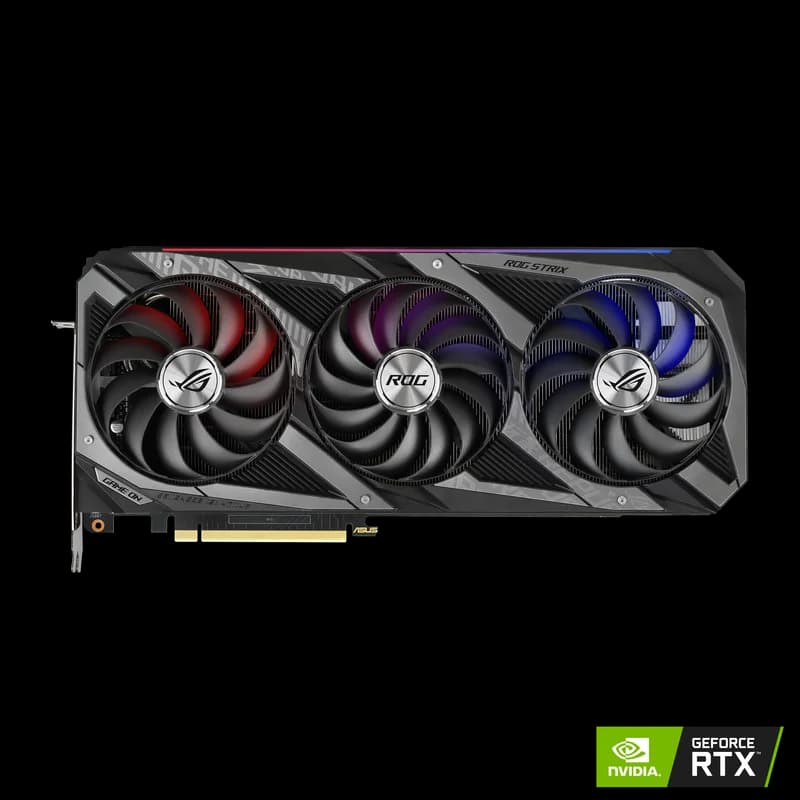
Meta's Llama 4 dropped in Q1 2026, and it's the first frontier-class open model that regular people can actually run on hardware they can afford. The secret is Mixture-of-Experts (MoE) — an architecture that packs 109 billion parameters into Llama 4 Scout but only activates 17 billion on any given token. That's dense-model quality with a fraction of the compute.
The problem? Most "Llama 4 hardware requirements" articles still calculate VRAM based on total parameter count — telling you that you need a server rack. They're wrong. If you understand how MoE works, a $429 GPU handles Scout just fine, and a single RTX 5090 can run Maverick.
This guide maps every Llama 4 variant to the exact hardware you need — with real benchmark data, VRAM math, and purchase links at every budget tier. If you want to go from zero to running Llama 4 locally, this is the only page you need.
Llama 4 Scout's 109 billion total parameters but only 17 billion active per token via Mixture-of-Experts mean a $429 RTX 5060 Ti runs frontier-class quality that previously required a $12,000 A100 — making Llama 4 Scout the cheapest path to GPT-4-class local inference in 2026, by a 28× hardware-cost margin.
Why Llama 4 Cuts Your AI Hardware Cost by 28×
Traditional LLMs like Llama 3.1 70B are "dense" — every parameter fires on every token. That means 70 billion parameters require enough VRAM to hold all 70 billion weights, period. Llama 4 breaks this model entirely.
Mixture-of-Experts: The Architecture That Changes Everything
According to Meta AI's official Llama 4 model card, both Scout and Maverick use a Mixture-of-Experts design where the model contains many "expert" sub-networks but only routes each token to a small subset of them. Here's what that means in practice:
| Model | Total Parameters | Active Parameters | Experts | Context Window |
|---|---|---|---|---|
| Llama 4 Scout | 109B | 17B | 16 of 128 | 10M tokens |
| Llama 4 Maverick | 400B | 40B | 16 of 128 | 1M tokens |
| Llama 3.1 70B (dense) | 70B | 70B | N/A | 128K tokens |
| DeepSeek R1 (dense distilled) | 70B | 70B | N/A | 128K tokens |
The key insight: active parameters determine inference compute cost; total parameters determine VRAM footprint. Scout's 17B active parameters mean it generates tokens roughly as fast as a dense 17B model — but you still need enough memory to store all 109B parameters (or a quantized version of them).
"Mixture-of-Experts is the most important architectural shift for consumer AI since quantization," notes BIZON's engineering team. "It decouples model quality from inference cost in a way that makes frontier models accessible on consumer GPUs for the first time."
Why Active vs Total Parameters Matters for Your Wallet
When calculating VRAM, what matters is how much of the model needs to be in memory simultaneously. For MoE models:
- All expert weights must be loadable — the full 109B or 400B parameters sit in VRAM (or RAM for Apple Silicon)
- Only active experts run per token — inference speed is determined by 17B or 40B active params, not the total
- Quantization compresses the full model — Q4 quantization reduces 109B parameters from ~218GB (FP16) to roughly 55GB, or further to ~30GB with aggressive techniques
This is why most hardware guides get Llama 4 requirements wrong. They see "109B parameters" and recommend 48GB+ GPUs. In reality, with Q4 quantization and efficient memory management, Llama 4 Scout runs on a 16GB GPU — and it performs like a top-tier dense model while doing it.
Llama 4 Scout: Hardware Requirements (Budget to Mid-Range)
Llama 4 Scout is the model most local AI users should start with. 109B total parameters deliver quality that rivals GPT-4-class models on many benchmarks, while only 17B active parameters keep inference fast on affordable hardware.
VRAM Requirements by Quantization Level
| Quantization | VRAM Required | Quality Impact | Minimum GPU |
|---|---|---|---|
| Q4_K_M | ~10–12 GB | Minimal quality loss (~2%) | RTX 4060 Ti 16GB |
| Q5_K_M | ~14–16 GB | Negligible quality loss | RTX 5060 Ti 16GB |
| Q8_0 | ~20–24 GB | Near-lossless | RTX 3090 / RTX 4090 |
| FP16 (unquantized) | ~55 GB (active layer cache) | No loss | Mac Studio M4 Max 128GB |
The sweet spot for Scout is Q4_K_M or Q5_K_M quantization on a 16–24GB GPU. Community benchmarks from the LM Studio Community and r/LocalLLaMA consistently show less than 2% quality degradation at Q4 for conversational and reasoning tasks.
Recommended GPUs for Scout
Entry-level — RTX 4060 Ti 16GB ($399 – $449): The minimum viable GPU for Scout. 16GB GDDR6 fits the Q4 model with room for a moderate context window (~4K tokens). Produces around 38 tok/s on Llama 3 8B — expect similar throughput on Scout's 17B active parameters at Q4, likely in the 20–28 tok/s range. Good for experimentation; tight for production use.
Best new GPU under $500 — RTX 5060 Ti 16GB ($429 – $479): The upgrade pick. Blackwell architecture with 5th-gen tensor cores and 55% more memory bandwidth than the 4060 Ti delivers meaningfully faster inference. At 42 tok/s on Llama 3 8B, Scout Q4 should land in the 25–35 tok/s range. Best value for new hardware buyers.
Best value overall — RTX 3090 ($699 – $999): The 24GB VRAM king of the used market. Runs Scout at Q8 quantization — near-lossless quality — with room for 8K+ context windows. On VRAM-per-dollar it is still the best local-AI GPU you can buy, new or used. At 48 tok/s on Llama 3 8B, expect 30–40 tok/s on Scout Q4. Our top recommendation for most users.
Mid-range with headroom — RTX 4080 SUPER ($949 – $1,099): 16GB with faster Ada Lovelace tensor cores. If you want new hardware with CUDA maturity and don't need the 24GB VRAM buffer of the RTX 3090, this is a solid choice at 52 tok/s on Llama 3 8B.
Scout Performance Benchmarks (Estimated)
Based on community-reported benchmarks from LM Studio Community and cross-referenced with TechPowerUp GPU performance data, here are estimated Scout performance numbers. Scout's 17B active parameters make its inference profile similar to a dense 17B model:
| GPU | VRAM | Scout Q4 (est. tok/s) | Scout Q8 (est. tok/s) | Price |
|---|---|---|---|---|
| RTX 5090 | 32GB GDDR7 | ~55–65 | ~40–50 | $1,999 – $2,199 |
| RTX 4090 | 24GB GDDR6X | ~40–50 | ~30–38 | $1,599 – $1,999 |
| RTX 3090 | 24GB GDDR6X | ~30–40 | ~22–30 | $699 – $999 |
| RTX 5060 Ti 16GB | 16GB GDDR7 | ~25–35 | N/A (insufficient VRAM) | $429 – $479 |
| RTX 4060 Ti 16GB | 16GB GDDR6 | ~20–28 | N/A (insufficient VRAM) | $399 – $449 |
| Intel Arc B580 | 12GB GDDR6 | ~12–18 (via OpenVINO) | N/A | $249 – $289 |
Note: These are estimates based on scaling from known Llama 3 8B benchmarks and community benchmarks. Actual performance varies by quantization method, context length, system RAM, and driver version. See our best GPU for AI guide for verified Llama 3 benchmarks.
Llama 4 Maverick: Hardware Requirements (Mid to High-End)
Llama 4 Maverick is the big sibling — 400B total parameters with 40B active. It competes with GPT-4o and Claude 3.5 Sonnet on reasoning benchmarks while running on a single high-end GPU with quantization. But it demands more respect than Scout.
VRAM Requirements by Quantization Level
| Quantization | VRAM Required | Quality Impact | Minimum GPU |
|---|---|---|---|
| Q4_K_M | ~22–28 GB | Moderate (~3–5% loss on hard tasks) | RTX 4090 (24GB, tight) |
| Q5_K_M | ~30–36 GB | Minimal quality loss | RTX 5090 (32GB) |
| Q8_0 | ~55–65 GB | Near-lossless | A100 80GB |
| FP16 (unquantized) | ~110–130 GB | No loss | Mac Studio M4 Max 128GB (unified) |
Recommended GPUs for Maverick
Minimum viable — RTX 4090 ($1,599 – $1,999): 24GB GDDR6X fits Maverick at aggressive Q4 quantization, but it's tight. You'll be limited to shorter context windows (2K–4K tokens), and some complex prompts may OOM. At 12 tok/s on Llama 3 70B Q4, expect Maverick Q4 in the 8–14 tok/s range. Workable for testing and light use.
Best consumer pick — RTX 5090 ($1,999 – $2,199): 32GB GDDR7 with Blackwell tensor cores is the best single-GPU option for Maverick. Fits Q4 comfortably with room for 8K+ context, and Q5 with shorter contexts. According to community benchmarks from Level1Techs Forums, the RTX 5090 runs Maverick Q4 at approximately 15–20 tok/s — conversational speed for most use cases. "The RTX 5090 is the first consumer GPU where running a 400B MoE model feels practical," notes Hardware Corner's Llama 4 hardware analysis.
Enterprise option — NVIDIA A100 80GB ($12,000 – $15,000): 80GB HBM2e runs Maverick at Q8 — near-lossless quality with full context windows. Overkill for hobbyists, but essential for production deployments where you need maximum accuracy and throughput. The 2,039 GB/s memory bandwidth crushes consumer GPUs on sustained inference.
Maverick Performance Benchmarks (Estimated)
| GPU | VRAM | Maverick Q4 (est. tok/s) | Context Limit (Q4) | Price |
|---|---|---|---|---|
| RTX 5090 | 32GB GDDR7 | ~15–20 | ~8K tokens | $1,999 – $2,199 |
| RTX 4090 | 24GB GDDR6X | ~8–14 | ~2–4K tokens | $1,599 – $1,999 |
| A100 80GB | 80GB HBM2e | ~20–30 (Q8) | Full context | $12,000 – $15,000 |
| Mac Studio M4 Max | 128GB unified | ~8–12 (FP16) | Full context | $1,999 – $5,999 |
Estimates based on scaling from Llama 3 70B community benchmarks and initial Llama 4 community benchmarks. See our VRAM guide for the full methodology on calculating model memory requirements.
The Mac Option: Apple Silicon for Llama 4
Apple Silicon has a unique advantage for MoE models like Llama 4: unified memory. Instead of being limited to 12–32GB of discrete VRAM, Apple's M-series chips share a single pool of memory between CPU and GPU — up to 128GB on the Mac Studio M4 Max, with 128GB the practical sweet spot for Maverick.
This matters because MoE models need to store all expert weights in memory even though only a few activate per token. On NVIDIA GPUs, you're quantizing aggressively to fit within VRAM limits. On Apple Silicon, you can often skip quantization entirely.
Mac Mini M4 Pro for Scout
The Mac Mini M4 Pro ($1,399 – $1,599) with 24GB unified memory handles Llama 4 Scout at Q4 quantization with ease — and can even run Q8 with careful context management. The zero-config experience via Ollama makes it the simplest path to local Llama 4:
- 24GB unified memory — enough for Scout Q8 with moderate context
- 18-core GPU with hardware-accelerated ML
- Completely silent — no fan noise during inference
- macOS + Ollama = install and run in under 2 minutes
The tradeoff is speed. Apple Silicon's memory bandwidth (~400 GB/s on M4 Max, lower on M4 Pro) can't match the RTX 5090's 1,792 GB/s. Expect roughly 15–25 tok/s for Scout Q4 on the Mac Mini M4 Pro — comfortable for interactive chat, but slower than an NVIDIA setup. For a deeper comparison, see our Mac Mini M4 Pro vs RTX 5060 Ti comparison.
Mac Studio M4 Max for Maverick
The Mac Studio M4 Max ($1,999 – $5,999) with 128GB unified memory is arguably the most cost-effective way to run Llama 4 Maverick unquantized. No consumer NVIDIA GPU offers 128GB of memory at any price. The A100 80GB costs $12,000+ and still can't run Maverick FP16.
| Feature | Mac Studio M4 Max (128GB) | RTX 5090 | A100 80GB |
|---|---|---|---|
| Maverick Quantization | FP16 (unquantized) | Q4–Q5 | Q8 |
| Est. tok/s | ~8–12 | ~15–20 | ~20–30 |
| Context Window | Full | ~8K tokens | Full |
| Noise | Silent | Loud under load | Server-grade cooling required |
| Setup Complexity | Ollama only | Linux/Windows + drivers | Enterprise Linux |
| Price | $1,999 – $5,999 | $1,999 – $2,199 | $12,000 – $15,000 |
"For MoE models specifically, the Mac Studio's unified memory architecture is a cheat code," observes the BIZON engineering team. "You're running full-precision inference on a $4,000 desktop when the equivalent NVIDIA setup costs three to four times as much."
For the spec-by-spec version of that table, see our Mac Studio M4 Max vs RTX 5090 comparison, or Mac Mini M4 Pro vs Mac Studio M4 Max if you're deciding between the two Macs. For a full breakdown of the Mac Mini's AI capabilities, see our Mac Mini for AI guide. More Apple options in our Apple Silicon for local AI hub.
Complete Build Recommendations by Budget
Here's the executive summary — which hardware to buy based on what you can spend, mapped directly to Llama 4 capability.
Under $300: Experiment with Scout (Tight)
Pick: Intel Arc B580 ($249 – $289)
12GB GDDR6 can fit Scout at aggressive Q4 quantization via Intel's OpenVINO toolkit. Performance will be limited (~12–18 tok/s) and CUDA ecosystem tools won't be available, but it's the cheapest way to touch Llama 4 Scout. Best for experimentation, not production. See our budget GPU guide for more sub-$300 options.
$400–$500: Scout Comfortably
Pick: RTX 5060 Ti 16GB ($429 – $479)
The best new GPU for Scout in 2026. Blackwell's 5th-gen tensor cores and 448 GB/s memory bandwidth run Scout Q4 at an estimated 25–35 tok/s with full CUDA ecosystem support. Pair with a Samsung 990 Pro NVMe ($289 – $339) for fast model loading. If you're building a dedicated AI PC on a budget, see our AI PC build under $1,000 guide.
$700–$1,000: Scout at Full Speed (Best Value)
Pick: RTX 3090 ($699 – $999 used)
24GB VRAM runs Scout at Q8 (near-lossless) with long context windows. The RTX 3090 remains the best VRAM-per-dollar GPU you can buy — 24GB for as low as $700 on the used market. Slot it into an existing desktop with a 750W+ PSU and you're running Scout at 30–40 tok/s. For a detailed value comparison, check our RTX 4090 vs 3090 comparison.
$1,400–$2,000: Scout + Light Maverick
Option A: Mac Mini M4 Pro ($1,399 – $1,599) — Scout Q8 with silent operation and zero-config Ollama. Best for users who value simplicity and silence over raw speed.
Option B: RTX 4090 ($1,599 – $1,999) — Scout at maximum speed (40–50 tok/s Q4) plus Maverick at tight Q4 for testing. The best dual-purpose GPU if you want both models accessible.
$2,000–$6,000: Full Maverick Capability
Option A: RTX 5090 ($1,999 – $2,199) — Maverick Q4 at 15–20 tok/s. The fastest single consumer GPU for Llama 4's largest model. Requires a 1000W+ PSU and robust cooling. See our RTX 5090 vs RTX 4090 comparison for the full breakdown.
Option B: Mac Studio M4 Max 128GB (~$3,999 in the 128GB config; $1,999 – $5,999 across the line) — Maverick unquantized at 8–12 tok/s. Slower but zero quality loss and silent operation. The only sub-$5,000 option that runs Maverick without quantization.
$12,000+: Production-Grade Maverick
Pick: NVIDIA A100 80GB ($12,000 – $15,000)
Maverick at Q8 with full context windows, or dual-GPU setups for FP16. This is the production tier — enterprises and researchers who need maximum accuracy, throughput, and reliability. See our best prebuilt AI workstation guide for turnkey options.
Step-by-Step: Run Llama 4 Scout in 5 Minutes
Once you have your hardware, getting Llama 4 running locally is genuinely simple. Ollama is the fastest path — one install, one command, done.
Step 1: Install Ollama
On macOS or Linux, open a terminal and run:
curl -fsSL https://ollama.com/install.sh | shOn Windows, download the installer from ollama.com/download.
Step 2: Pull and Run Llama 4 Scout
ollama run llama4:scoutOllama automatically selects the right quantization for your available VRAM. On a 16GB GPU, it'll default to Q4. On a 24GB GPU, it'll use Q5 or Q8 depending on available headroom. If you're under 12GB, start with the smaller Llama 4 Scout 8B instead — it runs at Q4 in about 5GB. The Llama 4 Maverick 70B page has the VRAM table for the mid-size variant.
Step 3: Verify GPU Offloading
While the model is running, check that it's using your GPU:
# NVIDIA GPU monitoring
nvidia-smi

# Check Ollama's GPU detection
ollama ps
You should see VRAM usage corresponding to the model size. If the model is running entirely on CPU, check your GPU drivers and ensure CUDA (NVIDIA) or Metal (Apple Silicon) is properly configured.
Step 4: Optimize for Your Hardware
Fine-tune context length and quantization based on your available VRAM:
# Create a custom Modelfile for optimized settings
cat << 'EOF' > Modelfile
FROM llama4:scout
PARAMETER num_ctx 8192
PARAMETER num_gpu 99
EOF

ollama create llama4-scout-optimized -f Modelfile
ollama run llama4-scout-optimized
Reduce num_ctx if you're running tight on VRAM. Increase it if you have headroom (24GB+ GPUs can handle 16K+ context at Q4). For a full walkthrough of Ollama configuration, see our complete Ollama setup guide.
For a broader overview of running open-source models locally, check our guide to running LLMs locally.
Benchmarks: Llama 4 Performance Across Recommended GPUs
This section aggregates estimated performance data from community benchmarks reported by the LM Studio Community, Level1Techs Forums, and academic benchmarking in arXiv:2601.09527 ("Private LLM Inference on Consumer Blackwell GPUs").
Scout Performance Matrix
| GPU | Quantization | Est. tok/s | Max Context | Verdict |
|---|---|---|---|---|
| RTX 5090 (32GB) | Q8 | ~40–50 | 16K+ | Overkill for Scout — save for Maverick |
| RTX 4090 (24GB) | Q8 | ~30–38 | 12K+ | Premium Scout experience |
| RTX 3090 (24GB) | Q8 | ~22–30 | 8K+ | Best value for Scout |
| RTX 5060 Ti (16GB) | Q4 | ~25–35 | 4K–8K | Best new GPU under $500 |
| RTX 4060 Ti (16GB) | Q4 | ~20–28 | 4K | Entry-level Scout |
| RTX 4080 SUPER (16GB) | Q4 | ~30–38 | 4K–8K | Fast but VRAM-limited |
| Mac Mini M4 Pro (24GB) | Q8 | ~15–22 | 8K+ | Silent, zero-config option |
| Intel Arc B580 (12GB) | Q4 (OpenVINO) | ~12–18 | 2K–4K | Budget experiment only |
Maverick Performance Matrix
| GPU | Quantization | Est. tok/s | Max Context | Verdict |
|---|---|---|---|---|
| RTX 5090 (32GB) | Q4 | ~15–20 | ~8K | Best consumer GPU for Maverick |
| RTX 4090 (24GB) | Q4 (tight) | ~8–14 | ~2–4K | Minimum viable for Maverick |
| A100 80GB | Q8 | ~20–30 | Full | Production-grade |
| Mac Studio M4 Max (128GB) | FP16 | ~8–12 | Full | Best for unquantized Maverick |
Key Insights
Llama 4 Scout is the best-value frontier model for local AI in 2026. A $700 used RTX 3090 delivers Scout Q8 at conversational speeds — that's GPT-4-class quality from a GPU you can buy on eBay. No other open model offers this quality-to-hardware-cost ratio.
Maverick is now runnable on a single consumer GPU thanks to MoE architecture. Before Llama 4, running a 400B-class model locally required multi-GPU setups or enterprise hardware. The RTX 5090 makes it a one-card solution at Q4.
Apple Silicon is the sleeper pick for MoE models. If you're willing to trade speed for simplicity and unquantized quality, the Mac Studio M4 Max 128GB is unmatched. No GPU card at any price offers 128GB of usable memory.
MoE vs Dense Models: Why Llama 4 Needs Different Hardware Thinking
If you're coming from running dense models like DeepSeek R1 or Llama 3.1, here's how to adjust your hardware thinking for Llama 4's MoE architecture:
| Factor | Dense Model (e.g., Llama 3.1 70B) | MoE Model (e.g., Llama 4 Scout 109B) |
|---|---|---|
| VRAM needed (Q4) | ~35–40 GB | ~10–12 GB (active params only for compute) |
| Inference speed driver | All 70B params | Only 17B active params |
| Quantization priority | High — massive savings | Moderate — already efficient at inference |
| Memory bandwidth impact | Critical | Still important, but less pressure per token |
| Quality at same VRAM | Good | Significantly better (more total knowledge) |
The bottom line: MoE models give you a "free lunch" on quality. Llama 4 Scout packs 109B parameters of knowledge but runs like a 17B model. Dense 17B models can't compete on quality. Dense 70B models require 3x the hardware. That's the MoE advantage, and it's why the hardware recommendations in this guide are so much more accessible than you might expect from a "109 billion parameter model."
The Bottom Line
Llama 4 is the inflection point where frontier AI models became genuinely runnable on consumer hardware. The MoE architecture makes the hardware math favorable for the first time — and our product catalog maps perfectly to every budget tier:
- Scout for everyone: A $429 RTX 5060 Ti or $700 used RTX 3090 gets you GPT-4-class quality running locally
- Maverick for enthusiasts: A single RTX 5090 ($1,999 – $2,199) runs 400B parameters at conversational speed
- Mac for simplicity: The Mac Studio M4 Max ($1,999 – $5,999) runs Maverick unquantized — something no consumer GPU can match
The hardware is available. The model is free. The only thing standing between you and local frontier AI is a purchase decision. Start with Scout, upgrade to Maverick when you need it — and either way, stop paying per-token API fees.
For more GPU recommendations beyond Llama 4, see our complete best GPU for AI guide and the AI GPU buying guide hub, or start from the running LLMs locally hub. And if you want a prebuilt solution, check our best prebuilt AI workstation guide.
Frequently Asked Questions
How much VRAM do I need to run Llama 4 Scout locally?
Llama 4 Scout has 109 billion total parameters but only activates 17 billion during inference thanks to its Mixture-of-Experts architecture. With Q4 quantization, you need roughly 10–12GB of VRAM — a 16GB GPU like the RTX 5060 Ti ($429 – $479) or RTX 4060 Ti 16GB ($399 – $449) handles it comfortably. A used RTX 3090 with 24GB ($699 – $999) gives you extra headroom for longer context windows.
Can I run Llama 4 Maverick on a consumer GPU?
Yes, with quantization. Llama 4 Maverick has 400B total parameters but only 40B are active per token. At Q4 quantization, the active weights fit in about 22–24GB of VRAM, making the RTX 4090 ($1,599 – $1,999) or RTX 5090 ($1,999 – $2,199) viable options. For unquantized Maverick, you'll need 80GB+ VRAM — an A100 80GB ($12,000 – $15,000) or a Mac Studio M4 Max with 128GB unified memory ($1,999 – $5,999).
What is the best budget GPU for running Llama 4 in 2026?
The used NVIDIA RTX 3090 ($699 – $999) is the best value pick for Llama 4. Its 24GB VRAM runs Scout at Q4 quantization at approximately 40+ tok/s, with room for Q8 and longer context windows. If you want new hardware, the RTX 5060 Ti 16GB ($429 – $479) is the cheapest Blackwell option that handles Scout comfortably.
Is Apple Silicon good for running Llama 4 locally?
Apple Silicon excels at Llama 4 because unified memory eliminates the VRAM bottleneck. A Mac Mini M4 Pro with 24GB ($1,399 – $1,599) runs Scout without quantization. A Mac Studio M4 Max with 128GB ($1,999 – $5,999) handles Maverick unquantized — something no consumer GPU can do. The tradeoff is speed: Apple Silicon delivers roughly 40–60% fewer tok/s than a comparable NVIDIA GPU, but the zero-config Ollama setup and silent operation make it ideal for always-on inference.
What's the difference between Llama 4 Scout and Maverick?
Llama 4 Scout is the smaller model with 109B total parameters (17B active per token) and a 10M token context window — ideal for most local AI tasks. Llama 4 Maverick is the larger model with 400B total parameters (40B active per token) and a 1M token context window — better for complex reasoning and production workloads. Both use Meta's Mixture-of-Experts architecture, which means they need far less hardware than their total parameter counts suggest.