NVIDIA PAIR Hardware Guide 2026: What You Need to Turn Your Spare PCs Into an AI Cluster (and What It Won't Do)
NVIDIA's Personal AI Router routes whole inference requests across machines on your LAN — it does not pool VRAM. Here's the real supported-hardware list, the exclusions nobody is publishing, and what to actually buy as a second node.
Compute Market Team
Our Top Pick
Quick Answer
NVIDIA PAIR routes whole inference requests across machines on your local network — it does not pool VRAM. Every node must independently hold the entire model it serves, so three 16GB GPUs on three PCs still cannot run a model that needs 24GB. Supported serving hardware is GeForce RTX 20-series and newer, RTX PRO workstation cards, DGX Spark, and Apple silicon M4 or newer. AMD Strix Halo, Intel Arc and pre-M4 Macs are not supported as nodes.
NVIDIA announced PAIR — the Personal AI Router at IFA on 3 September 2026. Within 48 hours the framing had hardened across essentially every write-up: turn your idle home PCs into an AI cluster. At least one widely-shared post went further and claimed PAIR does pipeline-parallel sharding, so "a 70B model can live on three 16GB cards."
That is not what it does. NVIDIA's own documentation says the opposite in plain language, and the difference matters because it inverts the buying decision. If you believe the sharding story, the rational move is to buy three cheap 16GB cards. If you understand what PAIR actually is, the rational move is one capable second node and a wired switch — or, quite often, nothing at all.
This guide is the correction, plus the hardware table nobody has published: the full supported list, the exclusions that matter to people who already own AI boxes, and a priced shopping path for a real second node.
What NVIDIA PAIR Actually Is (in One Paragraph)
PAIR is a free, open-source background service — published by NVIDIA at github.com/NVIDIA/Personal-AI-Router — that you install on each machine on your LAN. The instances discover each other, authenticate over mutual TLS, and together expose one OpenAI- and Ollama-compatible endpoint at http://127.0.0.1:<port>. Your apps point at that single local address. Behind it, PAIR proxies each incoming request to whichever eligible node currently has capacity and already has the requested model loaded. It is a router, in the most literal sense of the word. It is in beta as of 3 September 2026.
If you have used Ollama or LM Studio on one machine, nothing about the interface changes. What changes is that the endpoint can now be answered by a second, third or fourth computer in your house instead of always the one in front of you.
The Three Things PAIR Does NOT Do (Read This Before You Buy Anything)
This is the load-bearing section of the entire article. Straight from NVIDIA's documentation at docs.nvidia.com/local-ai/nvpair/:
| What people think it does | What it actually does |
|---|---|
| Pools GPU memory across machines into one big VRAM budget | No memory pooling. Each node's VRAM stays its own. |
| Splits one model across machines (pipeline parallelism / model sharding) | No model splitting. A model lives whole on one node or not at all. |
| Splits a long generation across nodes, or moves it if a node gets busy | No request splitting or migration. A request starts and finishes on one node. |
Capabilities and limitations per NVIDIA's PAIR documentation (docs.nvidia.com/local-ai/nvpair/), September 2026.
Translated into money: three 16GB cards on three machines still cannot run a model that needs 24GB. You do not get a 48GB pool. You get three separate 16GB serving slots, each of which can only answer requests for models that fit in 16GB.
We are being blunt about this because the wrong version of the story leads to a specific, expensive mistake: buying two extra RTX 5060 Ti 16GB cards, installing them in old PCs, and discovering that the 32B model you wanted still will not load anywhere. If your problem is "the model doesn't fit," PAIR is the wrong tool entirely — see our multi-GPU setup guide, where memory genuinely does pool over PCIe and NVLink inside a single box.
Supported Hardware — the Actual Compatibility List
Here is the table that decides whether you need to buy anything. A machine only needs a supported GPU if it will serve inference; a laptop that merely sends requests to the router does not.
| Hardware | Serving node? | Notes |
|---|---|---|
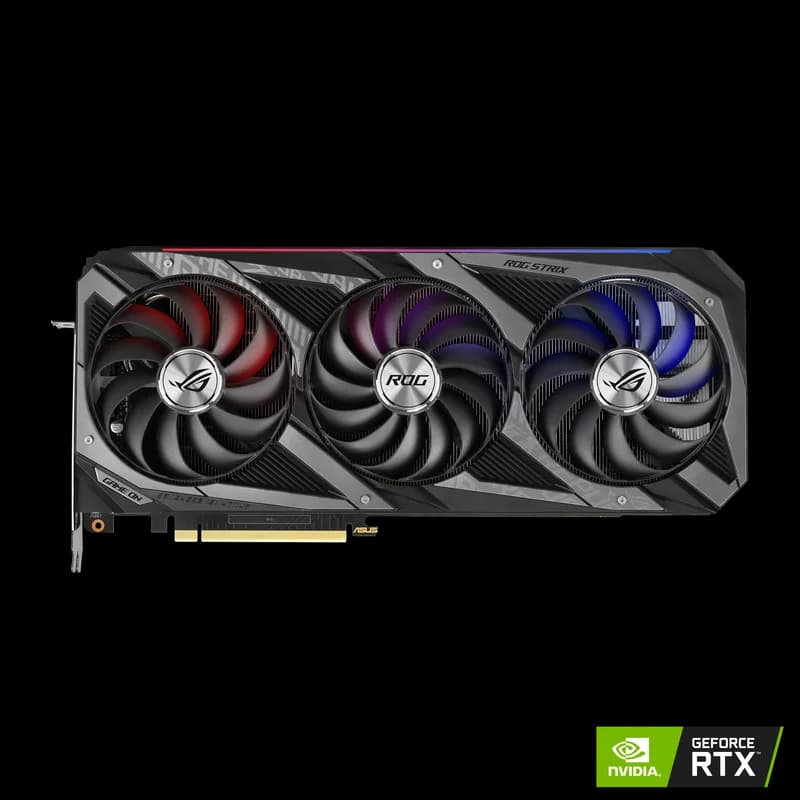
| GeForce RTX 20-series and newer | Yes | Covers 20, 30, 40 and 50 series — a 3090 through an RTX 5090 |
| RTX PRO workstation GPUs (Turing+) | Yes | Includes the 48GB–96GB pro cards |
| NVIDIA DGX Spark | Yes | 128GB coherent unified memory — the largest single-node slot short of a Mac Studio |
| Apple silicon M4 or newer | Yes | M4, M4 Pro, M4 Max and later. Mixed Mac + Windows pools are supported. |
| Apple silicon M1 / M2 / M3 | No | Below the M4 floor — a 64GB M2 Max is excluded despite the memory |
| AMD Strix Halo / Ryzen AI Max+ (e.g. GMKtec EVO-X2) | No | Not on NVIDIA's list. See our Strix Halo mini PC guide for what these boxes are genuinely good at. |
| Intel Arc (e.g. Arc B580) | No | Still a fine budget local-AI card on its own — see our B580 review |
| iGPU-only mini PCs (Ryzen 6000/7000-class) | Client only | Can send requests to the pool; cannot serve into it |
Supported-hardware list per NVIDIA's PAIR documentation and the IFA 2026 announcement (3 Sept 2026), corroborated by MarkTechPost's independent write-up (4 Sept 2026). Windows, macOS and Linux are all supported, with both GUI and terminal interfaces.
The exclusions are the useful part. A large share of the people most excited about "cluster your idle machines" own exactly the hardware on the bottom half of that table — a Strix Halo box bought for its 128GB of shared memory, an Arc B580 in a secondary PC, an M2 Mac mini doing double duty as a server. None of them can serve into a PAIR pool today.
So What Is PAIR Actually Good For? The Concurrency Case
Once you strip away the pooling myth, a real and narrower benefit remains: more simultaneous requests, not bigger models.
Local inference on one box is effectively single-lane. Send a long generation and everything else queues behind it. That is invisible when you are chatting, and painful the moment you run agents: a coding agent chewing through a repo, a chat client, and a RAG indexing job all want the same GPU at once, and your interactive session is suddenly waiting on a background task. Raising batch size helps throughput but not the latency you personally feel.
PAIR's honest value proposition is that a second capable machine becomes a second lane. Two nodes, two concurrent requests, no queue. A household with three people using the same local endpoint gets the same benefit. If you are building the kind of setup we describe in best hardware for local AI agents, this is the specific bottleneck it removes.
The honest test
One strong GPU and LM Studio? PAIR buys you nothing — you have one lane either way. Two or three capable nodes that are idle most of the day? PAIR turns them into a queue-free pool with about fifteen minutes of setup and zero cost.
Which Models Fit on a Single Node
Because every node must hold its model whole, node sizing is just model sizing. This table is the one to size against — the numbers are per-node, not per-cluster.
| Model | Q4 memory | Smallest node that can serve it |
|---|---|---|
| Qwen 3 7B | 4.5 GB | Any supported 8GB+ RTX card |
| Llama 4 Scout 8B | 5 GB | Any supported 8GB+ RTX card |
| DeepSeek R1 7B | 4.5 GB | Any supported 8GB+ RTX card |
| Phi-4 14B | 9 GB | 12GB card; 16GB with real context headroom |
| Gemma 3 27B | 16 GB | 24GB node — 16GB leaves nothing for KV cache |
| CodeLlama 34B | 20 GB | 24GB node minimum |
| Qwen 3 72B | 42 GB | DGX Spark, a large-memory Mac, or dual GPUs in one box |
Q4 figures from our model hardware pages; add roughly 15–25% for KV cache at long context. Quantization primer: INT4 / INT8 quantization.
Read the bottom row carefully. Qwen 3 72B at Q4 needs about 42GB, and no combination of PAIR nodes gets you there unless one of them individually has 42GB. That is the rule in one line: size each node to the model, not to the cluster.
Node Shopping Guide — What to Add to an Existing Setup
Three tiers, each with a decision rule. Pick the one whose rule you actually satisfy.
Cheapest useful second node
Best for: you already have one good machine and want a genuine second 24GB lane for the least money. A used RTX 3090 at $699 – $999 is still the cheapest 24GB entry into a PAIR pool, and 24GB is the capacity tier where the interesting mid-size models live. It is a 350W, previous-generation card, which matters less in a node that idles most of the day than in your primary rig. We compared it head-to-head in used 3090 vs RTX 5070 Ti and used 3090 vs RTX 5060 Ti, and against its successor in 3090 vs 4090.
If 24GB is more than the model you actually serve needs — you are running 7B–14B models and just want another lane — a new RTX 5060 Ti 16GB at $429 – $479 or an RTX 4060 Ti 16GB at $399 – $449 is the lower-power option (side-by-side specs). Just be honest with yourself that 16GB caps what that node can ever serve. Broader options in best consumer GPU for local LLMs and the GPU buying guide hub.
Best drop-in appliance node
Best for: you want a second node that is silent, always on, and requires no case, PSU or assembly. The Mac Mini M4 Pro at $1,399 – $1,599 clears the M4 floor exactly, gives you 24GB of unified memory, and draws a fraction of a 3090 rig's power. Mixed pools work: a Windows RTX box and an M4 Mac mini can serve the same PAIR endpoint side by side. Note the runtime difference if you care about throughput — see MLX vs llama.cpp on Apple silicon and the Apple silicon hub. If you want more memory in the same shape, compare it against the Mac Studio M4 Max.
Don't buy the wrong mini PC for this
x86 mini PCs like the GMKtec M8, M6 Ultra, MAGICNUC AS1, Beelink SER8 and Intel NUC 13 Pro are excellent always-on boxes and we recommend them constantly — but they run integrated graphics, so under PAIR they are clients, not serving nodes. That is a perfectly good role: a $229–$599 always-on machine that hosts your agents and calls the pool. It is not a way to add capacity. If you want one of these as a standalone AI box instead, start with best mini PC for AI or the mini PC hub. Compare the Apple and x86 options directly: Mac Mini M4 Pro vs Beelink SER8.
Ceiling node
Best for: you want one node in the pool that can serve models nothing else in the house can touch. The DGX Spark at $3,999 carries 128GB of coherent unified memory behind a GB10 Grace Blackwell superchip — enough to hold a 70B at Q4 whole, which is precisely what a routed architecture rewards. It is CUDA-native, so it also runs the frameworks a Mac cannot. Weigh it against a discrete card in DGX Spark vs RTX 5090, and note the RTX Spark N1X that NVIDIA also showed at IFA with an October ship window — NVIDIA quotes 1 PFLOP of Blackwell compute, a 20-core Grace CPU and 128GB of unified memory. Those are vendor figures, not numbers we have measured.
The other ceiling options are an RTX 5090 at $1,999 – $2,199 for 32GB of GDDR7 (vs the 4090) or a Mac Studio M4 Max at $1,999 – $5,999, where the high-memory configurations buy you the largest single-node slot available (head to head). Mid-tier cards like the RTX 5080 at $999 – $1,099, the RTX 5070 Ti at $1,049 – $1,299 and the RTX 4080 SUPER at $949 – $1,099 are all supported nodes, but all ship 16GB — fast lanes, not big ones.
Whatever tier you pick, budget storage per node. Each serving node needs its own copy of every model it advertises, and model libraries grow fast; a Samsung 990 Pro 4TB at $289 – $339 is the standard answer. Sizing guidance in how much RAM you need for local AI.
The Networking Bit Everyone Skips
Every PAIR request carries a full prompt to the serving node and streams the full response back, node to node, over mutual TLS on your LAN. That has three practical consequences almost no coverage mentions:
- Wi-Fi hurts time-to-first-token. Link latency sits directly in front of the first token you see, and a flaky link can break a long streamed response mid-generation. Wired gigabit is the practical minimum.
- Wired gigabit is enough — skip the 2.5GbE upsell. Prompts and streamed responses are tiny next to GPU memory bandwidth, so once the link is wired it is not the bottleneck. A MikroTik CRS326-24G-2S+RM at $149 – $199 gives you 24 gigabit ports and two 10G SFP+ uplinks for less than the price of a single mid-range GPU — the cheapest reliable backbone for a multi-box AI setup. If you want routing, IDS and management in one appliance instead, the UniFi Dream Machine Pro at $379 – $449 is the prosumer standard.
- All nodes must be on the same local network. If you have done the responsible thing and put your IoT devices on an isolated guest VLAN, and your spare PC happens to live there too, peer discovery will simply fail. Put every PAIR node on one subnet before you start debugging anything else.
One more line item people forget: three boxes drawing power all day cost three boxes' worth of electricity. Run your numbers through the local AI electricity cost breakdown before you commit to leaving a 3090 rig on 24/7.
Setup Walkthrough (About 15 Minutes)
Assuming two eligible machines on the same wired network:
- Install PAIR on every node. Windows installer, macOS
.dmg, or on Debian/Ubuntusudo apt install ./NVPAIR-Setup-*.deb. GUI and terminal interfaces both ship. - Pick the engine on first run. Ollama is the default; LM Studio is supported. Choose whichever already holds your models — our Ollama setup guide covers the install if you're starting clean.
- Pair the nodes. Choose Add node on the first machine, read the six-digit PIN off the second, enter it. Certificates are exchanged and all subsequent traffic runs over mutual TLS.
- Install the same model on each serving node. Identical tags —
ollama pull qwen3:8bon both. PAIR routes only to nodes that advertise the exact model requested. - Copy the endpoint. From the Endpoints panel, typically
http://127.0.0.1:<port>/v1. Paste it anywhere an OpenAI-compatible base URL is accepted. - Verify under Overview > Jobs. Fire several concurrent requests and confirm they land on different nodes.
The #1 first-run failure
A 502 from the endpoint almost always means no node currently advertises the model you asked for — a typo in the tag, or you pulled qwen3:8b on one machine and qwen3:latest on the other. Check the model list on each node before you touch firewall rules. Day-one reports on r/LocalLLaMA also describe discovery failures across subnets and Wi-Fi latency complaints; treat those as anecdotal beta reports rather than measured behaviour.
PAIR vs the Alternatives
PAIR is one point on a spectrum of "use more than one thing to run AI." It is the easiest and the least powerful.
| Approach | Pools memory? | What it's actually for | Cost |
|---|---|---|---|
| NVIDIA PAIR | No | Concurrency across machines you already own. RTX 20-series+, DGX Spark or M4+ only. | Free, open source |
llama.cpp RPC / --tensor-split |
Yes | Genuine model splitting across machines — but Ethernet is orders of magnitude slower than PCIe, so throughput suffers badly | Free |
| Multi-GPU in one box | Yes | Real pooling over PCIe / NVLink. The correct answer when the model doesn't fit. Full guide. | Cost of the extra GPU + PSU |
| Apple Thunderbolt clustering (EXO) | Yes | Mac-to-Mac sharding over Thunderbolt. Mac mini cluster guide. | Cost of the second Mac |
| vLLM on one strong box | N/A | Continuous batching — often the cheaper fix for concurrency if you have one capable GPU | Free |
That last row deserves emphasis, because it is the alternative PAIR's marketing does not mention. If your concurrency problem is modest, a proper batching server on your existing GPU may solve it without buying anything. NVIDIA separately claims roughly 1.9× throughput improvement on an RTX 5090 from recent llama.cpp kernel work, improved speculative decoding and faster prefill — a vendor claim we have not independently verified, but a reminder that software gains keep arriving for free on hardware you already own.
No PAIR benchmarks exist yet
We are not publishing tokens-per-second figures for PAIR routing. The release is four days old, nobody has run a credible multi-node benchmark, and estimating one would be inventing data. When independent numbers appear, this section gets updated.
Should You Buy Hardware for This? The Verdict
One decision rule, and it is unusually clean:
The rule
Buy a second node only if you are queueing on your current box — if you regularly sit waiting behind your own requests. That is the problem PAIR solves. If you are waiting because the model doesn't fit, PAIR is the wrong tool — buy more VRAM in one machine instead.
Three concrete cases:
- One GPU, occasional chat use. Install PAIR if you're curious; buy nothing. You have one lane and you are not filling it.
- One GPU, agents plus chat plus indexing all day. This is the real PAIR case. A used 3090 or a Mac Mini M4 Pro as a second lane, plus a wired switch, is the highest-value upgrade path — roughly $850–$1,800 all in.
- Model won't fit. Ignore PAIR. Go to multi-GPU in one box, or buy one machine with more memory. No amount of node count fixes capacity.
For teams treating this as infrastructure rather than a hobby, the availability and support story matters more than the peak numbers — we cover that in the local AI server guide for business, and the single always-on box approach in the home AI server build guide. If budget is the binding constraint, start at the AI on a budget hub. And if you are still deciding what to run at all, the local LLM guide hub is the place to start.
PAIR is a genuinely good free tool that does one specific thing well. It is not a way to make small GPUs into a big one, and the four days of coverage claiming otherwise will cost some people real money. Now you know which group you're in.
Frequently Asked Questions
Does NVIDIA PAIR pool VRAM across machines?
No. This is the single most misreported fact about PAIR. NVIDIA's documentation states plainly that PAIR does not pool GPU memory, does not split a model across machines, and does not split or migrate an in-flight request. Every request runs whole on a single node. The practical consequence: three 16GB GPUs on three PCs still cannot run a model that needs 24GB. If you want genuine memory pooling you need multiple GPUs inside one chassis over PCIe or NVLink, or a runtime like llama.cpp's RPC mode that does real model sharding.
Can I run a 70B model on two 32GB machines with PAIR?
No. A 70B model at Q4 needs roughly 40GB, and PAIR will not spread it across two 32GB boxes — each node must independently hold the entire model it serves. Two 32GB machines give you two independent 32GB-class serving slots, which is useful for concurrency but does nothing for model size. To run a 70B at Q4 you need one machine with at least 40GB of usable memory: a 48GB dual-GPU box, a DGX Spark with 128GB unified memory, or a Mac Studio M4 Max configured with enough unified memory.
Does NVIDIA PAIR work with AMD or Intel GPUs?
Not as serving nodes. NVIDIA's supported list is GeForce RTX 20-series and newer, RTX PRO workstation GPUs from Turing onward, DGX Spark, and Apple silicon M4 or newer. AMD Strix Halo boxes like the GMKtec EVO-X2 and Intel Arc cards like the B580 are not on it, and neither are pre-M4 Macs. Those machines can still act as clients that send requests to the router — they just cannot serve inference into the pool.
Does NVIDIA PAIR work over Wi-Fi?
It will function, but it is the wrong way to run it. Every request carries the full prompt to the serving node and streams the full response back over mutual-TLS traffic on your LAN, so Wi-Fi latency lands directly on time-to-first-token and flaky links break long streamed responses mid-generation. Wired gigabit is the practical minimum and is genuinely sufficient — prompts and streamed responses are small, so the link stops mattering once it is wired rather than wireless. PAIR also needs all nodes on the same local network — if your devices sit behind guest or IoT VLAN isolation, peer discovery simply fails.
Is NVIDIA PAIR free, and does my data leave the network?
PAIR is free and open source, published by NVIDIA at github.com/NVIDIA/Personal-AI-Router, and it entered beta on 3 September 2026. Inference stays on your own hardware: prompts and responses travel between your machines over your LAN using mutual TLS, and no request is sent to NVIDIA to be served. Treat beta as beta — the release is days old and the issue tracker is the honest place to check what is currently broken before you build anything load-bearing on it.