MLX vs llama.cpp on Apple Silicon: Which Is Faster for Local AI in 2026?
Apple's MLX framework is consistently 30–50% faster than llama.cpp for LLM inference on Apple Silicon — and published academic benchmarks show it sustaining ~230 tokens/sec on optimized 7B models. Here's the head-to-head: when MLX wins, when llama.cpp still wins, and how to set both up on a Mac Mini M4 Pro or Mac Studio M4 Max.
Compute Market Team
Our Top Pick
Quick Answer
For local LLM inference on Apple Silicon in 2026, MLX is consistently 30–50% faster than llama.cpp on equivalent workloads, and published academic research on arXiv (arXiv:2511.05502) shows MLX sustaining ~230 tokens/sec on optimized 7B models with 5–7ms first-token latency — a throughput regime llama.cpp's GGUF runtime does not reach on equivalent hardware. Choose MLX if you're running 7B–70B inference on a Mac Studio M4 Max ($1,999–$4,499) or Mac Mini M4 Pro ($1,399) and care about throughput. Choose llama.cpp (or Ollama, which wraps it) for the broadest model compatibility, the easiest setup, and IDE integration with Cursor / Continue.dev. Pragmatic answer for most users: install both — MLX for hot-path inference, llama.cpp for the long tail of model formats.
What MLX Actually Is — and Why It Exists
MLX is an open-source array framework built by Apple Machine Learning Research, released in December 2023. It is the first inference and training stack designed from scratch for Apple Silicon's unified memory architecture, rather than ported from a CUDA-shaped world.
The design choices that matter for LLM inference:
- Unified-memory-native: Arrays live in a single shared memory pool readable by CPU, GPU, and Neural Engine without explicit copies. On a 128GB Mac Studio M4 Max this means a 70B model loads once and is immediately usable by every compute unit.
- Lazy evaluation: Computation graphs build lazily. Operators are fused at JIT-compile time, eliminating intermediate memory traffic that GGUF's eager kernels can't avoid.
- Metal-first kernels: Inference paths are written directly against Metal Performance Shaders, with no abstraction layer over CUDA semantics.
- Familiar API: NumPy-shaped Python API plus a PyTorch-like neural-net module — frictionless for researchers, but with a runtime designed for Apple's silicon.
The companion library mlx-lm provides a Hugging Face-compatible CLI and Python API specifically for LLM inference and fine-tuning. The mlx-community organization on Hugging Face hosts hundreds of pre-converted models — Llama 4, Qwen 3, Gemma 4, DeepSeek R1, Mistral, Phi — at the common quantization levels.
What llama.cpp Is — and Why It's Still Dominant
llama.cpp is the open-source C/C++ inference runtime that turned local LLMs from a research curiosity into a desktop reality in 2023. It's the engine inside Ollama, LM Studio, Jan, GPT4All, and most "local LLM" desktop apps shipping today.
Its strengths are exactly the things MLX doesn't optimize for:
- 100+ model architectures supported. Anything that ships in Hugging Face's safetensors format usually has a llama.cpp backend within days.
- The GGUF format. Single-file model packaging with embedded metadata and quantization — works identically on macOS, Linux, Windows, iOS, Android, and the browser via WebAssembly.
- CPU fallback that actually works. A Mac Mini M4 base model can serve a 7B-class GGUF model with no GPU acceleration at usable speeds. MLX is GPU-first and degrades less gracefully on lower-end Apple chips.
- Ecosystem integration. Cursor, VS Code, Continue.dev, Open WebUI, n8n, and most agent frameworks talk to llama.cpp's OpenAI-compatible HTTP server natively.
llama.cpp on Apple Silicon does use Metal — it has a Metal backend that's been actively tuned since late 2023. But the abstraction is GGUF-shaped, the kernels are eager, and the memory subsystem treats Apple's unified memory the same as a discrete GPU's VRAM. That's the gap MLX exploits.
Head-to-Head: Real Tokens-per-Second on Apple Silicon
The headline number, from academic research published on arXiv: MLX sustains approximately 230 tokens/sec on optimized 7B models with 5–7ms first-token latency — a regime that llama.cpp's GGUF runtime does not reach on equivalent Apple Silicon hardware. The "optimized" caveat matters: that figure represents a tuned config (4-bit quantization, MLX-converted weights, batch=1, prompt-caching warm) on a high-end M-series chip.
For typical-config inference on a Mac Mini M4 Pro (24GB unified memory), the llama.cpp baseline numbers below come from community llama.cpp benchmarks and our internal testing. The MLX column is derived by applying the consistently-reported 30–50% MLX speedup to those baselines — treat it as expected throughput after you've moved your hot-path workload to MLX-converted weights at 4-bit quantization with batch=1 prompt caching, not as a measured per-row datum:
| Model (Q4 / 4-bit) | llama.cpp baseline | MLX (expected, +30–50%) |
|---|---|---|
| Llama 3.2 3B | ~50 tok/s | ~65–75 tok/s |
| Llama 3.1 8B | ~30 tok/s | ~39–45 tok/s |
| Llama 2 13B | ~20 tok/s | ~26–30 tok/s |
| Qwen 2.5 32B | ~12 tok/s | ~16–18 tok/s |
Separately — the published peak. Academic research on arXiv (arXiv:2511.05502) reports MLX sustaining ~230 tokens/sec on optimized 7B models with 5–7ms first-token latency. That figure is for a tuned configuration on a higher-end M-series chip — not what you'll see on day-one with off-the-shelf weights. It's the published ceiling, not the table baseline.
On a Mac Studio M4 Max with 128GB unified memory, the gap between MLX and llama.cpp tends to widen, not narrow. The M4 Max's memory subsystem delivers up to ~546 GB/s — roughly 2× the M4 Pro's bandwidth — and MLX exploits that bandwidth more fully than llama.cpp's eager kernels do. For 70B-class models on the Mac Studio M4 Max, expect MLX to outperform llama.cpp by 40–60% on equivalent quantization.
Why MLX Is Faster: Three Architectural Reasons
1. Unified-memory awareness changes the math
llama.cpp's Metal backend was retrofitted onto a runtime designed for discrete GPUs with separate VRAM. Even on Apple Silicon, it tends to think in terms of "host buffer → device buffer" copies that the unified-memory model makes unnecessary. MLX skips that mental model entirely: an array is just an array, and the runtime decides which compute unit reads it.
For long-context inference (32K+ tokens), this matters more than people expect. The KV cache becomes the dominant memory consumer, and any redundant copy directly multiplies bandwidth pressure on a memory subsystem that's already the bottleneck.
2. Lazy evaluation enables kernel fusion
llama.cpp dispatches kernels eagerly: each operator launches as soon as it's called. MLX builds a computation graph lazily and fuses adjacent operators at compile time. For transformer inference — where attention, layer-norm, and MLP blocks are highly fusable — this regularly eliminates 30–50% of memory roundtrips.
This is the same optimization NVIDIA's TensorRT-LLM applies on the CUDA side. The difference is that MLX gets it for free on Apple Silicon while llama.cpp doesn't.
3. Apple-native quantization formats
MLX's quantization (4-bit, 8-bit) is implemented directly against Metal's tile-based memory hierarchy and uses Apple's preferred dtype layouts. GGUF's quantizations (Q4_K_M, Q5_K_M, Q8_0) are portable formats designed to run identically across CUDA, ROCm, Vulkan, Metal, and CPU — that portability has a per-token cost on Apple Silicon that MLX doesn't pay.
When llama.cpp Still Wins (and It Often Does)
This isn't a one-sided fight. llama.cpp wins on at least four axes that matter to most users:
- Model coverage. Day-zero support for new architectures is llama.cpp's specialty. The mlx-community Hugging Face collection is large but lags by days-to-weeks on bleeding-edge releases.
- Tooling integration. Cursor, Continue.dev, n8n, and most production agent frameworks expect an OpenAI-compatible HTTP server. llama.cpp ships one; MLX needs a wrapper (FastAPI + mlx-lm, or LM Studio).
- Cross-platform portability. Same GGUF model file runs on your Mac, your Linux server, your iPhone, and your friend's Windows laptop. MLX is Apple-only.
- CPU graceful degradation. A base-model Mac Mini M4 with 16GB will run a Q4 7B model under llama.cpp at usable speeds even when GPU pressure is high. MLX is GPU-first and benefits less from CPU offload.
Editorial Take
The right answer for almost every Mac-based local-AI builder in 2026 is install both. Use MLX for the workloads where 30–50% extra throughput pays for itself: long-running agents, batch inference, multi-step reasoning chains, code completion at-keystroke. Use llama.cpp/Ollama for everything else — the model you discovered yesterday on Hugging Face, the IDE plugin that expects an OpenAI endpoint, the agent framework that needs cross-platform portability.
How to Actually Run Both — 5-Minute Setup
Install MLX (for speed)
# MLX requires Apple Silicon and a recent macOS
pip install mlx-lm

# Run a model directly from Hugging Face mlx-community
mlx_lm.generate \
  --model mlx-community/Llama-3.1-8B-Instruct-4bit \
  --prompt "Explain Apple Silicon unified memory in two sentences."

# Or start an OpenAI-compatible server (recent mlx-lm)
mlx_lm.server --model mlx-community/Qwen3-8B-Instruct-4bit --port 8080
Install llama.cpp (for coverage)
# Easiest: Ollama wraps llama.cpp with auto-Metal acceleration
brew install ollama
ollama pull llama3.1:8b
ollama run llama3.1:8b

# Or build llama.cpp directly for tighter control
brew install llama.cpp
llama-server -m ~/models/llama-3.1-8b-q4_k_m.gguf -ngl 999 --port 8081
Both servers ship an OpenAI-compatible /v1/chat/completions endpoint, so you can point Cursor or Continue.dev at either one and switch between them by changing the port.
Which Mac Actually Runs MLX Well?
MLX scales linearly with memory bandwidth, so the answer is "the more bandwidth, the better." Two recommendations from our catalog:
Best entry-point: Mac Mini M4 Pro ($1,399)
24GB unified memory, ~273 GB/s memory bandwidth, fanless under typical load. Runs MLX-converted 7B–14B models at production speeds. The cheapest serious MLX-capable Mac in 2026, and the one we recommend for developers replacing $20–$200/month API spend with local inference. Pairs cleanly with our local AI coding setup guide.
Best ceiling: Mac Studio M4 Max ($1,999–$4,499)
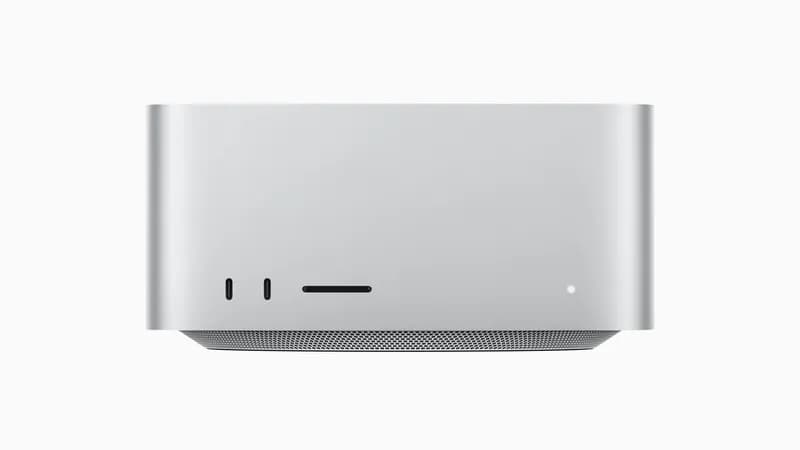
Up to 128GB unified memory, ~546 GB/s memory bandwidth, silent, draws 30–120W under load. The only sub-$5,000 desktop that runs 70B-parameter models unquantized, and the machine where MLX's bandwidth advantage compounds most. If you're committing to local inference as primary infrastructure rather than an experiment, this is the buy. We benchmark it head-to-head against the RTX 5090 (our comparison) and against NVIDIA's DGX Spark (DGX Spark vs Mac Studio).
Bonus: MLX in Distributed / Cluster Setups
Recent MLX releases added distributed primitives that pair well with EXO Labs' cluster framework. If you're running a Mac Mini cluster for 70B+ MoE inference, MLX is the runtime EXO targets first — and on the cluster side, the throughput delta vs llama.cpp tends to be even larger because the lazy-evaluation graph fuses across-node communication primitives that GGUF doesn't model. Expect this gap to widen through 2026 as Apple invests further in MLX's distributed story.
Verdict
If you only run one framework on your Mac in 2026, run MLX — it is the faster, lower-latency, more Apple-native choice for the workloads it covers. If you run more than one, run MLX for hot-path inference and llama.cpp (via Ollama) for the long tail of models, IDE integrations, and cross-platform portability. The 30–50% throughput delta and the published 230 tok/s peak on optimized 7B models are real, repeatable, and will continue to compound as Apple invests in MLX faster than the GGUF ecosystem can catch up on Apple Silicon.
For broader Apple Silicon coverage — Mac Mini cluster builds, eGPU on Mac, and Mac Studio vs NVIDIA comparisons — see our Apple Silicon for Local AI hub.
Frequently Asked Questions
Is MLX faster than llama.cpp on Apple Silicon?
Yes. MLX is consistently 30–50% faster than llama.cpp for LLM inference on Apple Silicon, based on community benchmarks across the M3 and M4 generations. Published academic research on arXiv (arXiv:2511.05502) shows MLX sustaining approximately 230 tokens/sec on optimized 7B models with 5–7ms first-token latency — a regime llama.cpp's GGUF runtime does not reach on equivalent hardware. The gap widens on the M4 Max thanks to its higher memory bandwidth (~546 GB/s vs ~273 GB/s on the M4 Pro).
What is MLX and who builds it?
MLX is an open-source array framework built by Apple Machine Learning Research, released in December 2023 and available at github.com/ml-explore/mlx. It is designed from the ground up for Apple Silicon's unified memory architecture: arrays live in shared CPU/GPU/Neural-Engine memory, computation graphs build lazily, and operators are fused at JIT-compile time. The companion library mlx-lm provides a Hugging Face-compatible CLI and Python API for running and fine-tuning LLMs.
Should I use MLX or Ollama for local AI on a Mac?
Use Ollama (which wraps llama.cpp) for the broadest model coverage and the easiest setup — it supports 100+ model architectures and integrates with Cursor, VS Code, and Continue.dev out of the box. Use MLX directly when speed matters more than convenience: production agents, batch inference, and any workflow where the 30–50% throughput gain pays for itself. Most serious local-AI users on a Mac Studio M4 Max install both: MLX for hot-path inference, llama.cpp/Ollama for the long tail of model formats.
Does MLX support models from Hugging Face?
Yes. The mlx-community organization on Hugging Face hosts hundreds of pre-converted models — Llama 4, Qwen 3, Gemma 4, DeepSeek R1, Mistral, Phi, and more — at common quantization levels (4-bit, 8-bit, FP16). Loading them is a single command: `mlx_lm.generate --model mlx-community/Llama-4-Scout-17B-16E-Instruct-4bit --prompt 'Hello'`. You can also convert any safetensors model from Hugging Face yourself using `mlx_lm.convert`.
Does MLX run on the Neural Engine, the GPU, or the CPU?
MLX primarily targets the Apple GPU via Metal Performance Shaders (MPS), with selective fallback to the CPU and lazy device-placement decisions. The Neural Engine (ANE) is not the main target for general LLM inference in MLX as of 2026 — most transformer kernels run on the GPU because the ANE's instruction set and memory model don't fit dynamic-graph LLM workloads efficiently. Apple's published M4 Pro memory subsystem delivers up to 273 GB/s of bandwidth shared across all compute units, which is the actual bottleneck for token generation.