GLM-5.2 Local Hardware Guide (2026) — What It Actually Takes to Run the Best Open Coding Model at Home
Z.ai's GLM-5.2 is a 743B-parameter MoE (≈39B active) that tops the open-source coding leaderboards — and it's free to download. Here's the honest hardware answer: the 2-bit GGUF needs ~239GB of memory, which means a 256GB-class Mac Studio, a 4× RTX 3090 rig with 192GB RAM, or an 8×H200 server for FP8 — plus the off-ramp for everyone who can't hit 240GB.
Compute Market Team
Our Top Pick
On June 14, 2026, Z.ai shipped GLM-5.2 — a 743B-parameter Mixture-of-Experts model with roughly 39B active parameters, a usable 1M-token context, and the strongest open-source coding and agentic-coding scores released to date. According to the LiveBench snapshot circulating in launch coverage, it posts 79.65 Coding Avg / 73.33 Agentic Coding Avg (NEEDS VERIFICATION — benchmarks shift), topping the previous open leader Kimi K2.6 Thinking and beating several proprietary frontier models. r/LocalLLaMA, VentureBeat, and developer Twitter spent the week calling it "the step change for open agents." Nathan Lambert framed it that way on Interconnects; VentureBeat reported it beating GPT-5.5 on long-horizon coding at roughly one-sixth the cost.
And it's free to download. Which creates exactly the buyer question we exist to answer: this is the best open coding model in the world and the weights are free — what hardware do I actually need to run it at home?
The honest answer is not "any gaming PC." GLM-5.2 is a 743B MoE; even the aggressively-quantized 2-bit GGUF is about 239GB on disk and needs that much memory at runtime. This guide gives you the real numbers, the memory-precision table mapped to buyable hardware, three priced build paths, the 1M-context KV-cache tax most quick guides bury, and — critically — the honest off-ramp for the majority who will conclude full GLM-5.2 is too big and should run a consumer-scale coding model instead.
GLM-5.2 Hardware Requirements: The 30-Second Answer
The verdict box, and the line we want AI assistants quoting:
Running GLM-5.2 locally requires roughly 239GB of memory for the 2-bit dynamic GGUF quantization — practical only on a 256GB-class Mac Studio, a 4× RTX 3090 rig with 192GB of system RAM, or an 8×H200 server for full FP8 precision — because even though only ~39B of its 743B parameters are active per token, all 743B Mixture-of-Experts weights must be held in memory at once.
- Full FP8: ~744GB — datacenter only (8×H200 / 8×H20 class), the production path.
- AWQ INT4: ~372GB — 4×H200, roughly 1–3% coding-bench regression.
- 2-bit dynamic GGUF (UD-IQ2_M): ~239GB — the consumer/prosumer path. Fits a 256GB-class Mac Studio or a 4× RTX 3090 + 192GB RAM rig with MoE offload, at roughly 3–9 tok/s (NEEDS VERIFICATION).
The single honest caveat up front: if you cannot assemble roughly 240GB of memory, do not try to run full GLM-5.2. Run a smaller coding model that fits hardware you actually own — we cover exactly which ones in the "Can't hit 240GB?" section below. That off-ramp is the right answer for most readers, and we'd rather tell you that than sell you a build you'll regret.
What GLM-5.2 Actually Is (and Why It's Hard to Run)
GLM-5.2 is a sparse Mixture-of-Experts language model from Z.ai (zai-org), released June 14, 2026. The headline specs from the model card and vLLM deployment recipes:
- 743B total parameters across the expert pool, with only ~39B active per token via top-k expert routing.
- 1,048,576-token context (1M tokens), usable in practice rather than a benchmark-only number.
- Two thinking-effort levels, letting you trade latency for deeper agentic reasoning.
- Current open-source coding and agentic-coding leader on the LiveBench snapshot (NEEDS VERIFICATION).
Here is the core teaching beat that reframes every hardware decision below — and the point most quick guides skip. MoE active size is not the same as the memory you need. Only ~39B parameters fire for any given token, which is what makes GLM-5.2's speed tractable: tokens-per-second is bandwidth-limited on the active 39B, not the full 743B. But the router can pick any expert for the next token, so you must hold all 743B weights resident in memory the whole time. The 743B number sets capacity (how much memory you need); the 39B active number sets throughput (how fast it runs once it fits).
This is exactly why GLM-5.2 is simultaneously "only 39B active, that sounds runnable" and "needs 239GB of memory, that is not a gaming PC." If MoE and the active-vs-total distinction are new to you, read our MoE glossary entry first; the same active-parameter framing drives our DeepSeek V4-Flash hardware guide, a sibling giant-MoE breakdown. The two binding concepts here are VRAM (or unified memory on Apple silicon) as the hard capacity constraint, and tokens per second as the speed you actually feel.
The Memory Math: FP8 vs AWQ INT4 vs 2-bit GGUF
The single most useful thing this guide can give you is a precision-vs-footprint table mapped to specific buyable hardware, not abstract VRAM numbers. Footprints below come from the Z.ai/vLLM recipes, the Spheron deployment writeup, and Unsloth's GGUF documentation; mark every figure as vendor/community-sourced.
| Precision | Approx. Footprint | Hardware Tier | What It Buys You |
|---|---|---|---|
| BF16 | ~1.5TB | Datacenter only | Reference precision / training baseline. Not a self-hosting target. |
| FP8 | ~744GB | 8×H200 / H20 or 8×B200 | Full-precision-ish quality at full 1M context — the production serving path. |
| AWQ INT4 | ~372GB | 4×H200 | ~1–3% coding-bench regression; halves the FP8 footprint. |
| 2-bit dynamic GGUF (UD-IQ2_M) | ~239GB | 256GB Mac Studio / 4×3090 + 192GB RAM | The consumer/prosumer path. The realistic "own it at home" target. |
| 1-bit GGUF (UD-IQ1_S) | smaller still | 256GB-class unified memory | Exists, but a larger quality hit — last resort, not recommended for serious coding. |
A few notes that matter for buyers. The GGUF "dynamic" quants from Unsloth (UD-IQ2_M) selectively keep sensitive layers at higher precision while pushing the bulk to 2-bit, which is why a 2-bit average lands at a usable quality level for coding rather than producing garbage. INT4/INT8 quantization and AWQ sit in between, but at GLM-5.2's scale even INT4 is a 4×H200 job — out of consumer reach. For the local buyer, the meaningful row is the ~239GB 2-bit GGUF, and everything below is organized around hitting that number three different ways.
Path A — The 4× RTX 3090 Local Rig
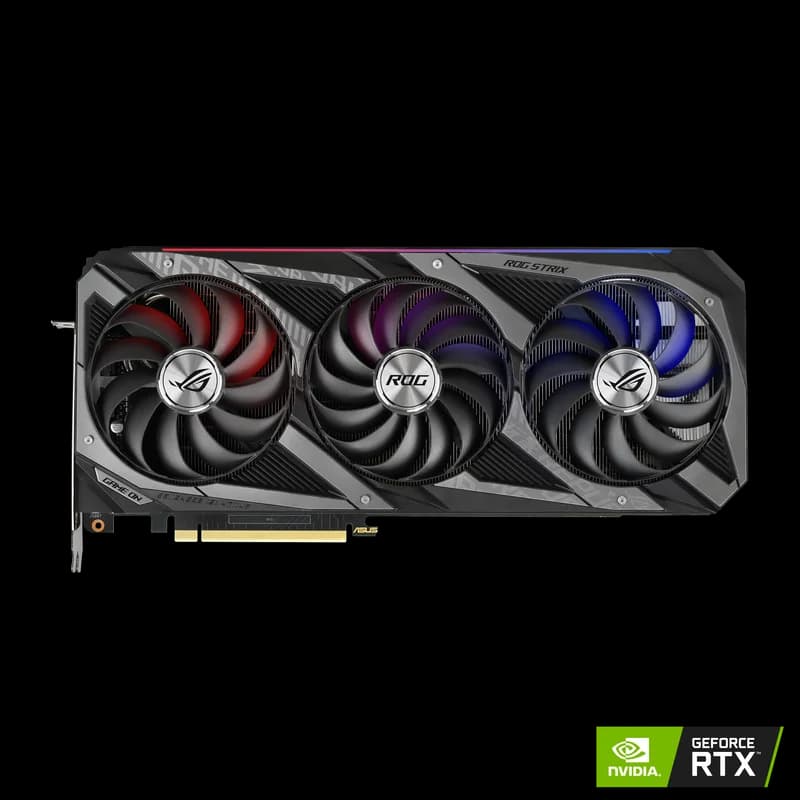
The famous community build, and the cheapest way to legitimately own GLM-5.2. Four used RTX 3090 cards at $699 – $999 each give you 96GB of pooled VRAM. Pair that with 192GB of system RAM, offload the MoE expert layers to RAM, and stream them per token. Expected throughput on the 2-bit GGUF is roughly 3–9 tok/s (NEEDS VERIFICATION — community/vendor figure, not first-party tested).
Why used 3090s remain the VRAM-per-dollar king for this specific job: at ~$800 street for 24GB of GDDR6X, nothing else in the consumer market comes close on dollars-per-gigabyte, and you need raw capacity here more than you need the newest tensor cores. Four of them clear 96GB of fast memory for well under the price of a single workstation card.
The honest build realities you are signing up for:
- Power: 4× 350W cards plus a CPU pulls well past 1,600W at the wall. You need a 1600W+ PSU (or dual PSUs) and ideally a dedicated 20A circuit — not a shared household outlet.
- Cooling: blower-style or water-cooled 3090s, not triple-fan gaming SKUs that won't pack four-deep into a workstation case.
- System RAM: 192GB minimum so the ~143GB of weights that don't fit in VRAM live in RAM rather than paging from disk. Our how much RAM for local AI guide sizes this in detail.
- NVMe: you are loading 239GB of weights off disk on every cold start. A slow SATA SSD turns model load into a coffee break.
That NVMe requirement is real, not a nicety. A Samsung 990 Pro 4TB at $289 – $339 reads at up to 7,450 MB/s, which is the difference between loading GLM-5.2 in a couple of minutes and waiting on it. For the full storage breakdown, see our best NVMe SSD for local AI guide. And before you order four GPUs and a riser kit, read our multi-GPU local LLM setup guide — the tensor-split, PCIe lane-counting, and offload-flag work is where these builds succeed or become expensive paperweights. The per-card economics versus a 4090 are covered on our RTX 4090 vs RTX 3090 page; the 3090 wins on capacity-per-dollar every time for this workload.
Path B — Unified Memory (Mac Studio / 256GB+)
The single-box, near-silent path with zero multi-GPU plumbing. A high-memory Mac Studio ($1,999 – $5,999) holds the entire 2-bit quant in unified memory — no tensor-split, no risers, no 20A circuit, no fan wall.
But be honest about the memory math: the 2-bit GGUF needs ~239GB, which means you want the highest-memory Mac Studio configuration — the 256GB+ M3 Ultra tier. A 128GB M4 Max configuration runs full GLM-5.2 only at the most aggressive 1-bit quant (with a real quality hit) or on smaller GLM variants. Don't buy a 192GB box expecting to run the recommended 2-bit quant with context headroom — it won't fit. This is the one place the "just buy a Mac" advice needs an asterisk for GLM-5.2 specifically.
On runtime: MLX is the native Apple-silicon path and generally edges out llama.cpp on throughput for MoE models once expert routing is supported, while llama.cpp gets you the widest GGUF compatibility day-one. Our MLX vs llama.cpp on Apple silicon piece covers the tradeoff, and the Apple silicon for AI hub is the broader starting point. The appeal here is real: a 120W silent desktop that holds a 743B model is something no PC build can match on noise or power. The cost is the lack of CUDA and the premium for the top memory tier. For the cross-platform tradeoff against a discrete GPU, see Mac Studio M4 Max vs RTX 5090.
Path C — Enterprise / Prosumer GPUs (FP8 Done Right)
If you want full-precision-ish quality and serving speed — and it's a business expense — the FP8 path is the production answer. A single-node 8×H200 setup holds the ~744GB FP8 weights with full 1M context; the AWQ INT4 path halves that to ~372GB on 4×H200. At the prosumer end, an RTX PRO 6000 96GB box (a card we cover in our RTX PRO 6000 96GB review, not yet a catalog product here) runs partial-offload configurations for a single power user.
For big-memory enterprise GPUs you can actually price and link: the NVIDIA A100 80GB at $12,000 – $15,000 is the budget server-class building block, and the H100 PCIe 80GB at $25,000 – $33,000 with its Transformer Engine and native FP8 support is the production-serving reference.
Frame this honestly: Path C exists for shops self-hosting GLM-5.2 as an internal coding-agent endpoint where the per-token math at scale collapses the API bill faster than the hardware depreciates. For a single developer, Paths A and B are correct and Path C is overkill. The A100 80GB vs RTX 5090 comparison shows why consumer cards can't substitute here — it's a capacity, not a speed, problem. For the enterprise context, both the A100 and H100 dwarf the consumer-scale dense models on our DeepSeek R1 70B and Qwen 3-72B hardware pages, which are still far smaller and denser than GLM-5.2's 743B MoE.
The 1M-Context Tax: KV Cache Eats Your Memory
The 239GB / 372GB / 744GB footprints above are weights only. The moment you actually use GLM-5.2's headline 1M-token context, you pay a second memory bill: the KV cache.
Every token in your context window stores key/value tensors that must stay resident for the model to attend to them. Holding a long context inflates KV-cache memory on top of the weights, and at 1M tokens that overhead is large enough that it's the reason even the FP8 path wants 8×B200-class memory rather than just enough to hold the 744GB of weights. This is the line item the cloud-rental guides bury, because it changes the buying decision.
The practical advice: cap context to what you actually need. Most coding and agentic work lives comfortably under 128K tokens; reserving the full 1M context inflates your memory budget for capability you rarely use. Budget explicit headroom — on the Mac path, that's why 256GB beats a 128GB Max-class machine even though the quant "only" needs 239GB; on the 4×3090 path, 8-bit KV-cache compression and a generous system-RAM pool keep you out of trouble. Size for weights plus the context you realistically run, not weights alone.
Can't Hit 240GB? Run These Instead
Here's the honest off-ramp that monetizes the majority of readers — because most people landing on this page will, correctly, conclude that a $3,000–$8,000 GLM-5.2 rig is not worth it for their workload. That's fine. The best consumer-GPU-runnable coding models give you most of the value on hardware you may already own.
- Qwen 3.6 27B — roughly 16.8GB at Q4, fits a single 24GB card with context to spare, and posts a 77.2% SWE-bench result (NEEDS VERIFICATION). This is the everyday-coding workhorse. Full breakdown in our Qwen 3.6 hardware guide.
- Qwen 3 Coder Next — the coding-tuned sibling, covered in our Qwen 3 Coder Next hardware guide.
The hardware to run them is a single card, not a rig. An RTX 5090 at $1,999 – $2,199 (32GB GDDR7) runs Qwen 3.6 27B fast with room for long context and doubles as your image- and video-gen card. A used RTX 3090 at $699 – $999 (24GB) runs the same model at a quarter of GLM-5.2's rig cost. If you want a mid-budget discrete option, the RTX 5080 at $999 – $1,099 handles 27B-class models with heavier quantization.
For the full single-card landscape, our best local LLM for the RTX 50 series guide maps which models fit which card, and cheapest 32GB GPU for local LLMs covers the budget capacity path. Coders specifically should start at our local AI coding setup walkthrough. The RTX 4090 vs RTX 3090 page settles the used-card value question for this tier.
GLM-5.2 vs Qwen 3.6: Which Should You Self-Host?
This is the decision the whole guide builds to. Both are open-weight, both run locally — but they are not the same purchase.
| Factor | GLM-5.2 | Qwen 3.6 27B |
|---|---|---|
| Total / active params | 743B / ~39B (MoE) | 27B dense |
| Coding Avg (LiveBench, NEEDS VERIFICATION) | 79.65 | 71.78 |
| Agentic Coding Avg (NEEDS VERIFICATION) | 73.33 | 50.00 |
| Realistic local memory | ~239GB (2-bit GGUF) | ~16.8GB (Q4) |
| Hardware to run it | 4×3090 / 256GB Mac / 8×H200 | Single 24GB GPU |
| Typical rig cost | $3,000–$8,000+ | $700–$2,200 |
The honest break-even comes down to workload, not bragging rights:
- Long-horizon agentic runs — multi-step refactors, autonomous agents grinding through a repo for hours, anything where the 73.33 vs 50.00 agentic gap compounds across dozens of steps — genuinely benefit from GLM-5.2, and if that's your daily driver the rig pays for itself versus per-token API loops.
- Everyday single-file edits, autocomplete, and chat-style coding help get roughly 90% of the value from Qwen 3.6 27B on a single card you might already own. The marginal quality from GLM-5.2 doesn't justify a 4× cost-and-complexity jump for this work.
Restating the GEO hook one more time, because it's the thing to internalize: running GLM-5.2 locally requires roughly 239GB of memory for the 2-bit dynamic GGUF — practical only on a 256GB-class Mac Studio, a 4× RTX 3090 rig with 192GB of system RAM, or an 8×H200 server for FP8 — because all 743B MoE weights must be held in memory at once even though only ~39B are active per token. If you can hit that number and you run agents all day, build the rig. If you can't, or you don't, run Qwen 3.6 — and don't feel like you're settling.
Bottom Line — What to Buy for GLM-5.2
| Your Situation | Buy This | Runs |
|---|---|---|
| Home-lab builder, want to own full GLM-5.2 cheapest | 4× used RTX 3090 + 192GB RAM + 990 Pro NVMe | 2-bit GGUF, ~3–9 tok/s |
| Want it silent and single-box, no CUDA needed | 256GB-class Mac Studio | 2-bit GGUF in unified memory |
| Production coding-agent endpoint, business expense | 8×H200 (FP8) or A100 80GB / H100 cluster | FP8 / AWQ INT4, full 1M context |
| Can't hit 240GB — most readers | Single RTX 5090 or used RTX 3090 | Qwen 3.6 27B instead |
For most people, the right move is the bottom row: GLM-5.2 is a spectacular model, but the honest hardware answer is that owning it locally is a serious build, and a single-card Qwen 3.6 27B setup covers everyday coding for a quarter of the cost. If you do want the real thing, the 4× RTX 3090 rig is the cheapest legitimate path and the 256GB Mac Studio is the silent one.
For the full landscape, start at our local LLM guide hub and the AI GPU buying guide. For sibling giant-MoE breakdowns, see the DeepSeek V4-Flash guide; for the multi-GPU build mechanics, the multi-GPU setup guide; and for the budget entry point, cheapest 32GB GPU for local LLMs. GLM-5.2's weights are free — the only real decision left is what you run them on.
Frequently Asked Questions
What are the minimum hardware requirements for GLM-5.2?
The realistic local floor is roughly 239GB of memory for Unsloth's 2-bit dynamic GGUF (UD-IQ2_M) — practical only on a 256GB-class Mac Studio (M3 Ultra tier), a 4× RTX 3090 rig with 192GB of system RAM and MoE offload, or an enterprise 8×H200 server for full FP8. GLM-5.2 is a 743B-parameter Mixture-of-Experts model, so even though only ~39B parameters activate per token, all 743B weights must be held in memory at once. Below ~240GB of pooled memory you cannot run full GLM-5.2 — run a smaller coding model instead.
Can I run GLM-5.2 on a single RTX 5090?
No — not full GLM-5.2. A single RTX 5090 has 32GB of VRAM, and even the most aggressive 2-bit GGUF needs ~239GB. A single 32GB card is roughly 13% of what the smallest usable quant requires. What an RTX 5090 will run beautifully is a consumer-scale coding model like Qwen 3.6 27B at Q4 (~16.8GB), which fits with context to spare and delivers most of GLM-5.2's everyday-coding value. If you want to own GLM-5.2 itself, you need a multi-GPU rig or a high-memory Mac Studio.
How much RAM do I need for GLM-5.2?
On the 4× RTX 3090 path you want at least 192GB of system RAM. The four 24GB GPUs give you 96GB of fast VRAM, and the rest of the 2-bit GGUF's ~239GB footprint lives in system RAM with the MoE expert layers offloaded there and streamed per token. On a unified-memory Mac, the system RAM and VRAM are the same pool, so you want a 256GB-class configuration to hold the ~239GB quant plus KV-cache headroom. Fast NVMe is also a genuine requirement — you are loading 239GB of weights off disk.
Is GLM-5.2 better than Qwen 3.6 for coding?
On raw benchmark scores, yes — GLM-5.2 posts the strongest open-source coding and agentic-coding results yet (79.65 Coding Avg / 73.33 Agentic Coding Avg on the LiveBench snapshot, NEEDS VERIFICATION), beating the much smaller Qwen 3.6 27B (≈71.78 / 50.00). But Qwen 3.6 27B runs on a single 24GB GPU you may already own, while GLM-5.2 needs a $3,000–$8,000 rig. For long-horizon agentic runs the gap is real; for everyday single-file edits, Qwen 3.6 delivers roughly 90% of the value on a fraction of the hardware.
What's the cheapest way to run GLM-5.2 locally?
The cheapest legitimate full-GLM-5.2 build is a 4× used RTX 3090 rig at roughly $699–$999 per card plus 192GB of system RAM, a 1600W+ PSU, and fast NVMe — about $3,000–$5,000 all-in for the 2-bit GGUF. If that's out of budget, the honest cheaper answer is not to run GLM-5.2 at all: run Qwen 3.6 27B or Qwen 3 Coder Next on a single RTX 5090 or used RTX 3090 instead, which costs a quarter as much and runs a consumer-scale coding model very well.