AMD Ryzen AI Halo Review: The $3,999 128GB Local-LLM Box, Benchmarked (2026)
Hands-on-grade review of AMD's $3,999 Ryzen AI Halo Developer Platform — the retail Strix Halo (Ryzen AI MAX+ 395) box with 128GB unified memory. Real tokens/sec by model size, the honest ROCm reality check, and how it stacks up against the $4,699 DGX Spark and Mac Studio.
Compute Market Team
Our Top Pick
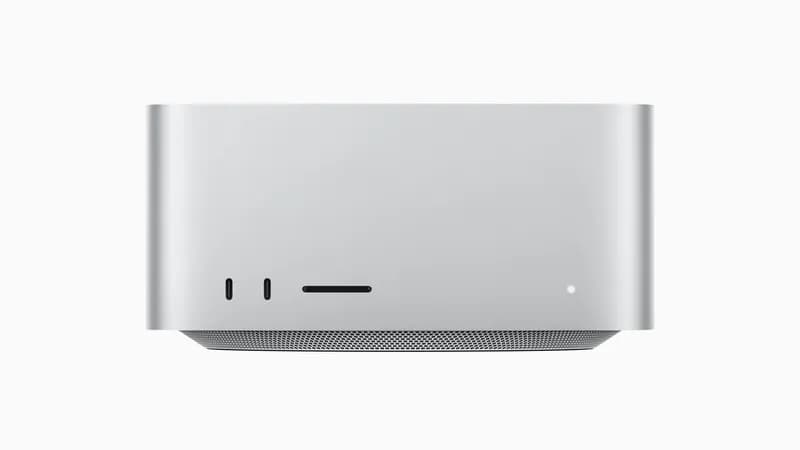
AMD's Ryzen AI Halo Developer Platform is the box a lot of local-AI builders have been waiting for: a retail Strix Halo desktop built around the Ryzen AI MAX+ 395, packing 128GB of unified LPDDR5x memory for $3,999. The review embargo lifted July 6, 2026, preorders opened with Micro Center local pickup on July 10, and the benchmark numbers finally landed — so this is a review written against real data, not spec-sheet hype.
Quick verdict: The AMD Ryzen AI Halo Developer Platform pairs a Ryzen AI MAX+ 395 with 128GB of unified LPDDR5x memory (~256 GB/s) for $3,999 — undercutting NVIDIA's $4,699 DGX Spark by $700 — and delivers roughly 40–80 tokens/sec on sub-10B models, usable double-digit speeds on 27–35B MoE models, and drops to single digits on dense 70B models. Buy it if you want the cheapest 128GB box that also runs native Windows 11 and you're comfortable with ROCm. Skip it if your workflow depends on CUDA (get the DGX Spark), if you want the quietest big-memory box (Mac Studio), or if your real workload is image/video generation or fine-tuning (get a discrete NVIDIA GPU).
Most coverage of this launch is one of two things: a generic "what is Strix Halo" explainer, or a platform spec-sheet that never tells you what to buy. This review is the third thing buyers actually want — a benchmark-first, product-specific verdict anchored to the exact $3,999 SKU you can preorder today, with an honest ROCm reality check and a decision matrix against the DGX Spark and Mac Studio. Every alternative we name is a live product you can click through and buy.
Specs that matter for local AI
Ignore the marketing bullets. Here's what each spec means for the only two things that matter on a local-AI box: how big a model fits, and how fast it runs.
| Spec | AMD Ryzen AI Halo (Ryzen AI MAX+ 395) | What it means for AI |
|---|---|---|
| CPU | 16-core / 32-thread Zen 5 | Fast prompt tokenization, strong CPU-offload fallback |
| iGPU | 40 RDNA 3.5 compute units | Runs the GGUF inference via ROCm / Vulkan; no CUDA |
| NPU | XDNA 2, ~50 TOPS | Windows Copilot+ / small on-device models; not the main LLM engine yet |
| Unified memory | 128GB LPDDR5x, ~256 GB/s | Holds 70B Q4 with room; bandwidth caps token/sec on big models |
| OS | Native Windows 11 + Linux dual-boot | Daily-driver desktop that also runs LLMs |
| Price | $3,999 | $700 under the DGX Spark |
The number that governs everything is ~256 GB/s of memory bandwidth. Token generation on a dense model is memory-bandwidth-bound — every generated token requires reading the whole active weight set out of memory — so a box with ~256 GB/s will generate roughly a quarter the tokens/sec of a Mac Studio M4 Max (~546 GB/s) or a fraction of an RTX 5090 (1,792 GB/s) on the same dense model. The 128GB of unified memory is what makes the Halo special: CPU and iGPU share one pool, so you load a large model without a multi-GPU rig. Capacity is generous; bandwidth is the honest ceiling. That trade — huge capacity, modest bandwidth — is the entire story of this class of machine.
Real-world benchmarks: tokens/sec by model size
This is the section the SERP is missing. Below are the numbers that matter, aggregated from embargo-day reviews (Tom's Hardware, StorageReview, LTT Labs), Micro Center's hands-on ("~45 tokens per second" on mid-size models), and community field tests (r/LocalLLaMA, zenvanriel.com). Treat them as directional, not lab-certified by us — speeds swing with quant level, context length, and backend.
| Model class | Example | Approx. tokens/sec | Verdict |
|---|---|---|---|
| Small dense (<10B) | Llama 4 Scout 8B, Qwen3 7B (Q4) | ~40–80 tok/s | ✅ Snappy, interactive |
| Mid MoE (27–35B active) | Gemma 3 27B, GLM-class MoE | ~25–45 tok/s | ✅ Very usable |
| Coder MoE | Qwen3-Coder-class (Q4) | ~100 tok/s reported | ✅ MoE sparsity helps |
| Dense 70B | Qwen 3 72B, DeepSeek-R1 70B (Q4) | ~4–9 tok/s | ⚠️ Works, but slow |
| ~120B MoE (aggressive quant) | 120B GGUF | Low double digits | ⚠️ Fits; bandwidth-limited |
⚠️ Figures are vendor/community-reported and vary with quantization, context length, and ROCm vs Vulkan backend. The ~101 tok/s Qwen3-Coder figure and 120B GGUF runs come from r/LocalLLaMA community benchmarks; the "~45 tok/s" mid-size figure is Micro Center's hands-on.
Two takeaways decide the purchase. First, the MoE advantage is real: a mixture-of-experts model activates only a slice of its parameters per token, so a 27–35B-active MoE feels dramatically faster than a dense 70B even though both "fit" in memory. If you plan to run modern MoE models — and most of the best 2026 open models are MoE — the Halo is far more usable than the dense-70B number suggests. Second, dense 70B is where the ~256 GB/s bandwidth bites: it runs, it's coherent, but at single-digit tokens/sec it's a batch-job machine, not an interactive one. If dense 70B at reading speed is your must-have, this is not your box — a Mac Studio or a discrete-GPU rig is. For the underlying math on why bandwidth caps speed, see our guide to how much RAM you need for local AI. For a continuously updated tok/s table on this exact silicon — more model classes, more quant levels than we track here — DataHardware maintains a dedicated Strix Halo tokens-per-second reference.
What you can actually run in 128GB
Model fit on the Halo is identical to any other 128GB box — capacity is capacity. The nuance is matching quant level to memory headroom so you leave room for context. Here's the realistic map:
| Model | Approx. size (Q4) | Fits in 128GB? | Feel |
|---|---|---|---|
| Gemma 3 27B | ~16GB | ✅ Easily | Fast, big batch/context |
| Qwen 3 72B (dense) | ~42GB | ✅ Comfortably | Slow (single digits) |
| Llama 4 Maverick (MoE) | ~40GB active-quant | ✅ Comfortably | Usable — MoE sparsity |
| DeepSeek-R1 70B distill | ~40GB | ✅ Comfortably | Slow but coherent |
| GLM-class / 120B MoE | ~60–70GB (aggressive quant) | ✅ Fits | Low double digits |
| Kimi K2.6 (~1T MoE) | ~600GB | ❌ Not close | Needs a server/cloud |
The honest headline: the Halo owns the 27B–120B MoE sweet spot and can technically load dense 70B, but it does not touch the trillion-parameter frontier — nothing at $4,000 does. If you mostly run coding assistants, agents, and mid-size reasoning models via GGUF in Ollama or llama.cpp, 128GB is more than enough and the Halo delivers. If your goal is the absolute frontier of open models, no compact desktop gets you there — that's a multi-GPU server conversation.
Ryzen AI Halo vs DGX Spark vs Mac Studio M4 Max
This is the comparison every buyer demands, because these three are the corners of the 128GB-class triangle. Here's the decision-grade matrix.
| Spec | AMD Ryzen AI Halo | NVIDIA DGX Spark | Mac Studio M4 Max |
|---|---|---|---|
| Price | $3,999 | $4,699 | $1,999 – $5,999 |
| Unified memory | 128GB LPDDR5x | 128GB LPDDR5X | Up to 128GB |
| Memory bandwidth | ~256 GB/s | ~273 GB/s | ~546 GB/s |
| Software stack | ROCm / Vulkan | CUDA (turnkey) | MLX / Metal |
| OS | Windows 11 + Linux | Linux only (DGX OS) | macOS |
| Prompt processing | Slower (iGPU) | Fastest (Blackwell) | Middle |
| Best for | Cheapest Windows-native 128GB box | CUDA dev & long-context RAG | Silent, best token-gen bandwidth |
The clean way to read this: the DGX Spark wins on software and prompt processing — CUDA "just works" and its Blackwell tensor cores ingest long prompts several times faster, which is decisive for RAG and code analysis. The Mac Studio wins on token-generation bandwidth (~546 GB/s is roughly 2× either PC box) and on silence. The Halo wins on price and Windows. It's the only one of the three that is also a normal desktop PC — it undercuts the Spark by $700 and runs your everyday apps. We break the NVIDIA/AMD side of this down further in our DGX Spark vs Strix Halo platform comparison, and the NVIDIA/Apple corner in our DGX Spark vs Mac Studio M4 Max guide.
If bandwidth and silence top your list, the Mac Studio M4 Max ($1,999 – $5,999) is the direct 128GB-class rival — its ~546 GB/s roughly doubles the Halo's token-generation speed on large models, it's the quietest machine here, and it doubles as a full creative workstation. The cost is the ecosystem: no CUDA, no ROCm, no Windows — you're on MLX and llama.cpp via Metal, which is excellent for inference but closed to CUDA-only tools and serious fine-tuning. See our Apple Silicon for AI hub for the full ecosystem picture.
The ROCm / software-stack reality
Here's the section launch articles skip and buyers most need. On the DGX Spark, CUDA is turnkey — PyTorch, vLLM, TensorRT-LLM, Ollama, ComfyUI all work day one, because CUDA is the reference platform the whole ecosystem targets first. On the Halo, you're on AMD's ROCm (plus Vulkan/RADV backends for some tools). The honest 2026 status:
- Inference is genuinely good now. Ollama, llama.cpp, and LM Studio run well on Strix Halo, and the community's Vulkan/RADV builds (with multi-token prediction, or MTP) have pushed real speedups. For "load a GGUF and chat," it works.
- Day-one model support still lags. New architectures frequently land on CUDA first; ROCm support follows by days or weeks.
- Reliability means occasional wrenching. Expect some version-pinning, the odd backend flag, and Linux for the widest support. Windows inference works via Ollama/LM Studio, but power users boot Linux for the frontier builds.
The r/LocalLLaMA consensus (community sentiment, not lab-verified) is that ROCm on Strix Halo is "genuinely usable for inference now" — but usable and effortless are different words. The decision in one line: if your work depends on CUDA — fine-tuning, vLLM serving, diffusion, or you simply never want to debug a backend — the DGX Spark is worth $700 more. If you run Ollama/llama.cpp for chat, coding, and agents, the Halo's ROCm path is fine and you keep the cash. For the deeper runtime picture, our MLX vs llama.cpp comparison covers how these stacks differ in practice.
Is it worth it right now? (the memory-shortage context)
If $3,999 feels steep for an iGPU box, understand why it costs that: the 2026 LPDDR5x / DRAM shortage. Per Tom's Hardware's RAM Price Index, even 32GB of DDR5 now floors around $375, and LPDDR5x — the exact memory these boxes are built around — is squeezed hardest. That shortage is the reason NVIDIA pushed the DGX Spark to $4,699, and it's the reason the Halo's $3,999 is actually an aggressive number: undercutting by $700 on 128GB in this market is a real statement, not a rounding error.
The "buy now vs wait" math is unusually live this year. NVIDIA's RTX 50 Super refresh — the obvious "wait for it" option — has slipped toward 2027, so waiting doesn't clearly help. And the memory crunch means prices could stay elevated or climb further before they fall. Our 2026 DRAM shortage buying guide lays out the timing in full — read it before committing $4,000. Decision rule: if you have a real workload today that needs 128GB in one quiet box, buy now; if you're speculating on future models, the memory market makes waiting a gamble, not a discount.
Alternatives if you don't want to wait — or overpay
The Halo is the right buy for a specific person: someone who wants the cheapest Windows-native 128GB inference box and is comfortable with ROCm. If that's not exactly you, three alternatives are often the smarter spend.
Discrete-GPU value path: used RTX 3090 (24GB)
For the best VRAM-per-dollar in the market, a used RTX 3090 ($699 – $999) gives you 24GB of full-CUDA VRAM. Two of them (48GB) run a 70B Q4 model with real CUDA throughput — faster token generation than the Halo's ~256 GB/s ceiling allows on the same model — for roughly the price of the Halo's discount versus the Spark. The trade is build complexity, ~700W under load, and noise; this is a rig, not an appliance. Our multi-GPU local LLM setup guide walks the wiring and PSU sizing.
Discrete-GPU high-end path: RTX 5090 (32GB)
If your real workload is image/video generation or fast inference on models that fit in 32GB, a single RTX 5090 ($1,999 – $2,199) will bury every unified-memory box on those tasks — diffusion pipelines are CUDA-first and tensor-core-bound, exactly where Blackwell dominates, and its 1,792 GB/s bandwidth is ~7× the Halo's. The ceiling is 32GB VRAM: you can't hold a 70B model the way 128GB can. So the 5090 is the pick when speed on smaller models beats raw capacity — compare the philosophies in our RTX 5090 vs Mac Studio breakdown and the RTX 5090 vs RTX 4090 spec page.
Cheaper unified-memory entry point: Mac Mini M4 Pro
Not ready to spend $4,000 to find out whether local AI fits your workflow? The Mac Mini M4 Pro ($1,399 – $1,599) runs 7B–13B models comfortably in a silent, palm-sized box — the lowest-risk way to start before committing to a 128GB machine. It won't hold a 70B model, but for agents, coding assistants, and everyday inference it's plenty, and macOS + Ollama is effortless. When you outgrow it, our best hardware for local AI agents guide maps the upgrade path.
Final verdict: who should buy the Ryzen AI Halo?
One-line recommendation: buy the AMD Ryzen AI Halo if you want the cheapest 128GB local-AI box that also runs native Windows 11 and you're comfortable living in ROCm. Buy something else if you need CUDA, absolute silence, or top diffusion speed.
| Your situation | Best buy | Why |
|---|---|---|
| Cheapest 128GB box, Windows-native, ROCm-comfortable | Ryzen AI Halo ($3,999) | $700 under Spark, dual-OS, MoE sweet spot |
| MoE-heavy inference (27B–120B) | Ryzen AI Halo | Sparsity keeps generation usable in 128GB |
| CUDA dev / fine-tuning / long-context RAG | DGX Spark ($4,699) | Turnkey CUDA, fastest prompt processing |
| Silent + best token-gen bandwidth | Mac Studio M4 Max | ~546 GB/s, near-silent, creative workstation |
| Image/video generation | RTX 5090 build | CUDA + tensor cores crush diffusion |
| Max VRAM-per-dollar | Used RTX 3090 stack | Best price-per-GB, full CUDA throughput |
| Getting started on a budget | Mac Mini M4 Pro | 7B–13B, silent, under $1,600 |
The meta-point holds for the whole 128GB class: a unified-memory desktop is a specific tool — best when you need one quiet box that holds a large model for inference. The Halo's distinct pitch inside that class is being the cheapest one and a real Windows PC on top. If that matches your workload and you'll actually run MoE models in Ollama or llama.cpp, it's the value pick of the trio. If you need CUDA maturity, top bandwidth, or diffusion speed, one of the alternatives above is the honest answer — and every one of them is a link away.
Still weighing the field? Our Strix Halo mini PC deep-dive covers the AMD platform broadly, and the DGX Spark vs Strix Halo showdown puts the two 128GB PC boxes head-to-head on hard numbers.
Frequently Asked Questions
Can the AMD Ryzen AI Halo run 70B models?
Yes — capacity is not the constraint. The Ryzen AI Halo ships with 128GB of unified LPDDR5x memory, so a dense 70B model at Q4 quantization (~40GB) loads with room to spare for a large context window. The catch is speed: token generation on a dense 70B is memory-bandwidth-bound at roughly ~256 GB/s, so expect single-digit to low-double-digit tokens per second, per embargo-day reviews (Tom's Hardware, StorageReview). Mixture-of-experts models in the 30B-active class run far faster because only a fraction of parameters activate per token. It will not run 1-trillion-parameter MoE models like Kimi K2.6, which need hundreds of gigabytes even at Q4.
Ryzen AI Halo vs DGX Spark — which is faster?
The DGX Spark is faster on prompt processing — its Blackwell tensor cores ingest long prompts several times quicker than the Halo's RDNA 3.5 iGPU, which matters for long-context RAG and code analysis. On token generation for large dense models, both are bounded by similar LPDDR5x bandwidth, so the gap narrows once the model is loaded and generating. The Halo's counter-arguments are price ($3,999 vs $4,699), native Windows 11 support, and dual-OS flexibility. If your workflow lives in CUDA, the Spark is worth the $700 premium; if you mainly run Ollama or llama.cpp for inference, the Halo saves money and runs your everyday Windows apps too.
How much does the AMD Ryzen AI Halo cost?
The AMD Ryzen AI Halo Developer Platform lists at $3,999. It went up for preorder with Micro Center local pickup on July 10, 2026, with the review embargo lifting July 6, 2026. That price undercuts NVIDIA's DGX Spark — which rose to $4,699 amid the 2026 memory shortage — by $700. Both boxes are expensive largely because of the LPDDR5x/DRAM crunch that has inflated the cost of the 128GB of fast unified memory they are built around.
Does the Ryzen AI Halo work on Windows?
Yes — native Windows 11 is one of its headline advantages over the Linux-only DGX Spark. The Ryzen AI MAX+ 395 is a standard x86 platform, so it runs Windows 11 out of the box and Linux via dual-boot. That means the same box that holds a 70B model in memory also runs your normal desktop apps, dev tools, and games. On Windows, Ollama and LM Studio work well; for the widest ROCm/Vulkan backend support and community MTP builds, most power users still boot Linux.
Is 128GB of unified memory enough for local AI?
For nearly everything short of the trillion-parameter frontier, yes. 128GB comfortably holds 70B-class dense models at Q4 (~40GB) with large context, most 27B–35B mixture-of-experts models with fast generation, and even ~120B MoE models at aggressive quantization. Where 128GB runs out is the very top: ~1T-parameter MoE models (Kimi K2.6, DeepSeek-scale frontier) need 300–600GB even quantized. For a single quiet desktop that runs the realistic sweet spot of open models at home, 128GB is the right target — and it's why the Halo, DGX Spark, and Mac Studio all cluster there.