DGX Spark vs Strix Halo: The 128GB Local-AI Desktop Showdown (2026)
NVIDIA's $4,699 DGX Spark and AMD's new $3,999 Ryzen AI Halo (Strix Halo) box both pack 128GB of unified memory for local LLMs. We compare price, inference benchmarks, CUDA vs ROCm, and what each can actually run — then tell you when to skip both and buy a GPU rig or Mac Studio instead.
Compute Market Team
Our Top Pick
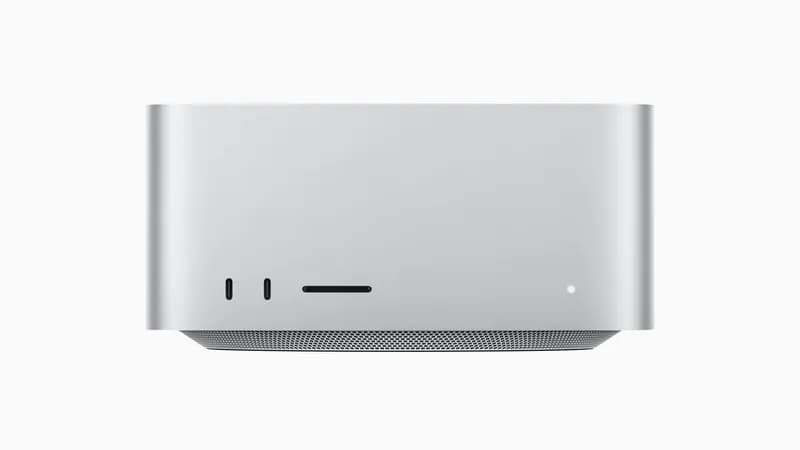
Two 128GB "AI desktop" boxes are fighting for the same buyer right now, and the matchup got a lot more interesting in June 2026. AMD just launched the Ryzen AI Halo — a Strix Halo (Ryzen AI MAX+ 395) box at $3,999 running native Windows 11 — undercutting NVIDIA's DGX Spark by $700. At the same time, NVIDIA quietly raised the DGX Spark to $4,699, blaming the 2026 LPDDR5X/NAND shortage. So which 128GB local-AI desktop should you actually buy?
The bottom line: For local AI in 2026, the $3,999 AMD Ryzen AI Halo (Strix Halo) undercuts NVIDIA's $4,699 DGX Spark by $700 and adds native Windows support — but the DGX Spark processes prompts roughly 5× faster (~1,723 vs ~340 tok/s, per vendor and community benchmarks) and runs CUDA out of the box, making it the better pick for anyone who values software maturity over price. If you mainly do image/video generation or fine-tuning, skip both and buy a GPU rig; if you want silent macOS, buy a Mac Studio.
Most coverage of this matchup is launch-news regurgitation — it reports the AMD price and the NVIDIA hike without putting the two boxes side by side on hard numbers, and it buries the "what should I actually buy" verdict. This guide does the opposite: a single quantified comparison table up top, the CUDA-vs-ROCm decision stated plainly, honest model-fit reality, and a use-case decision tree that routes you to the right purchase — including the GPU and Mac alternatives most "AI desktop" articles ignore.
DGX Spark vs Strix Halo at a glance (2026)
Short answer: the DGX Spark is the faster, more software-mature box; the Strix Halo box is the cheaper, Windows-native one. Here is the head-to-head.
| Spec | NVIDIA DGX Spark | AMD Ryzen AI Halo (Strix Halo) |
|---|---|---|
| Price (2026) | $4,699 | $3,999 |
| Unified memory | 128GB LPDDR5X | 128GB LPDDR5X |
| CPU | Grace (Arm Neoverse V2) | Ryzen AI MAX+ 395 (16-core Zen 5) |
| GPU / compute | Blackwell, ~1 PFLOP FP4 (per NVIDIA) | RDNA 3.5 iGPU, ~112 TOPS INT4 (per AMD) |
| Operating system | Linux only (DGX OS) | Windows 11 (+ Linux dual-boot) |
| Software stack | CUDA, TensorRT-LLM, vLLM, Ollama | ROCm / Vulkan, Ollama, llama.cpp |
| Prompt processing (reported) | ~1,723 tok/s | ~340 tok/s |
| Best for | CUDA dev, fine-tuning, fastest prompt processing | Lowest price, Windows-native inference |
⚠️ The DGX Spark's $4,699 price and the ~1,723 vs ~340 tok/s figures are vendor/community-reported, not independently lab-verified by us. Treat them as directional. NVIDIA's 1 PFLOP FP4 and AMD's ~112 TOPS INT4 are vendor spec-sheet figures.
Both boxes share the same headline trick: unified memory — a single 128GB LPDDR5X pool shared by CPU and GPU, so you can load a large model into memory without a multi-GPU rig. That's why people cross-shop them. The differences that decide the purchase are software (CUDA vs ROCm), speed, and price.
Real-world inference benchmarks
The most-quoted number from this matchup is prompt processing — how fast each box ingests your input before it starts generating. Per vendor and community benchmarks aggregated by outlets like Remio and AIMultiple, the DGX Spark processes prompts at roughly 1,723 tok/s versus roughly 340 tok/s on the Strix Halo box — about a 5× gap. For context, the same benchmarks place the DGX Spark at roughly 3× a single RTX 3090's prompt-processing throughput (the 3090 lands near ~1,642 tok/s in that test, so the Spark ≈ three of them on this one metric).
| Metric | DGX Spark | Strix Halo box | Notes |
|---|---|---|---|
| Prompt processing | ~1,723 tok/s | ~340 tok/s | Reported; DGX Spark ~5× faster |
| vs single RTX 3090 (prompt) | ~3× faster | — | 3090 ≈ 1,642 tok/s in same test |
| 70B Q4 token generation | Memory-bandwidth-bound | Memory-bandwidth-bound | Both single-digit to low-double-digit tok/s |
Two honest caveats. First, prompt processing is compute-bound, which is exactly where the DGX Spark's Blackwell tensor cores shine — so this is the metric that flatters NVIDIA most. Second, token generation on large models is memory-bandwidth-bound, and both boxes use similar LPDDR5X, so the gap narrows considerably once the model is loaded and generating. If your workload is long-prompt RAG or code analysis, the Spark's prompt-processing lead is huge in practice. If you're doing short-prompt chat, the difference shrinks. We won't invent token-generation numbers the sources don't report — treat both as "fine for chat, not a speed demon on 70B" and weight prompt processing by how long your prompts actually are. For the underlying mechanics, see our explainer on how much RAM you need for local AI and tokens per second. For the generation-side numbers this comparison deliberately doesn't fabricate, DataHardware tracks measured Strix Halo tokens-per-second across model sizes and quantizations.
That 3× RTX 3090 comparison cuts both ways. The DGX Spark beats a single 3090 on prompt processing — but a used RTX 3090 ($699 – $999) gives you 24GB of CUDA VRAM for a fraction of the price, and two or three of them stacked deliver more raw throughput than either unified-memory box. We'll come back to that in the alternatives section, because for a lot of buyers it's the smarter spend.
The software reality: CUDA vs ROCm
This is the section that decides the purchase for most people, and it's the one launch articles skip.
The DGX Spark runs CUDA — the same software stack that every major ML framework targets first. PyTorch, vLLM, TensorRT-LLM, Ollama, ComfyUI: they all "just work" on day one, because CUDA is the reference platform the entire ecosystem is built against. When a new model drops, the CUDA path is ready immediately.
The Strix Halo box runs AMD's ROCm (plus Vulkan backends for some tools). ROCm has improved dramatically through 2026 — Ollama and llama.cpp run well, and AMD has invested heavily in Strix Halo support. But it still trails CUDA in three concrete ways:
- Day-one model support: new architectures often land on CUDA first; ROCm support follows.
- Framework coverage: some tools are CUDA-only or have second-class ROCm paths (this is especially true for training and diffusion).
- Reliability: expect occasional manual setup and version-pinning on ROCm versus the DGX Spark's turnkey experience.
As the r/LocalLLaMA community has repeatedly noted (cite as community sentiment, not lab-verified), ROCm on Strix Halo is "genuinely usable now for inference" — but "usable" and "effortless" are different things. If you value your time and want zero driver wrestling, CUDA is worth the $700 premium. If you're comfortable troubleshooting and mostly run Ollama, ROCm is fine.
The decision in one line: does your workflow depend on CUDA? If yes — fine-tuning, vLLM serving, diffusion, training, or just "I never want to debug a backend" — buy the DGX Spark. If no — you run Ollama for chat and that's it — the Strix Halo box saves you $700.
What can each actually run?
Both boxes have 128GB of unified memory, so model fit is identical — the difference is speed, not capacity. Here's the honest reality of what 128GB holds:
| Model | Approx. size (Q4) | Fits in 128GB? |
|---|---|---|
| Llama 4 Maverick 70B | ~40GB | ✅ Comfortably, large context |
| Qwen 3 72B | ~42GB | ✅ Comfortably |
| Gemma 3 27B | ~16GB | ✅ Easily, room for big batch |
| Kimi K2.6 (~1T MoE) | ~600GB | ❌ Not even close |
The headline takeaway: neither box runs 1-trillion-parameter MoE models like Kimi K2.6. At Q4 those need roughly 600GB — nearly 5× what either machine holds. If your goal is to run the absolute frontier of open models locally, no $4,000 desktop does it; you're looking at a multi-GPU server or cloud. Where both boxes excel is the 70B-class sweet spot: a 70B model at Q4 quantization sits around 40GB, leaving plenty of headroom for a long context window. That's the realistic, useful workload for a single quiet desktop. For a deeper dive on memory math, see how much RAM you need for local AI in 2026.
Windows vs Linux + ecosystem
The Strix Halo box's quietest advantage is the loudest selling point for a lot of buyers: it runs native Windows 11 (with Linux dual-boot if you want it). If you don't want a dedicated Linux box sitting on your desk, that matters. You get a normal Windows PC that also happens to hold a 70B model in memory — it runs your everyday apps, your games, your dev tools.
The DGX Spark, by contrast, runs Linux only via NVIDIA's locked-down DGX OS. That's great if you're a Linux-native ML developer — DGX OS ships with the CUDA toolkit, drivers, and AI stack pre-configured — and limiting if you wanted a general-purpose machine. The DGX Spark is a dedicated AI appliance, not a daily-driver desktop.
On power, noise, and form factor, both are far more efficient than a multi-GPU tower — figure roughly 120–150W under AI load for either, in a compact, quiet chassis. Neither will heat your room or drown out a meeting the way a 575W RTX 5090 build can. If silence and small footprint are your priority, both deliver; if absolute silence is the priority, the Mac Studio (next section) still wins.
The price problem: why both got more expensive
If the DGX Spark feels expensive at $4,699, it's not just NVIDIA margin — it's the 2026 memory crunch. The ongoing LPDDR5X / NAND / DRAM shortage has driven up the cost of exactly the component these boxes are built around: 128GB of fast unified memory. NVIDIA cited supply constraints when it moved the DGX Spark from its earlier pricing up to $4,699, and the same pressure is why high-memory configs across the board cost more this year.
This is the hidden context behind the whole matchup: AMD's $3,999 launch price is aggressive because memory is expensive — undercutting NVIDIA by $700 on a 128GB box in this market is a real statement. We break down how the shortage is reshaping the entire hardware market in our 2026 DRAM shortage buying guide, which is worth reading before you commit $4,000 to anything — prices are unusually volatile right now and waiting a quarter may change the math.
…Or should you just buy a GPU rig or Mac Studio instead?
Here's the part the "AI desktop" articles won't tell you: for a lot of buyers, neither unified-memory box is the right purchase. Unified memory is great for one thing — holding a big model in a single quiet box for inference. The moment your workload tilts toward speed-per-dollar, image/video generation, or fine-tuning, dedicated CUDA GPUs win decisively. Three alternatives to weigh:
For maximum throughput & image/video gen: a single RTX 5090
If your real workload is Stable Diffusion, FLUX, video models, or fast inference on models that fit in 32GB, a single RTX 5090 ($1,999 – $2,199) in a desktop build (~$2,800–$3,200 all-in) will destroy both unified-memory boxes on those tasks. Diffusion pipelines are CUDA-first and tensor-core-bound — exactly where the 5090's Blackwell GPU dominates. The catch is the 32GB VRAM ceiling: you can't hold a 70B model the way the 128GB boxes can. So the 5090 is the pick when speed on smaller models matters more than raw capacity. Compare the two philosophies directly in our RTX 5090 vs Mac Studio breakdown and the side-by-side spec page.
For best VRAM-per-dollar: a used RTX 3090 stack
The benchmark hook from earlier — the DGX Spark ≈ 3× a single RTX 3090 on prompt processing — is also a buying signal. A used 3090 ($699 – $999) gives you 24GB of CUDA VRAM at the best price-per-gigabyte in the market. Two of them (48GB total) run a 70B Q4 model with full CUDA throughput for roughly the price of the Strix Halo box's discount, and three approach the DGX Spark's prompt-processing numbers on a budget. The tradeoff is build complexity, power draw, and noise — this is a real rig, not an appliance. Our multi-GPU local LLM setup guide walks through the wiring, PSU sizing, and software for exactly this path.
For silent macOS & big memory: Mac Studio M4 Max
If you want a 128GB-class unified-memory box but live in macOS — or just want the quietest machine on this list — the Mac Studio M4 Max ($1,999 – $5,999) is the third path. Its ~546 GB/s memory bandwidth is roughly 2× the DGX Spark's, which matters for token generation on large models, it's near-silent, and it doubles as a full creative workstation (Final Cut, Logic, Xcode). The catch is no CUDA — you're on MLX/Ollama/llama.cpp via Metal, which is excellent for inference but not for CUDA-only frameworks or fine-tuning. See our dedicated DGX Spark vs Mac Studio comparison and the Mac Studio vs RTX 4090 page for the full picture, and our Apple Silicon for AI hub for the ecosystem.
For a cheaper Apple-silicon entry point
Not ready to spend $4,000? The Mac Mini M4 Pro ($1,399 – $1,599) runs 7B–13B models comfortably in a silent, palm-sized box — a great way to start with local AI before committing to a 128GB machine. It won't hold a 70B model, but for agents, coding assistants, and everyday inference it's plenty. Compare it against the Studio on the Mac Mini vs Mac Studio page, and for an alternate route to big memory see our Mac Mini cluster guide.
Verdict: which 128GB AI desktop should you buy in 2026?
One-line recommendation: buy the DGX Spark if you need CUDA and the fastest prompt processing; buy the Strix Halo box if you want the cheapest 128GB box with native Windows; buy neither if your real workload is image/video gen, fine-tuning, or maximum tokens-per-dollar — get a GPU rig instead.
| Your situation | Best buy | Why |
|---|---|---|
| CUDA-dependent dev / fine-tuning | DGX Spark ($4,699) | Full CUDA stack, turnkey, fastest prompt processing |
| Long-prompt RAG / code analysis | DGX Spark | ~5× prompt-processing lead is decisive on long inputs |
| Cheapest 128GB box / Windows-native | Strix Halo ($3,999) | $700 less, runs Windows 11, ROCm is now usable for inference |
| Inference-only chat, ROCm is fine | Strix Halo | Same 128GB capacity, Ollama works, save the money |
| Image/video generation | RTX 5090 build | CUDA + tensor cores crush diffusion; capacity not needed |
| Max tokens-per-dollar | Used RTX 3090 stack | Best VRAM-per-dollar; 2–3× cards beat both boxes |
| Silent macOS / creative + AI | Mac Studio M4 Max | 2× memory bandwidth, near-silent, general-purpose |
| Getting started on a budget | Mac Mini M4 Pro | 7B–13B models, silent, under $1,600 |
The honest meta-point: a 128GB unified-memory desktop is a specific tool — best when you need one quiet box that holds a 70B model for inference. It is not the best tool for speed, not for diffusion, and not for fine-tuning. Match the box to your actual workload, not to the launch hype. And given the 2026 memory shortage driving prices around, read our DRAM shortage buying guide before you spend — timing matters more than usual this year.
Still deciding between the AMD box and the broader mini-PC field? Our Strix Halo mini PC deep-dive covers the AMD platform in detail, and our RTX Spark vs DGX Spark guide sorts out NVIDIA's own confusing lineup.
Frequently Asked Questions
Is the NVIDIA DGX Spark worth $4,699 in 2026?
For developers whose workflow depends on CUDA, yes. The DGX Spark runs PyTorch, vLLM, TensorRT-LLM, and Ollama out of the box, and per vendor and community benchmarks it processes prompts roughly 5× faster than the AMD Strix Halo box (~1,723 vs ~340 tok/s reported). If you only run inference-chat and don't care about CUDA, the $3,999 AMD Ryzen AI Halo (Strix Halo) saves you $700 and adds native Windows support. For pure tokens-per-dollar or image/video generation, a single RTX 5090 or a used RTX 3090 stack beats both boxes.
Can the AMD Strix Halo box run 70B models?
Yes. The Ryzen AI MAX+ 395 (Strix Halo) ships with 128GB of unified memory, so a 70B model at Q4 quantization (~40GB) fits comfortably with room for a large context window. Token-generation speed is bounded by memory bandwidth and ROCm maturity rather than capacity — a 70B Q4 model runs, but expect single-digit to low-double-digit tokens per second on memory-bandwidth-bound workloads. It will not run 1-trillion-parameter MoE models like Kimi K2.6, which need hundreds of gigabytes even at Q4.
DGX Spark vs Mac Studio — which is better for local AI?
The DGX Spark wins on software: it runs the full CUDA stack natively, which matters for fine-tuning, vLLM serving, and diffusion models. The Mac Studio M4 Max wins on memory bandwidth (~546 GB/s vs the Spark's ~273 GB/s), silent operation, and doubling as a creative workstation — and a 128GB config is similarly priced. Choose the DGX Spark if you need CUDA; choose the Mac Studio if you primarily run inference and want a quiet, general-purpose machine.
Does ROCm support Ollama on the Strix Halo box?
Yes, with caveats. Ollama and llama.cpp run on AMD's ROCm and Vulkan backends, and Strix Halo support has improved quickly through 2026. But ROCm still trails CUDA on day-one model support, framework coverage, and 'it just works' reliability. Expect occasional manual setup versus the DGX Spark's turnkey CUDA experience. For most inference-only users it works; for cutting-edge models and training, CUDA remains the safer bet.
What's the best local AI box under $5,000 in 2026?
It depends on your workload. For CUDA software maturity and fastest prompt processing, the $4,699 DGX Spark. For the lowest price and native Windows, the $3,999 AMD Ryzen AI Halo (Strix Halo). For maximum tokens-per-dollar and image/video generation, a single RTX 5090 build (~$2,800–$3,200) or a multi-GPU used RTX 3090 rig. For silent operation and macOS, the Mac Studio M4 Max with 128GB unified memory.