Running Google Gemma 4 Locally: Complete Hardware Guide (2026)
Gemma 4 just dropped with four model sizes under Apache 2.0. Here's exactly which GPU, Mac, or edge device you need to run every variant locally — from the 2B edge model to 31B Dense — with VRAM tables, benchmarks, budget tiers, and setup instructions.
Compute Market Team
Disclosure: this article includes paid promotion from GMKtec via Amazon Creator Connections. We earn a commission on qualifying purchases.
Our Top Pick
Quick Answer
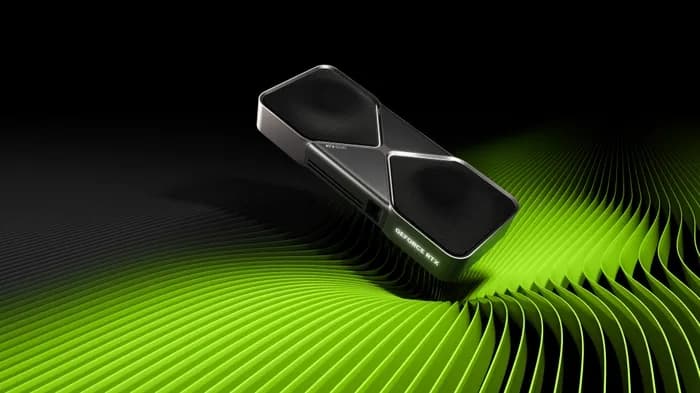
To run Gemma 4 26B MoE locally, you need 16GB VRAM at Q4_K_M — the RTX 5060 Ti 16GB ($429–$479) is the best-value pick at ~40–50 tok/s. The 31B Dense model needs 24GB: a used RTX 3090 ($699–$999) or Mac Studio M4 Max (up to 128GB unified, $1,999–$4,499) handle it comfortably. The E2B and E4B edge variants run on virtually any 8GB+ device, including the Jetson Orin Nano ($199–$249). All Gemma 4 models are Apache 2.0 — free for commercial use.
Google Gemma 4 launched on April 2, 2026 — and it's already the most talked-about open model release of the year. Google DeepMind shipped four model sizes (E2B, E4B, 26B MoE, 31B Dense) under Apache 2.0, making it the most permissive major open model family available. The 26B MoE variant is turning heads: it activates only 3.8 billion parameters per inference while delivering near-30B quality, meaning it runs on hardware that most local AI enthusiasts already own.
The problem? Most existing Gemma 4 guides focus on setup instructions or model architecture — not on what to buy. This page is the definitive hardware buyer's guide for Gemma 4: matching each model variant to specific GPUs, Macs, and edge devices with price/performance analysis, VRAM math, and direct purchase links. If you want to go from "I want to run Gemma 4" to "here's what I buy," this is the only guide you need.
What Is Gemma 4 and Why Run It Locally?
Gemma 4 is Google DeepMind's latest open model family, released April 2, 2026. It represents a significant leap over Gemma 2, introducing multimodal capabilities (vision + text), Mixture-of-Experts efficiency, and one of the most permissive licenses in the open model landscape.
The Four Gemma 4 Model Sizes
- Gemma 4 E2B (2B parameters): Ultra-lightweight edge model. Runs on phones, Raspberry Pi-class devices, and the Jetson Orin Nano. Designed for embedded AI, offline assistants, and IoT.
- Gemma 4 E4B (4B parameters): Enhanced edge model with stronger reasoning. Runs comfortably on any 8GB+ GPU or integrated graphics. Great for privacy-first local assistants.
- Gemma 4 26B-A4B (26B MoE): The headline model. 26 billion total parameters but only 3.8 billion active per inference via Mixture-of-Experts routing. Delivers near-30B quality at 8B-class speed and VRAM usage. This is the sweet spot for most users.
- Gemma 4 31B Dense: Maximum quality, all parameters active. Best scores on coding, reasoning, and multimodal benchmarks. Requires serious hardware — 18GB+ VRAM at Q4 quantization.
Why Run Gemma 4 Locally?
The Apache 2.0 license is a game-changer. Unlike Llama 4's custom license with commercial restrictions, Apache 2.0 allows unrestricted commercial use, modification, and redistribution. Combined with local deployment, this gives you:
- Zero API costs — no per-token billing, no rate limits
- Complete privacy — your data never leaves your machine
- Offline capability — runs without internet after initial download
- Full commercial freedom — build and ship products without licensing friction
"Gemma 4's MoE architecture represents a paradigm shift for local AI deployment," notes the Google DeepMind team. "By activating only a fraction of total parameters per token, we've made 26B-class quality accessible on consumer GPUs that most developers already own."
Gemma 4 Model Sizes and VRAM Requirements
VRAM is the bottleneck. Here's exactly how much GPU memory (or unified memory on Apple Silicon) each Gemma 4 variant needs at three common quantization levels:
| Model | Total Params | Active Params | FP16 VRAM | Q8 VRAM | Q4_K_M VRAM | Min GPU |
|---|---|---|---|---|---|---|
| Gemma 4 E2B | 2B | 2B | ~4 GB | ~2.2 GB | ~1.5 GB | Any (CPU ok) |
| Gemma 4 E4B | 4B | 4B | ~8 GB | ~4.5 GB | ~2.5 GB | 4GB VRAM |
| Gemma 4 26B-A4B (MoE) | 26B | 3.8B | ~52 GB | ~28 GB | ~15 GB | 16GB VRAM |
| Gemma 4 31B Dense | 31B | 31B | ~62 GB | ~33 GB | ~18 GB | 24GB VRAM |
Key insight for the MoE model: Even though Gemma 4 26B has 26 billion total parameters, all expert weights must be loaded into VRAM — you can't skip them. The efficiency gain is in compute, not storage. At Q4_K_M quantization, the 26B MoE needs about 15GB, which fits neatly on a 16GB GPU like the RTX 5060 Ti ($429 – $479).
For a deep dive on how VRAM calculations work and why quantization matters, see our complete VRAM guide.
Context Window Impact on Memory
Gemma 4 supports context windows up to 128K tokens. Longer contexts consume additional VRAM for the KV cache:
- 8K context: Add ~0.5–1 GB to base VRAM
- 32K context: Add ~2–4 GB
- 128K context: Add ~8–16 GB (practical only on 32GB+ GPUs or Apple Silicon)
If you plan to use long context windows for RAG pipelines or document analysis, size your hardware with 20–30% headroom above the base model requirements.
Best GPUs for Gemma 4 by Budget
Here's the definitive GPU buying guide for Gemma 4, organized by what you can actually spend. Every recommendation links to a product page with current pricing and retailer links.
Under $350: RTX 4060 Ti 16GB or Intel Arc B580 — Edge and Small Models
At this tier you're running the E2B and E4B edge models at full speed, plus the 26B MoE at aggressive quantization with limited context.
The RTX 4060 Ti 16GB ($399 – $449) is the better pick if you want to stretch into the 26B MoE model — its 16GB VRAM and CUDA ecosystem give you the most flexibility. The Intel Arc B580 ($249 – $289) is the ultra-budget choice: 12GB VRAM handles E4B comfortably and can run smaller quantizations of the 26B MoE, though you'll hit the 12GB ceiling quickly with longer contexts.
| GPU | VRAM | Price | Gemma 4 E4B (Q4) | Gemma 4 26B MoE (Q4) |
|---|---|---|---|---|
| Intel Arc B580 | 12GB | $249 – $289 | ~30 tok/s | Tight fit, short context only |
| RTX 4060 Ti 16GB | 16GB | $399 – $449 | ~45 tok/s | ~25 tok/s (Q4, 8K ctx) |
For more budget GPU analysis, see our budget GPU for AI guide.
$400–$800: RTX 5060 Ti or Used RTX 3090 — The Sweet Spot
This is where Gemma 4 26B MoE gets comfortable. Two standout options:
The RTX 5060 Ti 16GB ($429 – $479) is our top pick for Gemma 4 26B MoE. Blackwell architecture with 5th-gen tensor cores and native FP4 support means it squeezes maximum performance from quantized models. At Q4_K_M, the 26B MoE fits with room for 8K–32K context windows. Based on community benchmarks from LM Studio, expect approximately 40–50 tokens per second on the 26B MoE at Q4.
The used RTX 3090 ($699 – $999) offers 24GB VRAM — enough to run the 26B MoE at Q8 quantization for higher quality output, or to squeeze the 31B Dense model at Q4 with short context. According to TechPowerUp benchmark data, the RTX 3090 delivers approximately 35–40 tok/s on 26B-class models at Q4.
For a head-to-head comparison of these two GPUs, see our used RTX 3090 vs RTX 5060 Ti comparison.
$800–$1,100: RTX 5080 or RTX 4080 Super — Comfortable 26B MoE, Entry 31B Dense
The RTX 5080 ($999 – $1,099) with 16GB GDDR7 and 960 GB/s bandwidth is overkill for the 26B MoE — it runs it effortlessly at Q4 with full 32K context. The real advantage at this tier is speed: Blackwell's wider memory bus delivers significantly faster token generation than the 5060 Ti. For more on mid-range GPU comparisons, see our RTX 5060 Ti vs 5070 Ti comparison.
The RTX 4080 Super ($949 – $1,099) is the previous-gen alternative: 16GB GDDR6X with proven Ada Lovelace performance. Slightly slower than the RTX 5080 but often available at a discount.
$1,500+: RTX 5090 or RTX 4090 — 31B Dense at High Quality
For the full 31B Dense model without compromise:
The RTX 5090 ($1,999 – $2,199) with 32GB GDDR7 is the ultimate consumer GPU for Gemma 4. It runs the 31B Dense model at Q8 quantization with room for 32K+ context windows, and handles the 26B MoE at near-FP16 quality. According to research on RTX 50-series local inference performance, Blackwell GPUs deliver 1.5–2x the inference throughput of Ada Lovelace at the same VRAM capacity.
The RTX 4090 ($1,599 – $1,999) with 24GB GDDR6X handles the 31B Dense at Q4 comfortably and the 26B MoE at Q8. It's the proven workhorse — slightly less VRAM than the 5090 but still excellent for Gemma 4. For a detailed comparison, see our RTX 5090 vs Mac Studio M4 Max comparison.
| GPU | VRAM | Price | 26B MoE (Q4) | 31B Dense (Q4) | 31B Dense (Q8) |
|---|---|---|---|---|---|
| RTX 5060 Ti | 16GB | $429 – $479 | ~45 tok/s | Does not fit | Does not fit |
| RTX 3090 (used) | 24GB | $699 – $999 | ~38 tok/s | ~20 tok/s | Does not fit |
| RTX 5080 | 16GB | $999 – $1,099 | ~55 tok/s | Does not fit | Does not fit |
| RTX 4090 | 24GB | $1,599 – $1,999 | ~50 tok/s | ~28 tok/s | Does not fit |
| RTX 5090 | 32GB | $1,999 – $2,199 | ~70 tok/s | ~40 tok/s | ~25 tok/s |
Estimated tok/s based on community benchmarks from LM Studio and r/LocalLLaMA. Real-world performance varies by system configuration, quantization method, and context length.
Gemma 4 on Apple Silicon: Mac Mini and Mac Studio
Apple Silicon's unified memory architecture gives Macs a unique advantage: the GPU can access all system memory, not just dedicated VRAM. This means a Mac Studio M4 Max ($1,999 – $4,499) with 128GB unified memory can run the 31B Dense model at FP16 with massive context windows — something no consumer GPU can match.
Mac Mini M4 Pro: Affordable Gemma 4 26B MoE
The Mac Mini M4 Pro ($1,399 – $1,599) with 24GB unified memory is a compelling Gemma 4 machine. It runs the 26B MoE at Q4 quantization with room for 8K–16K context windows, completely silently, via Ollama. For developers who value zero-noise operation and macOS ecosystem integration, it's hard to beat.
The tradeoff: Apple Silicon's memory bandwidth (~400 GB/s on M4 Max) is lower than dedicated GPUs like the RTX 5080 (960 GB/s). You'll see roughly 20–30 tok/s on the 26B MoE versus 45+ tok/s on an RTX 5060 Ti. But the Mac can fit models that would overflow any 16GB GPU.
Mac Studio M4 Max: The Large Model Champion
With up to 128GB unified memory, the Mac Studio M4 Max runs the 31B Dense at FP16 — no quantization needed — with 128K context windows. This is the configuration for developers who need maximum model quality and are willing to trade speed for fidelity.
"For developers who need to run the largest models with full context, Apple Silicon's unified memory is unmatched in the consumer space," explains Apple's ML documentation. "128GB of shared memory eliminates the VRAM bottleneck entirely."
| Mac | Memory | Price | Best Gemma 4 Variant | Performance |
|---|---|---|---|---|
| Mac Mini M4 Pro | 24GB | $1,399 – $1,599 | 26B MoE (Q4) | ~22 tok/s, silent |
| Mac Studio M4 Max | Up to 128GB | $1,999 – $4,499 | 31B Dense (FP16) | ~15 tok/s, full quality |
For a deeper comparison of the Mac vs GPU path, see our Mac Mini for AI guide and RTX 5090 vs Mac Studio comparison.
Gemma 4 Edge Models: Running E2B and E4B on Small Devices
Gemma 4's E2B and E4B models are purpose-built for edge deployment — tiny footprint, minimal VRAM, and efficient enough for battery-powered devices.
NVIDIA Jetson Orin Nano
The Jetson Orin Nano ($199 – $249) with 8GB LPDDR5 and 67 TOPS of AI performance runs the E4B model at Q4 quantization for embedded AI applications. Use cases include offline voice assistants, real-time vision processing, and privacy-first IoT deployments. At 7–25W power draw, it can run 24/7 on a modest power supply.
Mini PCs for Edge Inference
The Beelink SER8 ($449 – $599) with its AMD Ryzen 7 8845HS and 32GB DDR5 handles both E2B and E4B models via CPU inference, and can run the 26B MoE at very aggressive quantization for basic tasks. Its palm-sized form factor makes it ideal for deploying local AI in offices, retail environments, or home automation setups. See our guide to running LLMs locally for more on CPU inference options.
Edge Use Cases for Gemma 4
- Offline assistants: E2B/E4B on Jetson or mini PC — zero internet dependency
- Privacy-first deployments: Medical, legal, and financial data that can't leave the premises
- IoT and robotics: E2B runs on credit-card-sized boards for real-time decision making
- Kiosk and retail: E4B powers interactive customer-facing AI on low-cost hardware
Gemma 4 26B MoE: The Efficiency Sweet Spot
The 26B-A4B MoE variant is the most interesting model in the Gemma 4 family — and arguably the most hardware-efficient open model released in 2026. Here's why it matters for hardware buyers.
How MoE Works (and Why It Saves You Money)
Mixture-of-Experts (MoE) architecture divides the model into specialized "expert" sub-networks. For each token, a router selects only a subset of experts to process it. Gemma 4 26B has 26 billion total parameters across all experts, but only 3.8 billion are active per inference pass.
The practical result: you get near-30B model quality at 8B-class compute costs and inference speed. The catch is that all 26B parameters still need to be loaded into memory — the savings are in compute, not storage. At Q4_K_M quantization, that's roughly 15GB, which fits on any 16GB GPU.
"The MoE approach gives Gemma 4 a significant efficiency advantage over dense models of similar quality," notes Unsloth's documentation on Gemma 4 local deployment. "Users running on 16GB GPUs will see quality comparable to 30B dense models while maintaining 8B-class token generation speeds."
Best Hardware Match for 26B MoE
The 16GB GPU tier is the natural home for this model:
- Best new GPU: RTX 5060 Ti 16GB ($429 – $479) — Blackwell efficiency, FP4 tensor cores, best price/performance
- Best used GPU: RTX 3090 ($699 – $999) — 24GB gives Q8 headroom and longer context
- Best silent option: Mac Mini M4 Pro ($1,399 – $1,599) — 24GB unified, zero fan noise
- Best speed: RTX 5080 ($999 – $1,099) — 960 GB/s bandwidth for maximum tok/s
For a detailed review of the RTX 5060 Ti's AI capabilities, see our RTX 5060 local AI review and RTX 5060 Ti vs 5070 Ti comparison.
How to Set Up Gemma 4 Locally (Ollama + LM Studio)
Getting Gemma 4 running takes minutes. Here are the two fastest paths:
Ollama (Recommended)
Ollama is the fastest way to run Gemma 4. Install it, then pull and run your chosen model:
# Install Ollama (macOS/Linux)
curl -fsSL https://ollama.com/install.sh | sh

# Run Gemma 4 26B MoE (Q4 quantization — fits 16GB GPUs)
ollama run gemma4:26b-a4b-q4_K_M

# Run Gemma 4 31B Dense (needs 24GB+ VRAM)
ollama run gemma4:31b-q4_K_M

# Run Gemma 4 E4B (edge model — runs on anything)
ollama run gemma4:e4b
LM Studio
LM Studio offers a GUI-based approach with one-click model downloads. Search for "Gemma 4" in the model browser, select the quantization that fits your hardware (refer to the VRAM table above), and click download. LM Studio automatically detects your GPU and configures inference settings.
Recommended Quantization by Hardware Tier
| Your Hardware | Gemma 4 Model | Recommended Quant | Expected Performance |
|---|---|---|---|
| 8GB GPU / integrated | E4B | Q4_K_M or FP16 | 30–60 tok/s |
| 12GB GPU (Arc B580) | E4B or 26B MoE | FP16 (E4B) / Q4 tight (26B) | 25–40 tok/s |
| 16GB GPU (5060 Ti, 5080) | 26B MoE | Q4_K_M | 40–55 tok/s |
| 24GB GPU (3090, 4090) | 26B MoE or 31B Dense | Q8 (MoE) / Q4 (Dense) | 30–50 tok/s |
| 32GB GPU (5090) | 31B Dense | Q8_0 | 25–40 tok/s |
| Mac 24GB (Mini M4 Pro) | 26B MoE | Q4_K_M | 20–25 tok/s |
| Mac 128GB (Studio M4 Max) | 31B Dense | FP16 | 12–18 tok/s |
For a complete Ollama installation walkthrough with troubleshooting, see our Ollama setup guide. For fast model loading, a Samsung 990 Pro NVMe ($289 – $339) significantly reduces initial load times for large models.
Gemma 4 vs Llama 4 vs Qwen 3: Hardware Comparison
Three major open model families are competing for local AI hardware in 2026. Here's how they compare from a hardware buyer's perspective:
| Feature | Gemma 4 26B MoE | Llama 4 Scout (109B MoE) | Qwen QwQ-32B (Dense) |
|---|---|---|---|
| Total Parameters | 26B | 109B | 32B |
| Active Parameters | 3.8B | 17B | 32B (all) |
| Architecture | MoE | MoE | Dense |
| Q4 VRAM Needed | ~15 GB | ~60 GB | ~17 GB |
| Min GPU (Q4) | 16GB (RTX 5060 Ti) | Multi-GPU or Mac 128GB | 24GB (RTX 3090) |
| License | Apache 2.0 | Custom (Llama) | Apache 2.0 |
| Multimodal | Yes (vision + text) | Yes (vision + text) | Text only (QwQ) |
| Best For | 16GB GPU users, commercial deployment | High-VRAM setups, max quality | Reasoning, coding |
The hardware takeaway: Gemma 4 26B MoE is the most VRAM-efficient option by a wide margin. If you have a 16GB GPU and need multimodal capabilities with a permissive license, Gemma 4 is the clear winner. Llama 4 Scout requires significantly more hardware. Qwen QwQ-32B is competitive on quality but needs more VRAM as a dense model.
For detailed hardware guides on these alternatives, see our Llama 4 hardware guide, Qwen 3 hardware guide, and DeepSeek R1 setup guide.
Our Top Hardware Picks for Gemma 4
Here's the final recommendation matrix based on everything above. Each pick is chosen for the best price/performance match for its target Gemma 4 variant.
Budget Pick: RTX 5060 Ti 16GB — Best for Gemma 4 26B MoE
The RTX 5060 Ti ($429 – $479) is the single best GPU for Gemma 4 in 2026. The 26B MoE fits perfectly in 16GB at Q4 quantization, Blackwell's 5th-gen tensor cores deliver fast inference, and the price-to-performance ratio is unmatched. This is the card to buy if you want one GPU that handles the most interesting Gemma 4 model well.
Best Value: Used RTX 3090 — Most VRAM Per Dollar
The RTX 3090 ($699 – $999) gives you 24GB VRAM — enough for the 26B MoE at Q8 or the 31B Dense at Q4. If you can find one at the lower end of the price range, it's the best VRAM-per-dollar option on the market. Pair it with a Samsung 990 Pro NVMe ($289 – $339) for fast model loading.
Best Performance: RTX 5090 — Maximum Gemma 4 Quality
The RTX 5090 ($1,999 – $2,199) with 32GB GDDR7 runs the 31B Dense at Q8 with room for long context windows. If you want the best Gemma 4 experience on a single consumer GPU — plus headroom for future models — this is it. See our best GPU for AI pillar guide for the full ranking.
Best for Edge: Jetson Orin Nano — E2B/E4B at 7–15W
The Jetson Orin Nano ($199 – $249) runs Gemma 4's edge models in a credit-card-sized package. For IoT, robotics, and always-on local AI, nothing else comes close on power efficiency.
Best for Large Context: Mac Studio M4 Max — 128GB Unified Memory
The Mac Studio M4 Max ($1,999 – $4,499) runs 31B Dense at FP16 with 128K context windows. No consumer GPU matches this for memory capacity. Silent, compact, and zero-config with Ollama. The premium price is justified if you need maximum context length or refuse to quantize.
The Bottom Line
Gemma 4 is the most hardware-friendly major open model of 2026. The 26B MoE variant — activating just 3.8B parameters per inference — delivers near-30B quality on a $429 GPU. The Apache 2.0 license removes every commercial friction point. And the full model family, from 2B edge to 31B Dense, covers every hardware tier from a $199 Jetson to a $4,499 Mac Studio.
If you already own a 16GB+ GPU, you can run the 26B MoE today. If you're buying new hardware specifically for Gemma 4, the RTX 5060 Ti ($429 – $479) is the clearest recommendation we've made all year. For the complete GPU landscape, see our best GPU for AI guide.
Frequently Asked Questions
How much VRAM do I need to run Gemma 4 26B MoE locally?
Gemma 4's 26B MoE variant requires approximately 15GB VRAM at Q4_K_M quantization. Despite having 26 billion total parameters, it only activates 3.8 billion per inference — so a 16GB GPU like the RTX 5060 Ti ($429 – $479) handles it comfortably with room for context. At Q8 quantization you'll need about 28GB, making a used RTX 3090 ($699 – $999) or Mac Mini M4 Pro ($1,399 – $1,599) with 24GB the best value options.
Can I run Gemma 4 on a Mac Mini or Mac Studio?
Yes. The Mac Mini M4 Pro ($1,399 – $1,599) with 24GB unified memory runs the 26B MoE variant at Q4 quantization via Ollama. For the 31B Dense model at higher quantization or with long context windows, the Mac Studio M4 Max ($1,999 – $4,499) with up to 128GB unified memory is the best option — it can run 31B Dense at FP16 with massive context windows. Apple Silicon trades raw token speed for the ability to fit larger models in memory.
What is the cheapest GPU that can run Gemma 4?
The Gemma 4 E2B (2 billion parameter) edge model runs on virtually any hardware — including CPUs, phones, and the Jetson Orin Nano ($199 – $249). For the popular 26B MoE variant at Q4 quantization, the RTX 5060 Ti 16GB ($429 – $479) is the cheapest dedicated GPU that handles it well, delivering approximately 40–50 tokens per second. The Intel Arc B580 ($249 – $289) can run the E4B model comfortably.
How does Gemma 4 compare to Llama 4 for hardware requirements?
Both Gemma 4 26B and Llama 4 Scout use Mixture-of-Experts architectures, but Gemma 4 is far more efficient. Gemma 4 26B has 26B total parameters with 3.8B active, requiring about 15GB VRAM at Q4. Llama 4 Scout has 109B total with 17B active, needing significantly more memory to store all expert weights. For most consumer hardware, Gemma 4 26B MoE delivers near-30B quality at a fraction of the memory cost.
Is Gemma 4 free for commercial use?
Yes. All Gemma 4 models are released under the Apache 2.0 license — the most permissive major open model license available. Unlike Llama 4's custom license with usage restrictions, Apache 2.0 allows unrestricted commercial use, modification, and redistribution. This makes Gemma 4 ideal for developers building commercial products, startups deploying local AI, and businesses that need legal clarity around model licensing.