Perplexity Portable Computer: Hardware Requirements and What to Buy (2026)
Perplexity's Portable Computer runs its agent locally — but only on an NVIDIA RTX card with 24GB+ of VRAM or a DGX Spark. Here's the pass/fail list by GPU model, what the 24GB vs 32GB discrepancy actually means, and the cheapest legitimate way in.
Compute Market Team
Our Top Pick
Quick Answer
Perplexity's Portable Computer requires an NVIDIA RTX GPU with at least 24GB of VRAM — an RTX 3090 or newer — or an NVIDIA DGX Spark with 128GB of unified memory. Apple Silicon is not supported, and a paid Perplexity Pro, Max or Enterprise subscription is still required. You also need at least 1TB of storage and, at launch, Linux (DGX OS or Ubuntu, ARM or x64). Windows support is slated for September 2026.
Perplexity announced Portable Computer on 25 August 2026: its agent, running entirely on your own machine, with no tokens billed for inference. The coverage since has been near-identical — what it is, what it promises, what it means for the cloud-agent business model. What almost nobody has published is the thing a buyer actually needs: a list of specific graphics cards that pass and fail, by name, with prices.
That gap matters right now because the requirement is unusually brutal. Portable Computer needs 24GB of VRAM on a single card. The best-selling enthusiast GPUs of the last two years — the RTX 5080, the 4080 SUPER, the 5070 Ti — all ship with 16GB. Every one of them fails. If you pay for Perplexity Pro and own a 16GB card, you are one product page away from discovering that your $1,000 GPU doesn't qualify.
This guide sorts out exactly which cards work, why 24GB is the floor, the honest version of the 24GB-vs-32GB confusion, and the three priced routes to a qualifying machine.
The Short Answer: 24GB of VRAM on an NVIDIA RTX Card, or a DGX Spark
There are two supported hardware paths, and they are not equivalent in price or in what they unlock.
| Tier | Requirement | What it gets you |
|---|---|---|
| Practical floor | 24GB VRAM, NVIDIA RTX 3090 or newer | Runs the default 27B model at Q4 with usable context |
| Officially recommended | 32GB VRAM | Headroom for longer context and larger KV cache |
| Comfortable / turnkey | DGX Spark, 128GB unified memory | Every shipped model, no assembly, DGX OS preinstalled |
| Storage | 1TB minimum | Model weights plus agent scratch space |
| OS | Linux at launch (DGX OS / Ubuntu, ARM or x64) | Windows expected September 2026 |
| Account | Paid Pro / Max / Enterprise plan | Required — local does not mean free |
Requirements per Perplexity's launch announcement (25 Aug 2026) and subsequent coverage in The New Stack, Gizmodo and VentureBeat. Windows timing is stated as "September" only; no specific date has been announced.
About that 24GB vs 32GB discrepancy
You will see both numbers quoted, sometimes in the same article, and it is worth being straight about why. Perplexity's published guidance points at 32GB. Its engineers, speaking to The New Stack, described the real floor differently — roughly a GeForce RTX 3090 or newer, which is a 24GB card. The tension that produces two different numbers is the obvious one: set the bar where the experience is reliably good, but keep it low enough that the feature is broadly available.
Read plainly: 24GB is where it runs; 32GB is where it runs without you thinking about it. That is not a contradiction, it's the difference between a hard capacity limit and a comfort recommendation. A 24GB card will load the default model and work. A 32GB card gives you room for a longer context window and a bigger KV cache before you start trimming.
We are flagging this rather than picking whichever number sells more hardware. If you have a 3090 sitting in your case, you do not need to replace it to get started.
Every GPU That Qualifies — and the Popular Ones That Don't
This is the table the news coverage skipped. Find your card.
| GPU | VRAM | Verdict | Price |
|---|---|---|---|
| RTX 3090 | 24GB GDDR6X | Pass — the floor | $699 – $999 |
| RTX 3090 Ti | 24GB GDDR6X | Pass | Used market |
| RTX 4090 | 24GB GDDR6X | Pass | $1,599 – $1,999 |
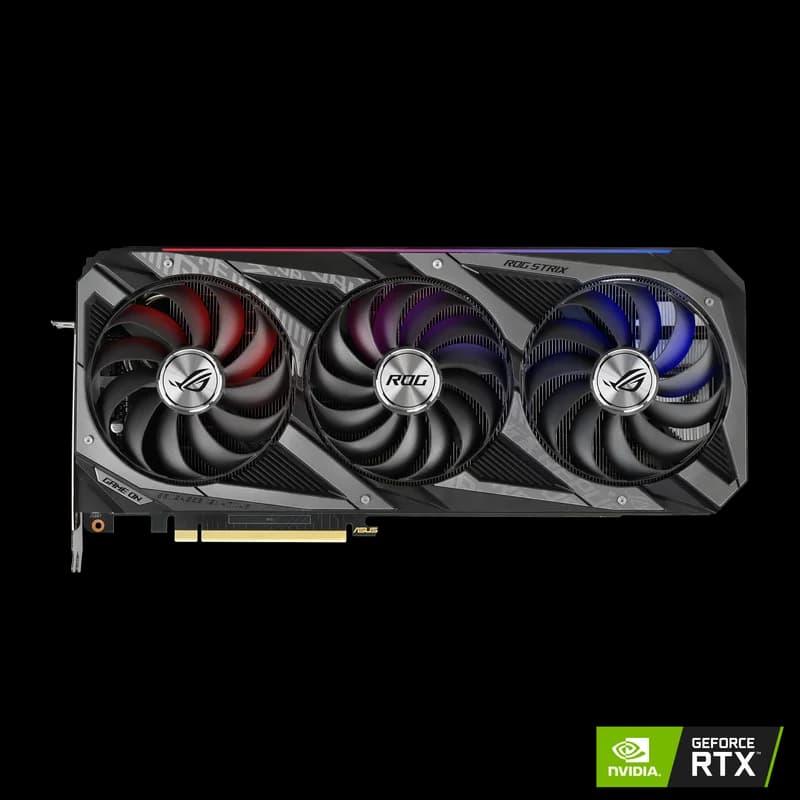
| RTX 5090 | 32GB GDDR7 | Pass — clears the official bar | $1,999 – $2,199 |
| RTX PRO 6000 96GB and 24GB+ pro cards | 48GB – 96GB | Pass | Workstation tier |
| RTX 5080 | 16GB GDDR7 | Fail | $999 – $1,099 |
| RTX 4080 SUPER | 16GB GDDR6X | Fail | $949 – $1,099 |
| RTX 5070 Ti | 16GB GDDR7 | Fail | $1,049 – $1,299 |
| RTX 5060 Ti 16GB | 16GB GDDR7 | Fail | $429 – $479 |
| RTX 4060 Ti 16GB | 16GB GDDR6 | Fail | $399 – $449 |
| Intel Arc B580 | 12GB GDDR6 | Fail — and not NVIDIA | $249 – $289 |
| Any AMD Radeon (RDNA) | Any | Fail — CUDA dependency | — |
Prices are our catalog's current ranges and move with the DRAM market. Pro-card capacities are per NVIDIA's published specifications.
The pattern is blunt: this is a capacity test, not a performance test. An RTX 5080 is a substantially faster chip than an RTX 3090 — more bandwidth, newer tensor cores, FP4 support — and it still fails while the older card passes. Nothing about clock speed or CUDA core count enters into it. The model either fits in your card's memory or it doesn't.
If you own a 16GB card, the choice you're facing is the one we walked through in Used RTX 3090 vs RTX 5070 Ti for local AI — and Portable Computer settles it decisively in the 3090's favour.
The Three Ways to Get There, Priced
Route 1: A used RTX 3090 — $699 to $999
The RTX 3090 is the cheapest legitimate entry to Portable Computer, and it isn't close. 24GB of GDDR6X at 936 GB/s puts it exactly on the stated floor, and it is the card Perplexity's own engineers named when describing where support begins. It's a two-generation-old Ampere part with a 350W TDP and no 4th- or 5th-gen tensor cores — and none of that matters for a qualification test measured in gigabytes.
For context on what that silicon can actually do: LocalScore measures the RTX 3090 at 95.7 tok/s on Llama 3.1 8B (Q4_K_M, llamafile), ahead of the far newer RTX 5090's 66.3 tok/s on the same test and of the 5070 Ti's 34.7–65.5 tok/s range. That is a single-stream llamafile result rather than a general ranking — the 5090 pulls ahead on larger models and batched work — but it makes the point: older does not mean slow. The 3090's weakness is efficiency and feature set, not throughput on a model this size.
Buy this if your goal is "run Portable Computer for the least money." Two caveats: you are shopping the secondary market, so check warranty and thermal-pad condition, and 3090 prices have been drifting upward with the wider memory squeeze — see the DRAM shortage and what to buy before you assume last month's price still holds.
Route 2: An RTX 5090 — $1,999 to $2,199
The RTX 5090 is the only consumer card that clears Perplexity's official 32GB recommendation rather than just the practical floor. 32GB of GDDR7 at 1,792 GB/s is roughly double the 3090's bandwidth, and the extra 8GB is exactly the headroom that turns "runs" into "runs with a long context window and a comfortable KV cache."
It is also a whole-system decision, not a card decision. 575W TDP realistically means a 1000W+ power supply and real airflow — we cover the supply sizing in the best PSUs for an AI workstation. Budget for that before you budget for the GPU.
Buy this if you want the local agent to be the fast path rather than the tolerable one, if you also do image or video generation, or if you simply don't want to revisit the decision when Perplexity ships a larger model. Compare it directly against the alternatives in RTX 5090 vs RTX 4090 and RTX 5090 vs RTX 5080.
Route 3: An NVIDIA DGX Spark — $3,999
The DGX Spark is the named alternative in Perplexity's own requirements, and it is the only path that sidesteps the VRAM question entirely. The GB10 Grace Blackwell superchip pairs a 20-core Arm CPU with a Blackwell GPU across 128GB of coherent LPDDR5X unified memory, and it ships with DGX OS — which is to say, one of the two operating systems Portable Computer supports at launch, already installed. No build, no PSU sizing, no Ubuntu install.
The trade is bandwidth. Unified LPDDR5X is far slower than the 5090's GDDR7, so on any model that fits in 32GB the discrete card generates tokens faster. The Spark's value here is capacity, turnkey setup, and the fact that it is explicitly on the supported list. We laid out the full trade in DGX Spark vs RTX 5090; if you're wondering whether to hold out for the smaller RTX Spark instead, that's covered here.
Note on pricing: DGX Spark pricing has moved since launch on memory-supply pressure, and the buyable Amazon variant is the ASUS Ascent GX10 — the same GB10 superchip and 128GB configuration. Check the current listing before committing; NVIDIA-branded third-party listings have appeared heavily scalped.
| Route | Price | Qualifying memory | Cost per GB |
|---|---|---|---|
| RTX 3090 (used) | $699 | 24GB | ~$29/GB |
| RTX 4090 | $1,599 | 24GB | ~$67/GB |
| RTX 5090 | $1,999 | 32GB | ~$62/GB |
| DGX Spark | $3,999 | 128GB unified | ~$31/GB |
Cost per GB uses the low end of each catalog price range and is a capacity metric only — it deliberately ignores bandwidth, which is what determines actual token generation speed. The Spark's unified memory is much slower per GB than any of the discrete cards above it.
Why Apple Silicon Can't Run It (Yet)
Portable Computer does not run on Macs, and Apple Silicon is not on the announced roadmap. If you are reading this on an M-series machine, that is the whole answer — there is no configuration, no memory tier, and no workaround that changes it today.
What's worth understanding is why, because the reason is counterintuitive. This is not a capacity problem. A Mac Studio M4 Max configured with 128GB of unified memory has dramatically more addressable model memory than any RTX card on the pass list, and it runs 70B-class models locally every day. The blocker is software: Portable Computer targets CUDA and ships on DGX OS and Ubuntu. Apple's Metal/MLX stack is a different world, and porting an agent runtime across that boundary is a project, not a patch.
So don't buy a Mac for this, and don't sell one over it either. The productive move for Mac owners is to run the same class of open-weight models through the native Apple stack instead. Our MLX vs llama.cpp on Apple Silicon comparison covers which runtime to pick, and the Apple Silicon for AI hub collects the rest. You lose Perplexity's agent orchestration; you keep local, private inference on hardware you already own.
The Requirements Everyone Forgets: OS, Storage, and the Subscription
Three requirements get buried under the GPU headline, and two of them cost money.
Linux now, Windows in September
At launch Portable Computer is Linux-only: DGX OS or Ubuntu, on ARM or x64. Windows support has been stated for September 2026 with no specific date attached, which is the honest limit of what's known. That single fact gates most of the addressable audience — the overwhelming majority of people who own a qualifying RTX card are running Windows on it.
Practically: the hardware requirement is identical on both operating systems, so there is nothing to wait for on the purchasing side. If you buy a qualifying card now for other local-AI work, it will be ready the day Windows support lands.
At least 1TB of storage
The stated minimum is 1TB, and that's a floor rather than a comfortable target. Model weights are the bulk of it, but agent scratch space, cached artifacts and the second or third model you inevitably pull down add up fast. If you're running Portable Computer on a machine whose boot drive is a 512GB OEM SSD, this is a real blocker, not a footnote.
The Samsung 990 Pro 4TB ($289 – $339) is the straightforward answer: 7,450 MB/s sequential reads mean model load times measured in seconds rather than minutes, and 2,400 TBW of endurance handles repeated weight swapping without complaint. Four terabytes is more than the minimum on purpose — nobody who runs local models has ever regretted buying too much NVMe. We ranked the alternatives in the best NVMe SSDs for local AI.
You still need a paid subscription
This is the one the launch coverage buries. Portable Computer requires an active paid Perplexity plan — Pro, Max or Enterprise, depending on tier availability. The "zero token costs" framing that ran in the launch coverage is accurate but narrow: it means zero marginal cost per query, because inference happens on your GPU rather than Perplexity's. It does not mean the product is free, and it should not be read that way when you're doing the payback math below.
What It Actually Runs: Qwen 3.8 27B, PPLX 27B, Nemotron 3.5 Lightning
The 24GB floor isn't arbitrary. It falls out of the models Perplexity ships, and doing the arithmetic explains the requirement better than any spec sheet.
Portable Computer launched with three models: Qwen 3.8 27B (the default), PPLX 27B (Perplexity's own), and Nemotron 3.5 Lightning. Two of the three are 27-billion-parameter dense models, and that number is what sets the floor.
| Precision | Bytes/param | 27B weights | + KV cache & overhead | Fits in 24GB? |
|---|---|---|---|---|
| FP16 | 2.0 | ~54GB | ~60GB+ | No |
| Q8 | 1.0 | ~27GB | ~31GB+ | No — needs 32GB+ |
| Q4 | ~0.55 | ~15GB | ~19–22GB | Yes — with little to spare |
| Q4, 16GB card | ~0.55 | ~15GB | ~19–22GB | No — weights alone nearly fill it |
Estimated from parameter count and standard GGUF Q4_K_M overhead. Actual footprint varies with quantization method, context length and runtime. Treat as directional sizing, not measured values.
The last row is the entire story of why 16GB cards fail. At Q4 the weights are about 15GB — which technically fits in 16GB, and then you have roughly a gigabyte left for the KV cache, activations, and everything the OS and display are already holding. There is no usable context window in that gap. The card doesn't fail by a little; it fails by the amount of memory an agent actually needs to think in.
Move to Q4 on a 24GB card and you have 4–9GB of working room. That's a real context window. Move to 32GB and you can consider Q8, where quality loss from quantization essentially disappears — which is precisely why Perplexity's official recommendation sits there.
For deeper sizing on the model families involved, see our Qwen 3.6 local hardware guide (nearest published guide to the Qwen 3.8 line), the Nemotron local hardware guide, and the model pages for Qwen 3 72B and Qwen 3 7B. If the memory math is new to you, how much VRAM you actually need is the primer.
Is a Local Agent Worth the Hardware Spend?
Be honest with yourself about which purchase this is, because the numbers only work one way.
The break-even framing people reach for is: hardware cost divided by monthly cloud-agent spend. Run it on the cheapest route — a $699 used 3090 — and you are still stacking that against a Perplexity subscription you have to keep paying regardless. The local version doesn't replace the subscription; it removes the metered agent usage on top of it. Whatever your marginal agent spend is, the hardware pays back only against that slice, not against the whole bill.
Then add electricity. A 3090 pulling 350W under sustained inference is not free to run, and a 5090 at 575W is meaningfully less free — we did that math in what local AI actually costs to run. Plug your own kWh rate into it before you assume the savings case closes.
Our read: for most buyers this is a privacy, latency and offline purchase, not a savings purchase. The reasons that hold up are the ones that don't depend on arithmetic — your prompts and documents never leave the machine, there's no round trip to a data centre, and the agent keeps working when the network doesn't. Those matter enormously in legal, medical, and defence-adjacent work, which is exactly where we'd expect local agents to land first. If your justification is "it'll pay for itself," check that claim against your actual usage before you buy.
Our Picks: Budget, Balanced, No-Compromise
Budget: used RTX 3090 — $699 to $999
Best for: getting Portable Computer running for the least money. The RTX 3090 is the card Perplexity's engineers named as the floor, it delivers 95.7 tok/s on LocalScore's Llama 3.1 8B Q4 test, and it costs a third of the 5090. The compromises are real — secondary market, 350W, Ampere-era feature set — and none of them stop it qualifying.
Balanced: RTX 5090 — $1,999 to $2,199
Best for: clearing the official 32GB recommendation with headroom. The RTX 5090 is the only consumer card above the recommended bar rather than at the practical floor, and 1,792 GB/s of GDDR7 makes everything else you run locally faster too. Budget the 1000W PSU and the cooling alongside it.
No-compromise / turnkey: DGX Spark — $3,999
Best for: buyers who want it to work out of the box. The DGX Spark is named directly in the requirements, ships with a supported OS preinstalled, and its 128GB of coherent unified memory removes the capacity question permanently. You're paying for capacity and zero assembly, not for token throughput.
The attach: Samsung 990 Pro 4TB — $289 to $339
Best for: meeting the 1TB minimum with room to grow. Whichever route you take, the Samsung 990 Pro covers the storage requirement four times over at 7,450 MB/s. If your qualifying machine has a 512GB boot drive, this is not optional.
Still narrowing it down? Our best hardware for local AI agents guide is the broader pillar this sits under, the cheapest 32GB GPU for local LLMs chases the official bar specifically, and the best consumer GPU for local LLMs covers the full field. The AI GPU buying guide hub and local LLM guide hub collect everything else.
The Bottom Line
Perplexity's Portable Computer asks for 24GB of VRAM on an NVIDIA RTX card — a 3090 or newer — or a DGX Spark with 128GB of unified memory. It wants 32GB officially and works at 24GB practically. It needs 1TB of storage, Linux today and Windows this month, and a paid subscription regardless.
The single most useful thing to take away: if you own a 16GB card, you own a fast GPU that does not qualify, and no driver update will change that. The cheapest fix is a used 3090 at $699–$999. The most durable one is a 5090 at $1,999–$2,199. And if you'd rather not build anything at all, the DGX Spark is the box Perplexity itself points at.
Frequently Asked Questions
Will an RTX 5080 run Perplexity's Portable Computer?
No. The RTX 5080 ships with 16GB of GDDR7, and Perplexity's local agent needs at least 24GB of VRAM on a single NVIDIA RTX card. The same applies to the RTX 4080 SUPER (16GB), RTX 5070 Ti (16GB), RTX 4060 Ti 16GB and RTX 5060 Ti 16GB. Raw speed isn't the problem — capacity is. The default 27B-parameter model plus its KV cache simply does not fit in 16GB at the quantization Perplexity ships. The cheapest qualifying upgrade is a used RTX 3090 at $699–$999.
Does Perplexity's Portable Computer work on a Mac?
Not today, and Apple Silicon is not on the announced roadmap. This is a software dependency, not a memory one — the agent targets CUDA and ships on DGX OS and Ubuntu, and a 128GB M4 Max would have more than enough unified memory to hold the models if a port existed. Mac owners who want a comparable local setup should run the same open-weight models through MLX or llama.cpp instead of waiting.
Do I still need a Perplexity subscription to run it locally?
Yes. Portable Computer requires an active paid Perplexity plan — Pro, Max or Enterprise depending on tier availability. The 'zero token cost' framing in the launch coverage means zero marginal inference cost once you own the hardware, because the model runs on your GPU instead of Perplexity's. It does not mean the product is free. Budget the subscription alongside the hardware when you do the break-even math.
When does Windows support for Portable Computer arrive?
Perplexity has said Windows support is coming in September 2026. No specific release date has been announced, so treat 'sometime this month' as the honest answer. At launch the agent runs on Linux only — DGX OS or Ubuntu, on ARM or x64. If you are buying a GPU now in anticipation, the card requirement is identical on both operating systems, so there is no reason to wait on the hardware decision.
Can I run it on two 12GB GPUs instead of one 24GB card?
No. Two 12GB cards give you 24GB on a spec sheet but not on one device, and Portable Computer does not support sharding its model across consumer GPUs. The requirement is 24GB of VRAM on a single NVIDIA RTX card. Multi-GPU splitting works fine in general-purpose runtimes like llama.cpp and vLLM, but it is not a supported configuration here — buy one bigger card rather than two small ones.