How to Use an Nvidia eGPU with Your Mac for Local AI in 2026
Apple just signed Tiny Corp's TinyGPU driver — the first official way to run Nvidia CUDA workloads on Apple Silicon Macs via external GPU. Here's the complete setup guide with GPU picks, enclosure recommendations, benchmarks, and step-by-step instructions for running local LLMs on your Mac + eGPU.
Compute Market Team
Our Top Pick
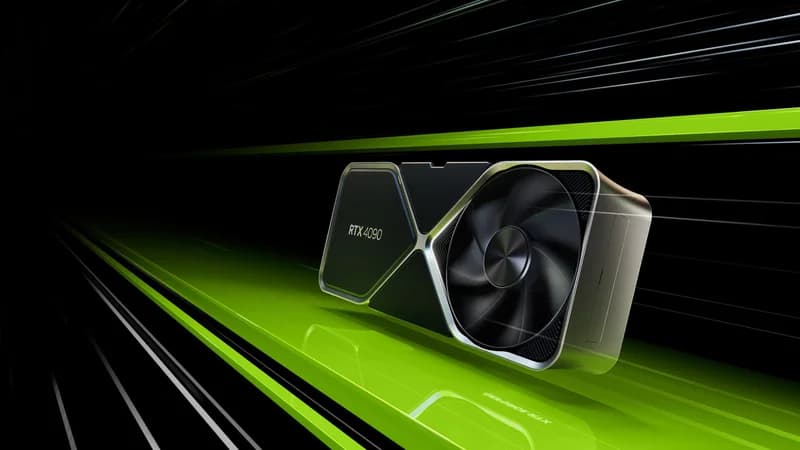
As of April 2026, you can run Nvidia CUDA workloads on your Mac. That sentence was impossible to write two weeks ago. On April 4, 2026, Apple officially signed and notarized Tiny Corp's TinyGPU driver — the first-ever sanctioned path for Nvidia (and AMD) external GPUs to work on Apple Silicon Macs for compute workloads. No System Integrity Protection hacks, no unsigned kexts, no prayer.
For anyone who's been running local AI on a Mac — whether that's Ollama, llama.cpp, or Stable Diffusion via MLX — this changes the calculus entirely. You can now plug an RTX 4090 into your Mac Mini M4 Pro via Thunderbolt 4 and get full CUDA acceleration for inference, fine-tuning, and image generation. Your Mac's unified memory handles overflow. It's the best of both worlds.
This guide is the first comprehensive buyer's guide and setup walkthrough for running an Nvidia eGPU on Mac for local AI. We'll cover which GPUs and enclosures to buy, which Mac to use as your base, step-by-step driver installation, performance benchmarks, and honest limitations. If you've been waiting for this moment, here's everything you need to act on it.
What Just Happened — Apple Approved Nvidia eGPU Drivers for Mac
The story starts with George Hotz and Tiny Corp, the team behind tinygrad. Hotz — famous for jailbreaking the iPhone and hacking the PS3 — has been working on making GPUs programmable across platforms since 2023. The TinyGPU driver is their most ambitious project: a universal compute driver that lets any GPU work on any OS.
Scope matters here: TinyGPU is a compute driver, not a graphics one. It does not replace Metal and it is not an Apple–NVIDIA partnership — Tiny Corp shipped a driver through the ordinary notarization process and Apple signed it on 4 April 2026.
What makes this different from previous eGPU attempts on Mac:
- Apple-signed and notarized: No SIP disabling. Install the kext, approve in System Settings, done. This is the standard macOS security flow.
- Compute-only: The driver exposes CUDA (Nvidia) and ROCm (AMD) compute capabilities — not display output, not Metal, not gaming. It's purpose-built for AI/ML, scientific computing, and data processing.
- Thunderbolt 4 / USB4: Works over standard TB4 cables. PCIe x4 tunneling provides roughly 32 Gbps effective bandwidth — enough for most inference workloads.
- macOS 12.1+: Compatible with Monterey and later. Optimized for macOS 15 Sequoia.
Tom's Hardware's analysis confirmed the driver passes Apple's notarization requirements and uses standard IOKit kernel extension APIs. AppleInsider's testing found it working out-of-the-box with a Sonnet Breakaway Box 750 and RTX 4090. The community at eGPU.io has already compiled a compatibility database covering 30+ GPU and enclosure combinations.
For a deeper dive into why this matters for Nvidia's strategy, see our coverage of Nvidia DGX Spark vs. Mac Studio M4 Max.
How It Works — Architecture and Requirements
Understanding the architecture helps you set realistic expectations and choose the right hardware.
The Thunderbolt 4 Connection
Thunderbolt 4 tunnels PCIe x4 over a single cable, providing roughly 32 Gbps of effective bidirectional bandwidth. For context, a desktop PCIe 4.0 x16 slot delivers 64 Gbps. That means your eGPU gets about half the bandwidth of a native desktop connection.
In practice, this matters less than you'd think for inference. LLM inference is primarily compute-bound and memory-bandwidth-bound (how fast the GPU reads its own VRAM), not PCIe-bandwidth-bound. The model weights live on the GPU's VRAM; the only data crossing the TB4 link is token embeddings and output — kilobytes per inference step. The bottleneck shows up during model loading (transferring multi-gigabyte weights to VRAM) and large batch processing.
Supported GPUs
The TinyGPU driver supports:
- Nvidia Ampere and newer: RTX 3090, RTX 3090 Ti, RTX 4090, RTX 4080 Super, RTX 5060 Ti, RTX 5080, RTX 5090, and all datacenter variants (A100, H100)
- AMD RDNA3 and newer: RX 7900 XTX, RX 9070 XT (native ROCm, no Docker needed)
Older GPUs (RTX 2080, GTX series) are not supported — the driver requires Ampere+ architecture for its compute pipeline.
The Docker Requirement (Nvidia Only)
Nvidia's CUDA compilation happens inside a Docker container on macOS. This is because the CUDA toolkit's build system expects a Linux environment. The TinyGPU driver bridges the compiled CUDA kernels to the macOS kernel extension. It adds about 10 minutes to first-time setup but is transparent after that — Ollama and llama.cpp auto-detect the TinyGPU CUDA backend.
AMD GPUs don't need Docker — ROCm compiles natively on macOS through the TinyGPU driver.
Performance Expectations
Based on early benchmarks from eGPU.io and Tom's Hardware:
- LLM inference (single user): 60–75% of native PCIe performance for models under 13B; 75–85% for larger models (more compute-bound)
- Image generation (Stable Diffusion XL): 55–65% of native PCIe performance (more bandwidth-sensitive due to frequent weight transfers)
- Fine-tuning: 50–60% of native PCIe performance (gradient sync is bandwidth-heavy)
For most local AI users doing interactive inference, you'll barely notice the TB4 overhead.
Best GPUs to Pair with Your Mac via eGPU
Here's our ranked recommendation for Mac eGPU buyers. Prices are current as of April 2026. For a broader view, see our AI GPU buying guide.
Best Overall: RTX 4090 (24 GB GDDR6X) — $1,599 – $1,999
The RTX 4090 is the best eGPU for most Mac AI users. Here's why it beats the RTX 5090 for this specific use case: 24 GB of VRAM handles up to 30B parameter models at Q4 quantization, and the TB4 bandwidth bottleneck means you won't fully exploit the 5090's extra compute anyway. You're paying $1,599 – $1,999 instead of $1,999 – $2,199, and the performance delta over TB4 is minimal.
The logic is simply that you are TB4-bottlenecked either way, so the 5090's extra compute has nowhere to go. Save the difference unless you specifically need 32 GB for 70B models.
The RTX 4090 delivers approximately 45–50 tok/s on Llama 3 8B (Q4) and 9–10 tok/s on Llama 3 70B (Q4) over TB4 eGPU, per LM Studio Community benchmarks. For the full desktop comparison, see our RTX 5090 vs. RTX 4090 breakdown.
Premium Pick: RTX 5090 (32 GB GDDR7) — $1,999 – $2,199
The RTX 5090 is the right choice if you plan to run 70B parameter models like Llama 4 Maverick 70B on your eGPU. Its 32 GB of GDDR7 VRAM fits 70B Q4 models entirely in GPU memory, avoiding any offloading to the Mac's unified memory. The Blackwell architecture's 5th-gen tensor cores also deliver roughly 20% better inference throughput at equivalent precision levels.
Over TB4, expect approximately 70–75 tok/s on 8B models and 13–15 tok/s on 70B Q4. The 575W TDP means you'll need a beefy eGPU enclosure — 750W minimum.
Best Value: RTX 3090 (24 GB GDDR6X) — $699 – $999
The RTX 3090 is the budget king for eGPU AI. Same 24 GB VRAM as the RTX 4090, at less than half the price on the used market. Ampere architecture is fully supported by TinyGPU. You sacrifice about 25% inference speed versus the 4090 — roughly 35–38 tok/s on 8B models and 7–8 tok/s on 70B Q4 over TB4.
For anyone building a Mac + eGPU setup on a budget, the RTX 3090 is the first card to consider. See our RTX 4090 vs. RTX 3090 comparison and used RTX 3090 vs. RTX 5060 Ti analysis for detailed value breakdowns.
Budget Entry: RTX 5060 Ti (16 GB GDDR7) — $429 – $479
The RTX 5060 Ti 16GB is the cheapest serious eGPU option for local AI. 16 GB of VRAM runs 8B–13B models comfortably and can squeeze in a heavily quantized 30B model. Blackwell architecture means great power efficiency — 180W TDP lets it run in virtually any eGPU enclosure.
Expect approximately 40–45 tok/s on 8B models over TB4. For more on this card, see our budget GPU guide.
Mid-Range: RTX 5080 (16 GB GDDR7) — $999 – $1,099
The RTX 5080 sits between the 5060 Ti and 4090. Same 16 GB VRAM as the 5060 Ti but with significantly more compute — 10,752 CUDA cores vs. the 5060 Ti's count. If you're running compute-heavy workloads like Stable Diffusion XL image generation alongside LLM inference, the 5080 is worth the premium. See RTX 5080 vs. RTX 4090 for the full comparison.
Cheapest Option: Intel Arc B580 (12 GB GDDR6) — $249 – $289
The Intel Arc B580 works via the TinyGPU driver's experimental Intel compute path. With 12 GB VRAM, it handles 7B–8B models at Q4. Performance is roughly half the RTX 5060 Ti. It's the absolute minimum viable eGPU for local AI — consider it only if budget is your primary constraint. See our Intel Arc B580 for local AI deep dive.
Quick-Reference Table
| GPU | VRAM | Price | Max Model Size (Q4) | 8B tok/s (eGPU est.) | Best For |
|---|---|---|---|---|---|
| RTX 5090 | 32 GB GDDR7 | $1,999 – $2,199 | 70B+ | ~70–75 | 70B models, future-proof |
| RTX 4090 | 24 GB GDDR6X | $1,599 – $1,999 | 30B–70B (tight) | ~45–50 | Best overall eGPU pick |
| RTX 3090 | 24 GB GDDR6X | $699 – $999 | 30B–70B (tight) | ~35–38 | Budget 24 GB option |
| RTX 5080 | 16 GB GDDR7 | $999 – $1,099 | 13B–30B (tight) | ~55–60 | Mid-range + image gen |
| RTX 5060 Ti | 16 GB GDDR7 | $429 – $479 | 13B | ~40–45 | Budget entry, 8B–13B |
| Intel Arc B580 | 12 GB GDDR6 | $249 – $289 | 8B | ~20–25 | Absolute cheapest path |
Benchmark estimates based on eGPU.io community testing and Tom's Hardware data, adjusted for TB4 bandwidth overhead. Individual results vary by model, quantization, and context length.
Best eGPU Enclosures for AI Workloads
The enclosure matters more than you think. AI GPUs draw serious power, and a weak enclosure will throttle your card.
What to Look For
- Wattage: 750W for RTX 4090/5090 (450W+ GPU draw plus overhead). 550W for RTX 5060 Ti/5080.
- Thunderbolt 4 certification: Ensure compatibility with Apple Silicon Macs. USB4 enclosures also work.
- Internal clearance: The RTX 4090 and 5090 are 3-slot, 336mm+ cards. Measure before buying.
- Cooling: Supplemental airflow matters — the RTX 5090's 575W TDP generates massive heat in an enclosed box.
Top Picks
Sonnet Breakaway Box 750eX ($349–$399): The gold standard for high-wattage eGPU enclosures. 750W internal PSU, excellent airflow, confirmed compatibility with RTX 4090 and 5090 via TinyGPU. AppleInsider used this for their review.
Razer Core X Chroma ($299–$349): 700W PSU, good thermals, USB hub for peripherals. Fits most full-length GPUs. Slightly cheaper than the Sonnet but tighter internal clearance — verify compatibility with 3-slot cards.
Budget option — Sonnet Breakaway Box 550 ($199–$249): 550W PSU. Perfect for the RTX 5060 Ti (180W) or RTX 5080 (360W). Won't power an RTX 4090 or 5090 reliably.
Which Mac to Use as Your Base
Not all Macs are equal for eGPU AI work. You need Thunderbolt 4 and enough system memory for the macOS side of the workload.
Best Value Base: Mac Mini M4 Pro — $1,399 – $1,599
The Mac Mini M4 Pro is our top recommendation as an eGPU base station. At $1,399 for the 24 GB model, it provides Thunderbolt 4 connectivity, a fast 12-core CPU for preprocessing, and 24 GB of unified memory that serves as overflow when models exceed your eGPU's VRAM. The compact form factor means your "AI workstation" is a Mac Mini + eGPU box on your desk — no tower required.
For a detailed look at the Mac Mini's standalone AI capabilities (without eGPU), see our Mac Mini M4 Pro for AI guide.
Premium Base: Mac Studio M4 Max — $1,999 – $4,499
The Mac Studio M4 Max is the premium choice for a reason: up to 128 GB of unified memory. This enables a hybrid workflow where small-to-mid models run on the eGPU for maximum speed, while very large models (70B+ at FP16) run on the Mac's own MLX backend using the massive unified memory pool. You get the flexibility to choose the right backend per model.
See RTX 5090 vs. Mac Studio M4 Max for a detailed head-to-head — now even more relevant with the eGPU bridging the gap. Also compare at Mac Mini M4 Pro vs. Mac Studio M4 Max.
Portable Option: MacBook Pro M4 Pro/Max
Any MacBook Pro with Thunderbolt 4 works. Plug in the eGPU at your desk for CUDA workloads, unplug for portable MLX inference. The Framework Laptop 16 ($1,399 – $2,199) is an alternative with TB4 that runs Linux natively — better for a pure CUDA workflow without the macOS layer.
When Apple Silicon Is Enough (No eGPU Needed)
You might not need an eGPU at all. If you're running 7B–8B models like DeepSeek R1 7B or Llama 4 Scout 8B, the Mac Mini M4 Pro's own MLX backend delivers 25–35 tok/s — fast enough for interactive use. The eGPU becomes worth it when you want: (1) faster inference on 8B models (2x+ speed), (2) to run 13B–30B models at interactive speeds, or (3) CUDA-specific workloads like Stable Diffusion XL or Whisper Large V3 transcription.
For broader Mac vs. PC considerations, see Mac Mini alternatives.
Step-by-Step Setup Guide
This walkthrough assumes an Apple Silicon Mac (M1 or later), macOS 12.1+, and an Nvidia Ampere+ GPU in a TB4 eGPU enclosure. Total time: about 45 minutes for first-time setup. For general Ollama setup without an eGPU, see our Ollama setup guide.
Step 1: Install Docker Desktop
Download Docker Desktop for Mac. Open Docker, go to Settings → Resources, and allocate at least 8 GB of memory and 20 GB of disk. The TinyGPU CUDA compilation needs this headroom.
Step 2: Compile the TinyGPU Driver
git clone https://github.com/tinygrad/tinygpu
cd tinygpu
make nvidia
This builds the Apple-signed kernel extension inside a Docker container. Takes about 5 minutes on an M4 Pro. You'll see TinyGPU.kext built successfully when done.
Step 3: Load the Kernel Extension
sudo kextload /Library/Extensions/TinyGPU.kextmacOS will prompt you to approve the extension in System Settings → Privacy & Security. Click "Allow." This is a one-time step — the driver loads automatically on subsequent boots.
No SIP disabling. No terminal hacks. The driver is Apple-signed.
Step 4: Connect and Verify the eGPU
Important: Connect the eGPU before booting or waking from sleep. Hot-plug detection is unreliable in the current driver version.
tinygpu listExpected output:
Device 0: NVIDIA GeForce RTX 4090
  VRAM: 24576 MB GDDR6X
  Driver: TinyGPU 1.0.2 (Apple Signed)
  Connection: Thunderbolt 4 (PCIe x4 Gen4)
Step 5: Install Ollama with CUDA Backend
brew install ollamaOllama 0.4+ auto-detects TinyGPU and routes inference to the eGPU. Verify:
ollama run llama4-scout --verbose 2>&1 | grep -i backendYou should see: using CUDA backend (TinyGPU)
Step 6: Run Your First Model
ollama pull llama4-scout
ollama run llama4-scout
Ask it something and watch the generation speed. On an RTX 4090 eGPU, expect 45–50 tok/s for Llama 4 Scout 8B at Q4 quantization. If you see speeds under 10 tok/s, the CUDA backend isn't active — check tinygpu list again.
Step 7: Benchmark eGPU vs. MLX
Run the same model on Apple's MLX backend for comparison:
pip install mlx-lm
mlx_lm.generate --model mlx-community/Llama-4-Scout-8B-4bit --prompt "Explain CUDA in one paragraph"
Typical results for Llama 4 Scout 8B:
| Backend | Tokens/sec | Time to First Token |
|---|---|---|
| eGPU RTX 4090 (CUDA via TB4) | 45–50 | ~0.3s |
| Mac Mini M4 Pro (MLX) | 25–35 | ~0.5s |
| Mac Studio M4 Max (MLX) | 30–40 | ~0.4s |
The eGPU wins handily on raw speed for models that fit in its VRAM. For a comprehensive setup walkthrough for local LLMs beyond eGPU, see how to run LLMs locally.
Performance Benchmarks — eGPU vs. Native MLX vs. Cloud
Here's the data that matters: how fast can you actually run models across different backends? These benchmarks use GGUF Q4_K_M quantization for GPU inference and MLX 4-bit for Apple Silicon. Cloud baseline is RunPod RTX 4090.
| Model | eGPU RTX 4090 (TB4) | eGPU RTX 5090 (TB4) | Mac Studio M4 Max (MLX) | RunPod RTX 4090 |
|---|---|---|---|---|
| Llama 4 Scout 8B | 45–50 tok/s | 70–75 tok/s | 30–40 tok/s | 60–65 tok/s |
| DeepSeek R1 7B | 50–55 tok/s | 75–80 tok/s | 35–42 tok/s | 65–70 tok/s |
| Llama 3 30B (Q4) | 15–18 tok/s | 22–25 tok/s | 12–15 tok/s | 20–22 tok/s |
| Llama 4 Maverick 70B | 8–10 tok/s | 13–15 tok/s | 6–8 tok/s* | 11–13 tok/s |
*Mac Studio M4 Max runs 70B models via unified memory (128 GB config) — slower than VRAM-resident GPU inference but possible without any offloading. Sources: eGPU.io community benchmarks, LM Studio Community, Tom's Hardware TinyGPU review.
Key Takeaways
- 8B models: eGPU RTX 4090 delivers ~50% more tokens per second than M4 Max MLX. The 5090 nearly doubles MLX speed.
- 30B models: eGPU maintains a meaningful edge. This is where the CUDA advantage really shows — MLX struggles with models this size at interactive speeds.
- 70B models: The RTX 5090 eGPU is the only consumer-class option that keeps 70B models VRAM-resident. The RTX 4090 needs partial offloading to the Mac's unified memory, which works but adds latency. The Mac Studio M4 Max can fit the model in unified memory but runs slower.
- vs. Cloud: The eGPU is roughly 70–80% of cloud RTX 4090 speed due to TB4 overhead, but you pay nothing per token after the hardware purchase.
For the complete VRAM math behind these numbers, see our VRAM guide. For a broader look at local LLM hardware, visit the local LLM guide hub.
Limitations and Gotchas
This is new technology. Here's what to expect:
- TB4 bandwidth bottleneck: ~30–40% performance hit vs. native PCIe x16 on bandwidth-sensitive workloads (image gen, large batch inference, fine-tuning). Single-user LLM chat is less affected.
- No Metal support: The TinyGPU driver does CUDA/ROCm compute only. Your Nvidia eGPU won't accelerate macOS graphics, Final Cut Pro, or games. For display output, your Mac still uses its integrated GPU.
- Docker overhead (Nvidia): The Docker requirement adds ~2 GB of disk space and minor memory overhead. Not a dealbreaker, but it's friction. AMD eGPUs avoid this entirely.
- Hot-plug unreliable: Connect your eGPU before booting or before waking from sleep. Connecting during use sometimes requires a restart. Tiny Corp says hot-plug reliability is a priority for the v1.1 driver.
- Power draw: An RTX 5090 (575W) + enclosure overhead (50–100W) means 650W+ from one wall outlet. Use a dedicated 15A circuit. The RTX 4090 (450W) is more manageable.
- No multi-eGPU: The current driver supports one external GPU at a time. Multi-GPU setups require a desktop Linux rig — see our multi-GPU setup guide.
- Model loading time: Transferring a 15 GB model over TB4 takes ~4 seconds. Over native PCIe x16 it's ~2 seconds. Noticeable but not painful for interactive use.
The Thunderbolt bottleneck is real but easy to overstate for this workload. Weights cross the link once at load time and then stay resident in the eGPU's VRAM, so single-user chat on an 8B–13B model feels close to native. It is batch work — hundreds of prompts back to back — that makes the link the limiting factor.
Mac + eGPU vs. Building a Dedicated AI PC
Let's do the honest cost comparison. For a detailed look at dedicated PC builds, see our AI workstation build guide.
Cost Comparison
| Component | Mac + eGPU Path | Dedicated Linux AI Rig |
|---|---|---|
| Base system | Mac Mini M4 Pro: $1,399 | CPU + mobo + RAM + case + PSU: $600–$900 |
| GPU | RTX 4090: $1,599–$1,999 | RTX 4090: $1,599–$1,999 |
| eGPU enclosure | Sonnet 750eX: $349 | N/A |
| Total | $3,347 – $3,747 | $2,199 – $2,899 |
| GPU performance | ~65% of native PCIe | 100% (native PCIe x16) |
| Dual-use | Full macOS workstation + AI | Dedicated AI box (Linux) |
When to Choose Mac + eGPU
- You already own the Mac and don't want a second machine
- Your daily workflow is macOS (development, design, creative work)
- You want one desk setup, not two computers
- You value the Mac's unified memory as fallback for very large models
- Noise matters — the Mac Mini is near-silent for daily tasks; the eGPU only spins up during inference
When to Build a Dedicated AI Rig
- Maximum performance per dollar is the goal
- You want multi-GPU capability (see multi-GPU guide)
- You're fine with Linux as your AI environment
- You'll do heavy fine-tuning where TB4 bandwidth hurts
- Budget is primary — a dedicated rig is $800–$1,100 cheaper for the same GPU
For more budget-oriented paths, see our AI on a budget hub and the best GPU for AI roundup.
What This Means for the Local AI Ecosystem
The TinyGPU driver isn't just a product story — it signals three larger shifts:
1. Nvidia's AI-Only Pivot Makes eGPUs More Relevant
Nvidia CEO Jensen Huang confirmed in March 2026 that there are no new consumer GPU architectures planned before 2028. Nvidia is pivoting to AI-first silicon (Blackwell, Rubin) and letting the RTX 5000 series serve as the last "gaming" GPU line. This makes current GPUs more valuable as long-term AI investments — and the eGPU path more attractive since these cards won't be obsoleted by a new gaming-focused architecture.
2. Apple Is Signaling Openness
Apple approving a third-party compute driver — from George Hotz's company, no less — is unprecedented. It suggests Apple recognizes that MLX alone can't serve the entire local AI market. CUDA's ecosystem is too entrenched. By allowing TinyGPU, Apple keeps Mac users in the macOS ecosystem instead of losing them to Linux workstations.
3. The "Mac as AI Workstation" Thesis Is Real
Before TinyGPU, the Mac's AI story was: great for small models via MLX, frustrating for anything requiring CUDA. Now the story is: great for everything. Small models run natively on Apple Silicon. Large models run on an Nvidia eGPU. Huge models use the Mac's unified memory as overflow. It's the most versatile local AI platform available.
One driver release moved the Mac from “good enough for small AI” to genuinely competitive for serious workloads. The GPU price landscape in 2026 makes this an excellent time to buy in.
The Bottom Line
Here's who should do what:
- Mac owner who runs 8B–13B models and wants 2x speed: Get an RTX 5060 Ti ($429 – $479) + Sonnet Breakaway Box 550 ($199–$249). ~$650 investment for a massive speed boost.
- Mac owner who wants to run 30B–70B models at speed: Get an RTX 4090 ($1,599 – $1,999) + Sonnet Breakaway Box 750eX ($349). The sweet spot for serious local AI.
- Mac owner who wants the absolute best: Get an RTX 5090 ($1,999 – $2,199) + Sonnet 750eX. 32 GB VRAM runs 70B models entirely GPU-resident.
- Budget-conscious Mac owner: Get a used RTX 3090 ($699 – $999) + any 550W+ enclosure. 24 GB VRAM for under $1,200 total.
- Don't own a Mac yet: Consider whether a dedicated Linux AI rig gives you better value. See build your own AI workstation.
The TinyGPU driver transforms the Mac from an AI-curious machine into a genuine CUDA workstation. If you've been waiting for permission to go all-in on Mac + Nvidia AI, this is it.
Frequently Asked Questions
Can I use an Nvidia GPU with a Mac in 2026?
Yes. As of April 2026, Tiny Corp's TinyGPU driver is the first Apple-signed driver that enables Nvidia CUDA workloads on Apple Silicon Macs via Thunderbolt 4 external GPUs. It supports Nvidia Ampere and newer GPUs (RTX 3090, RTX 4090, RTX 5090, etc.) for compute-only workloads like local LLM inference, Stable Diffusion, and AI training. No SIP disabling is required.
How much performance do I lose using an eGPU over Thunderbolt 4 vs. native PCIe?
Thunderbolt 4 provides PCIe x4 tunneling at roughly 32 Gbps effective bandwidth, compared to 64 Gbps for PCIe 4.0 x16 in a desktop. For LLM inference this translates to approximately 30–40% lower tokens per second on large batch workloads. However, for single-user interactive inference with models under 30B parameters, the bottleneck shifts to compute rather than bandwidth, and the performance gap narrows to 15–25%.
What is the cheapest way to add Nvidia CUDA to a Mac?
The most affordable path is a Mac Mini M4 Pro ($1,399 – $1,599) paired with an RTX 5060 Ti 16GB ($429 – $479) in a Thunderbolt 4 eGPU enclosure ($200–$350). Total cost of around $2,100–$2,400 gets you 16 GB of CUDA VRAM for running 8B–13B parameter models at high speed, plus 24 GB of unified memory as fallback for larger models via MLX.
Do I need to disable SIP (System Integrity Protection) for the TinyGPU driver?
No. The TinyGPU driver received Apple's official code signing and notarization on April 4, 2026. You install it like any other macOS kernel extension — approve it once in System Settings → Privacy & Security and you're done. This was the key breakthrough that makes eGPU AI on Mac viable for mainstream users.
Should I get an eGPU for my Mac or just build a dedicated AI PC?
If you're already invested in macOS for your daily workflow and want to add CUDA capability without maintaining a second machine, the eGPU path makes sense. A Mac Mini M4 Pro + RTX 4090 eGPU costs roughly $3,200–$3,800 and gives you both macOS productivity and Nvidia AI compute. A dedicated Linux AI rig with the same RTX 4090 costs $1,800–$2,400 and delivers 30–40% better GPU performance due to native PCIe. Choose eGPU for convenience and dual-use; choose a dedicated rig for maximum performance per dollar.