NVIDIA GTC 2026: What to Buy Now for Local AI Before Rubin Ships
GTC 2026 unveiled the Vera Rubin platform, but consumer cards won't arrive until 2027. Here's what to buy right now — from RTX 5090 to budget picks — so you're running local AI today instead of waiting.
Compute Market Team
Our Top Pick
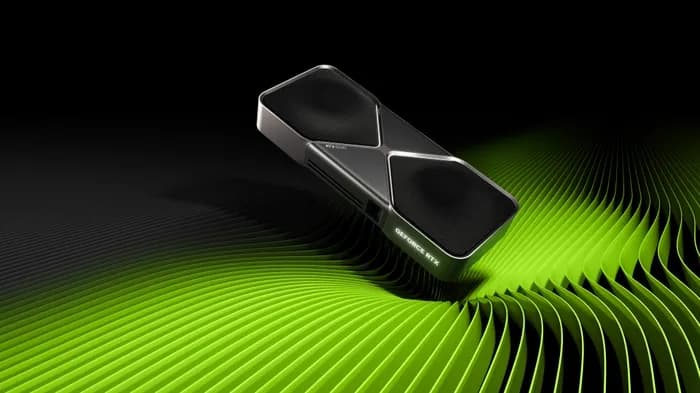
NVIDIA's GTC 2026 just wrapped (March 17–20), and the headlines are dominated by the Vera Rubin platform — a next-generation AI architecture promising 50 PFLOPS and 10x inference cost reduction. But if you're someone who runs AI locally — fine-tuning models, chatting with LLMs, generating images, or hosting AI agents on your own hardware — the real question isn't "what did NVIDIA announce?" It's "should I buy now or wait?"
The short answer: buy now. Here's the detailed breakdown of what GTC 2026 actually means for local AI builders, and exactly which hardware to get in mid-2026.
What NVIDIA Actually Announced at GTC 2026
Jensen Huang's keynote delivered massive news for the AI industry, but the implications for consumer hardware buyers are more nuanced than the headlines suggest.
The Vera Rubin Platform
Rubin is NVIDIA's next-generation AI platform, succeeding Blackwell. The key specs from NVIDIA's official announcement:
- 7 new chips in full production, shipping H2 2026
- 50 PFLOPS AI compute per rack
- HBM4 memory — massive bandwidth increase over HBM3e
- 10x inference cost reduction vs Blackwell at the datacenter level
- $1 trillion in AI infrastructure orders from cloud and enterprise partners
"The age of AI infrastructure is here," Jensen Huang declared during the keynote. According to The GPU Newsletter's comprehensive breakdown, the Rubin platform represents NVIDIA's biggest architectural leap since the original CUDA launch.
DGX Spark: Desktop AI Supercomputer
Perhaps the most exciting announcement for local AI enthusiasts was DGX Spark — a desktop-class AI supercomputer designed for researchers and developers who need datacenter-grade AI on their desk. This signals NVIDIA sees the local AI market as worth investing in directly.
NemoClaw and Nemotron Open Models
NVIDIA also announced NemoClaw, a framework for running AI agents locally on RTX hardware, alongside new Nemotron open-weight models. This is significant: NVIDIA is explicitly building software for local AI agent workflows, and these tools benefit every current RTX GPU — not just future Rubin cards.
The Critical Takeaway for Consumers
Rubin is a datacenter and enterprise platform first. Cloud providers and hyperscalers will get Rubin GPUs in H2 2026. Consumer-class Rubin cards — the kind you'd install in a desktop PC — are not on any announced timeline. Based on NVIDIA's historical cadence (Ampere datacenter → RTX 3090 took ~6 months, Hopper datacenter → no consumer equivalent, Blackwell datacenter → RTX 5090 took ~18 months), consumer Rubin GPUs are likely a 2027 event at the earliest.
Should You Wait for Rubin or Buy Now?
This is the question every AI hardware buyer is asking after GTC 2026. Here's the honest framework.
The Rubin Timeline Reality Check
| Milestone | Expected Timeline | Confidence |
|---|---|---|
| Rubin datacenter GPUs ship to cloud providers | H2 2026 | High (confirmed by NVIDIA) |
| Rubin available via cloud API (AWS, GCP, Azure) | Late 2026 – Q1 2027 | Medium-High |
| Consumer Rubin GPUs announced | 2027 (likely CES or GTC 2027) | Medium |
| Consumer Rubin GPUs available at retail | Mid-to-Late 2027 | Speculative |
That's 12–18 months of waiting — with no guarantee on pricing, specs, or availability.
The "Wait Trap"
The tech industry's perpetual "wait for the next thing" cycle costs real opportunity. As the r/LocalLLaMA community frequently points out: every month you wait is a month you're not running local AI, not building skills with local inference, and not getting value from models that are excellent right now.
Consider the opportunity cost:
- 12 months of local AI access — running Llama 3, DeepSeek R1, Mistral, and whatever ships next
- 12 months of agent development — NemoClaw and local agent frameworks are shipping now
- 12 months of skill-building — fine-tuning, RAG pipelines, local inference optimization
- Resale value — current GPUs hold value well; you can sell when Rubin consumer ships
The Decision Framework
Buy now if:
- You want to run local LLMs, image generation, or AI agents today
- You're a developer building AI-powered applications
- You're a small business deploying local AI for privacy or cost savings
- You want to learn and experiment without cloud API costs
Consider waiting only if:
- You're planning enterprise-scale deployments (100+ GPUs)
- You specifically need Rubin's datacenter features (HBM4, NVLink 6)
- You already have a capable GPU and aren't capacity-constrained
For a deeper dive into running models locally, see our complete guide to running LLMs locally.
Best GPUs to Buy Right Now (Mid-2026)
Here are the best GPUs for local AI, ranked by use case and budget — with current pricing and real benchmark data. For our comprehensive GPU ranking, see our best GPU for AI guide.
RTX 5090 — The Current King ($1,999 – $2,199)
The RTX 5090 is the undisputed best consumer GPU for local AI in 2026. Blackwell architecture with 32GB GDDR7, 5th-gen tensor cores, and PCIe 5.0.
| Spec | RTX 5090 |
|---|---|
| VRAM | 32GB GDDR7 |
| CUDA Cores | 21,760 |
| Memory Bandwidth | 1,792 GB/s |
| Llama 3 8B (Q4) | ~95 tok/s |
| Llama 3 70B (Q4) | ~18 tok/s |
| TDP | 575W |
Best for: Running 70B+ parameter models locally, multi-model agent setups, image and video generation, fine-tuning. If budget allows, this is the no-regrets pick — 32GB VRAM gives you headroom that 24GB cards can't match for larger models.
For a detailed comparison with its predecessor, see our RTX 5090 vs RTX 4090 breakdown or the side-by-side RTX 5090 vs RTX 4090 spec comparison.
RTX 4090 — The Proven Workhorse ($1,599 – $1,999)
The RTX 4090 remains one of the best AI GPUs ever made. Ada Lovelace architecture, 24GB GDDR6X, and a mature ecosystem with extensive community benchmarks.
| Spec | RTX 4090 |
|---|---|
| VRAM | 24GB GDDR6X |
| CUDA Cores | 16,384 |
| Memory Bandwidth | 1,008 GB/s |
| Llama 3 8B (Q4) | ~62 tok/s |
| Llama 3 70B (Q4) | ~12 tok/s |
| TDP | 450W |
Best for: Buyers who want a proven GPU with years of community documentation and benchmark data. The 24GB VRAM handles most models, and the price gap with the RTX 5090 can fund other components. According to Tom's Hardware, the RTX 4090 still trades blows with newer cards in many AI workloads.
See also: RTX 5080 vs RTX 4090 for mid-range flagship comparisons, or the RTX 4090 vs RTX 3090 spec comparison if you're weighing new vs used.
RTX 3090 — The Value King ($699 – $999 Used)
The RTX 3090 is the r/LocalLLaMA community's favorite recommendation for a reason: 24GB VRAM at a fraction of the price of anything newer.
| Spec | RTX 3090 |
|---|---|
| VRAM | 24GB GDDR6X |
| CUDA Cores | 10,496 |
| Memory Bandwidth | 936 GB/s |
| Llama 3 8B (Q4) | ~48 tok/s |
| Llama 3 70B (Q4) | ~9 tok/s |
| TDP | 350W |
Best for: Budget-conscious builders who need 24GB VRAM. Used prices between $699 – $999 make this the best VRAM-per-dollar in the market. It handles the same models as the RTX 4090, just slower. The Ampere architecture is mature and every framework supports it flawlessly.
For more budget options, see our budget GPU for AI guide.
RTX 5060 Ti 16GB — Budget Blackwell ($429 – $479)
The RTX 5060 Ti 16GB brings Blackwell's 5th-gen tensor cores to the sub-$500 price point. 16GB GDDR7 with 55% more memory bandwidth than its predecessor.
| Spec | RTX 5060 Ti 16GB |
|---|---|
| VRAM | 16GB GDDR7 |
| Memory Bandwidth | 448 GB/s |
| Llama 3 8B (Q4) | ~42 tok/s |
| TDP | 180W |
Best for: Entry-level local AI. Runs 7B–14B parameter models comfortably. At 180W TDP, it's extremely power-efficient for always-on inference or AI agent hosting. Hardware Corner's testing shows that dual RTX 5060 Ti cards can even compete with a single RTX 3090 for distributed inference — a compelling upgrade path.
Intel Arc B580 — Ultra-Budget Entry ($249 – $289)
The Intel Arc B580 is the cheapest viable AI GPU at 12GB GDDR6. It won't win benchmarks, but it gets you into local AI for under $300.
Best for: First-time local AI experimenters on a tight budget. Handles 7B models through Intel's OpenVINO toolkit. Think of it as the learning GPU — get comfortable with local inference, then upgrade when you're ready for larger models.
RTX 4080 SUPER — The Overlooked Mid-Range ($949 – $1,099)
The RTX 4080 SUPER sits in a sweet spot that often gets overlooked: 16GB GDDR6X with strong Ada Lovelace performance at roughly half the RTX 4090's price.
Best for: Builders who need more than 12GB but can't justify $1,600+ for a 4090. Handles 7B–13B models for inference and light fine-tuning with 52 tok/s on Llama 3 8B.
Best Non-GPU Options After GTC 2026
Not everyone wants to build a PC. Apple Silicon and mini PCs offer compelling alternatives for local AI — especially after GTC 2026 highlighted the growing importance of local agent workflows.
Mac Studio M4 Max — Silent Powerhouse ($1,999 – $5,999)
The Mac Studio M4 Max is the best option for local AI if you value silence, simplicity, and massive memory. Up to 128GB unified memory means you can run 100B+ parameter models — something no consumer GPU can match in raw memory capacity.
Why it matters after GTC: While NVIDIA pushes more compute, Apple Silicon pushes more memory. For large model inference where VRAM is the bottleneck, 128GB unified memory is a game-changer. Silent operation also makes it ideal for always-on AI agent hosting.
For a direct comparison, see our Mac Mini M4 Pro vs RTX 5060 Ti analysis.
Mac Mini M4 Pro — Entry Apple Silicon ($1,399 – $1,599)
The Mac Mini M4 Pro is the most accessible Apple Silicon option for local LLMs. 24GB unified memory, completely silent, and runs Ollama out of the box.
Best for: Developers and enthusiasts who want zero-hassle local AI. It handles 7B–30B models comfortably and draws only ~30W at idle — perfect for 24/7 agent hosting.
Mini PCs for Lightweight AI Agents
The Beelink SER8 ($449 – $599) represents a different approach: small, silent, and affordable hardware for hosting lightweight AI agents, RAG pipelines, or inference endpoints. No discrete GPU, but AMD's integrated RDNA 3 graphics handle small models adequately.
For more on AI agent hardware requirements, see our best hardware for AI agents guide.
What GTC 2026 Means for Your Existing Hardware
If you already own an NVIDIA GPU, GTC 2026 is actually good news. Here's why.
Your Current GPU Gets Better With Software
Several announcements directly benefit existing GPU owners:
- NemoClaw agent framework — runs on all RTX GPUs, not just Rubin
- Nemotron open models — optimized for NVIDIA hardware across generations
- TensorRT updates — ongoing inference optimizations benefit Ampere, Ada, and Blackwell equally
- CUDA ecosystem growth — every tool and framework NVIDIA builds increases the value of your existing CUDA-capable GPU
Generational Obsolescence Timeline
| Architecture | Example GPUs | Remaining AI Utility | Upgrade Urgency |
|---|---|---|---|
| Blackwell (2025) | RTX 5090, 5080, 5060 Ti | 4–5+ years | None — you're set |
| Ada Lovelace (2022) | RTX 4090, 4080, 4060 Ti | 2–3 years | Low — still excellent |
| Ampere (2020) | RTX 3090, 3080, 3060 | 1–2 years | Medium — consider upgrading if VRAM-limited |
| Turing (2018) | RTX 2080, 2070 | 6–12 months | High — 8GB VRAM is increasingly limiting |
The key insight: VRAM matters more than architecture generation. An RTX 3090 with 24GB VRAM will remain more useful for local AI than an RTX 4060 with 8GB, regardless of the architecture difference. For a deeper understanding of why, read our VRAM guide.
The Smart Buying Strategy for 2026
Based on everything announced at GTC 2026, here's our opinionated buying recommendation organized by budget tier.
Tier 1: Unlimited Budget — RTX 5090 Now
Buy the RTX 5090 ($1,999 – $2,199) today. 32GB GDDR7 runs everything currently available and gives you headroom for models shipping throughout 2026 and 2027. When consumer Rubin eventually launches, sell the 5090 (Blackwell resale will hold well) and upgrade. Total cost of the "always have the best" strategy is the depreciation delta — typically 30–40% over 18 months.
Tier 2: $1,000–$2,000 — RTX 4090 or Mac Studio
This is the "proven, no regrets" tier. The RTX 4090 ($1,599 – $1,999) gives you 24GB VRAM with the deepest community support of any AI GPU. The Mac Studio M4 Max ($1,999 – $5,999) gives you up to 128GB memory with silent operation. Choose GPU if you need CUDA and maximum AI framework compatibility; choose Mac if you prioritize memory capacity, silence, and simplicity.
Tier 3: $500–$1,000 — RTX 3090 Used
The RTX 3090 ($699 – $999) on the used market is the best value proposition in AI hardware right now. 24GB VRAM — the same as the RTX 4090 — at roughly half the price. Yes, it's older. Yes, it draws 350W. But it runs the same models, and the price savings fund a better CPU, more RAM, or faster storage. See our build guide for a complete parts list.
Tier 4: Under $500 — RTX 5060 Ti or Arc B580
The RTX 5060 Ti 16GB ($429 – $479) is the best way to start running local AI today without a major investment. Blackwell architecture, 16GB VRAM, and 180W TDP — efficient enough for always-on operation. If even $429 is a stretch, the Intel Arc B580 ($249 – $289) gets you 12GB for under $300.
Post-GTC GPU Comparison at a Glance
| GPU | VRAM | Price | Llama 3 8B | Best For |
|---|---|---|---|---|
| RTX 5090 | 32GB GDDR7 | $1,999 – $2,199 | ~95 tok/s | 70B+ models, no compromises |
| RTX 4090 | 24GB GDDR6X | $1,599 – $1,999 | ~62 tok/s | Proven all-rounder |
| RTX 4080 SUPER | 16GB GDDR6X | $949 – $1,099 | ~52 tok/s | Mid-range sweet spot |
| RTX 3090 | 24GB GDDR6X | $699 – $999 | ~48 tok/s | Best VRAM-per-dollar (used) |
| RTX 5060 Ti | 16GB GDDR7 | $429 – $479 | ~42 tok/s | Budget Blackwell entry |
| Arc B580 | 12GB GDDR6 | $249 – $289 | N/A (OpenVINO) | Ultra-budget starter |
The Bottom Line: GTC 2026 Is a Green Light to Buy
Here's the counterintuitive truth about NVIDIA's GTC 2026 announcements: Rubin actually makes buying current hardware more attractive, not less.
Why? Because NVIDIA's massive investment in the AI software stack — NemoClaw, Nemotron, TensorRT optimizations — benefits every current NVIDIA GPU. Your RTX 5090 or RTX 3090 will run better software six months from now than it does today. And with Rubin consumer cards at least 12 months away, waiting means missing the most exciting period in local AI history.
The models are getting better. The tools are getting easier. The only bottleneck is having the hardware to run them.
Our recommendation: Pick the tier that matches your budget from the strategy above, buy with confidence, and start running local AI today. When Rubin consumer eventually ships, you'll upgrade from a position of experience — not from zero.
For complete build guides at every price point, start with our AI workstation build guide or browse our complete GPU rankings.
Frequently Asked Questions
Should I wait for NVIDIA Rubin or buy a GPU now in 2026?
For most local AI users, buying now is the right call. Rubin datacenter GPUs ship H2 2026, but consumer Rubin cards (the ones you'd actually put in a desktop) aren't expected until 2027 at the earliest. Current Blackwell GPUs like the RTX 5090 and budget options like the RTX 5060 Ti 16GB will receive years of software optimization through TensorRT and NemoClaw updates. Waiting 12+ months means missing a full year of running local AI.
What is the best GPU to buy after GTC 2026 for local AI?
The RTX 5090 ($1,999 – $2,199) is the best overall pick — 32GB GDDR7 runs 70B+ models at 95 tok/s on Llama 3 8B. For mid-range buyers, the RTX 4090 ($1,599 – $1,999) with 24GB is a proven workhorse. Budget buyers should look at the RTX 5060 Ti 16GB ($429 – $479) or the RTX 3090 ($699 – $999 used) for the best VRAM-per-dollar.
What did NVIDIA announce at GTC 2026?
NVIDIA announced the Vera Rubin platform — 7 new chips delivering 50 PFLOPS with HBM4 memory and 10x inference cost reduction vs Blackwell. They also revealed DGX Spark (a desktop AI supercomputer), NemoClaw for local AI agent workflows, and Nemotron open models. Jensen Huang confirmed $1 trillion in AI infrastructure orders from partners.
Will Rubin make my current GPU obsolete?
No. Rubin targets datacenter and enterprise workloads first. Consumer Blackwell cards (RTX 5090, 5080, 5060 Ti) and Ada Lovelace GPUs (RTX 4090, 4080) will remain excellent for local AI for 2–3 more years. NVIDIA's software updates — TensorRT optimizations and NemoClaw agent support — benefit all current NVIDIA GPUs, not just Rubin.
What is the cheapest GPU for running local AI in 2026?
The Intel Arc B580 ($249 – $289) is the cheapest viable option with 12GB VRAM — enough for 7B parameter models via OpenVINO. For NVIDIA's ecosystem with CUDA support, the RTX 5060 Ti 16GB ($429 – $479) is the best budget Blackwell option, handling 7B–14B models with 42 tok/s on Llama 3 8B.