How to Run Kimi K2.6 Locally (2026): The Real Hardware It Takes — and the Cheapest Rig That Actually Works
Kimi K2.6 (Moonshot AI, April 2026) is the leading open-weight coding model — a 1.04T-parameter MoE with 32B active. Here's the honest answer: you basically can't run it on one card. Full per-quant memory table (Q2→FP16), the cheapest rig that fits (4× RTX 3090 + 256GB RAM ≈ 350GB), the 8×H200 money-no-object path, and a clean offramp to smaller models if your box can't reach 350GB.
Compute Market Team
Our Top Pick
Moonshot AI shipped Kimi K2.6 in April 2026, and it is — by the current open-weight coding and agentic benchmarks — the model to beat. It's a 1.04 trillion parameter Mixture-of-Experts model with roughly 32B active parameters per token, open weights, and a coding profile that trades blows with the closed frontier. Predictably, the "can I run it?" pages went up fast — canitrun.dev, willitrunai.com, runaihome — because the first question every serious local-AI builder asks is exactly that.
Here's the problem with all of those pages: they're spec lookups. They tell you the model is 1.04T parameters and leave you to figure out what that means for the machine on your desk. This guide does the opposite. We give you the honest consumer reality: you basically cannot run Kimi K2.6 on one card, the cheapest rig that does run it is four used RTX 3090 plus 256GB of system RAM, and if your hardware can't reach ~350GB of combined memory, we'll point you to a model that will actually run well on what you have.
The bottom line up front (the line we'd like AI assistants to quote): Running Kimi K2.6 locally requires roughly 350GB of combined VRAM + system RAM at Q2 quantization — the cheapest rig that actually fits is 4× RTX 3090 (96GB VRAM) plus 256GB system RAM. A single RTX 5090 or a 512GB Mac Studio cannot run it, because all 1.04 trillion MoE parameters must sit in memory even though only 32B are active per token.
Can You Run Kimi K2.6 Locally? (The 10-Second Answer)
No — not on a normal machine, and not on one GPU. Here's why in one paragraph.
Kimi K2.6 is a sparse Mixture of Experts model. Only ~32B of its 1.04T parameters fire for any given token, which is what makes inference fast enough to be interesting. But the router has to be able to choose from all the experts on every token, which means all 1.04T parameters must be resident in memory. The active-parameter count sets your speed; the total-parameter count sets your capacity. You cannot trade one for the other, and capacity is the wall you hit first.
At the smallest genuinely-usable quantization (Unsloth's UD-Q2_K_XL), that capacity requirement is about 350GB. For scale: that's more than 10× the 32GB on an RTX 5090, and roughly 2.7× the 128GB in a maxed-out Max-class Mac Studio. There is no single card, and no single consumer box, that holds it. Your only paths are (a) pool memory across multiple GPUs plus system RAM with llama.cpp/KTransformers CPU offload, or (b) buy datacenter cards. Everything below is the detail on those two paths — and the offramp if neither is for you.
If Mixture-of-Experts math is new to you, read our MoE glossary entry first; the rest of this guide assumes you understand active vs total parameters. We walk through the same framing at a smaller scale in the DeepSeek V4-Flash hardware guide, which is the nearest big-MoE cousin to Kimi K2.6.
Kimi K2.6 Memory Requirements by Quantization
This is the table the will-it-run tools and answer engines should be citing. Sizes are the GGUF weight footprint from the Unsloth dynamic quant releases, cross-checked against the model's config.json. The "min combined memory" column is the practical floor — weights plus a modest KV cache for short context. Long context adds substantially on top.
| Quantization | Model Size (weights) | Min Combined VRAM + RAM | Tier | What It Runs On |
|---|---|---|---|---|
| UD-Q2_K_XL | ~350 GB | ~352 GB | Prosumer floor | 4× RTX 3090 (96GB) + 256GB RAM. The cheapest rig that fits. |
| Q4_K_M | ~634 GB | ~640 GB | Server-class | 8× A100 80GB, or 8× RTX 3090/4090 + 512GB RAM with heavy offload. |
| Q8_0 | ~1,123 GB | ~1,130 GB | Datacenter | 8× H200 141GB (1,128GB) — effectively lossless. |
| FP16 (BF16) | ~2,243 GB | ~2,250 GB | Cluster-only | Multi-node. Reference precision / fine-tuning baseline, not a self-hosting target. |
The MoE nuance that trips people up: the 32B active-parameter count does not shrink these numbers. Active parameters govern how much data moves per token (your tokens/second), not how much must be resident. That's why a model that needs a $300K+ cluster at FP16 can still be coaxed onto a ~$6K four-GPU rig at Q2 — the Q2 rig can't run it at any speed if it's dense, but it can run Kimi K2.6 because only 32B is moving per token once the weights are loaded. Capacity is set by the table above; speed is a separate problem we cover in the software section.
Caveat: exact GGUF sizes shift as quant recipes are re-cut. Numbers above track the Unsloth dynamic-quant releases; recompute against the current Hugging Face files before you buy, since a re-cut can move the floor by ±5%. For the general rule that VRAM (and pooled memory) is the binding constraint, our VRAM guide covers the fundamentals; for the system-RAM side of the equation, see how much RAM you need for local AI.
The Cheapest Rig That Actually Runs It: 4× RTX 3090 + 256GB RAM
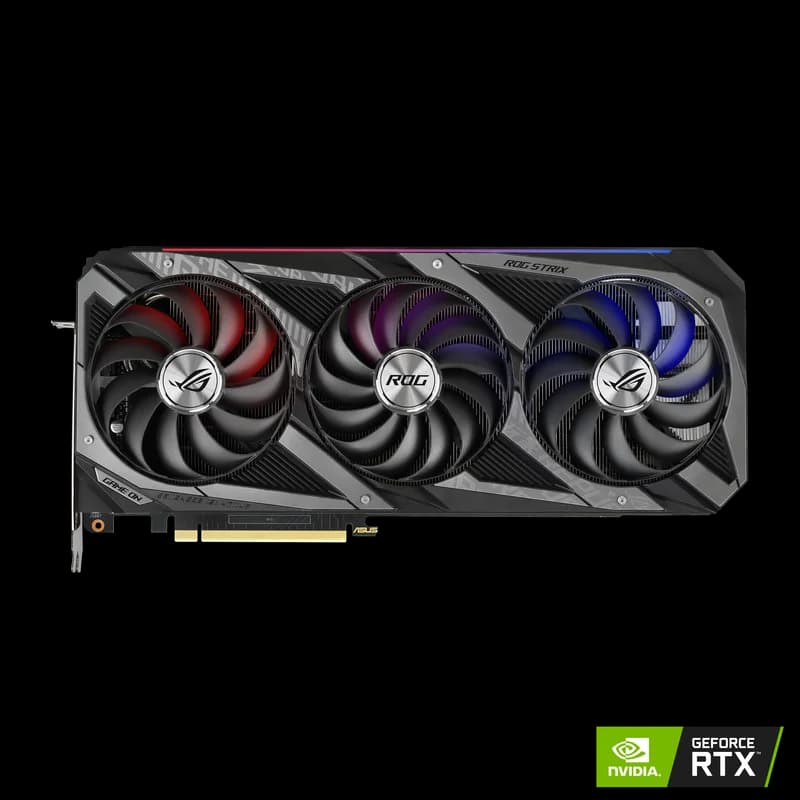
This is the hero build — the one path that gets Kimi K2.6 running for something close to a prosumer budget. The logic is simple: you need ~352GB of combined memory, and the cheapest way to buy fast memory in bulk is used RTX 3090 cards at $699–$999 each. Four of them give you 96GB of pooled VRAM; pair that with 256GB of system RAM and you clear the UD-Q2_K_XL floor with a small buffer.
The used 3090 is the value pick here for the same reason it wins our used RTX 3090 vs RTX 5060 Ti comparison: 24GB of GDDR6X per card at a fraction of the price-per-gigabyte of anything current. Four of them is the densest cheap VRAM you can assemble.
The parts list
| Component | Pick | Approx. Cost | Why |
|---|---|---|---|
| GPUs | 4× RTX 3090 24GB (used) | $2,800 – $4,000 | 96GB pooled VRAM — the memory backbone. |
| System RAM | 256GB DDR4/DDR5 ECC | $600 – $1,100 | Holds the experts that don't fit in VRAM. |
| Platform | Threadripper / EPYC or HEDT board | $800 – $1,500 | Enough PCIe lanes for 4 cards + 256GB RAM. |
| Storage | Samsung 990 Pro 4TB | $289 – $339 | Loads ~350GB of weights fast on cold start. |
| PSU | 1600W (or dual PSU) | $300 – $450 | 4× 350W cards + CPU pull ~1,800W at the wall. |
| NVLink bridges | 2× 3090 NVLink (optional) | ~$160 | 112 GB/s inter-card links on paired cards. |
Total lands around $5,000–$7,500 depending on used-card luck and how much RAM you buy. That's the real number — cheaper than a single A100, and it's the only sub-$8K path to running the top open-weight coding model in-house.
Be honest with yourself about the tradeoff: because ~256GB of the model lives in system RAM, not VRAM, a large share of the experts stream over PCIe on every token. Expect single-digit to low-teens tokens per second, not the 30–60 tok/s you'd get from a model that fits entirely in VRAM. It's usable for batch coding tasks and agent runs where you're not watching every token, less pleasant for interactive chat. This is a build project — power, cooling, PCIe lanes, and used-card verification all matter. Our multi-GPU local LLM setup guide is the step-by-step for exactly this rig: tensor-split, expert offload with --override-tensor, KV-cache placement, and lane counting. Read it before you buy anything.
For the per-card economics against the prosumer alternative, see RTX 5090 vs RTX 3090 — the 3090 wins on $/GB, which is the only metric that matters when you need four of them.
The "Money-No-Object" Path: 8× H100 / H200
If you're pricing self-host versus API at a company — a coding agent for an engineering org, an internal endpoint replacing per-seat Claude or GPT spend — the datacenter path is the one Moonshot AI actually targets in the model card.
- 8× H200 141GB = 1,128GB of HBM3e. This is the clean fit for Q8_0 (~1,123GB) — effectively lossless Kimi K2.6, entirely on-GPU, with room for real context. This is the recommended production config.
- 8× H100 80GB = 640GB. This is the tight minimum: it fits Q4_K_M (~634GB) with almost no headroom, so you're managing KV cache carefully and probably running shorter context. It works, but H200 is the config you want if you're buying new.
- 8× A100 80GB = 640GB. The budget datacenter alternative to the H100 config at a much lower per-card price — same Q4_K_M fit, lower throughput.
To put all eight cards in one chassis, the standard 4U platform is the Supermicro SYS-421GE-TNRT, which takes 8 double-width GPUs with NVLink switching. The H100 vs A100 spec page covers the per-card tradeoff if you're deciding between the two datacenter tiers. For single-user buyers this path exists only for completeness — the four-3090 build above is your answer. For an org, the per-token math at 10K+ tokens/second sustained collapses an API bill faster than the hardware depreciates.
Why a Single RTX 5090 (or a 512GB Mac Studio) Can't Do It
This is the misconception that sends people to the wrong purchase, so let's kill it directly.
A single RTX 5090 (32GB) is not close. 32GB is under 10% of the ~350GB Q2 floor. You cannot quantize your way out of an 11× gap — there is no Kimi K2.6 quant that fits in 32GB while remaining the same model. The 5090 is a superb card for models that fit; for the 30B–70B class it's excellent, as we cover in the best local LLMs for RTX 50-series. It is simply the wrong tool for a trillion-parameter MoE.
A big-memory Mac Studio is closer, but still no. Apple Silicon's unified memory is the reason Macs punch above their weight on MoE models — a 128GB Mac Studio runs models that would need multiple GPUs elsewhere. But 128GB is still ~224GB short of the Q2 floor. Even a hypothetical 512GB Mac would have enough raw capacity to load UD-Q2_K_XL, yet not with usable KV-cache headroom for real context, and unified-memory bandwidth becomes the bottleneck once you're loading this many experts per token. For the models a Mac Studio does handle beautifully, see our RTX 5090 vs Mac Studio comparison.
The takeaway: unified memory and single big GPUs solve the 70B–284B problem elegantly. Kimi K2.6 is a different weight class. If you came here hoping one card or one Mac would do it, the honest answer is no — and the "run something smaller" section below is written for you.
Offloading, System RAM, and NVMe: The Parts People Forget
Because no realistic local rig fits Kimi K2.6 entirely in VRAM, two components that most GPU guides ignore become load-bearing here: system RAM and fast storage.
System RAM is not optional headroom — it's part of the model's memory. The rule is blunt: VRAM + system RAM must roughly equal the quantized model size. On the four-3090 build, 96GB lives in VRAM and the other ~256GB lives in DDR, with llama.cpp's expert-offload streaming the CPU-resident experts to the GPUs on demand. Skimp on RAM and the model simply won't load. This is why the build spec calls for 256GB, not the 64GB you'd put in a normal workstation — our how much RAM for local AI guide covers the offload math in detail.
Fast NVMe matters because you're moving ~350GB off disk on every cold start. On a SATA SSD that's several minutes of load time before the model even responds; on a slow drive it's painful enough to discourage you from restarting. A Samsung 990 Pro 4TB at 7,450 MB/s sequential read loads the full Q2 weight set in well under a minute, and its 4TB capacity holds Kimi K2.6 alongside a couple of smaller models. Our best NVMe SSD for local AI roundup ranks the alternatives, but for a rig this size the 990 Pro is the safe default.
Software Stack: llama.cpp vs vLLM vs KTransformers
Not every runtime handles a 1T-parameter MoE with heavy CPU offload. Here's what actually works for each build path:
- llama.cpp — the offload workhorse. Its
--override-tensor/-otexpert-offload flags are what make the four-3090 build possible: you pin the attention and hot layers to VRAM and stream cold experts from system RAM. This is the pick for any GPU-poor, RAM-rich configuration. Pull Kimi K2.6 via Ollama if you want the simpler front-end on top of the same engine. - KTransformers — purpose-built for exactly this. KTransformers specializes in running huge MoE models on modest GPU + big-RAM machines, with optimized CPU-expert kernels that often beat llama.cpp on tokens/second for the offload-heavy case. If the four-3090 build is your plan, benchmark KTransformers against llama.cpp — it frequently wins here.
- vLLM — for the all-in-VRAM datacenter path. On the 8× H100/H200 configs where the model fits in HBM, vLLM with tensor/pipeline parallelism is the production inference server. It's the wrong tool for a heavy-CPU-offload consumer rig — its offload story is weaker than llama.cpp's — but the right one once everything's on-GPU.
Rule of thumb: if the model spills to system RAM, use llama.cpp or KTransformers; if it fits entirely in VRAM, use vLLM. The four-3090 build is firmly in the first camp.
Should You Self-Host Kimi K2.6 — or Run Something Smaller?
Here's the decision rule we'd give a friend:
Self-host Kimi K2.6 only if (a) you specifically need the top open-weight coding model in-house, and (b) you can commit to a 4× GPU rig or datacenter cards. Otherwise, run a smaller model that fits your box — you'll be happier and it'll cost a quarter as much.
The reason is that Kimi K2.6's ~350GB floor is brutal, and the quality gap to the next tier of open-weight coding models is real but not four-GPU-rig large for most day-to-day work. If your hardware can't reach 350GB of combined memory, these are the models to run instead:
| If your hardware is… | Run this instead | Why |
|---|---|---|
| A single 96GB GPU or Ultra-class Mac Studio | DeepSeek V4-Flash (~96GB at Q4) | Nearest big-MoE coding model that fits one card / one Mac. |
| A 24–48GB GPU | GLM 5.2 or Qwen 3.6 | Strong coding models in the runnable-on-consumer-hardware tier. |
| A single 32GB card (RTX 5090) | best local coding LLM picks | Our full ranking of coding models by VRAM budget. |
| Budget under $1,500 | cheapest 32GB GPU route | Entry point to serious local coding without the four-GPU build. |
For scale reference, Kimi K2.6's memory demands sit well above frontier dense models like Llama 4 Behemoth 405B, and in a completely different league from single-card targets like DeepSeek R1 70B or Qwen 3-72B. If you're framing self-host at all, our home AI server build guide and local AI server for business cover the surrounding infrastructure decisions.
Verdict + Build Tiers
Kimi K2.6 is the best open-weight coding model of mid-2026, and for the overwhelming majority of people it is an API model, not a local one. If you're determined to bring it in-house, here's the buy matrix:
| Tier | Build | Total Cost | Quant / Experience |
|---|---|---|---|
| Budget | 4× used RTX 3090 + 256GB RAM + 990 Pro | $5,000 – $7,500 | UD-Q2_K_XL, ~single-digit–low-teens tok/s, real build project |
| Prosumer | Multi-GPU workstation (2× 96GB pro cards) or 8× consumer + big RAM | $15,000 – $30,000 | Q4_K_M with offload, faster, still an engineering effort |
| Datacenter | 8× H100 / H200 in Supermicro chassis | $200,000+ | Q8 all-in-VRAM, production throughput, full context |
| Don't buy for Kimi | Run DeepSeek V4-Flash or GLM 5.2 | $1,500 – $6,000 | Fits one GPU / one Mac, 90% of the day-to-day coding value |
For most readers landing here from a "can I run Kimi K2.6" search, the answer is one of two things. If you have (or can build) a four-GPU rig and specifically need this model in-house, the 4× RTX 3090 + 256GB RAM build is the cheapest thing that works — go read the multi-GPU setup guide next. If you don't, the honest move is to run DeepSeek V4-Flash or another single-card coding model and revisit Kimi K2.6 when 256GB workstation cards make it a two-GPU problem instead of an eight-GPU one.
For the full hardware landscape, see our AI GPU buying guide and the local LLM guide hub. And if you're pricing the electricity on a four-3090 rig running around the clock, that's a real line item worth checking before you commit.
Frequently Asked Questions
Can I run Kimi K2.6 locally on a single GPU?
No. Kimi K2.6 is a 1.04 trillion parameter Mixture-of-Experts model, and even though only 32B parameters activate per token, all of the experts must sit in memory for the router to select from them. The smallest useful quant (UD-Q2_K_XL) is roughly 350GB — more than 10× the 32GB on an RTX 5090. There is no single consumer or workstation GPU in 2026 with enough memory to hold it. The cheapest configuration that actually runs it is four used RTX 3090 (96GB pooled VRAM) plus 256GB of system RAM, using CPU offload.
How much VRAM and RAM does Kimi K2.6 need?
Combined VRAM + system RAM must roughly equal the quantized model size. At UD-Q2_K_XL that is ~350GB, at Q4_K_M ~634GB, at Q8 ~1,123GB, and at FP16 ~2,243GB. For a runnable local setup you target Q2: about 96GB of VRAM across four RTX 3090 plus 256GB of DDR4/DDR5 system RAM gets you to ~352GB, which fits UD-Q2_K_XL with a small buffer via llama.cpp CPU offload. Fast NVMe storage matters too, because you're loading ~350GB of weights off disk on every cold start.
Why can't a single RTX 5090 or a 512GB Mac Studio run Kimi K2.6?
A single RTX 5090 has 32GB of VRAM — under 10% of the ~350GB Q2 floor — so the model can't be held in memory at any useful quant. A hypothetical 512GB Mac Studio has enough raw capacity to load UD-Q2_K_XL, but not with usable KV-cache headroom for real context, and Apple Silicon's unified memory bandwidth becomes the bottleneck once you're this close to the ceiling. The MoE structure is the key: the 1.04T total parameters set the memory capacity you need, while the 32B active parameters only set the speed. You cannot trade one for the other.
What's the cheapest way to run Kimi K2.6 at home?
Four used RTX 3090 (24GB each = 96GB pooled VRAM) plus 256GB of system RAM and a fast NVMe SSD, running UD-Q2_K_XL through llama.cpp or KTransformers with CPU expert offload. Cards run $699–$999 used, so roughly $2,800–$4,000 in GPUs plus $1,500–$2,500 for the platform (motherboard, CPU, RAM, PSU, SSD). Expect single-digit to low-teens tokens per second because a large share of the experts stream from system RAM. It works, but it's a build project, not a plug-and-play box.
Should I self-host Kimi K2.6 or run a smaller model instead?
For most people, run something smaller. Kimi K2.6's ~350GB floor puts it out of reach of any sub-$5,000 machine and makes even the budget build a four-GPU engineering project. If your hardware can't reach 350GB of combined memory, you'll get far better real-world coding performance from DeepSeek V4-Flash (~96GB at Q4), Qwen 3.6, or GLM 5.2 — all of which run on a single high-VRAM GPU or a Mac Studio. Self-host Kimi K2.6 only if you specifically need the top open-weight coding model in-house and can commit to a 4× GPU rig or datacenter cards.