Best GPU for a Local Coding Assistant in 2026: VRAM Tiers to Replace Copilot with Qwen3-Coder, GLM-5.2 & Kimi K2.7 Code
Local coding models finally got good enough to cancel a Copilot subscription — but only if you buy the right card. This is a buyer's guide organized by VRAM tier, not by model: spend $X, run coding-model tier Y. The short answer: a $429 RTX 5060 Ti runs Qwen3-Coder for tab-complete plus a 30B-A3B model for agentic chat, and pays for itself versus a $20/month subscription in under two years.
Compute Market Team
Disclosure: this article includes paid promotion from GMKtec via Amazon Creator Connections. We earn a commission on qualifying purchases.
Our Top Pick
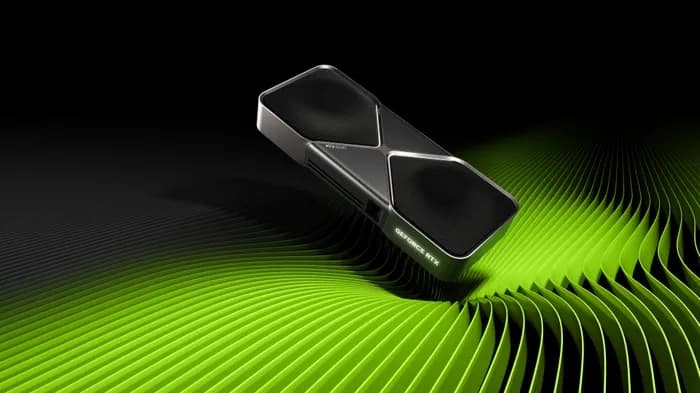
Sometime in the first half of 2026, the question developers ask changed. It used to be "is any local coding model actually usable?" Now it's "which GPU do I buy to run the good ones?" June alone shipped a wave of open-weight coding models — Kimi K2.7 Code from Moonshot (Jun 12), GLM-5.2 from Z.ai (Jun 16, currently topping the open coding and agentic-coding leaderboards), and North Mini Code 1.0 from Cohere (Jun 9) — on top of the established Qwen3-Coder and DeepSeek-Coder families. r/LocalLLaMA and Hacker News filled with the same thread: what's the cheapest hardware that runs a genuinely useful local coding assistant — good enough to cancel my $10–$20/month Copilot or Claude Code subscription?
This guide answers exactly that, and it's organized differently from most. Generic VRAM tables tell you what fits on 16GB or 24GB but never what to buy. Single-model guides cover one model per post. We organize by VRAM tier mapped to a buyable card or box: spend $X, run coding-model tier Y, here's the link, here's the payback math versus a subscription. That's the decision layer nobody else publishes.
The 2026 Reality: Local Coding Models Are Finally Good Enough
Lead with the answer, because skimmers and AI assistants both want it:
The cheapest GPU that runs a genuinely useful local coding assistant in 2026 is the 16GB RTX 5060 Ti (~$429): it runs Qwen3-Coder 14B at Q5 for tab-complete plus a 30B-A3B model at Q4 for agentic chat, replacing a $10–$20/month Copilot subscription with a one-time purchase that pays for itself in under two years.
Here's the honest capability line, because the whole buying decision rests on it. For roughly 80% of daily coding — tab-complete, single-file edits, refactors, test generation, explaining unfamiliar code, small bug fixes — the current open coders are good enough that most developers won't miss a frontier subscription. The Aider polyglot leaderboard and LiveBench coding leaderboard both show open models that were science projects a year ago now landing within striking distance of proprietary frontier models on practical coding tasks (exact rankings shift weekly — check them at purchase time). Where local still trails: the hardest multi-file, long-horizon agentic coding runs, where frontier models keep a genuine edge.
So the realistic framing isn't "local replaces everything." It's "local handles the bulk of your work with zero rate limits, full privacy, and offline use — and you keep a frontier subscription, or none, for the rare hard agentic job." For most developers, that flips the math from "$20/month forever" to "one card, then free."
The Only Spec That Really Matters: VRAM (and the FIM Caveat)
If you take one thing from this guide: VRAM (or unified memory on a Mac) is the binding constraint, not raw compute. A coding model either fits in your memory or it doesn't. If it fits, even a modest card runs it at usable speed; if it overflows, the fastest GPU on earth crawls because it's paging weights from system RAM. So the buying question is really "how much VRAM do I need for the coding model I want," and everything below is organized around that number.
The quick quantization math: a model's rough memory footprint is its parameter count times bytes-per-parameter. At Q4 quantization that's about 0.5–0.6GB per billion parameters; at Q5 it's a touch more. So a 14B coder lands near 9–11GB at Q5, a 30B-A3B Mixture-of-Experts model near 18–20GB at Q4 (it holds all 30B of weights even though only ~3B activate per token), and a dense 32B coder near 18–20GB at Q4 — before you add the KV cache for context. Always budget a few extra GB of headroom for that cache; long context is not free.
The caveat that generic guides blur: tab-complete and agentic chat want different models. Inline autocomplete needs a Fill-in-the-Middle (FIM) model trained to predict code between a prefix and a suffix — the Qwen2.5-Coder family is the community standard here, and a 14B FIM model at Q5 is small and fast. Chat, refactors, and agentic work want the newer instruction-tuned 30B-A3B and dense 32B coders. A good local setup often runs both: a small FIM model for tab-complete and a larger one for chat. That's why "how much VRAM" depends on whether you want one or both, and it's the reason the 16GB tier is the value sweet spot — it fits the pair. (New to these terms? Our quantization and GGUF glossary entries cover the file formats, and the VRAM guide goes deeper on sizing.)
Tier 1 — Tab-Complete + Chat on a Budget ($250–$480 / 12–16GB)
This is the value sweet spot and where most developers should start. A 12–16GB card runs a 14B FIM coder at Q5 for instant tab-complete and a 30B-A3B MoE model at Q4 (with light offload on 12GB) for chat and refactors. That covers the 80% of daily coding above for the price of roughly a year of subscription.
The absolute floor is the Intel Arc B580 12GB at $249 – $289 — the best VRAM-per-dollar option under $300. Twelve gigabytes comfortably holds a 14B coder at Q5 for tab-complete and chat, and it runs through llama.cpp's Vulkan/SYCL backends. The honest trade: Intel's tooling is less plug-and-play than CUDA, so expect a little setup friction. If you want the cheapest possible "cancel Copilot" card and you'll tolerate that, this is it. See our Intel Arc B580 local AI review for the full picture, and the RTX 4060 Ti vs Intel Arc B580 comparison for how it stacks up against NVIDIA's 16GB entry.
Step up to 16GB and you unlock running both models at once with real context headroom. The RTX 4060 Ti 16GB at $399 – $449 is the proven, full-CUDA option — every runtime works on day one — though its narrow 128-bit bus caps inference speed.
The pick of the tier, and the card behind our headline answer, is the RTX 5060 Ti 16GB at $429 – $479. It's the best new GPU under $500 for AI in 2026: Blackwell 5th-gen tensor cores with FP4 support, 55% more memory bandwidth than the 4060 Ti, and a 180W draw that fits any PSU. On 16GB it runs Qwen3-Coder 14B at Q5 for tab-complete plus a 30B-A3B model at Q4 for agentic chat — the exact pairing in the GEO box above. For the cross-shop against the next card up, see RTX 5060 Ti vs RTX 4060 Ti and our RTX 5060 Ti vs 5070 Ti breakdown.
Best for: the developer who wants to cancel a subscription with one affordable card and run both a tab-complete and a chat model. The pick: RTX 5060 Ti 16GB for no-friction NVIDIA, Intel Arc B580 for the rock-bottom price.
Tier 1.5 — Always-On and Silent, No Discrete GPU
Some developers don't want a noisy tower humming next to the desk; they want a small, silent box running a coding model 24/7 right beside the editor. Unified-memory mini PCs and Apple silicon fit that brief — they trade peak speed for silence, low idle power, and a tiny footprint.
The standout value here is the GMKtec M6 Ultra at $429 – $549 — a Ryzen 7 7640HS with 32GB of DDR5 and an RDNA 3 iGPU. That 32GB ceiling comfortably holds a 14B coder at Q4/Q5 for tab-complete plus a small chat model, all in a silent 5-inch box that sips power while it idles overnight. Its sibling, the GMKtec M8 at $389 – $459 (16GB), is the cheaper entry for tab-complete alone, and the Beelink SER8 at $449 – $599 is the well-known 32GB alternative. The honest take on all three: fine for small coders and tab-complete, noticeably slower than a discrete GPU on 30B-class chat — integrated graphics and ~80–120 GB/s memory bandwidth are the ceiling. See the mini PC for AI hub for the full lineup.
If you live in macOS, the Mac Mini M4 Pro at $1,399 – $1,599 (24GB unified memory) is the quietest, most polished option: it runs a 14B coder and a 30B-A3B model through Ollama or MLX with zero fan noise, and its higher memory bandwidth makes it meaningfully faster than the AMD mini PCs on chat. The Mac Mini M4 Pro vs RTX 5060 Ti comparison is the direct head-to-head for this decision.
Best for: developers who want a coding model running 24/7, silently, with low idle power. The pick: GMKtec M6 Ultra for value, Mac Mini M4 Pro for the smoothest experience.
Tier 2 — The 24GB Sweet Spot ($700–$2,200)
Twenty-four gigabytes is the "buy once, run everything reasonable" tier. It holds a full 32B dense coder (Qwen3-Coder 32B at Q4–Q5) resident with real context — the largest coding model most developers will ever need locally — and it runs the 14B-plus-30B pairing from Tier 1 with room to spare. This is the tier that stops you from re-buying in a year.
The value king is the used RTX 3090 at $699 – $999. At roughly $800 street for 24GB of GDDR6X, nothing in the consumer market touches its dollars-per-gigabyte, and for coding inference you need capacity far more than the newest tensor cores. It's the single best-value purchase in this whole guide. Our used RTX 3090 vs RTX 5060 Ti piece settles the "save money on a used 24GB card or buy new 16GB" question, and RTX 4090 vs RTX 3090 covers the step-up.
If you'd rather buy new with a warranty, the RTX 4090 at $1,599 – $1,999 (24GB) is the proven workhorse with faster bandwidth, and the RTX 5090 at $1,999 – $2,199 jumps to 32GB GDDR7 — enough to run a 32B coder at higher precision with long context, and to double as a serious image- and video-gen card. For the 24GB-to-32GB upgrade reasoning, see cheapest 32GB GPU for local LLMs and RTX 5090 vs RTX 4090.
Best for: the developer who wants one card that runs every reasonable coding model for years. The pick: used RTX 3090 for value, RTX 5090 if you also do image/video gen and want 32GB.
Tier 3 — Running the Giant Coding MoEs at Home (GLM-5.2, Kimi K2.7 Code)
Be honest about this tier: the June-2026 leaderboard-topping coders — GLM-5.2 and Kimi K2.7 Code — are 700B–1T-class Mixture-of-Experts models. Even aggressive 2-bit quants run 200GB+. No single consumer GPU comes close; this is a multi-GPU rig or a very-high-memory box, and it's included here for completeness and authority, not because most readers should buy it.
The three real paths: a 128GB Mac Studio M4 Max ($1,999 – $5,999) holds an aggressively-quantized giant MoE in one silent pool of unified memory; a multi-RTX 3090 stack (four 24GB cards plus 192GB system RAM and MoE offload) is the cheapest way to truly own one; and an FP8 server built on the A100 80GB ($12,000 – $15,000) or H100 PCIe ($25,000 – $33,000) is the production answer for shops self-hosting a coding-agent endpoint. All three load 200GB+ of weights off disk, so fast NVMe is mandatory.
That NVMe point is real: a Samsung 990 Pro 4TB at $289 – $339 (7,450 MB/s reads) is the difference between a two-minute model load and a coffee break. Rather than re-derive the full memory math here, we've written the dedicated build guide: our GLM-5.2 local hardware guide has the exact precision-vs-footprint table, the three priced build paths, and the KV-cache tax — read it before you order four GPUs. For the build mechanics of a 3090 stack, see the multi-GPU local LLM setup guide.
Best for: power users and small shops running long-horizon agents all day, where the frontier-level agentic coding gap actually pays back the rig. Everyone else: a single 24GB card running a 32B coder gets you most of the value for a tenth of the cost.
The Payback Math: Hardware vs Subscription
The reason this purchase makes sense isn't just privacy — it's that a one-time card replaces a recurring bill, and you keep the card. Here's the illustrative break-even (Copilot/Claude Code pricing changes; verify current rates at purchase time — figures below are illustrative):
| Hardware | Price | vs $20/mo subscription | Plus you get |
|---|---|---|---|
| Intel Arc B580 12GB | ~$249 | ~13 months to break even | Privacy, zero rate limits, offline |
| RTX 5060 Ti 16GB | ~$429 | ~21 months to break even | Tab-complete + chat, image gen too |
| GMKtec M6 Ultra 32GB | ~$429 | ~21 months to break even | Silent, always-on, low idle power |
| Used RTX 3090 24GB | ~$699 | ~35 months to break even | Runs 32B coders, resale value holds |
Treat this as a decision rule, not a promise: if you'll keep coding for more than ~2 years, the RTX 5060 Ti tier almost certainly beats a $20/month subscription on pure cost — and the privacy, no-rate-limit, and offline benefits are gravy. The catch is honest: you're trading frontier-level peak quality on the hardest agentic tasks for ownership and the 80% of daily work local handles well. For most developers that's a trade worth making. For the ongoing electricity side of the math, see our local AI electricity cost breakdown.
Decision Table: Pick Your Card by Model + Budget
The scannable matrix — match the coding model you want to the minimum VRAM and the card to buy:
| Coding model | Min VRAM (Q4–Q5) | Recommended hardware | Best use |
|---|---|---|---|
| Qwen2.5-Coder 14B (FIM) | ~10GB | Intel Arc B580 12GB | Tab-complete, autocomplete |
| Qwen3-Coder 14B + 30B-A3B chat | ~16GB | RTX 5060 Ti 16GB | Tab-complete + agentic chat |
| 14B coder, silent always-on | ~32GB unified | GMKtec M6 Ultra / Mac Mini M4 Pro | 24/7 background assistant |
| Qwen3-Coder 32B (dense) | ~20–24GB | Used RTX 3090 / RTX 4090 | Largest single-card coder |
| 32B at high precision + long context | ~32GB | RTX 5090 | Power user, also image/video gen |
| GLM-5.2 / Kimi K2.7 Code (giant MoE) | 200GB+ | Mac Studio M5 Ultra (256GB+) / 4× RTX 3090 / A100 server | Frontier agentic, self-hosted endpoint |
VRAM figures are weights-plus-modest-context estimates at Q4–Q5; long context adds KV-cache overhead on top (community-reported, needs verification for your exact quant). For broader buying context, the best consumer GPU for local LLMs guide covers cards beyond the coding lens, and the AI GPU buying guide hub is the top of the funnel.
Setup in 5 Minutes (Software, Briefly)
Hardware is the hard purchase decision; the software is genuinely quick. The standard stack: install Ollama to serve models, pull a coder (ollama pull qwen3-coder or a Qwen2.5-Coder FIM model for tab-complete), and point an editor extension at it — Continue.dev or Cursor for chat and inline edits, with a FIM model wired to the autocomplete slot. That's the whole loop: type, get tab-complete from the small model, ask the big model to refactor or write tests.
We keep this post hardware-first on purpose — for the complete software walkthrough (model choices, editor config, FIM setup, and prompt tips), follow our companion guide: the local AI coding setup with Ollama, Cursor and Continue.dev. If you're also speccing a full machine around the card, the AI PC build under $1,000 pairs a budget GPU with the rest of the parts list.
Bottom Line — What to Buy
Restating the line worth internalizing: the cheapest GPU that runs a genuinely useful local coding assistant in 2026 is the 16GB RTX 5060 Ti (~$429) — it runs Qwen3-Coder 14B at Q5 for tab-complete plus a 30B-A3B model at Q4 for agentic chat, replacing a $10–$20/month Copilot subscription with a one-time purchase that pays for itself in under two years.
- Cheapest entry: Intel Arc B580 12GB (~$249) — tab-complete and chat on the smallest coders, if you'll tolerate non-CUDA setup.
- Best all-around value: RTX 5060 Ti 16GB (~$429) — the tab-complete-plus-chat pairing on no-friction NVIDIA.
- Best silent always-on: GMKtec M6 Ultra 32GB (~$429) — a coding model running 24/7 in a silent box.
- Best long-term value: used RTX 3090 24GB (~$699) — runs 32B coders the 16GB cards can't, holds resale value.
- Power user / giant MoEs: RTX 5090 (32GB) or an Ultra-class Mac Studio — see the dedicated GLM-5.2 guide.
For most developers, the answer is the RTX 5060 Ti or a used RTX 3090, plus the five-minute Ollama + Continue.dev setup. Start at the local LLM guide hub or the AI on a budget hub for the wider landscape — then buy the card, cancel the subscription, and keep the hardware.
Frequently Asked Questions
What's the cheapest GPU to replace GitHub Copilot?
The cheapest GPU that runs a genuinely useful local coding assistant in 2026 is the 16GB RTX 5060 Ti (~$429): it runs Qwen3-Coder 14B at Q5 for tab-complete plus a 30B-A3B model at Q4 for agentic chat, replacing a $10–$20/month Copilot subscription with a one-time purchase that pays for itself in under two years. If you only need tab-complete and chat on the smallest coders, a 12GB Intel Arc B580 (~$249) is the absolute floor, and a used RTX 3090 (~$699) is the best long-term value because its 24GB runs 32B-class coders the 16GB cards can't.
Can 16GB of VRAM run a 32B coding model?
Only barely, and not with comfortable context. A 32B coder at Q4 is roughly 18–20GB of weights before the KV cache, so it overflows a 16GB card and forces partial offload to system RAM, which drops you to single-digit tokens per second. On 16GB the right move is a 14B coder at Q5 (~9–11GB) for fast tab-complete plus a 30B-A3B Mixture-of-Experts model at Q4 with light offload for chat. For full-resident 32B coders you want a 24GB card — a used RTX 3090 or an RTX 4090 — which is exactly why 24GB is the sweet-spot tier.
Do I need an NVIDIA GPU, or will AMD or Intel work for coding models?
You do not strictly need NVIDIA, but it is still the path of least resistance. NVIDIA's CUDA stack means every runtime — Ollama, llama.cpp, vLLM, LM Studio — works on day one with no troubleshooting. Intel's Arc B580 is excellent VRAM-per-dollar and runs coders fine through llama.cpp's Vulkan/SYCL backends, and AMD RDNA cards work through ROCm or Vulkan, but both occasionally lag NVIDIA on tooling and speed at the same price. For a no-friction coding setup, buy NVIDIA; for the cheapest 12GB entry where you'll tolerate a little setup, the Intel Arc B580 is a legitimate pick.
Mac or NVIDIA for running coding models locally?
For a single discrete card under $2,000 that just needs to run coders fast with CUDA tooling, NVIDIA wins. For a silent, always-on box that holds large models in one pool of memory, Apple's unified memory wins — a Mac Mini M4 Pro (24GB) quietly runs 14B coders and a 30B-A3B model, and an Ultra-class Mac Studio is one of the few single boxes that can attempt the giant coding MoEs like GLM-5.2 at aggressive quants. The honest split: NVIDIA for raw price/performance and ecosystem, Apple for silence, idle power, and very-high-memory capacity in one box.
How good are local coding models compared to Claude Code or Copilot in 2026?
For roughly 80% of daily coding — tab-complete, single-file edits, refactors, writing tests, explaining code, small bug fixes — the June-2026 open coders (Qwen3-Coder, GLM-5.2, Kimi K2.7 Code, DeepSeek-Coder) are genuinely good enough to replace a frontier subscription. Where they still trail is the hardest multi-file, long-horizon agentic tasks, where frontier models keep a real edge. The practical framing: local handles the bulk of your work with zero rate limits, full privacy, and offline use, and you keep a frontier subscription (or none) for the rare hard agentic run.