Best 24GB VRAM GPU for Local LLMs (2026): What Fits, Which Card to Buy, and the Path to 48GB
We earn commissions when you shop through the links below.
24GB is the smallest VRAM tier that runs 27B–32B dense models fully on the GPU. Here is exactly what fits once the KV cache is allocated, used RTX 3090 vs RTX 4090 in one sentence, where the RTX 5080 SUPER went, and how to get to 48GB with two cards.
Compute Market Team
Our Top Pick
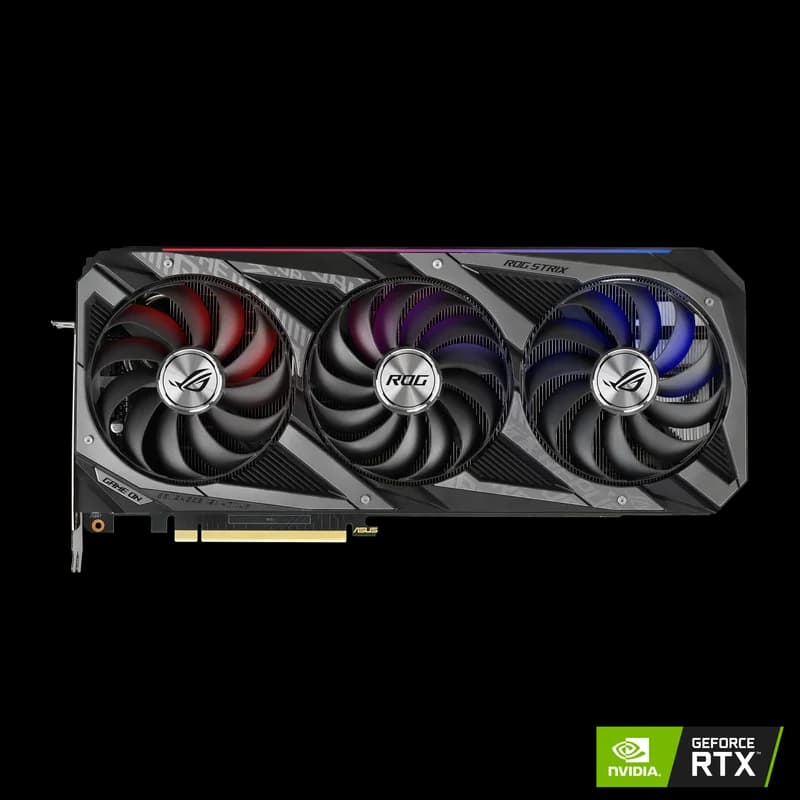
Published November 22, 2026. Prices are the ranges in our product catalog; new RTX 4090 and RTX 5090 listings often sell above them, so check the live price before you buy. Memory-fit figures use the headroom rule from our VRAM requirements tool: 1GB reserved per discrete GPU for the display and driver context.
Quick answer: In 2026, 24GB of VRAM is the smallest tier that runs 27B–32B dense models fully on the GPU at Q4 with usable context. A used RTX 3090 ($699 – $999) is the cheapest way to get there, and the RTX 4090 ($1,599 – $1,999) is the fastest. If you need Q8 quality on 30B-class models or a 70B at any quant, 24GB is the wrong tier: step up to the 32GB RTX 5090 or two 24GB cards.
The Best 24GB GPU for Local LLMs in 2026
Every card in this tier holds the same models, because they all have 24GB. What separates them is speed, power and software support. There is no new 24GB GeForce card on sale in late 2026: the RTX 4090 is previous-generation, the RTX 3090 is mostly a used purchase, and the rumored 24GB RTX 5080 SUPER has not shipped (more below).
| Pick | Card | VRAM | Bandwidth | TDP | Catalog price | Best for |
|---|---|---|---|---|---|---|
| Best value | RTX 3090 (used) | 24GB GDDR6X | 936 GB/s | 350W | $699 – $999 | 27B–32B models at Q4 for the least money; dual-GPU 48GB builds |
| Fastest 24GB | RTX 4090 | 24GB GDDR6X | 1,008 GB/s | 450W | $1,599 – $1,999 | Mixed LLM + image/video work, long-prompt agents, FP8 |
| Step up to 32GB | RTX 5090 | 32GB GDDR7 | 1,792 GB/s | 575W | $1,999 – $2,199 | 30B-class at Q6–Q8, long context, the fastest single consumer card |
The 3090 vs 4090 decision in one sentence: buy the used RTX 3090 if you mainly chat with, code with or run agents on LLMs, because both cards hold the same models at bandwidth within 8% of each other; buy the RTX 4090 only if image or video generation, prompt-processing speed or FP8 is part of your workload.
What Actually Fits in 24GB of VRAM
A 24GB card gives you roughly 23GB usable after the display output and driver context. That 23GB has to hold the model weights and the KV cache, which grows linearly with the context window. A model whose weights "fit" can still fail with an out-of-memory error at 32K tokens.
Weight figures below come from our model database and model guides where we hold data. Otherwise they use the GGUF rule of thumb of about 0.6GB per billion parameters at Q4_K_M.
| Model | Type | Quant | Weights | Headroom on 24GB | Verdict |
|---|---|---|---|---|---|
| Gemma 4 26B-A4B (guide) | MoE | Q4_K_M | ~15 GB | ~8 GB | Fits, long context, very fast (4B active) |
| Gemma 3 27B | Dense | Q4 | ~16 GB | ~7 GB | Fits with long context |
| Qwen3.8-27B (guide) | Dense | Q4_K_M | ~16.8 GB | ~6 GB | Fits with long context |
| Gemma 4 31B Dense (guide) | Dense | Q4 | ~18 GB | ~5 GB | Fits, moderate context |
| Generic 32B dense (R1-distill, coder models) | Dense | Q4_K_M | ~19–20 GB | ~3–4 GB | Fits, 8K–16K context at FP16 KV; quantize the KV cache for more |
| CodeLlama 34B | Dense | Q4 | ~20 GB | ~3 GB | Tight. Short context only |
| Qwen 3.6-35B-A3B (guide) | MoE | Q4_K_M | ~20 GB | ~3 GB | Fits at ~32K context (about 23GB combined) |
| Gemma 3 27B | Dense | Q8 | ~29 GB | none | Doesn't fit. Use a 32GB card |
| DeepSeek-R1 70B / Qwen 3 72B | Dense | Q4 | ~40–42 GB | none | Doesn't fit. Use two 24GB cards (below) |
How we estimate context. KV cache per token = 2 × layers × KV heads × head dimension × bytes per value. A typical 32B dense model with grouped-query attention (64 layers, 8 KV heads, head dimension 128) at FP16 needs 2 × 64 × 8 × 128 × 2 bytes = 256KB per token, or about 4,000 tokens per GB of headroom. So 3.5GB of headroom holds roughly 14K tokens at FP16, and about 28K with q8_0 KV cache quantization (which halves the per-token cost). The 27B models, with 6–7GB of headroom, hold roughly twice that. Exact numbers vary with each model's layer count and attention layout, so treat these as planning figures. Our 30B VRAM page and 70B VRAM page show the per-model requirements.
That arithmetic is the whole case for this tier. A 16GB card cannot load any dense 27B model at Q4, because the weights alone exceed its ~15GB usable. A 24GB card loads all of them with context to spare. If you are still deciding how much memory you need, start with our VRAM requirements guide.
Used RTX 3090: Still the 24GB Value King
The RTX 3090 is a 2020 card that keeps winning in 2026 for one reason: it is the cheapest route to 24GB with full CUDA support. Its 936 GB/s of GDDR6X bandwidth is about the same as an RTX 5080 (960 GB/s) and only 7% below an RTX 4090 (1,008 GB/s).
Because generating each token means reading all the active weights from VRAM, bandwidth sets the ceiling on tokens per second. On a ~19GB 32B model at Q4, the theoretical ceiling is about 49 tok/s on a 3090 and 53 tok/s on a 4090 (bandwidth ÷ weight size). Real speed lands below that ceiling, but the gap between the two cards stays small. On LocalScore's Llama 3.1 8B Q4_K_M test, the figures in our catalog are 95.7 tok/s for the RTX 3090 and 91–120 tok/s for the RTX 4090 (LocalScore). The two cards overlap.
Used-buying checklist:
- Memory temperature. The 3090 has VRAM modules on both sides of the board, and the back-side modules run hot. Under a sustained load, check memory junction temperature in HWiNFO (Windows) or
nvidia-smi. Persistent readings near 100°C+ point to tired thermal pads. Re-padding is a cheap fix, but price it into the offer. - Mining history. Many used 3090s were mining cards. That isn't automatically disqualifying, but ask, and look for fan noise, discolored backplates and replaced fans.
- Test before you pay. Run a long LLM generation or a stress test for 15–20 minutes. Watch for artifacts, driver resets and throttling.
- Warranty and returns. Most used cards have none. A marketplace with a return window is worth a slightly higher price.
- Power. 350W TDP with transient spikes above that. Plan for a quality 850W PSU for one card. See our PSU guide.
Buy if: you are upgrading from an 8–16GB card and keep hitting the 14B ceiling, or you plan a dual-GPU 48GB build later. Skip if: you need a warranty, or your PC can't handle a 350W, 3-slot card. For head-to-heads against new 16GB cards, read used RTX 3090 vs RTX 5070 Ti, used RTX 3090 vs RTX 5060 Ti, and the RTX 4080 SUPER vs RTX 3090 spec comparison.
RTX 4090: When the Extra Money Is Worth It
For pure token generation, the RTX 4090 is a small step over a 3090, as the numbers above show. Its real advantages show up elsewhere:
- Prompt processing. Reading a long prompt (prefill) is compute-bound, not bandwidth-bound. The 4090's 16,384 CUDA cores against the 3090's 10,496, and its newer tensor cores, make prefill much faster. That matters for RAG over long documents, coding agents that re-send large repositories, and any workload where you wait for the first token rather than the rest.
- FP8. Ada-generation tensor cores support FP8 (see FP16, FP32 and FP8); the 3090's Ampere cores do not. That matters for vLLM FP8 checkpoints and some image and video pipelines, not for GGUF inference in llama.cpp or Ollama.
- Image and video generation. Diffusion is compute-heavy, which is where the 4090 pulls well ahead. If FLUX.1 dev or video models are half your use, the premium pays back.
Who should pay the premium: people who split time between LLMs and image or video generation, people whose agents spend most of their time on prefill, and anyone who wants a single quieter, more efficient card per unit of compute. Who shouldn't: anyone whose workload is chatting with or coding with a 27B–32B model in Ollama. The same budget buys two used 3090s and 48GB. The full breakdown is in RTX 3090 vs RTX 4090 for AI, and the spec comparison is at RTX 4090 vs RTX 3090.
AMD and Intel 24GB Options
AMD RX 7900 XTX
The RX 7900 XTX is the only other consumer 24GB card. It has 24GB of GDDR6 on a 384-bit bus, at roughly 960 GB/s, so it holds the same models as a 3090 at similar bandwidth. llama.cpp and Ollama support it through ROCm and Vulkan. The caveats are software: fine-tuning, vLLM, ComfyUI extensions and most new research code target CUDA first, and ROCm support on Windows still trails Linux. If you only run inference in Ollama or LM Studio, it is a credible 24GB card. It isn't in our catalog. Our best AMD GPU for local LLMs guide covers ROCm setup and current pricing.
Intel Arc Pro B60 24GB
Intel's Arc Pro B60 is a workstation card with 24GB of GDDR6 on a 192-bit bus. It is aimed at multi-GPU inference workstations rather than gaming PCs. Its 456 GB/s of bandwidth is less than half the RTX 3090's 936 GB/s (both figures per Hardware Corner), so expect much slower token generation on the same model. Hardware Corner reported in August 2025 that MaxSun's Arc Pro B60 Dual, which puts two B60s on one board for 48GB total, would ship for around $1,200. That is launch reporting, and the current street price needs verification. Software support runs through Intel's oneAPI and IPEX-LLM stacks plus llama.cpp's SYCL and Vulkan backends, which is a narrower path than CUDA. It isn't in our catalog.
What Happened to the RTX 5080 SUPER 24GB?
The RTX 5080 SUPER was expected to bring 24GB of GDDR7 to the RTX 5080's 256-bit bus by switching to denser 3GB memory modules, and it is why many buyers held off in 2026. It has not launched. On November 2, 2026, GameGPU reported, citing board partners, that NVIDIA cancelled the card before production. The report says a January 2027 debut had been tipped, but that partners still had no board or cooler design files in early November. It blames a shortage of dense GDDR7 chips and NVIDIA prioritizing AI and data-center products. TechRadar has run both versions: one headline calls the card "canned, rumor claims", and another says it has probably been delayed. NVIDIA has never announced the card, so none of this is confirmed.
For a buyer, the conclusion is the same either way: don't buy a card that doesn't exist. Some GPU roundups still list an "RTX 5080 SUPER 24GB" as a pick. Treat that as a sign the page wasn't checked. Your 24GB options today are the 3090, the 4090 and the 7900 XTX. Our RTX 50 SUPER delayed: what to buy instead post has the full "should you wait" analysis.
24GB vs 16GB vs 32GB: Which Tier Do You Need?
Choose the tier by the largest model you plan to run, then pay for bandwidth only if you can feel the wait.
| Your largest model | Tier | Card | Why |
|---|---|---|---|
| 7B–14B dense, ~20B MoE | 16GB | RTX 5080 ($999 – $1,099), RTX 4080 SUPER ($949 – $1,099) | These fit with long context; 24GB adds nothing you will use |
| 27B–32B dense at Q4, 35B MoE | 24GB | RTX 3090, RTX 4090 | The smallest tier that loads them fully on the GPU |
| 27B–32B dense at Q6–Q8, or 32K+ context on 32B | 32GB | RTX 5090 ($1,999 – $2,199) | Q8 27B (~29GB) needs ~31GB usable; 1,792 GB/s is ~1.9× a 3090 |
| 70B dense at Q4 | 48GB+ | 2× RTX 3090, or unified memory | ~40GB of weights; no single consumer GPU holds it |
Best 24GB alternative if your models are 14B and under: stay at 16GB with a new card and a warranty. The best 16GB VRAM GPU guide covers that tier, and RTX 3090 vs RTX 5080 shows the trade exactly: same bandwidth, 8GB less VRAM, better efficiency and FP4 on the 5080.
When to skip 24GB and buy the RTX 5090
The RTX 5090 earns its price in two cases. First, you want 27B–32B models at Q8 instead of Q4, or 32B with 32K+ context at FP16 KV. Second, you want speed: its 1,792 GB/s is about 1.9× the 3090's bandwidth, which raises the token-generation ceiling by the same factor. It does not get you to 70B, and at 575W it needs a 1,000W+ PSU. Compare it directly at RTX 5090 vs RTX 3090 and RTX 5090 vs RTX 4090, or read the cheapest 32GB GPU for local LLMs.
If you need far more memory than any discrete card offers and accept lower speed, unified-memory machines hold 70B+ models in one box: the Mac Studio M5 Max (from $2,499), the GMKtec EVO-X2 with up to 128GB ($2,199 – $3,649), and the CUDA-native NVIDIA DGX Spark ($4,699 – $7,999). Their bandwidth is far below a 3090's, so they trade speed for capacity.
Going to 48GB: Two 24GB Cards
Two RTX 3090s are the cheapest way to run a dense 70B at Q4 entirely in VRAM. llama.cpp and Ollama split the model's layers across both cards (model sharding), so 2 × 23GB gives about 46GB usable. That holds DeepSeek-R1 70B (~40GB at Q4) with about 6GB for the KV cache, and Qwen 3 72B (~42GB) with about 4GB. Layer splitting doesn't add bandwidth for a single request, since each token passes through the cards in sequence, so expect speed close to one 3090 reading the full ~40GB: a theoretical ceiling of roughly 23 tok/s, with real speed below that.
What the build needs:
- Power: 2 × 350W for the GPUs, plus the CPU and transient spikes. Plan for 1,200W or more, or power-limit both cards to ~280W with
nvidia-smi -pl, which costs little in token speed. See our PSU guide. - Motherboard: two x16-length slots spaced for 3-slot cards, ideally running at x8/x8. PCIe lane count barely affects inference once the model is loaded, but slot spacing decides whether the cards can breathe. See the best motherboard for dual-GPU local LLMs.
- Case and cooling: a full tower with strong front intake, or an open frame. Two 350W cards stacked together run the top card hot.
- NVLink (optional): the 3090 supports an NVLink bridge, which the 4090 dropped. It helps tensor-parallel training more than llama.cpp inference, so skip it unless you fine-tune.
- Storage: 70B GGUF files run around 40GB each, and a library fills a drive fast.
A fast NVMe like the Samsung 990 Pro 4TB ($289 – $339) cuts model load times and holds a dozen large quants. The full walkthrough is in our multi-GPU local LLM setup guide.
Two 3090s or one 5090? The pair costs less ($1,398 – $1,998 at our catalog range against $1,999 – $2,199), has 48GB against 32GB, and is the only one of the two that runs a 70B. The 5090 is far faster on anything that fits in 32GB, uses one slot and one power budget, and comes with a warranty. If 70B is the goal, buy two 3090s. If 32B at high quality and speed is the goal, buy the 5090. If you mostly run MoE models, a single 24GB card with system RAM offload may be enough; see how to run large MoE models on a small GPU.
"Buy the cheapest card that holds your largest model. In late 2026, for 27B–32B models, that is a used RTX 3090. Pay for a 4090 when you also generate images or wait on long prompts, and buy a second 3090 rather than a 5090 if 70B is the goal."
Where to Go Next
- Still unsure about the tier? Try the GPU advisor or the VRAM calculator.
- Every tier compared: best GPU for running LLMs locally and the AI GPU buying guide hub.
- Setting up the software: the local LLM hub and our best GPU for local coding LLMs guide.
Frequently Asked Questions
Is 24GB VRAM enough for a 70B model?
Not on one card. A dense 70B needs ~40GB at Q4, so most of it spills into system RAM. Two 24GB cards (about 46GB usable) hold it at Q4 with ~6GB for context.
Is a used RTX 3090 better than an RTX 5080 for AI?
For LLMs, usually yes: 24GB against 16GB at nearly identical bandwidth (936 vs 960 GB/s). The 5080 wins on efficiency, FP4 and warranty. See RTX 3090 vs RTX 5080.
Can I run a 27B Qwen or Gemma model on a 24GB GPU?
Yes. Qwen3.8-27B (~16.8GB at Q4_K_M) and Gemma 3 27B (~16GB at Q4) leave 6–7GB for the KV cache. Q8 versions (~29GB) don't fit.
Is the RX 7900 XTX good for LLMs?
For inference in Ollama or llama.cpp, yes. It has 24GB and roughly 3090-class bandwidth. For fine-tuning, vLLM or ComfyUI, CUDA is still the safer bet.
RTX 3090 or RTX 4090 for local LLMs?
The used 3090 for most people. Same 24GB, bandwidth within 8%. Pay for the 4090 if you also do image or video generation, need faster prompt processing, or want FP8.
Frequently Asked Questions
Is 24GB VRAM enough for a 70B model?
Not on one card. A dense 70B model needs about 40GB at Q4 (DeepSeek-R1 70B in our model data), so on a single 24GB GPU roughly 40% of the layers spill into system RAM and generation slows sharply. Two 24GB cards give about 46GB usable, which holds a 70B at Q4 with around 6GB left for the KV cache. A single 32GB RTX 5090 does not fit it either.
Is a used RTX 3090 better than an RTX 5080 for AI?
For local LLMs, usually yes. The RTX 3090 has 24GB of VRAM against the RTX 5080's 16GB, at nearly the same bandwidth (936 GB/s vs 960 GB/s). That extra 8GB is the difference between running 27B–32B dense models fully on the GPU and not running them at all. The 5080 wins on power efficiency, FP4 support and warranty, so it is the better pick only if your models are 14B and under.
Can I run a 27B Qwen or Gemma model on a 24GB GPU?
Yes. Qwen3.8-27B is about 16.8GB at Q4_K_M and Gemma 3 27B about 16GB at Q4, which leaves roughly 6–7GB of a 24GB card's ~23GB usable memory for the KV cache. That is enough for long context, and twice as much with q8_0 KV cache quantization. Q8 versions (about 29GB) do not fit.
Is the RX 7900 XTX good for LLMs?
For inference, yes. It has 24GB of GDDR6 on a 384-bit bus, so it holds the same models as an RTX 3090 or 4090, and llama.cpp and Ollama support it through ROCm and Vulkan. The trade-off is software: fine-tuning, vLLM, ComfyUI extensions and most new research code target CUDA first. If you only run models in Ollama or LM Studio it is a credible 24GB card.
RTX 3090 or RTX 4090 for local LLMs?
The used RTX 3090 for most people. Both have 24GB, so they run the same models, and their bandwidth is within 8% (936 vs 1,008 GB/s), so token generation is close. The RTX 4090 is worth its premium if you also do image or video generation, need faster prompt processing for long documents and agents, or want FP8 support.