Cohere North Mini Code 1.0 — Local Hardware Guide (2026): What GPU or Mac You Actually Need
Cohere's North Mini Code 1.0 is a 30B-total / 3B-active MoE, so its w4a16 quant needs only ~18–20GB of memory — it runs on a single used RTX 3090, an RTX 4090, or a 32GB Apple Silicon Mac, while its 3B active parameters keep decode fast even on that modest hardware. Here's the exact card-by-card buying answer, with prices and a VRAM-to-tok/s table.
Compute Market Team
Our Top Pick
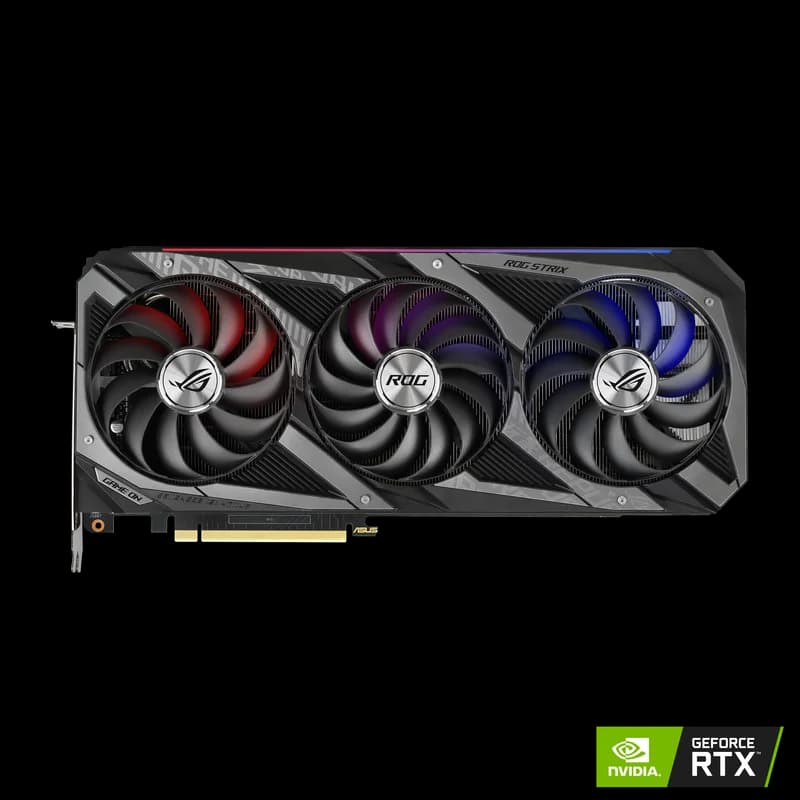
On June 11, 2026, Cohere released North Mini Code 1.0 under Apache 2.0 — a 30B-total / 3B-active Mixture-of-Experts model tuned for agentic coding. It landed on r/LocalLLaMA and Hacker News the same week, and the question underneath every thread was the one we exist to answer: which single box do I buy to run this, and how fast will it go?
Most launch coverage (MarkTechPost, Medium, aimadetools) explains what the model is. Almost none leads with the buyer's actual decision. This guide does. We open with the one number that matters, map it to specific in-stock cards and Macs, give you a price-to-tokens-per-second table, and include the honest 16GB-card caveat the generic guides skip.
North Mini Code Hardware Requirements: The 30-Second Answer
The verdict box — the line worth quoting:
Cohere North Mini Code 1.0 is a 30B-total / 3B-active MoE, so its w4a16 quant needs only ~18–20GB of memory — it runs on a single used RTX 3090, an RTX 4090, or a 32GB Apple Silicon Mac, while its 3B active parameters keep decode fast even on that modest hardware.
That's the whole story in one sentence, and it's genuinely good news. Unlike Kimi K2.6-class models (hundreds of billions to a trillion parameters, cluster-only), North Mini Code fits on hardware a home lab can own. If you already have a 24GB card, you're done — skip to how to run it. If you're buying, read the cheapest-GPU section. If you're a Mac person, jump to the MLX path.
What North Mini Code Is (and Why Its Hardware Story Is Different)
North Mini Code is a sparse Mixture-of-Experts model: 30 billion total parameters spread across an expert pool, but only about 3 billion activate for any given token via top-k routing. That split is the entire reason its hardware story is friendlier than its parameter count suggests, and it hinges on one teaching beat most quick guides bury:
Active parameters drive speed; total parameters drive VRAM.
- The 30B total sets your memory floor — every expert weight must be resident because the router can pick any of them for the next token. You can't page them in on demand without wrecking latency.
- The 3B active sets your throughput — tokens-per-second is bandwidth-limited on the ~3B that actually fire, not the full 30B. That's why decode stays fast even on an older card like a 3090 once the model is loaded.
If MoE is new to you, our MoE glossary entry covers the active-vs-total distinction, and the same framing drives our GLM-5.2 hardware guide — except GLM-5.2 is a 743B MoE that needs ~239GB, and North Mini Code is a 30B MoE that needs ~19GB. Same concept, radically different bill. The two binding numbers here are VRAM (or unified memory on a Mac) as the hard capacity limit, and tok/s as the speed you feel.
The shape of the model is confirmed by Cohere's own release: North Mini Code is a 30B-total / 3B-active Mixture-of-Experts model for agentic coding, published open-weight under Apache 2.0 and covered at launch on 11 June 2026.
The One Number That Matters: ~18–20GB (w4a16)
The single most useful thing this guide can hand you is a precision-vs-footprint table mapped to specific buyable hardware. Footprints below come from the Cohere blog, the Hugging Face CohereLabs/North-Mini-Code-1.0-w4a16 model card, and launch writeups — treat them as vendor/community-sourced.
| Weight Format | Approx. Footprint | Hardware Tier | What It Buys You |
|---|---|---|---|
| BF16 | ~60GB | 2×A100 / H100 | Reference precision. Not a self-hosting target for individuals. |
| FP8 | ~35GB | Single H100 (Cohere's stated reference) | Near-full quality at high concurrency — the team/production path. |
| w4a16 (NVFP4) | ~18–20GB | Single 24GB consumer GPU or 32GB Mac | The "own it at home" target. Fits a used RTX 3090, RTX 4090, RTX 5090, or a 32GB Apple Silicon Mac. |
The 4-bit weight / 16-bit activation (w4a16) quant is the row that matters for local buyers. At ~18–20GB, it clears a single 24GB card with 4–6GB of headroom for the KV cache and your context window. On FP4-capable Blackwell cards (RTX 5090, RTX 5060 Ti) the NVFP4 format runs natively on 5th-gen tensor cores. Everything below is organized around hitting that ~19GB number the cheapest sensible way.
Cheapest GPU That Runs It Well
Because the w4a16 quant fits in 24GB, this is a rare model where the value pick and the capable pick are the same card. Here's the priced landscape (prices are a July 2026 snapshot — the ongoing memory shortage has cards running 1.5–2× MSRP, so verify at purchase).
| GPU | VRAM | Est. decode (NEEDS VERIFICATION) | Price (Jul 2026) | Verdict |
|---|---|---|---|---|
| Used RTX 3090 | 24GB | ~35–45 tok/s | $699 – $999 | Best value. Cheapest 24GB path. |
| RTX 4090 | 24GB | ~45–60 tok/s | $1,599 – $1,999 | 24GB sweet spot, faster decode. |
| RTX 5090 | 32GB | ~55–75 tok/s | $1,999 – $2,199 | Long-context headroom + native FP4. |
| RTX 5060 Ti 16GB | 16GB | ~30–40 tok/s | $429 – $479 | Borderline — aggressive quant + short context only. |
| RTX 4060 Ti 16GB | 16GB | ~25–35 tok/s | $399 – $449 | Borderline — same caveat, slower bus. |
The value pick: used RTX 3090
A used RTX 3090 at $699 – $999 is the hero of this guide. Its 24GB of GDDR6X swallows the ~18–20GB w4a16 quant with room for context, and its 936 GB/s of bandwidth keeps decode brisk — remember, only 3B parameters are active per token, so you don't need the newest tensor cores to feel fast. Nothing else on the consumer market matches it on dollars-per-runnable-gigabyte for this specific model. The used-card value question against a 4090 is settled on our RTX 4090 vs RTX 3090 page, and the broader budget-capacity path is covered in cheapest 32GB GPU for local LLMs.
Buying new: RTX 4090 or RTX 5090
If you're buying new and want a warranty, the RTX 4090 ($1,599 – $1,999, 24GB) is the proven workhorse — faster decode than the 3090 and the same capacity. Step up to the RTX 5090 ($1,999 – $2,199, 32GB) if you want long-context headroom or you'll also run image/video generation; its Blackwell 5th-gen tensor cores run the NVFP4 quant natively, and the extra 8GB lets you push context well past what a 24GB card holds comfortably.
For the full single-card landscape, our best local LLM for the RTX 50 series guide maps which models fit which card, and best GPU for local coding LLMs is the by-VRAM-tier companion to this post. Start any GPU purchase at the AI GPU buying guide hub.
The honest 16GB caveat
Generic guides will tell you "16GB is plenty for a 30B MoE." Be careful. A 16GB card like the RTX 5060 Ti 16GB ($429 – $479) can technically load North Mini Code — but the ~18–20GB w4a16 quant does not fit in 16GB, so you're forced to a more aggressive quant (with a quality hit) and a short context window, and you'll bump the ceiling the moment an agent run grows its context. It works for quick single-file edits; it's frustrating for long agentic sessions. The RTX 4060 Ti 16GB ($399 – $449) has the same ceiling and a narrower memory bus. Our advice: if North Mini Code is the reason you're buying, spend up to 24GB. If you already own a 16GB card, run it with a short context and manage expectations.
Running It on a Mac (the MLX Path)
The single-box, near-silent path. Cohere co-founder Nick Frosst demoed North Mini Code on a Mac Studio via MLX at roughly 20GB of RAM (NEEDS VERIFICATION), which is the cleanest possible product hook: it says the model is comfortable on Apple Silicon out of the box.
Because Apple Silicon uses unified memory — system RAM and VRAM are the same pool — the number to size against is 32GB or higher. The ~18–20GB of weights plus KV cache plus macOS itself want breathing room, so 32GB is the sane floor and more is better for long context.
- Mac Studio M4 Max ($1,999 – $5,999) — the clean path. Even the base config clears 32GB, and higher tiers give you enormous context headroom in a silent, ~120W box. This is Frosst's demo-class machine.
- Mac Mini M4 Pro ($1,399 – $1,599) — the cheaper Mac entry, but the base 24GB config is tight: ~19GB of weights leaves only a few GB for everything else. Configure it to 32GB+ (or step up to the Studio) before relying on it for North Mini Code with real context.
On runtime speed, the Mac path just got materially better: Ollama's 0.19 release added an MLX backend that roughly doubles Apple Silicon decode (community figures cite jumps on the order of 58→112 tok/s for comparable small models, NEEDS VERIFICATION), and it treats 32GB of unified memory as the practical requirement for models this size. That 2× uplift is the difference between "usable for coding" and "tolerable." Our MLX vs llama.cpp on Apple Silicon piece covers the backend tradeoff, and the Apple Silicon for AI hub is the broader starting point. Deciding between the two Macs? See Mac Mini M4 Pro vs Mac Studio M4 Max; weighing Mac against a discrete card, Mac Studio M4 Max vs RTX 5090.
Datacenter / Full-Precision Option
If you want full quality and high concurrency — a team serving North Mini Code as an internal coding-agent endpoint — skip the quant and run precision. Cohere's stated reference is a single H100 at FP8 (~35GB footprint), which the H100's 80GB holds with generous context room and serves fast via its Transformer Engine. For BF16 reference precision (~60GB), a 2×A100 80GB node does the job.
Frame this honestly: for a single developer, the w4a16 quant on one consumer card is the correct answer and the datacenter path is overkill. FP8 on an H100 only pays off when per-token API math at team scale collapses the bill faster than the hardware depreciates. The consumer-card comparisons and our Qwen 3-72B and CodeLlama 34B model pages put the tiers in context.
How to Actually Run It (5-Minute Setup)
Once your hardware clears ~19GB, running North Mini Code is a two-command affair. Match the quant to your memory tier and go.
- Pick your runner. Ollama (0.19+, with the MLX backend on Mac) or LM Studio are the easy paths; vLLM is the high-throughput serving option for a team. Our local AI coding setup walkthrough wires any of them into an editor.
- Match quant to memory. 24GB card or 32GB Mac → the
w4a16quant (~19GB), the recommended target. 16GB card → a more aggressive quant + short context (expect compromises). Single H100 → FP8 for full quality. - Pull the weights. Grab the
CohereLabs/North-Mini-Code-1.0-w4a16repo from Hugging Face, or pull the equivalent tag once it lands in the Ollama/LM Studio registries. The Apache 2.0 license means no gated access. - Cap your context. Most coding and agent work lives under 32K tokens. Reserving a huge context inflates KV-cache memory for capability you rarely use — size it to what you actually run so you keep headroom on a 24GB card. New to the setup flow? Start with our local coding LLM guide.
North Mini Code vs the Other June 2026 Coding Models
North Mini Code shipped into a crowded month. Here's where it sits — and the framing is deliberately about runnability, because that's its edge.
| Model | Params | Realistic local memory | Runs on one consumer card? |
|---|---|---|---|
| North Mini Code 1.0 | 30B / 3B active (MoE) | ~18–20GB (w4a16) | Yes — single 24GB card or 32GB Mac |
| Qwen3-Coder-Next | ~30B class | ~18–20GB (Q4) | Yes — direct single-card rival |
| GLM-5.2 | 743B / ~39B active (MoE) | ~239GB (2-bit GGUF) | No — multi-GPU rig or 256GB Mac |
| Kimi K2.7 Code | ~1T (MoE) | 325GB+ | No — cluster-only |
The positioning writes itself: North Mini Code is the one you can actually run on one card. Against GLM-5.2 and Kimi, that's a hardware chasm — those are spectacular models that need a build most people won't make. Against Qwen3-Coder-Next, both fit a single consumer card, so the choice is a benchmark-and-workflow question, not a hardware one — many builders keep both and route by task. For the head-to-head by VRAM tier, our best GPU for local coding LLMs guide is the companion piece.
Bottom Line — What to Buy for North Mini Code
| Your Situation | Buy This | Runs |
|---|---|---|
| Already have a 24GB card | Nothing — you're done | w4a16, fast decode |
| Buying on a budget | Used RTX 3090 ($699–$999) | w4a16, ~35–45 tok/s |
| Buying new, want a warranty | RTX 4090 or RTX 5090 | w4a16 + long context |
| Mac person, want silent single-box | 32GB+ Mac Studio M4 Max | w4a16 via MLX (~20GB) |
| Team serving full quality | Single H100 (FP8) or 2×A100 | FP8 / BF16, high concurrency |
Restating the line worth internalizing: North Mini Code 1.0 is a 30B-total / 3B-active MoE, so its w4a16 quant needs only ~18–20GB — it runs on a single used RTX 3090, an RTX 4090, or a 32GB Apple Silicon Mac, and its 3B active parameters keep decode fast even on that modest hardware. That's the rare case where a top-tier open coding model asks for one card, not a rig.
For the full landscape, start at our local LLM guide hub and the AI GPU buying guide; Mac buyers should read the Apple Silicon for AI hub, and small-box builders the mini PC for AI hub. To wire North Mini Code into your editor, the local AI coding setup guide takes it from there. Apache 2.0 weights, ~19GB, one card — go build.
Frequently Asked Questions
What are the hardware requirements for North Mini Code 1.0?
The practical local floor is about 18–20GB of memory for the w4a16 (NVFP4) quant — which fits a single 24GB consumer GPU (used RTX 3090, RTX 4090) or a 32GB-class Apple Silicon Mac. North Mini Code is a 30B-total / 3B-active Mixture-of-Experts model, so all 30B weights must live in memory but only ~3B activate per token. That means the memory bar is modest and, once loaded, decode is fast even on older cards. Cohere lists a single H100 at FP8 as the full-precision reference; you do not need anything close to that to run the w4a16 quant well.
Can I run North Mini Code on an RTX 4090?
Yes — comfortably. The RTX 4090's 24GB of VRAM holds the ~18–20GB w4a16 quant with 4–6GB left for KV cache and context, and its 3B active parameters mean decode is fast. A used RTX 3090 (also 24GB) runs it just as well for less money; the RTX 5090's 32GB adds headroom for long context. The one honest caveat is 16GB cards (RTX 5060 Ti, RTX 4060 Ti): they're borderline and need aggressive quantization plus a short context window to fit.
Can North Mini Code run on a Mac?
Yes. Cohere co-founder Nick Frosst demoed North Mini Code on a Mac Studio via MLX at roughly 20GB of RAM (NEEDS VERIFICATION). Because Apple Silicon uses unified memory, you want a 32GB-or-higher configuration so the ~18–20GB of weights plus KV cache and macOS all fit. A Mac Studio M4 Max is the clean single-box path; a Mac Mini M4 Pro works only if you configure it to 32GB+ (the base 24GB config is tight). Ollama's 0.19 MLX backend roughly doubles Apple Silicon decode speed, which is what makes the Mac path genuinely usable for coding.
What is the cheapest GPU that runs North Mini Code well?
A used RTX 3090 at roughly $699–$999 (July 2026 snapshot) is the value pick: 24GB of VRAM holds the w4a16 quant with room to spare, and its bandwidth keeps decode fast. It's the cheapest 24GB path and the hero of this guide. A 16GB card like the RTX 5060 Ti can technically load the model with an aggressive quant and short context, but you give up context headroom and stability — spend the extra for 24GB if you can.
Is North Mini Code better than Qwen3-Coder for local use?
It depends on what you're optimizing. North Mini Code's advantage is that it's a small, agentic-tuned 30B MoE that runs on one 24GB card — unlike Kimi K2.7 Code (≈1T params, cluster-only). Against Qwen3-Coder-Next, both fit a single consumer card, so the choice comes down to your coding benchmarks and agent workflow rather than hardware. Many builders run both and route by task. The point of this guide is that North Mini Code is 'the one you can actually run on one card' — hardware is not the deciding factor.