What Is an AI PC? NPUs, AIPCs, and Local AI Explained
AI PCs are everywhere in 2026 marketing — but what do they actually do? We break down NPUs, Copilot+ features, and why RAM and GPU VRAM still matter more than any NPU for real local AI work.
Compute Market Team
Our Top Pick
What Is an AI PC?
If you have shopped for a laptop or desktop in 2026, you have seen the label everywhere: AI PC. Intel, AMD, Qualcomm, Microsoft, and every OEM from Dell to Lenovo are plastering "AI" on everything with a pulse. But what does it actually mean?
At its core, an AI PC is a computer that includes a dedicated Neural Processing Unit (NPU) alongside the traditional CPU and GPU. Microsoft codified the definition with its Copilot+ PC branding: to qualify, a machine needs at least 40 TOPS (trillion operations per second) of NPU performance, 16GB of RAM, and 256GB of storage. According to Canalys research, over 50 million AI PCs shipped globally in 2025, making it the fastest-growing segment in consumer computing.
That sounds impressive. But here is the uncomfortable truth: the "AI PC" label is mostly a marketing category. The NPU handles a narrow set of lightweight, always-on AI tasks. It does not turn your laptop into an AI workstation. It does not let you run ChatGPT locally. And for the workloads that actually matter to people building with AI — running LLMs, fine-tuning models, doing inference on large networks — the NPU is essentially irrelevant.
That does not mean AI PCs are useless — they are fine computers. But you should understand exactly what you are paying for and what the NPU actually does before making a buying decision.
What Is an NPU?
An NPU (Neural Processing Unit) is a specialized processor designed to run neural network inference — the process of feeding data through a trained AI model to get a result. Think of it as a chip optimized for one specific type of math: matrix multiplications and tensor operations at low power.
Every modern computer already has three processors that can run AI workloads:
- CPU — General-purpose. Can run AI models, but slowly and inefficiently. Good at sequential logic, bad at parallel math.
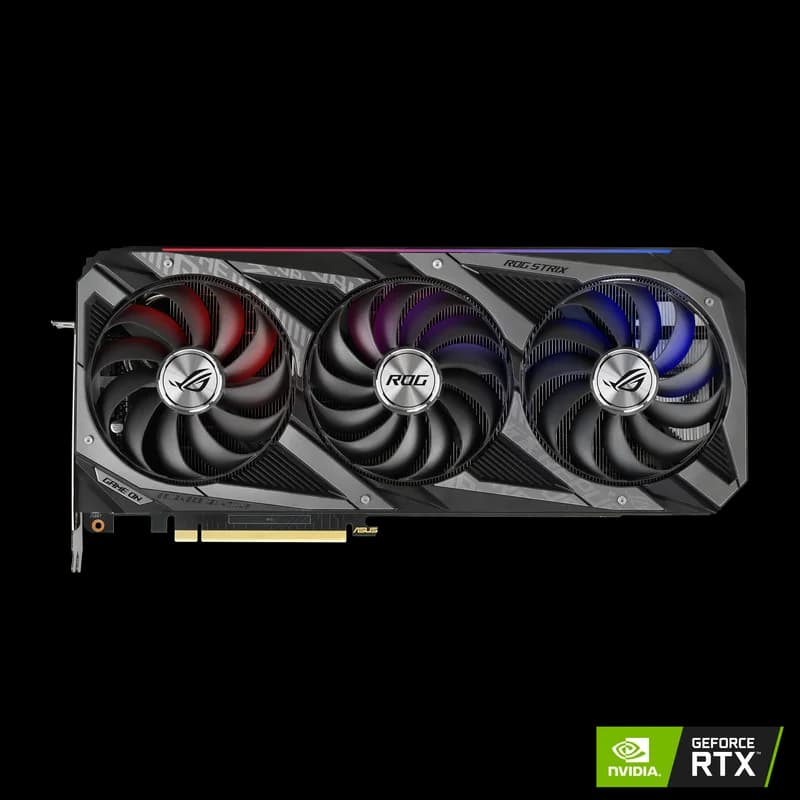
- GPU — Massively parallel. Excellent at the matrix math that AI models require. The gold standard for serious AI inference and training.
- NPU — Purpose-built for lightweight, always-on AI inference. Very power-efficient, but limited in capability and memory.
The NPU's superpower is power efficiency. It can run small AI models — background noise cancellation, face detection, image segmentation — continuously without draining your battery or spinning up fans. This is genuinely useful for laptop users who want AI-enhanced video calls and system features running in the background.
What the NPU is not is a replacement for a GPU. It has very limited on-chip memory, typically cannot access system RAM at the speeds a GPU can, and is designed for models measured in hundreds of millions of parameters — not the billions that modern LLMs require. AnandTech's NPU benchmark suite confirmed that even Intel's best Meteor Lake NPU tops out at roughly 3B parameter models before running into hard memory constraints.
NPU vs GPU for AI: An Honest Comparison
This is where most "What is an AI PC?" articles get it wrong. They imply that the NPU is a meaningful step toward running AI locally. Let us be direct about what each processor is good for.
| Capability | NPU | Integrated GPU | Discrete GPU (e.g., RTX 4090) |
|---|---|---|---|
| Background blur / face tracking | Excellent | Good | Overkill |
| Live captions / translation | Excellent | Good | Overkill |
| Image upscaling (small models) | Good | Good | Excellent |
| Running 7B parameter LLM | Cannot do it | Barely (very slow) | Excellent |
| Running 70B parameter LLM | Cannot do it | Cannot do it | Needs 2+ GPUs or offload |
| Stable Diffusion image generation | Cannot do it | Very slow | Excellent |
| Model training / fine-tuning | Cannot do it | Cannot do it | Yes (VRAM dependent) |
| Power consumption | Very low (5-15W) | Low-medium | High (300W+) |
The pattern is clear. The NPU excels at small, always-on, power-efficient tasks. The moment you need to do anything that most people think of when they hear "AI" — chat with a local LLM, generate images, process large datasets — you need a real GPU with real VRAM.
What Can AI PCs Actually Do Today?
Let us give credit where it is due. The NPU-powered features in Windows 11 and macOS are genuinely useful, even if they are not the revolutionary "AI on your device" that marketing implies:
- Windows Copilot integration — Faster local processing for some Copilot features, reducing cloud round-trips for simple queries.
- Live Captions and translation — Real-time captioning and translation of audio across any app, entirely on-device. This is legitimately impressive and privacy-friendly.
- Windows Studio Effects — Background blur, eye contact correction, auto-framing for video calls. Works well and runs without impacting battery life.
- Enhanced Windows Search — On-device semantic search that understands context rather than just matching filenames.
- Photo and video features — Background removal, auto-enhancement, scene detection in the Photos app.
- Adobe and creative app acceleration — Some Adobe plugins can offload tasks like masking and selection to the NPU.
These are nice quality-of-life features. They make video calls better, accessibility better, and search better. If you are buying a new laptop anyway, having an NPU is a bonus. The question is whether these features alone justify paying a premium — and the answer is almost always no.
What AI PCs Cannot Do (Be Honest With Yourself)
Here is what the marketing will never tell you:
- Run large language models locally. Even a "small" 7 billion parameter model like Llama 3.1 7B needs 4-8GB of dedicated memory and significant compute. NPUs cannot handle this. Period. If you want to run LLMs locally, you need a discrete GPU or a high-memory unified architecture like Apple Silicon.
- Replace a discrete GPU for AI inference. An NPU running at 40-45 TOPS sounds fast until you realize an RTX 4090 delivers over 1,300 TOPS for AI inference. That is not a small gap — it is a 30x difference.
- Do any model training or fine-tuning. Training requires backpropagation, gradient computation, and enormous memory bandwidth. NPUs are inference-only by design.
- Run Stable Diffusion or other generative image models. These models need GPU VRAM. The NPU does not have the memory or throughput.
- Future-proof your AI capabilities. The AI models that matter keep getting bigger. An NPU that handles a 1B parameter model today will not magically handle 10B models tomorrow. The ceiling is baked into the hardware.
The Real Spec That Matters: RAM and GPU
If you are reading this article because you want to actually do AI on your local machine — run models, experiment with LLMs, generate images, build AI applications — here is what actually matters:
For Discrete GPU Systems (Windows/Linux Desktops)
VRAM is king. The amount of video memory on your GPU determines the size of models you can run. Here is the rough breakdown:
- 8GB VRAM — Can run small models (up to ~7B parameters, quantized). Tight but workable for experimenting.
- 16GB VRAM — The sweet spot for most local AI. Run 7B-13B models comfortably, do Stable Diffusion, handle most inference tasks.
- 24GB VRAM (RTX 4090 / RTX 5090) — Run 30B+ parameter models, do fine-tuning on smaller models, handle demanding creative AI workloads.
- 48GB+ VRAM (pro cards or multi-GPU) — Run 70B models, do serious training, production-grade local inference.
Read our full breakdown: How Much VRAM Do You Need for AI in 2026?
For Unified Memory Systems (Mac / Some ARM)
Apple Silicon Macs share a single pool of memory between CPU and GPU. This means a Mac mini M4 Pro with 48GB of unified memory can run models that would require a $1,600+ GPU on a traditional PC. The tradeoff is slower inference speed compared to a dedicated NVIDIA GPU, but the cost-per-GB of usable AI memory is dramatically better.
Learn more: Mac Mini M4 for AI: Apple Silicon Local AI Guide
Intel vs AMD vs Qualcomm NPUs: 2026 Comparison
If you are buying a new laptop and want to understand the NPU landscape, here is where the three major players stand in mid-2026:
Intel Core Ultra (Meteor Lake / Arrow Lake / Lunar Lake)
Intel has been the most aggressive in pushing the AI PC narrative. Their latest Core Ultra processors include NPUs rated at 40-48 TOPS. Intel's advantage is broad OEM support — most business laptops from Dell, HP, and Lenovo ship with Intel NPUs. The software ecosystem is maturing but still limited. Intel's OpenVINO toolkit provides developer tools, but consumer-facing features are mostly limited to what Windows and Adobe support natively.
AMD Ryzen AI (XDNA / XDNA 2)
AMD's Ryzen AI series competes directly with Intel, offering NPUs in the 40-50 TOPS range. AMD's integrated Radeon GPUs tend to be stronger than Intel's integrated graphics, which gives AMD laptops a slight edge for GPU-accelerated AI tasks that fall between "NPU-light" and "discrete GPU territory." The Ryzen AI 9 HX series is particularly strong for creators who need both NPU features and capable integrated graphics.
Qualcomm Snapdragon X (Oryon / Hexagon NPU)
Qualcomm entered the Windows PC market with the Snapdragon X Elite and X Plus processors, featuring Hexagon NPUs rated at 45 TOPS. The standout advantage is battery life — ARM-based Snapdragon laptops routinely deliver 18-22 hours of use. The downside is app compatibility: while Windows on ARM has improved significantly, some x86 applications still run through emulation with a performance penalty. For a pure productivity and light AI features use case, Snapdragon machines are compelling.
Should You Buy an AI PC? Our Verdict
Here is our honest, no-nonsense recommendation:
Buy an "AI PC" if:
- You were going to buy a new laptop anyway and the AI PC version costs the same or marginally more than the non-NPU version.
- You use video calls heavily and want hardware-accelerated Studio Effects without battery drain.
- You care about on-device accessibility features like Live Captions.
- You want to be ready for future Windows and macOS features that leverage the NPU.
Do NOT buy an "AI PC" if:
- You think it will let you "run AI locally" in any meaningful way beyond system features.
- You are paying a significant premium ($200+) specifically for the NPU.
- Your actual goal is running LLMs, generating images, or doing AI development — you need a discrete GPU or high-memory Mac for that.
- You are choosing between a cheaper PC with 32GB RAM and a more expensive "AI PC" with 16GB RAM. Take the RAM every time.
What We Actually Recommend for Local AI
If you want a machine that can genuinely run AI workloads locally, here are far better paths than hunting for an NPU:
- Entry-level GPU build: Intel Arc B580 (12GB GDDR6, ~$249–$289) runs 7B models and Stable Diffusion in a budget PC — the best VRAM-per-dollar option under $300.
- Budget local AI: Mac mini M4 Pro with 48GB unified memory (~$1,600). Runs 30B+ parameter models, whisper-quiet, tiny footprint.
- Mid-range AI workstation: Desktop PC with an RTX 4080 or RTX 5070 Ti (16GB VRAM) and 32-64GB system RAM. Handles most local AI tasks comfortably.
- Serious AI builds: Desktop with an RTX 4090 (24GB VRAM). The single best consumer GPU for local AI inference and fine-tuning. Compare: RTX 5090 vs RTX 4090.
Check out our full guide: Best GPUs for AI in 2026
Frequently Asked Questions
What is an AI PC and how is it different from a regular PC?
An AI PC contains a dedicated Neural Processing Unit (NPU) alongside the CPU and GPU. The NPU accelerates small on-device AI tasks like live captions, background blur, and Windows Copilot features. However, for heavy AI workloads like running large language models, a regular PC with a powerful discrete GPU and plenty of RAM will outperform most AI PCs.
What is an NPU and what does it do?
An NPU (Neural Processing Unit) is a specialized chip designed to run lightweight neural network inference efficiently and at low power. It handles tasks like noise cancellation, image segmentation, and on-device AI assistants. It is not powerful enough to run large language models or replace a discrete GPU for serious AI work.
Do I need an AI PC to run AI locally?
No. You do not need an NPU or a branded 'AI PC' to run AI locally. What you actually need is sufficient RAM (32GB minimum) and ideally a discrete GPU with enough VRAM (16GB or more). A $600 mini PC with 32GB of unified memory or a desktop with an RTX 4090 will run circles around a $1,200 AI PC laptop for real LLM inference.
Can an AI PC run large language models like Llama or GPT locally?
The NPU in an AI PC cannot run large language models. LLMs require massive amounts of memory and compute that only discrete GPUs (via VRAM) or high-RAM unified memory systems (like Apple Silicon Macs) can provide. The NPU is limited to small, optimized models under roughly 3 billion parameters.